Lesson 27 (2 part)_Automation 2.0, lesson 27 (part 2), controlling camera spotlights at night (G5, G100). Turning on when the camera sees an event
Good day!
Today we will consider the case when it is necessary to rotate the camera in the appropriate direction when a motion sensor or another sensor that monitors the state of the environment is triggered.
Used devices:
Aqara cameras with rotation function (G3, G350, E1);
Motion/presence sensors (FP300, FP2, P1, etc.).
Automation conditions:
There is motion — rotate to position “test 1”.
No motion for one minute — rotate to position “test 2”.
Solving the task
Part one.
Creating surveillance zones “test 1” and “test 2”.
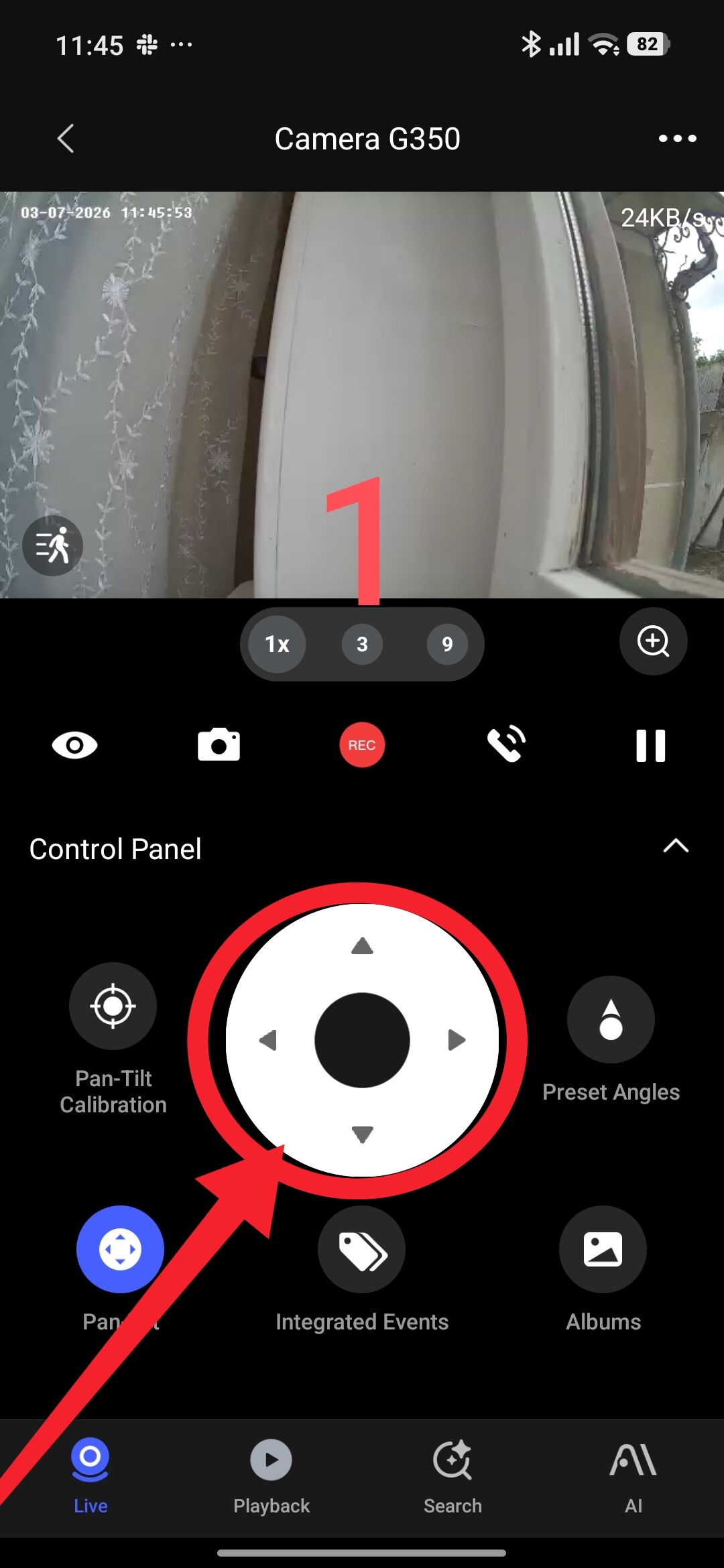
Open the camera window in the app and using the up, down, left, right regulators, set the desired position (fig. 1).
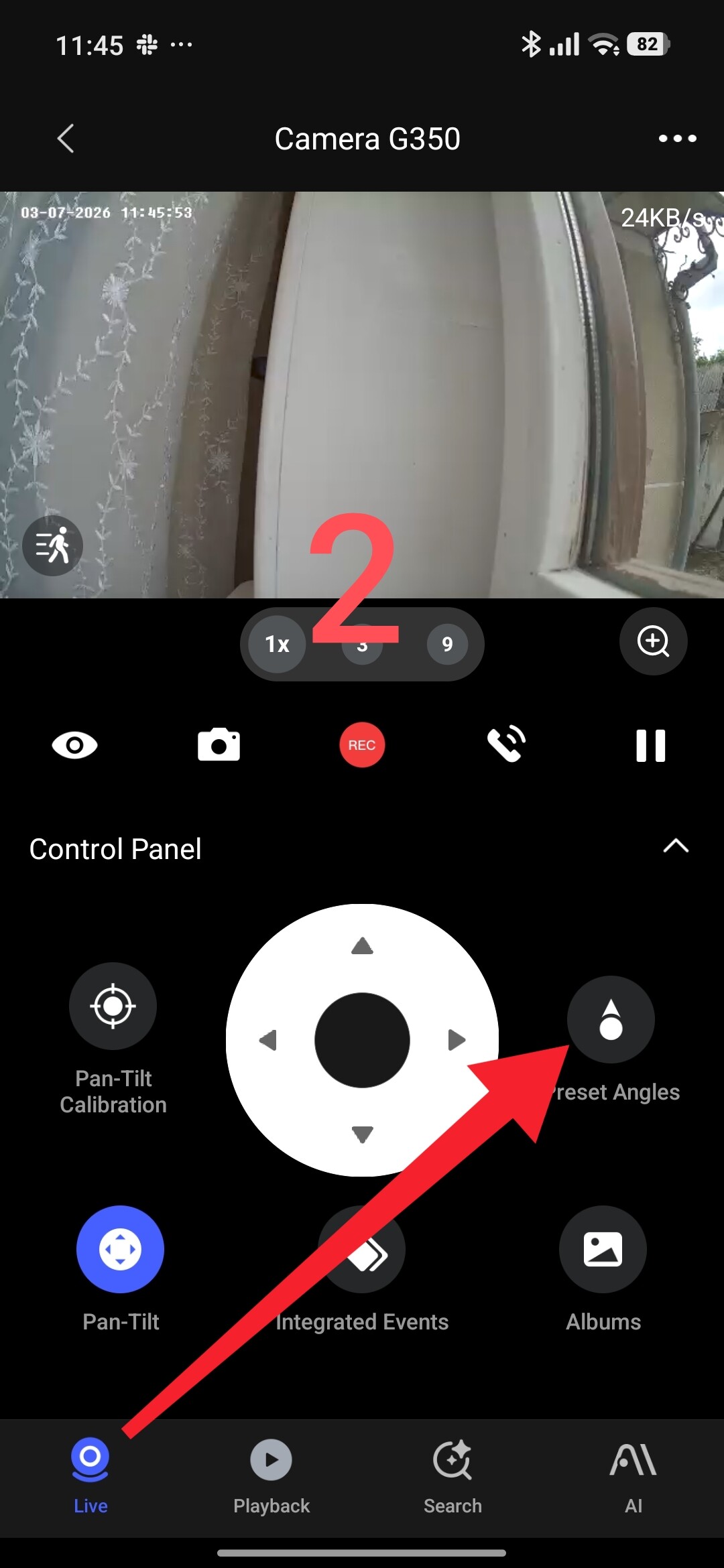
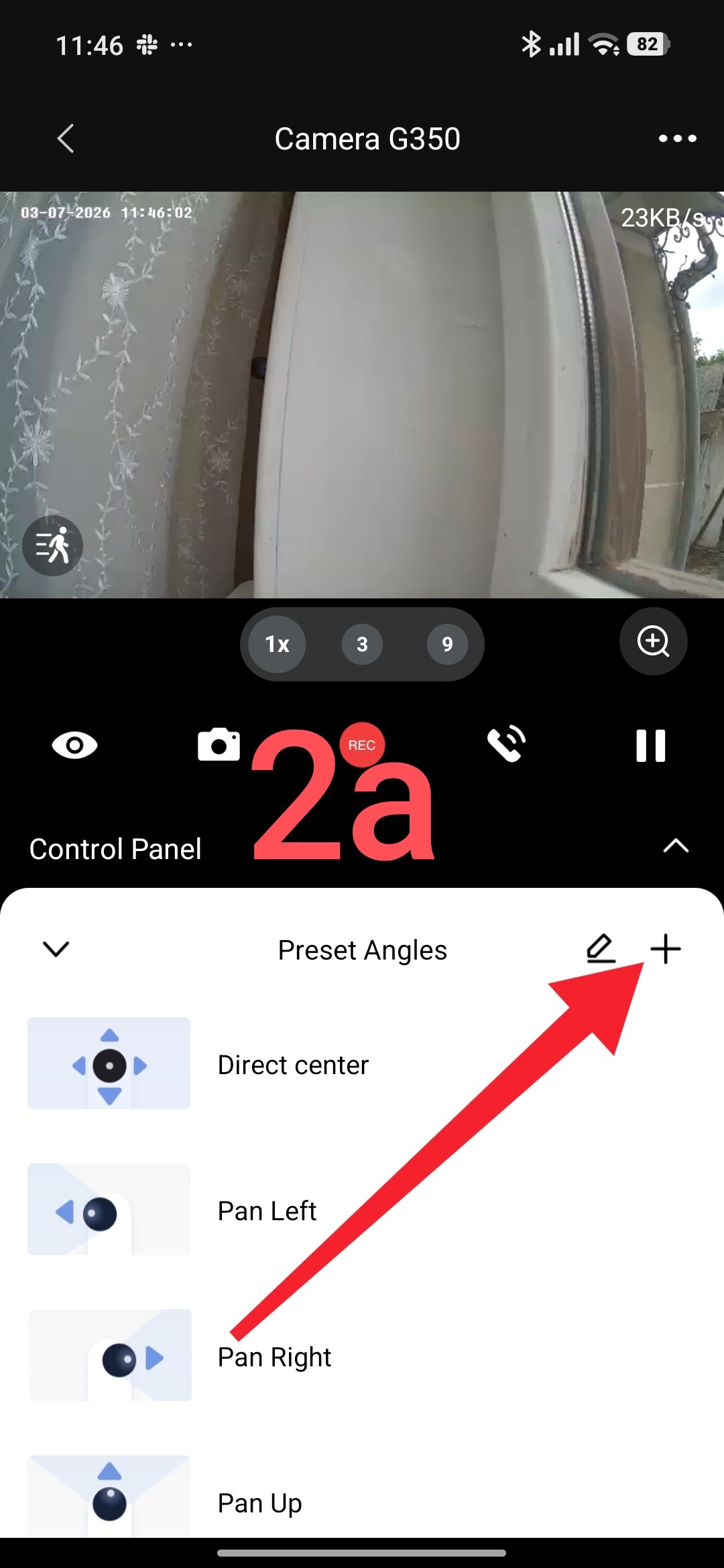
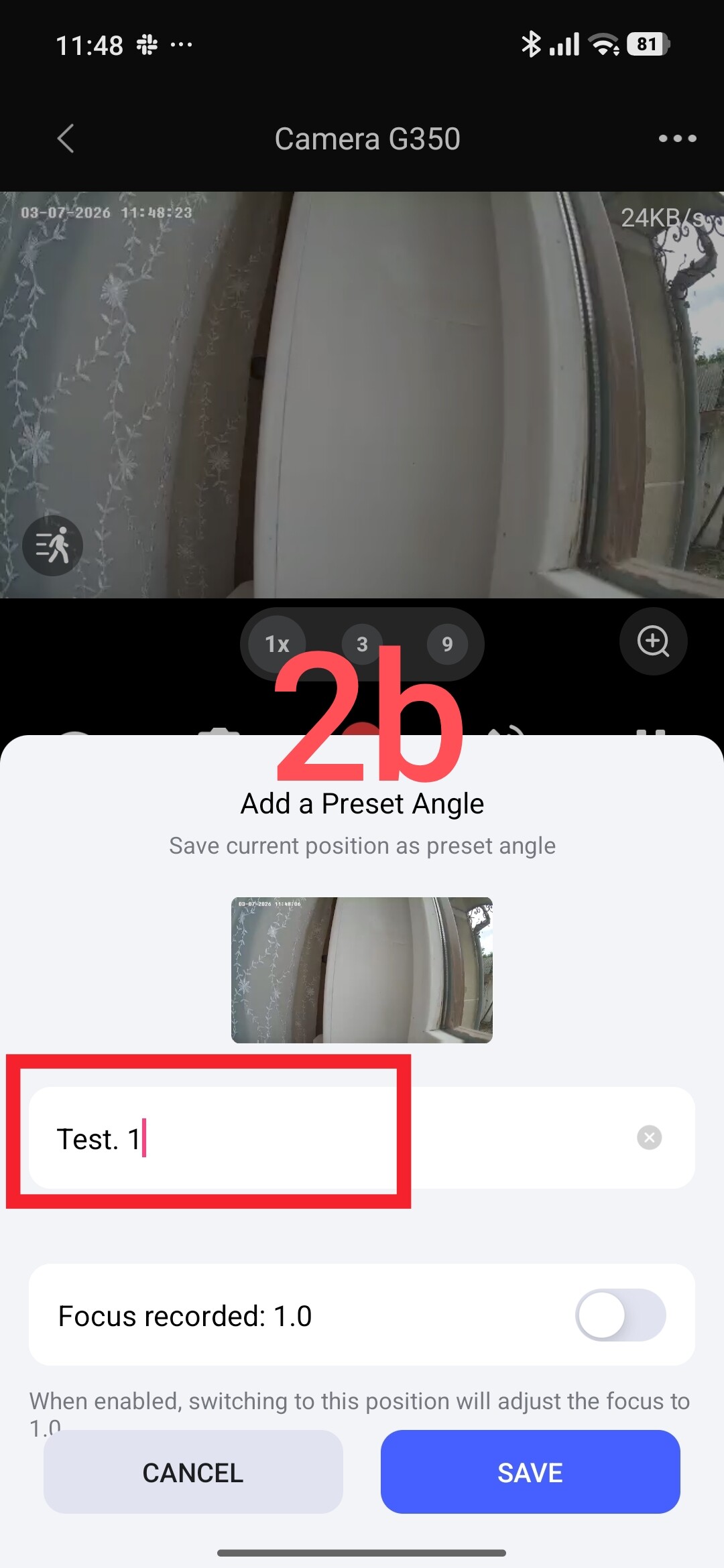
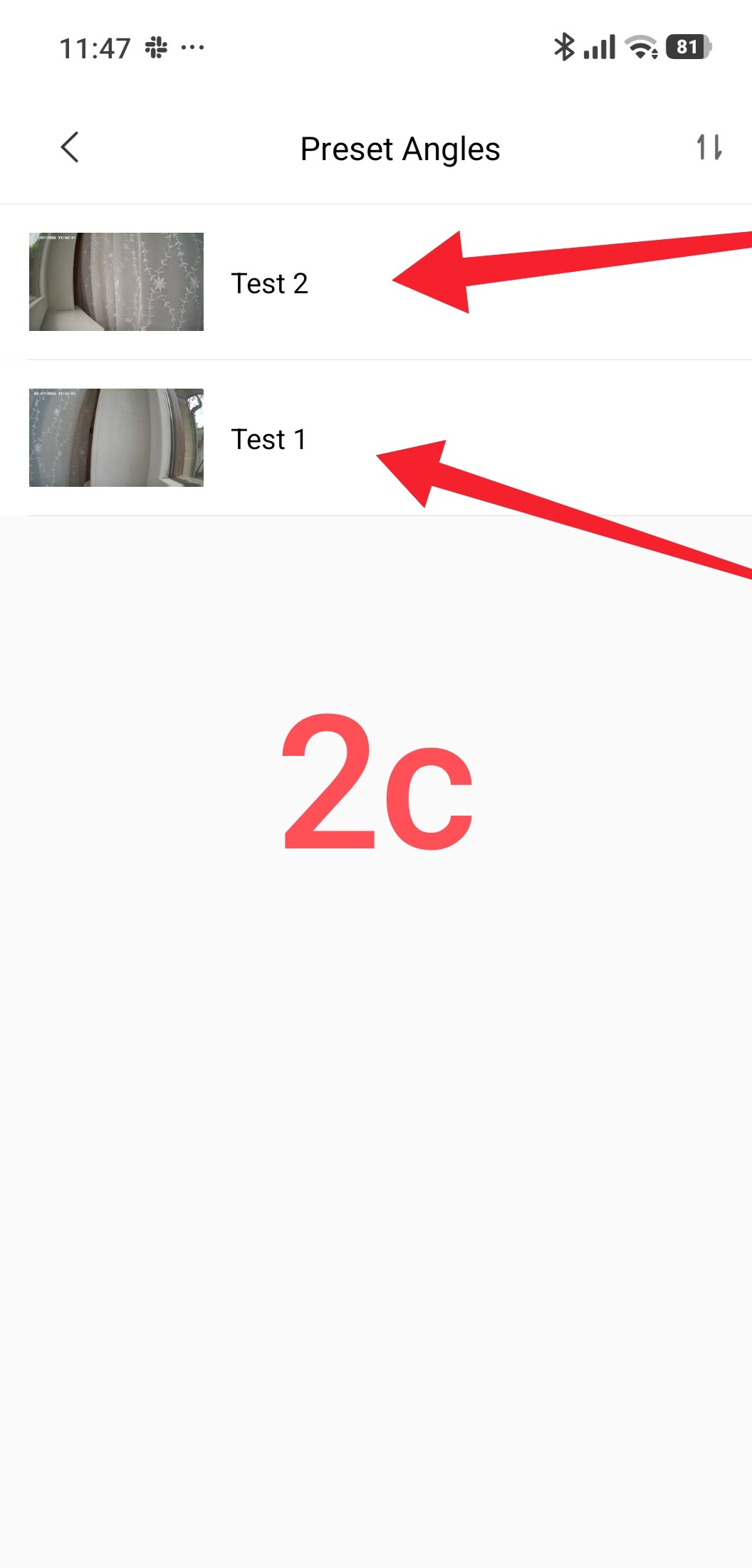
Sign and save the selected position under the name “test 1”. Repeat the action and save the new camera surveillance position under the name “test 2” (fig. 2).
Part two.
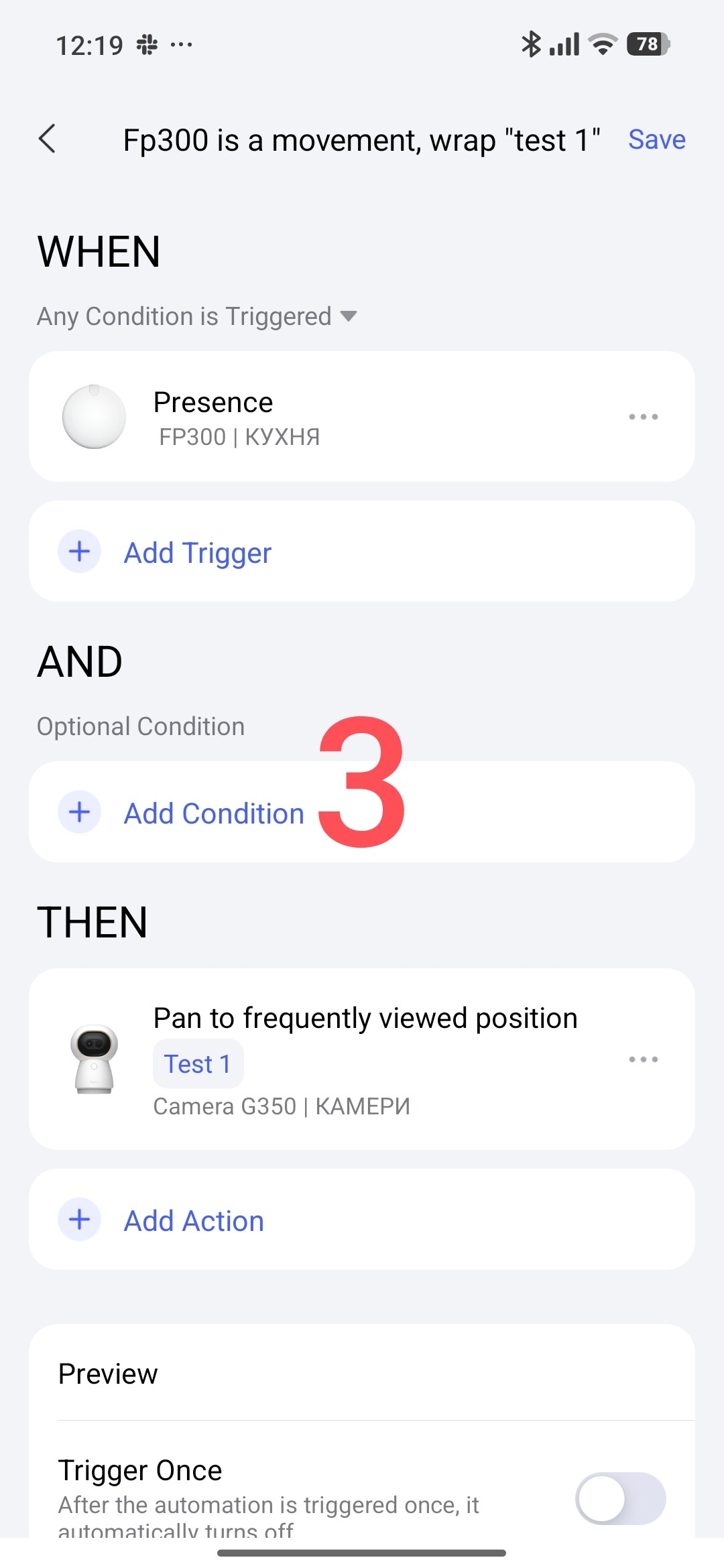
Automation — rotate the camera to position “test 1” when the FP300 sensor is triggered.
Created automation: “FP300 — motion detected, rotate to ‘test 1’” (fig. 3).
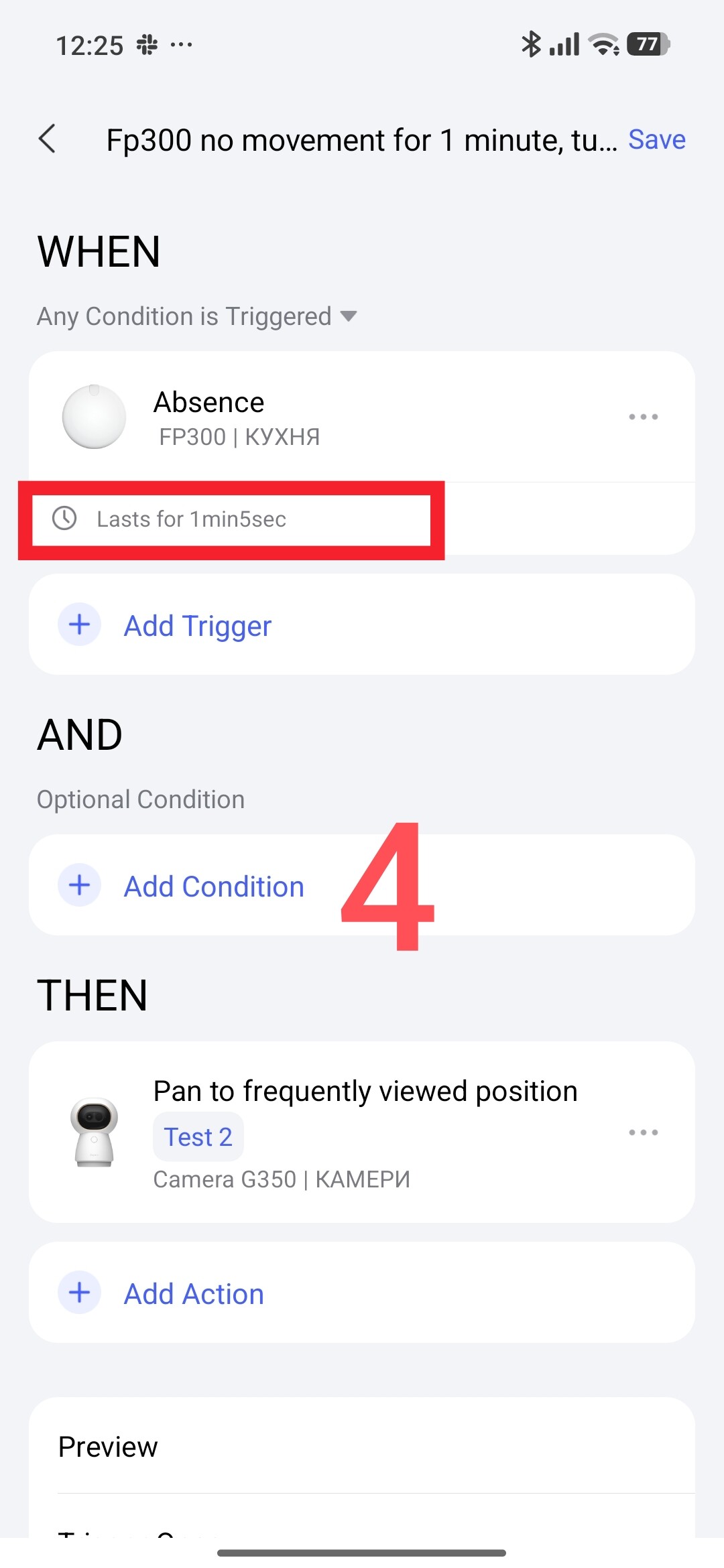
Automation — rotate the camera to position “test 2” when there is no motion from FP300.
Created automation: “FP300 — no motion for 1 minute, rotate to ‘test 2’”. I like to use delays in automations (circled in red) (fig. 4).
I have covered the basics of automation in this lesson. Next, you can expand your conditions for controlling the environment around cameras that have the rotation property.
That concludes my mini-lesson. More to come.
Thank you for reading and sharing the topic — you can also share it on other platforms with a link to our forum.
Lesson 1: Automation 2.0 Tutorial Collection - Lesson 1 report