Lesson_27 (1)_Automation 2.0, lesson 27 (part 1), controlling camera spotlights at night (G5, G100). Permanently turning on the spotlight
Good afternoon.
Often on the forum, users make mistakes when creating automation for turning on the camera spotlight at night.
I have already considered the topic of turning on the camera spotlight in lesson 21 ( Automation 2.0, lesson 21, creating On/Off automations for the G5, G100 camera spotlight )
In this mini-lesson, we will consider turning on the G5 camera spotlight at night when a trigger is triggered (motion, person, animal…).
Automation condition
Sunset - an event occurred. at night on the G5 camera-> On spotlight → after 10 minutes Off spotlight.
Solving the problem option 1
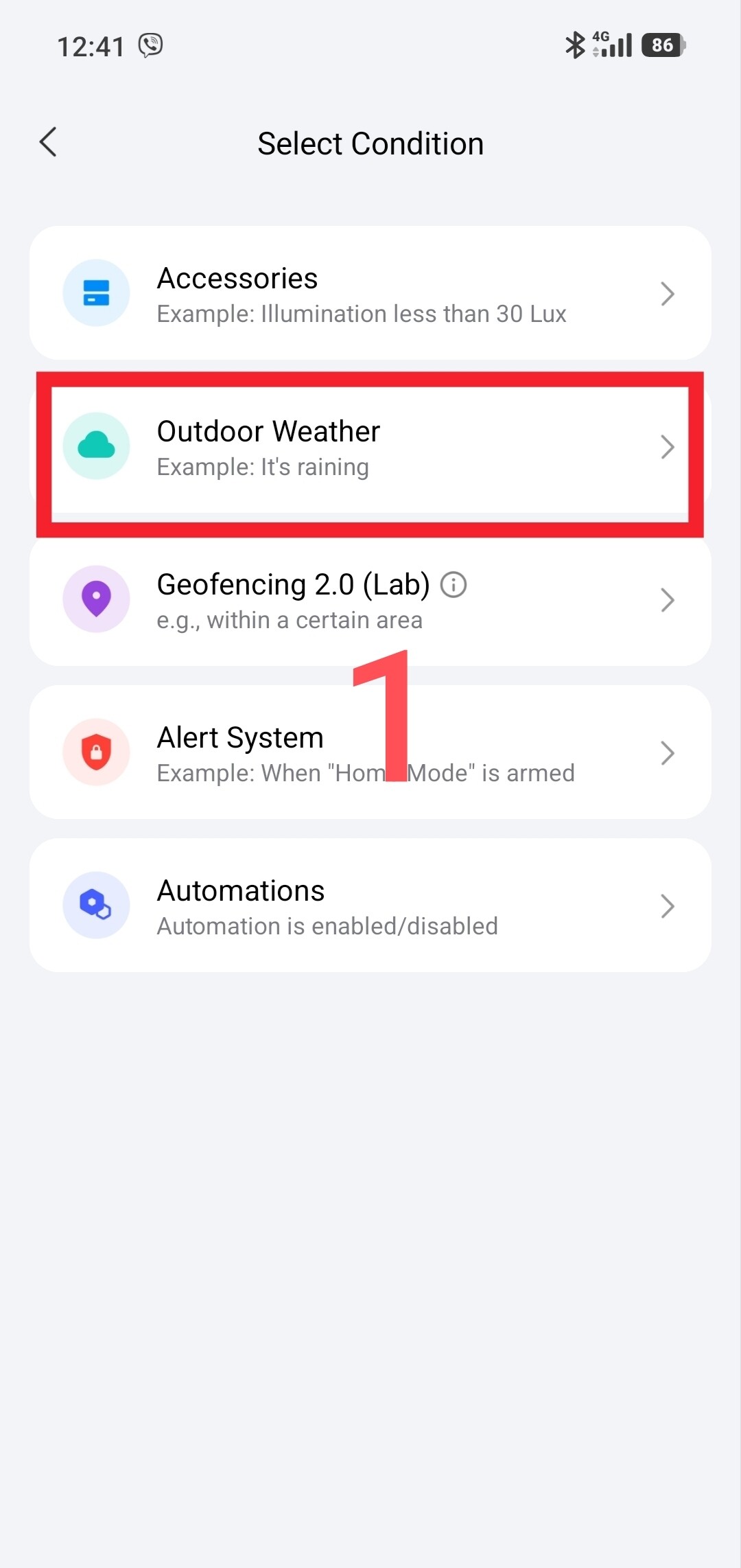
According to the 2.0 operation algorithm, the IF condition is a constant component that will work after sunset. . In this section we will insert this condition.
Fig. 1
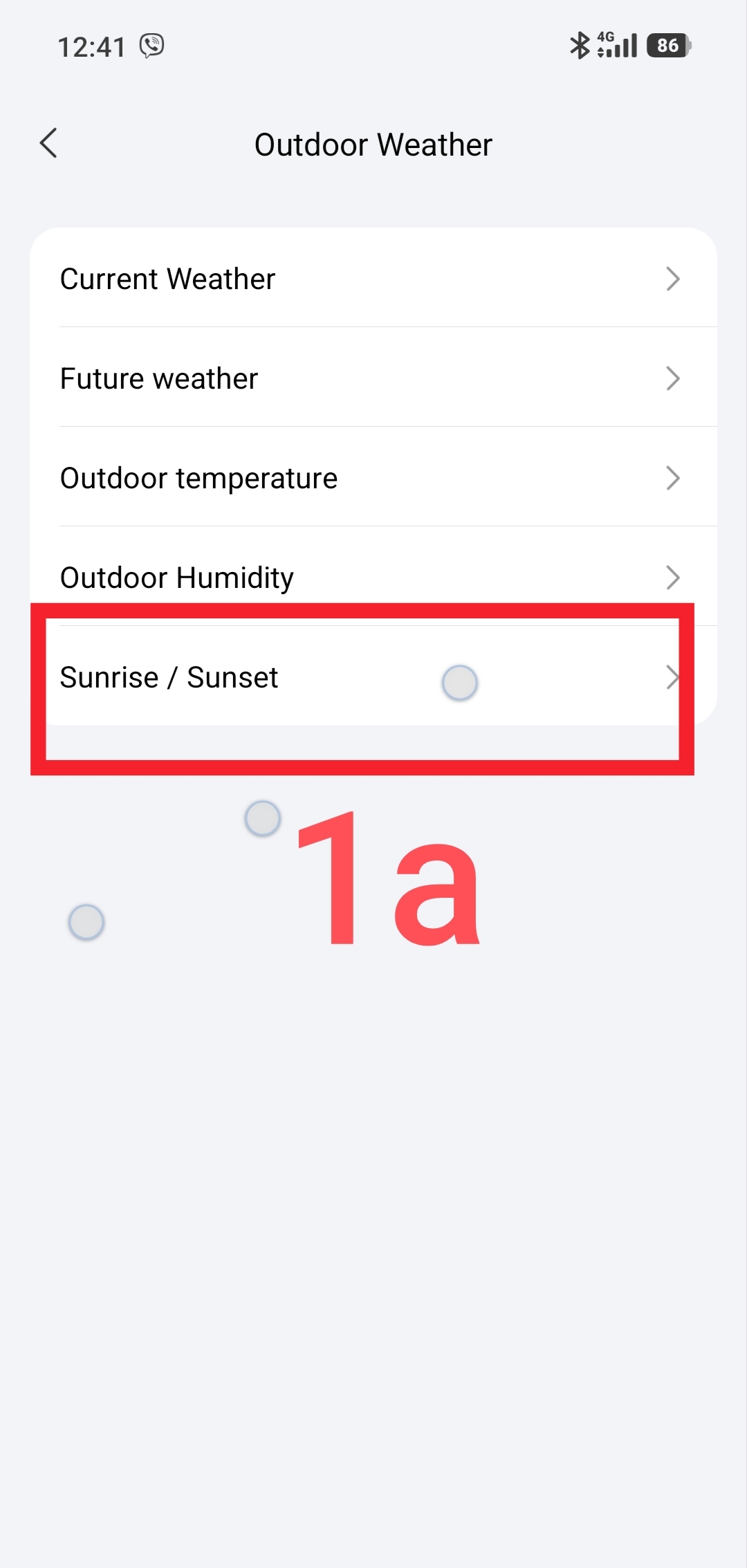
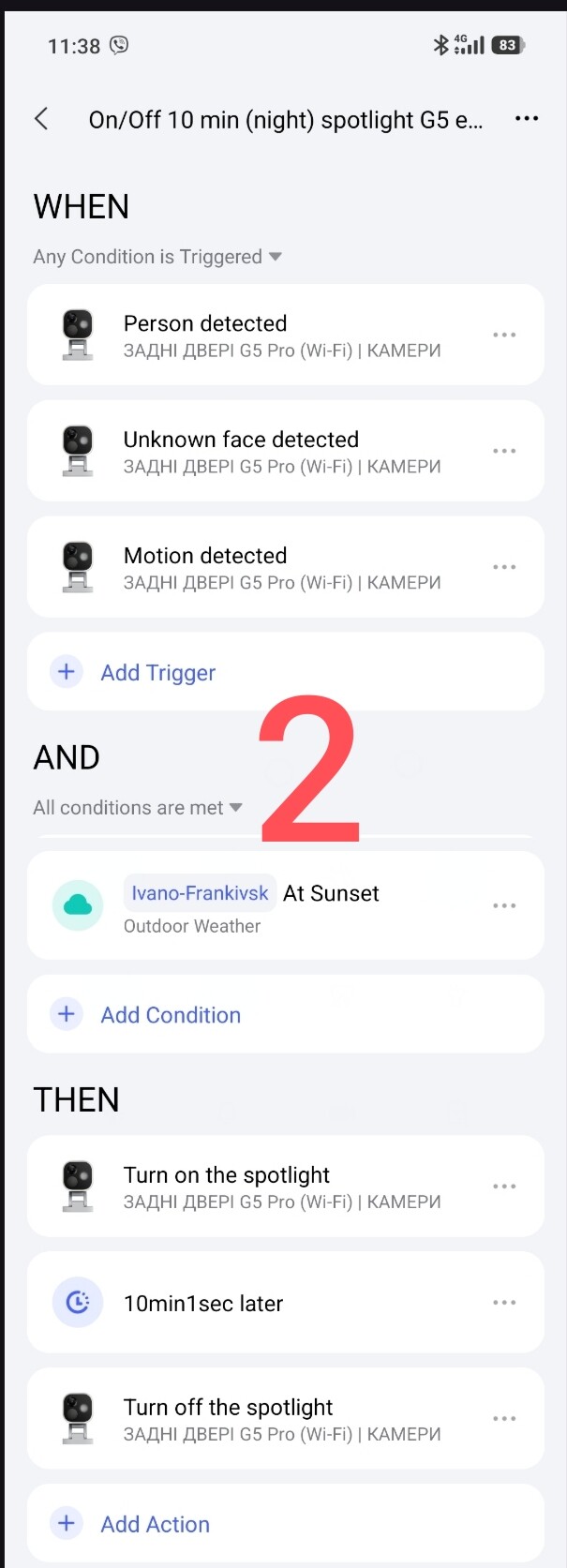
In the WHEN section we insert any action with which we want to start the On spotlight.
The action of the THEN section does not need to be explained.
We get the following automation “On/Off (night) spotlight G5 event”
Fig. 2.
Solving the problem option 2
We can also create an automation using this setting “…”
Fig3
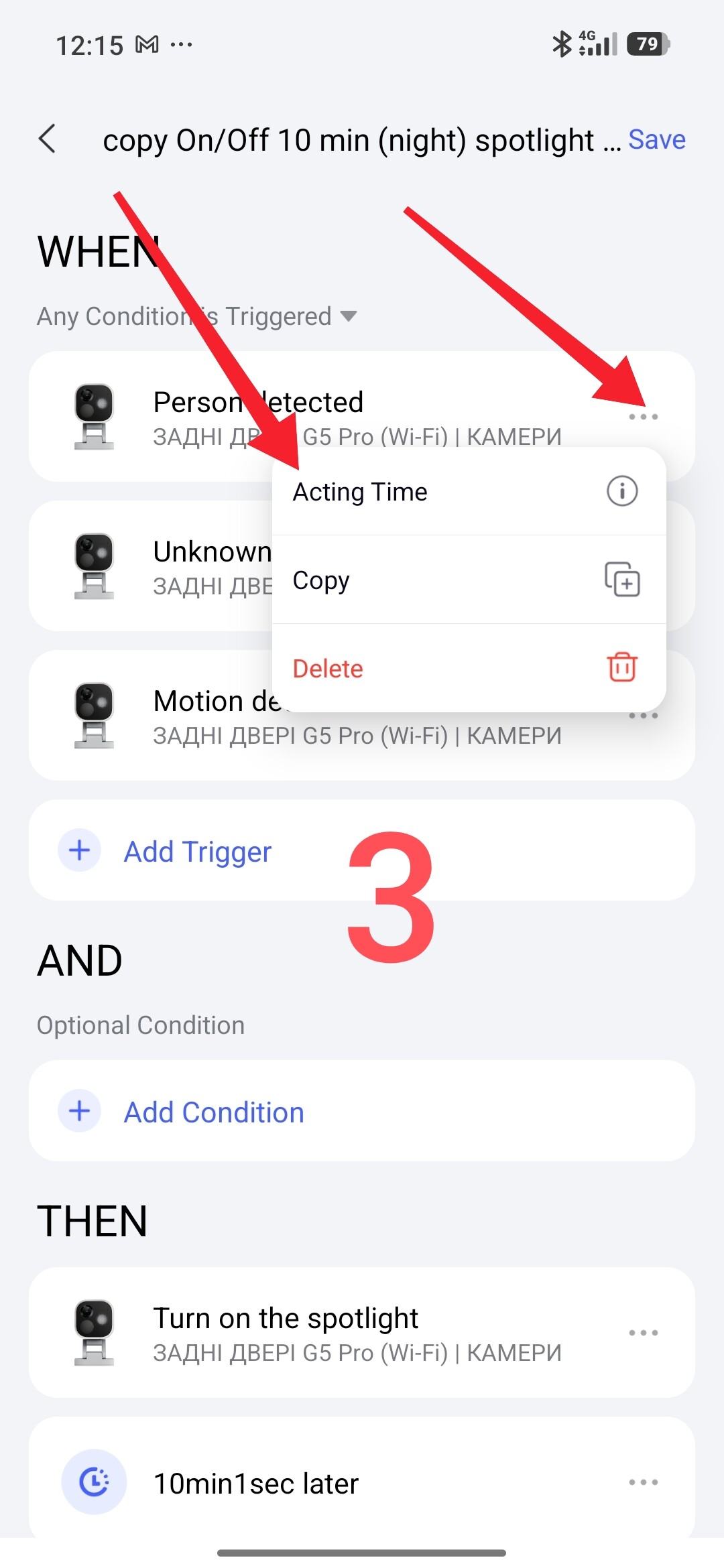
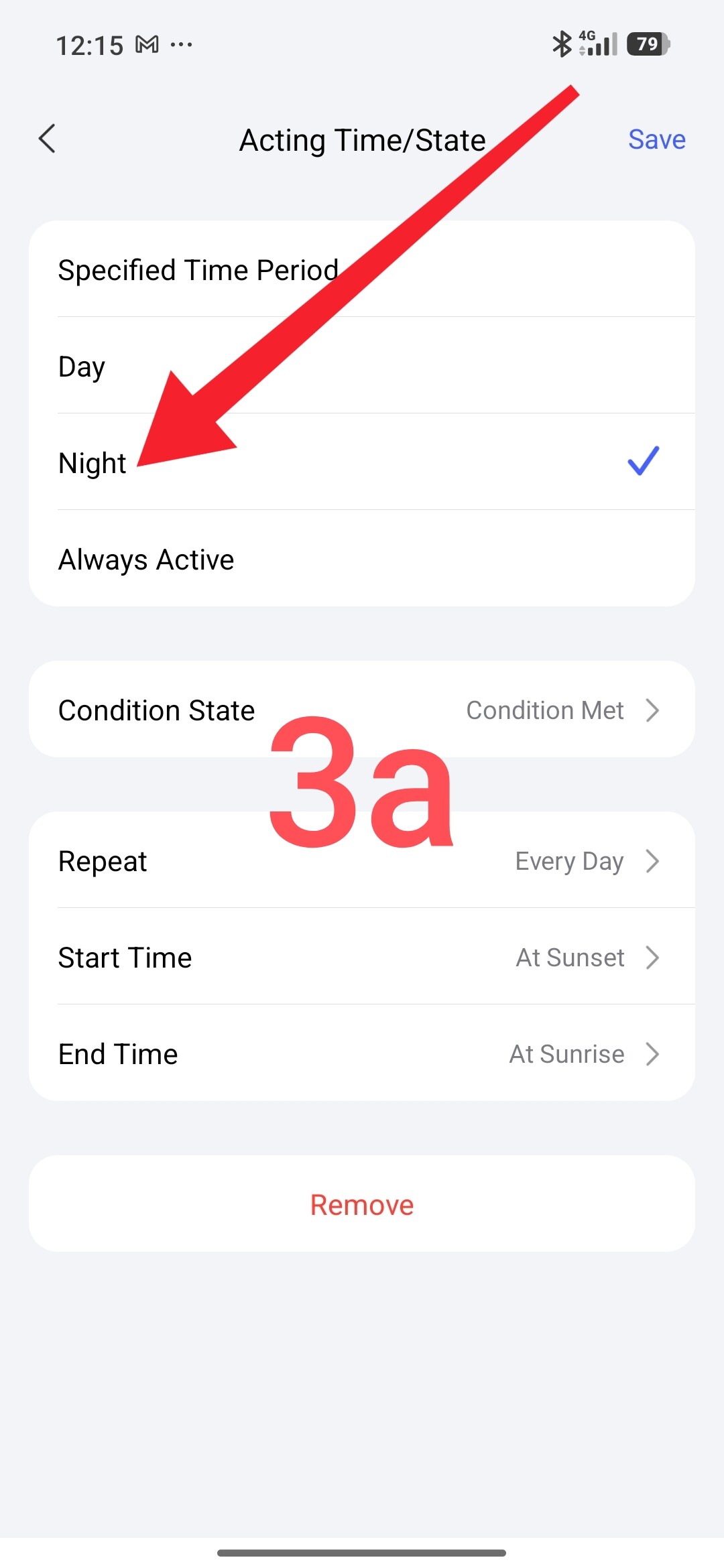
In this automation we will not fill in the IF section.
But in the THEN section for each action of the G5 camera we will add the period of operation "start-sunset, end-sunrise).
We will get the following automation
Fig.4.
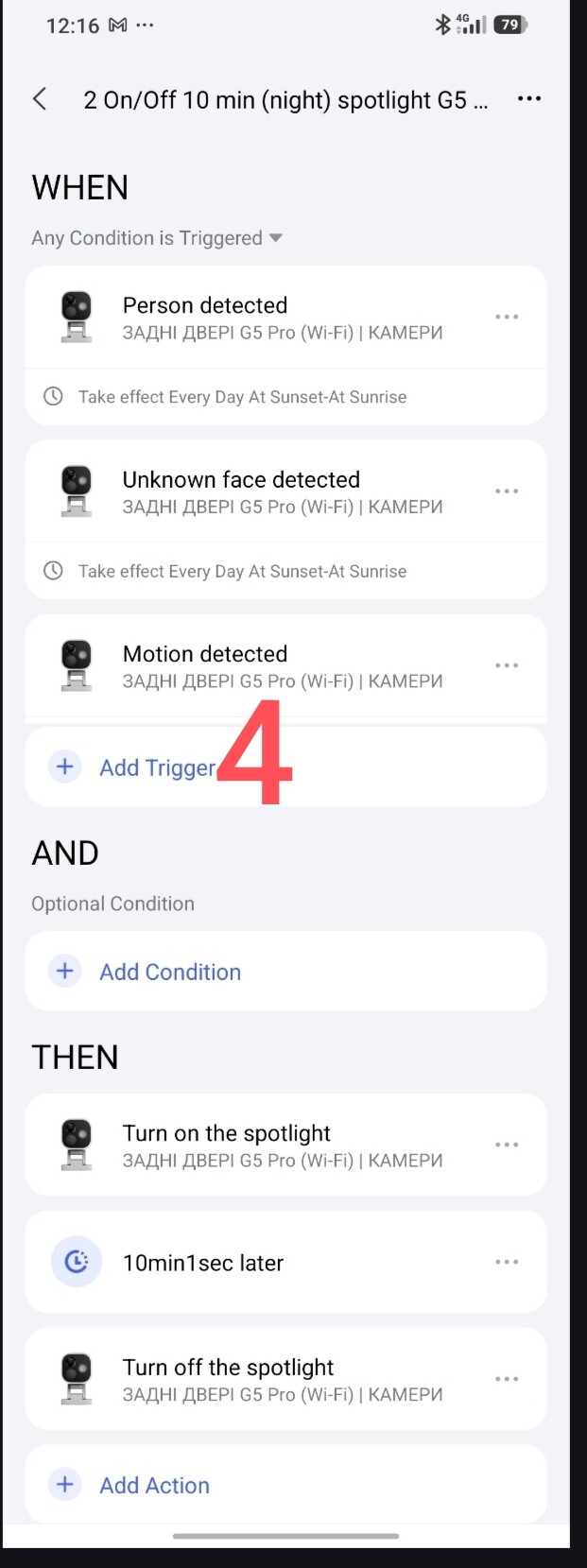
To understand how this automation works, please review the algorithm 2.0 again _Automation 2.0, lesson 1 (continued), description of the algorithm for transitioning automation 1.0 to 2.0
This concludes my mini lesson. More to come.
Thank you for reading and sharing the topic, you can also use it on other platforms with a link to our forum.
Lesson _ 1 Automation 2.0 Tutorial Collection - Lesson 1 report