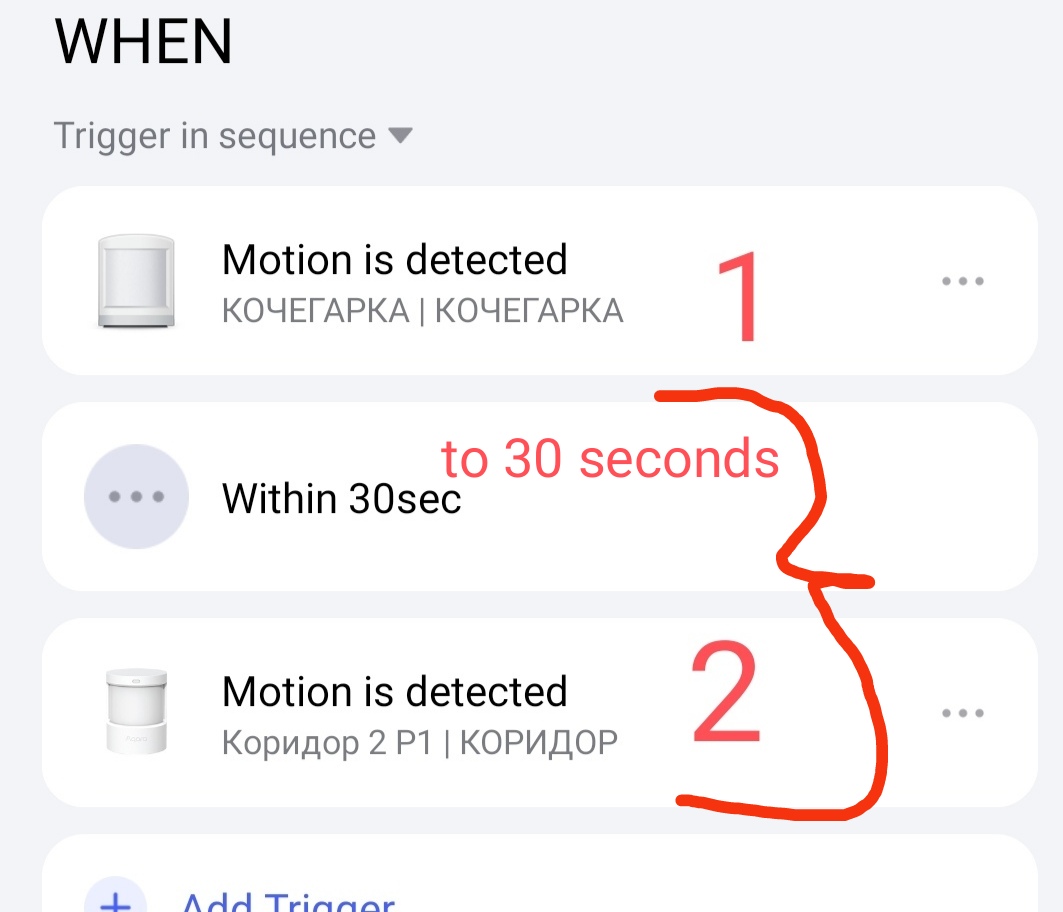
Lesson 4 Automation 2.0. Lesson 4. Lighting control by time periods
Good afternoon, let’s start lesson 5.
In this lesson I will show an example of using a complex of smart devices and automation 2.0 in the “execute sequence” mode (WHEN condition).
FIRST EXAMPLE, CORRIDOR LIGHTING.
The devices we have are
- motion sensor (1,2,3);
- door opening sensor (4,5);
- smart lamps (or smart switches).
We have a long corridor with a turn, Figure A.
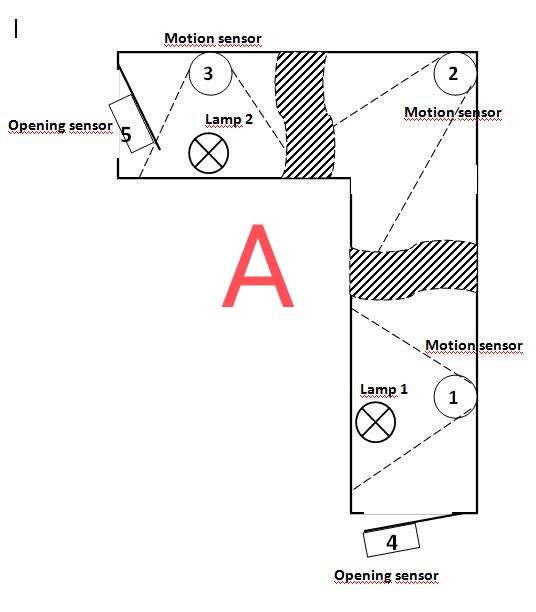
Automation task:
When a person opens the door, the lamp near the door turns on, as the person moves along the corridor (around the turn) the second lamp near the other door turns on, at this moment the lamp located near the door through which the person entered turns off.
Let’s break the execution conditions into the following parts:
1-turning on the light (in two ways), motion sensor and opening sensor;
2-light control at the stages of movement along the corridor;
3-light switching off
4- control (emergency) light switching off (accidental unscheduled switching on of lamps).
1-TURNING ON THE LIGHT.
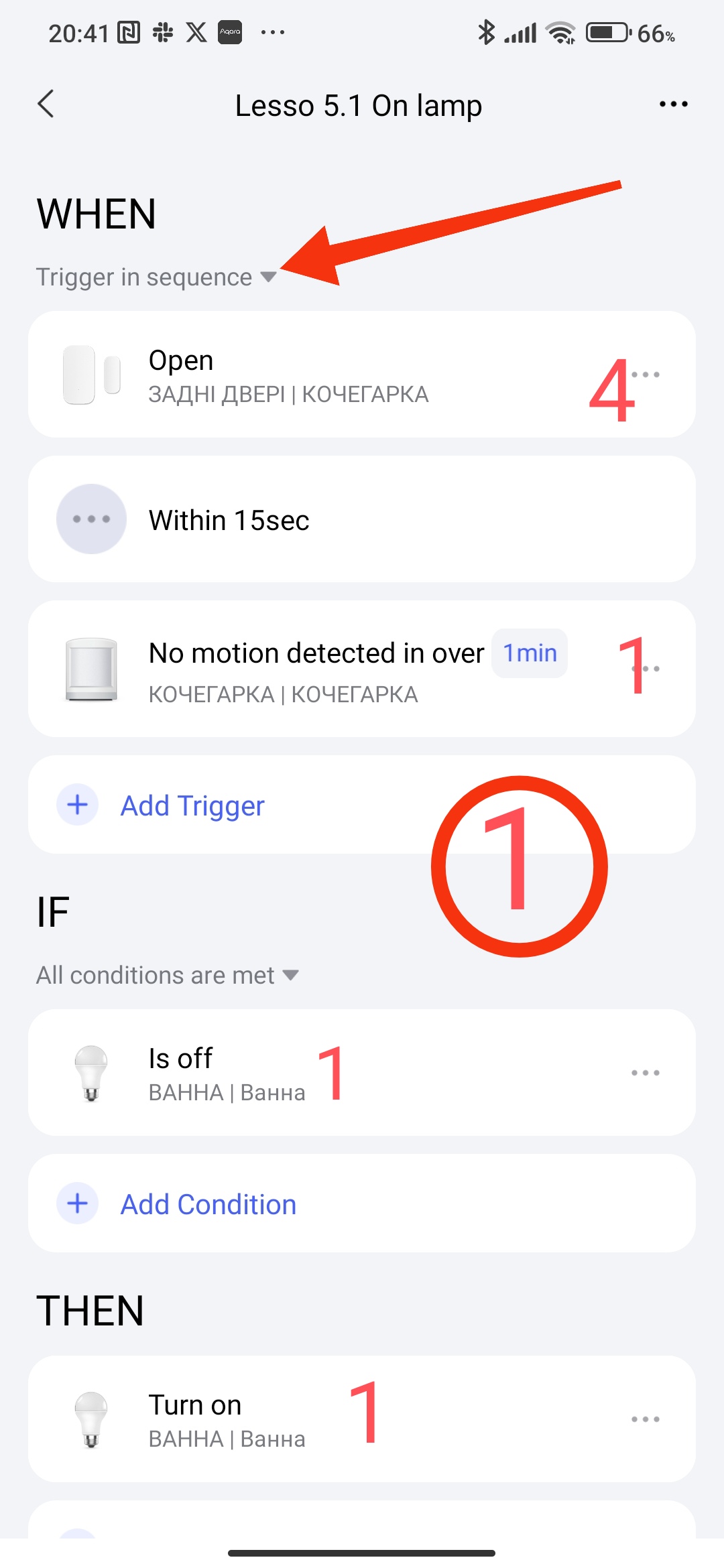
When the door is opened (sensor 4) and there is no movement for 1 minute (sensor 1), then turn on the light (lamp 1). For this automation, we will use the “execute sequence” condition in WHEN. I remind you once again that the time specified in “execute sequence” is the time during which the next event should occur. Let’s create the automation
Fig.1.
2-LIGHT CONTROL AT THE STAGES OF MOVEMENT ALONG THE CORRIDOR.
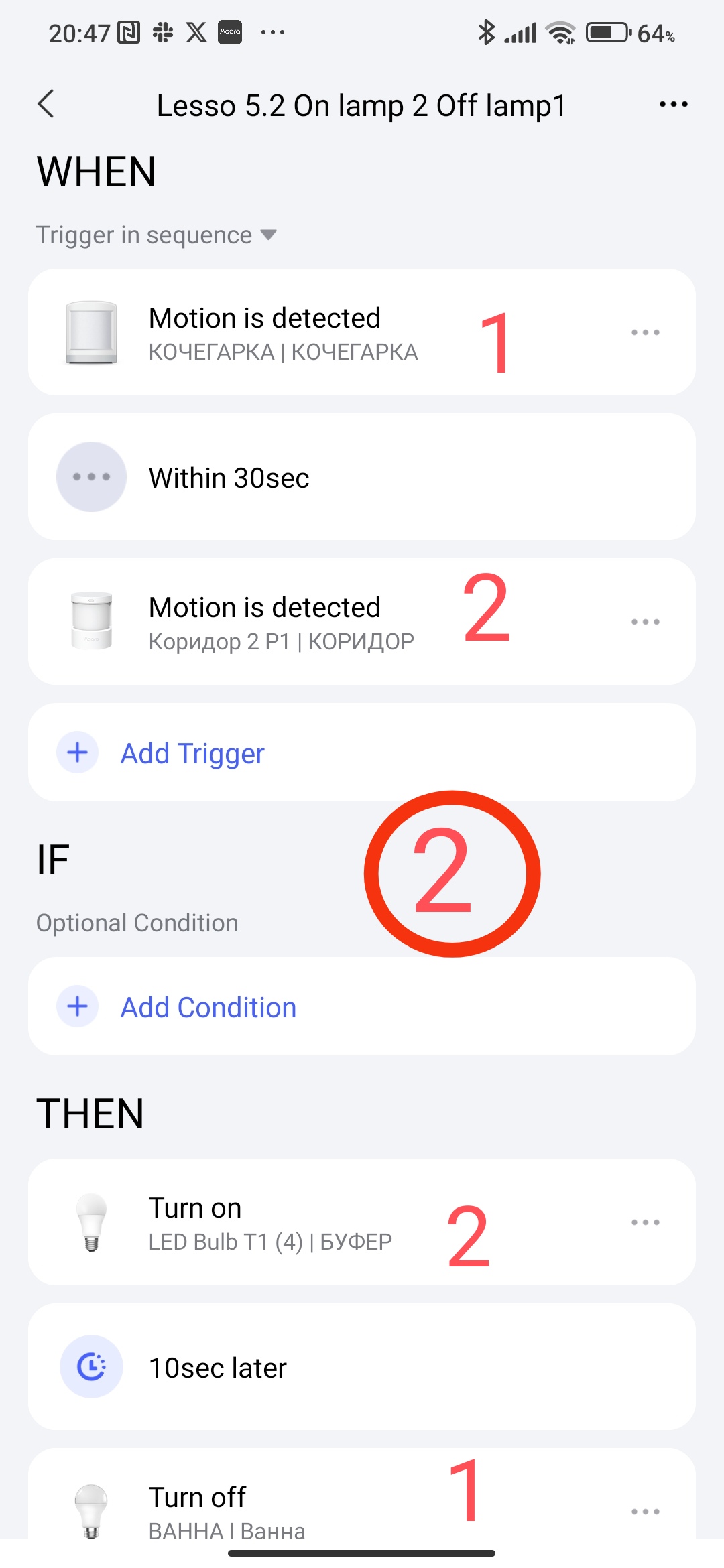
When a person enters the corridor, he continues to move straight. Let’s make an automation with a condition, straight movement (sensor 1) → straight movement with a turn (sensor 2) then On lamps2-> delay 10 seconds->Off lamps1. For this automation, we will also use the “execute sequence” condition in WHEN. We make a delay in the THEN condition to overlap the lighting time of lamp 1 in 2. We get automation.
Fig. 2
3-TURNING OFF THE LIGHT.
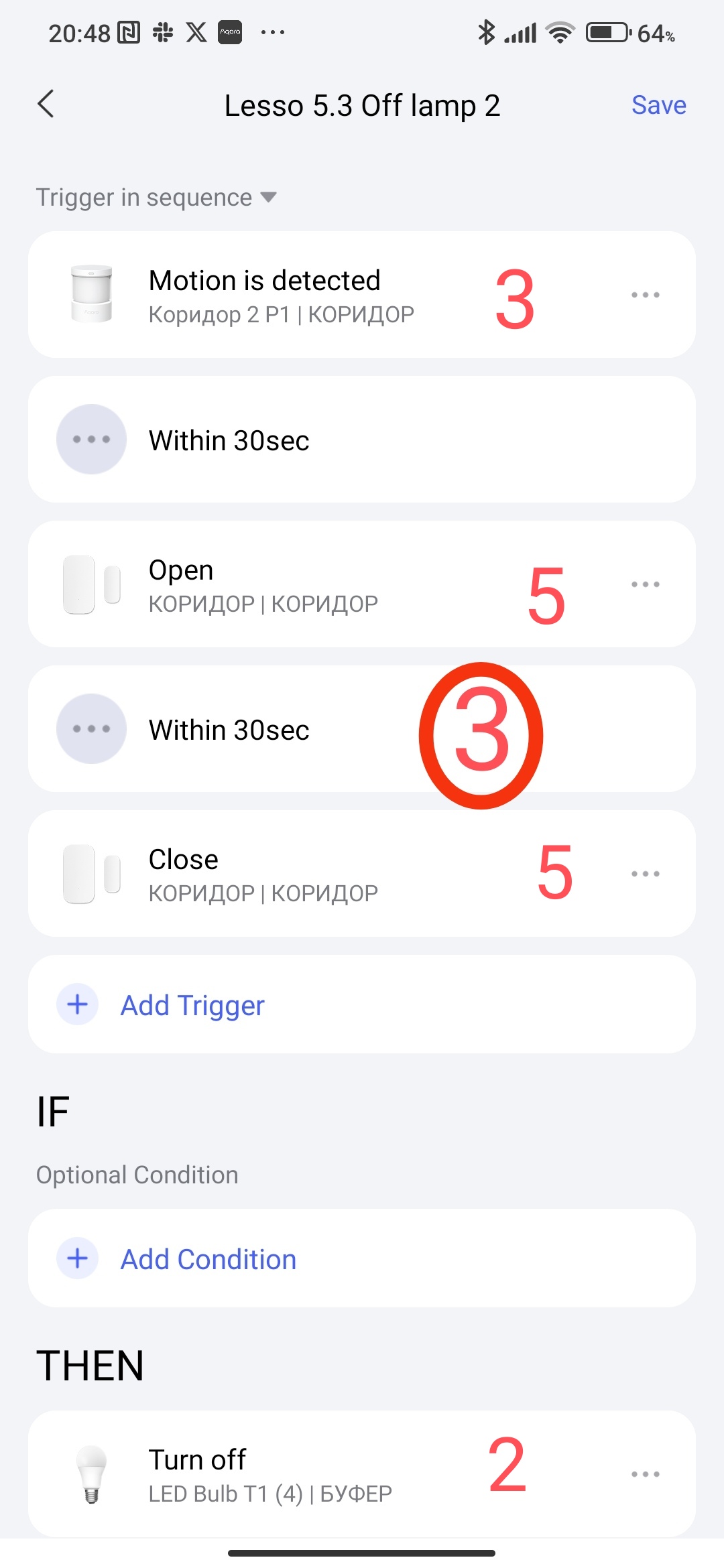
At the exit from the corridor to the door, we make an automation with the condition - there is movement (sensor 3)->door opened (sensor 5)->door closed (sensor 5) THEN turn off lamp 2.
Fig. 3.
4- CONTROL (emergency) LIGHT SWITCHING OFF (accidental switching on of lamps)
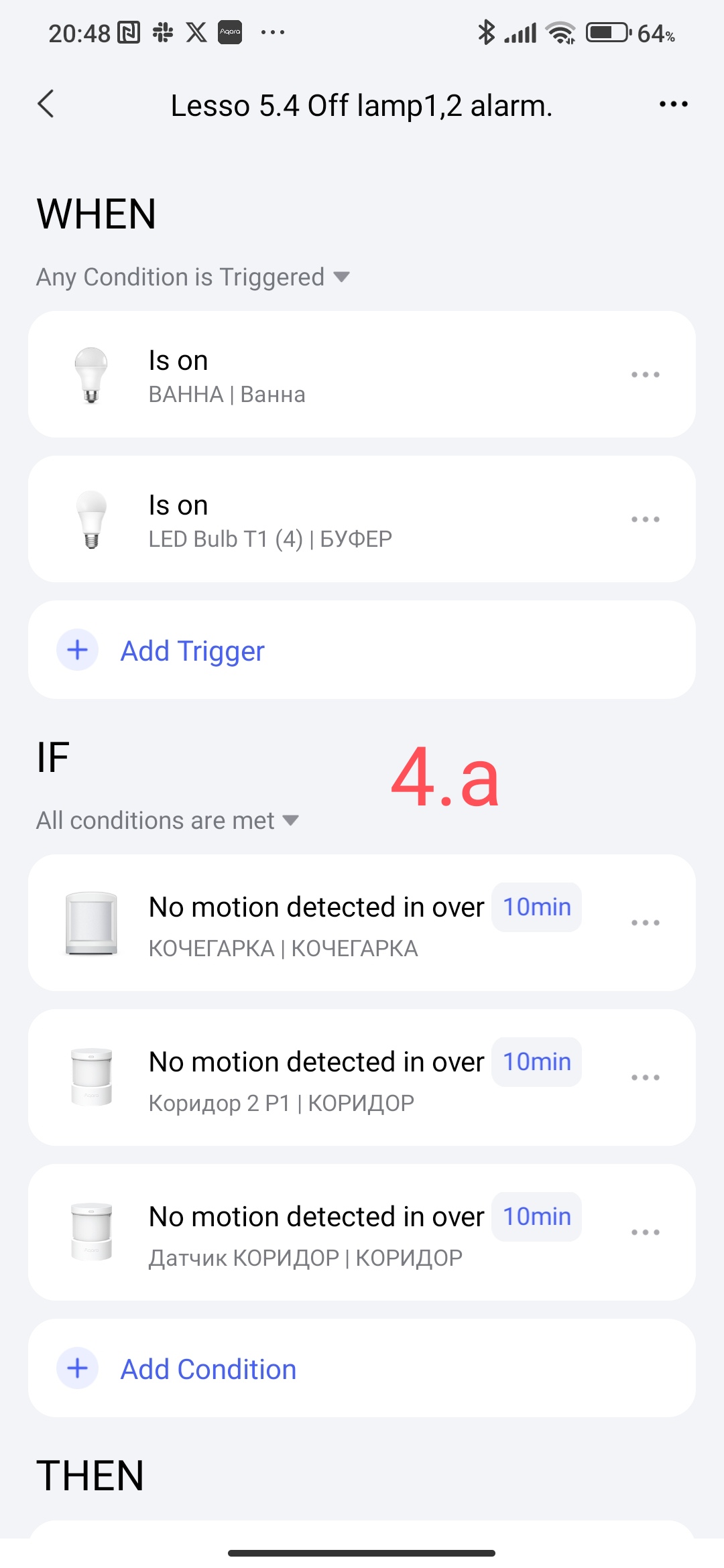
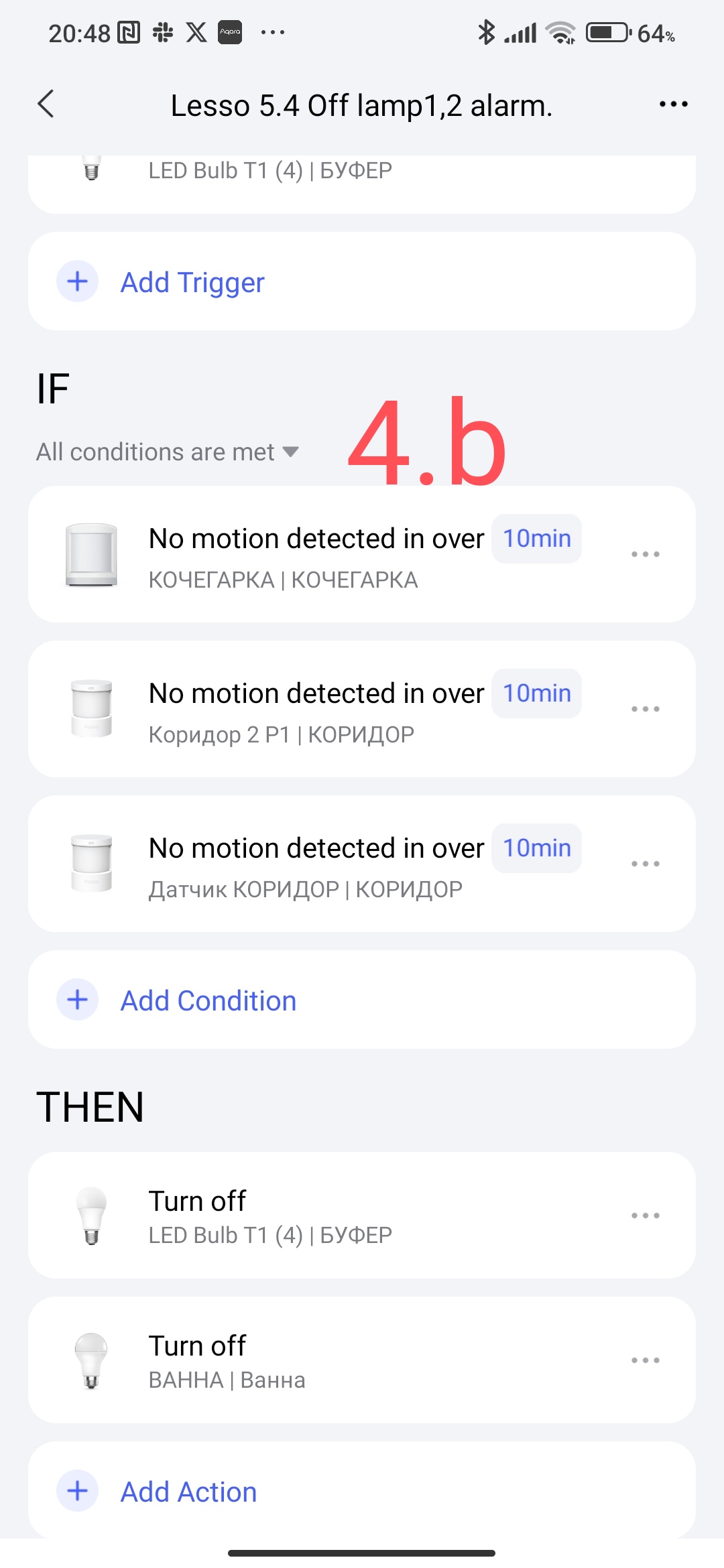
During the operation of the automation, there are uncontrolled switching on of lamps (clicked from the application, switched on from another automation or scenario, etc.) we need to ensure that the lamps are switched off to save electricity. Before that, we will make our automation. The automation condition IF the lamp (1,2) is on in IF there is no movement on sensors 1,2,3 for more than 10 minutes THEN turn off the light. In the WHEN conditions we use “do any” in and IF “do all”. We get the following automation
Fig. 4
In the reverse movement along the corridor, we do the automation similarly in the reverse order as described.
SECOND EXAMPLE, SNVUZLA LIGHTING.
The devices that we have
- motion sensor (1);
- door opening sensor (2);
-smart lamp (or smart switches). Bathroom plan with sensors
Fig B
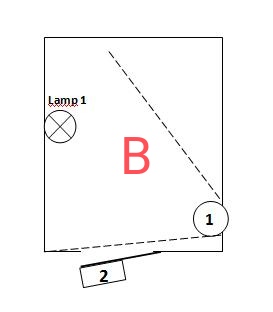
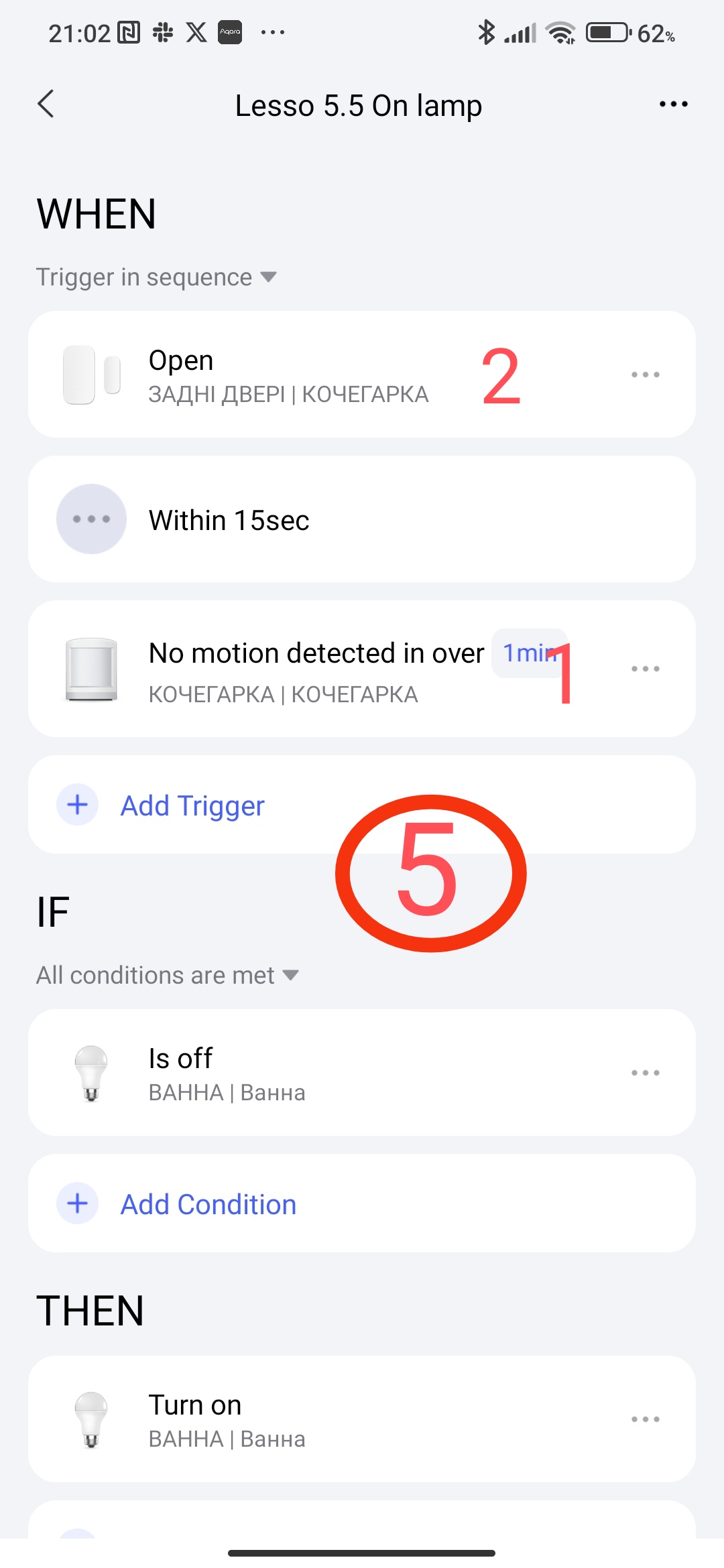
Let’s consider the case when our bathroom is also a bathroom for our pets (cats) and the door is constantly open there. Many have encountered the problem of turning on the light when the cat moves. I suggest turning off the light from a combination of movement and opening, two automations will ensure this.
1-turning on the light.
Algormtm- the toilet door is constantly open, there is a moment of closing the door and movement in the room, then turn on the lamp.
Created automation
Fig 5
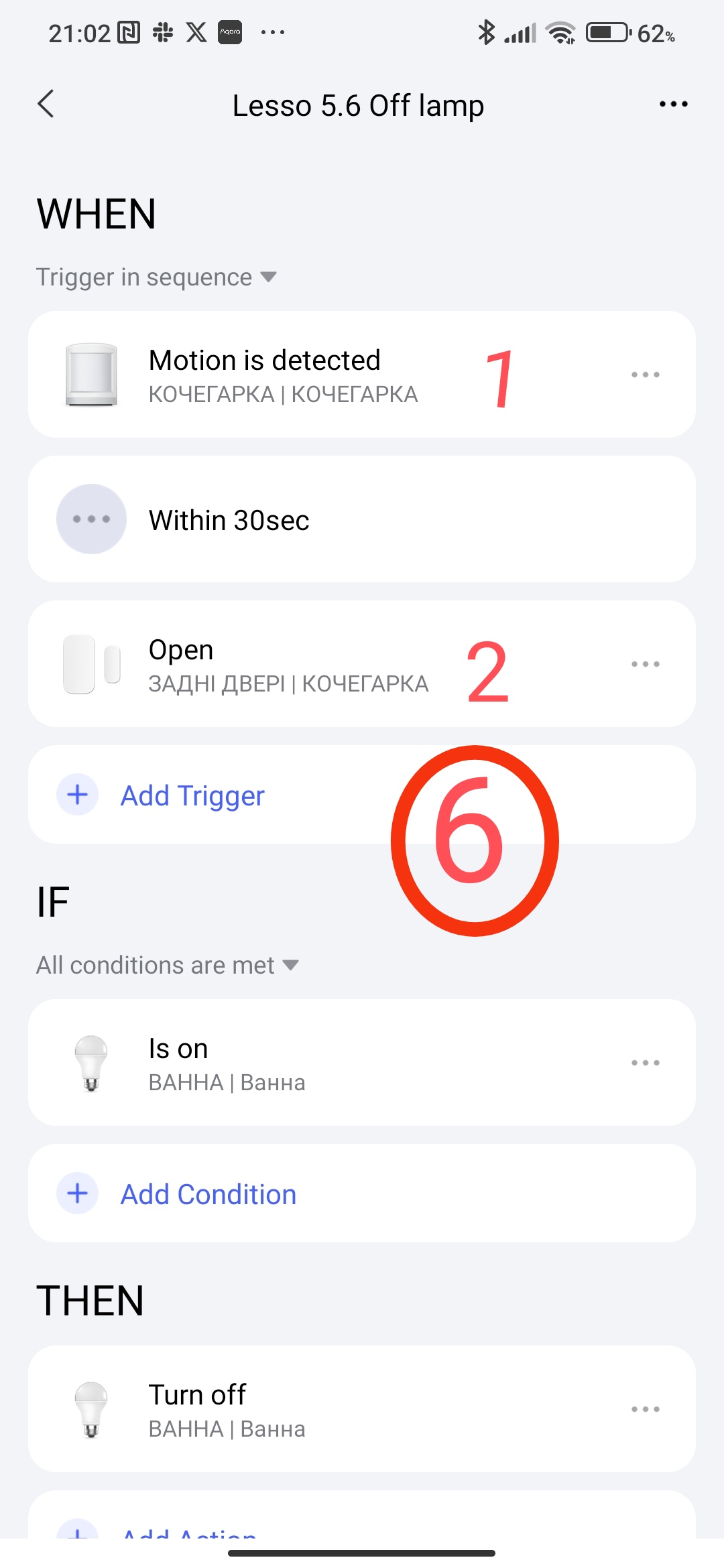
2- turning off the light.
Algormtm- there is movement in the toilet, the door opened after 5 seconds, turn off the light.
Created automation
Fig 6
The automations considered are standardized, by analogy you can make automations from your imagination. The main thing is that you catch the essence of using WHEN with the parameter “execute sequence”.
Thank you for reading and sharing the topic (you can also share it on other platforms with a link to our forum).
To be continued.
Lesso 6 Automation 2.0, lesson 6, bathroom automation on a working example