Hi, I’ve managed to set the P100 up on HomeAssistant vi Zigbee and it is working fine. Through the M3 hub it only presents the door sensor but that’s all I need for my intended project, I understand that if I were to go directly via zigbee2MQTT this will allow HomeAssistant access to all the sensors, I’ve yet to try this to confirm.
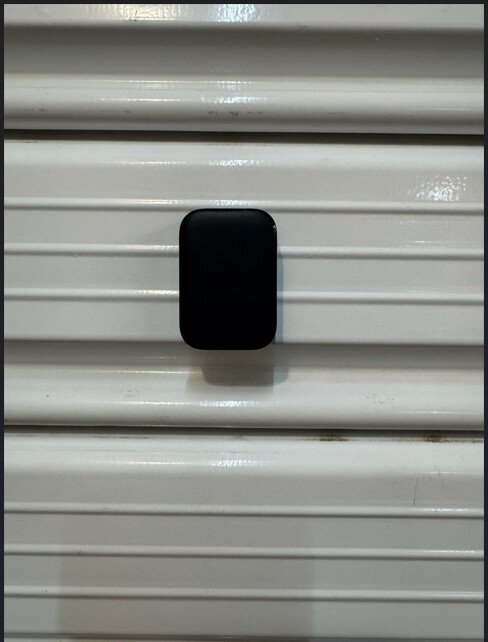
I have set it up on the letterbox on my front door, with it being a single unit this has allowed me to hide the device inside the letterbox without having contact sensors balanced on the outside of the letterbox. I have setup a notification within HomeAssistant to inform me when new mail has arrived, this is triggered when the state of the sensor changes from closed to open, so far this is working as expected. No issues no far with the device.
Hi, I’ve used the Multi-State-Sensor-P100 on a window. I’ve set an automation to turn off the E1 radiator thermostat in the same room when open. Easy install. And much simpler to use vs other window/ door sensors. The only bug is the update, which doesn’t appear to download.
First of all, I would like to thank Aqara for sending me the Multi-State Sensor P100 before its official release. @AqaraOfficial I also apologize for the delay in this review, but I had some personal issues over the past month.
Aqara Multi-State Sensor P100 – Zigbee Version 0.0.0_0021
Alright, let’s begin.
The device has a minimal and non-intrusive design, just like all products from this brand.
The automation I created and the use case I had in mind for placing the P100 was to ensure that my young children cannot easily access the drawer containing medicines and various medical supplies. This way, it helps make things safer and gives us parents greater peace of mind.
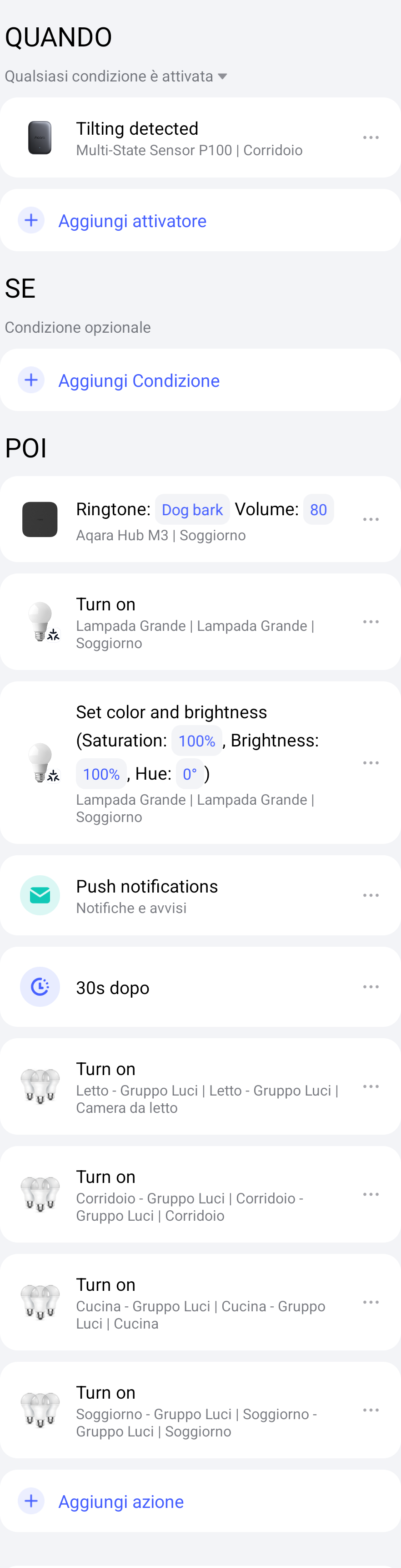
Personally, I set it up like this:
WHEN Tilting detected
THEN M3 plays sound: Dog bark, Volume: 80
Turn on light in red
Send push notification
After 30 seconds
Turn on all lights in the home
The responsiveness of the product is normal; in the tests I performed it always responded correctly without delays or hesitation.
Personally, I haven’t tested it in other situations or automations because my goal from the beginning was exactly this: to monitor the drawer and prevent my children’s curiosity from turning into a risk.
The only negative point was the initial connection. I obviously chose the Zigbee firmware because of its additional functions. After selecting the firmware, the connection stopped with an initial error. I had to pair it again with my Aqara Hub M3, but the same error occurred. So I reset the P100 device and it finally worked, downloading the Zigbee firmware and connecting to my hub. Since then, I haven’t had any other connection issues.
Before installing it for my intended use, I tested the triple-tap function. That’s where it loses a few points. It doesn’t always recognize the triple tap immediately or consistently. Maybe it depends on the surface where it is installed? Perhaps a touch sensitivity value needs to be set? Or maybe the triple tap needs to be performed very consistently, respecting the timing required for recognition.
For now, I wouldn’t recommend using that function. It should be reassessed after a future firmware update.
In conclusion, yes, I would absolutely recommend it for keeping important things under control.
Everything is fully compatible and, when connected via Zigbee to an Aqara Hub, it can also be exposed through Matter to other compatible ecosystems such as Google Home, Amazon Alexa, and of course Home Assistant. However, many functions are not yet available there at least for the moment.
As soon as it becomes available on the market, I will buy another one to test it as a door and window sensor, to see how it performs and whether it is as responsive as the standard Door and Window sensor.
And of course, never forget that the only real limit to a smart home is our imagination.
First of all, I would like to thanks Aqara for giving me the opportunity to test this product and for their professional attitude.
Here are my first impressions.
Installation and configuration went smoothly (zigbee mode)
I calibrated it to my vertical/horizontal requirements.
I will use it to monitor the position of a roller garage door (closed - vertical / open - horizontal) and its movement (alarm and notification)
I configured it in object monitoring mode with detection events - orientation and movement
The garage door is controlled by a dual relay module T2 and this will help me make various automations.
Automation is also set up to receive a notification if the door moves.
When it works as expected I will add it as an alarm as well.
At the moment everything works as expected, except that sometimes it is vertical/horizontal position, but shows tilt. It is too precise anyway and there is no tolerance between the individual positions. Of course, I could be messing with the setup/calibration.
I will continue to monitor and test it and share my observations again.
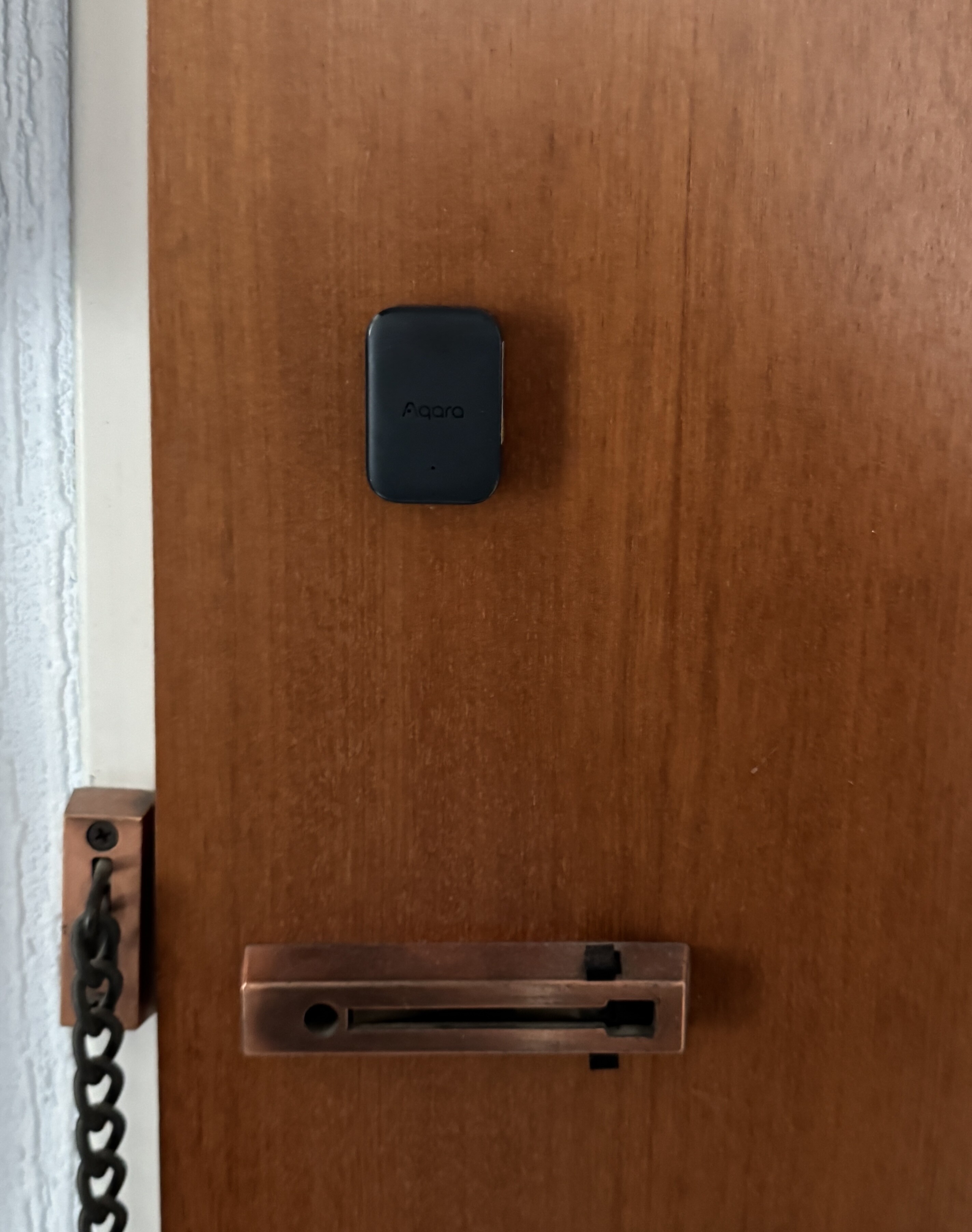
Hello everyone, I have currently attached my P100 to the apartment door.
Use it there to detect movement (of the door) and vibration (knocking on the door etc). The installation (via Zigbee) was, as usual with Aqara, easy and trouble-free.
After I have tried and readjusted the sensitivity, I think that I have now found an optimal setting for the current purpose. The sensor, works so far perfectly and without losing the connection. Created an automation that sends a push message when vibration is detected. This works reliably so far. Nice that the sensor is also available in black, so it fits wonderfully into the environment.
Hi guys! So I’ve been using my P100 as a door sensor for open and closing and it has worked perfect every time. I have set it up in my hallway and every time it opens it turns my govee light on. I did not set it to turn off when closed. I sid set up the automation through Apple Home which like I said has worked perfectly every time.
Guys,
First - thanks for sensor - arrived to me around two weeks ago and honestly since that date I’m thinking about how to use it in a creative way - not only as replacement to fx door sensor or just as “three time tap” ‘something’ starter.
I’m using P100 in Zigbee mode via M3 hub. Looks like all functions works as expected - had no issues with any state detection etc.
So going back to creative usage - one of my ideas was to use ‘three time tap’ and ‘vibration detection’ to control my DJ area:
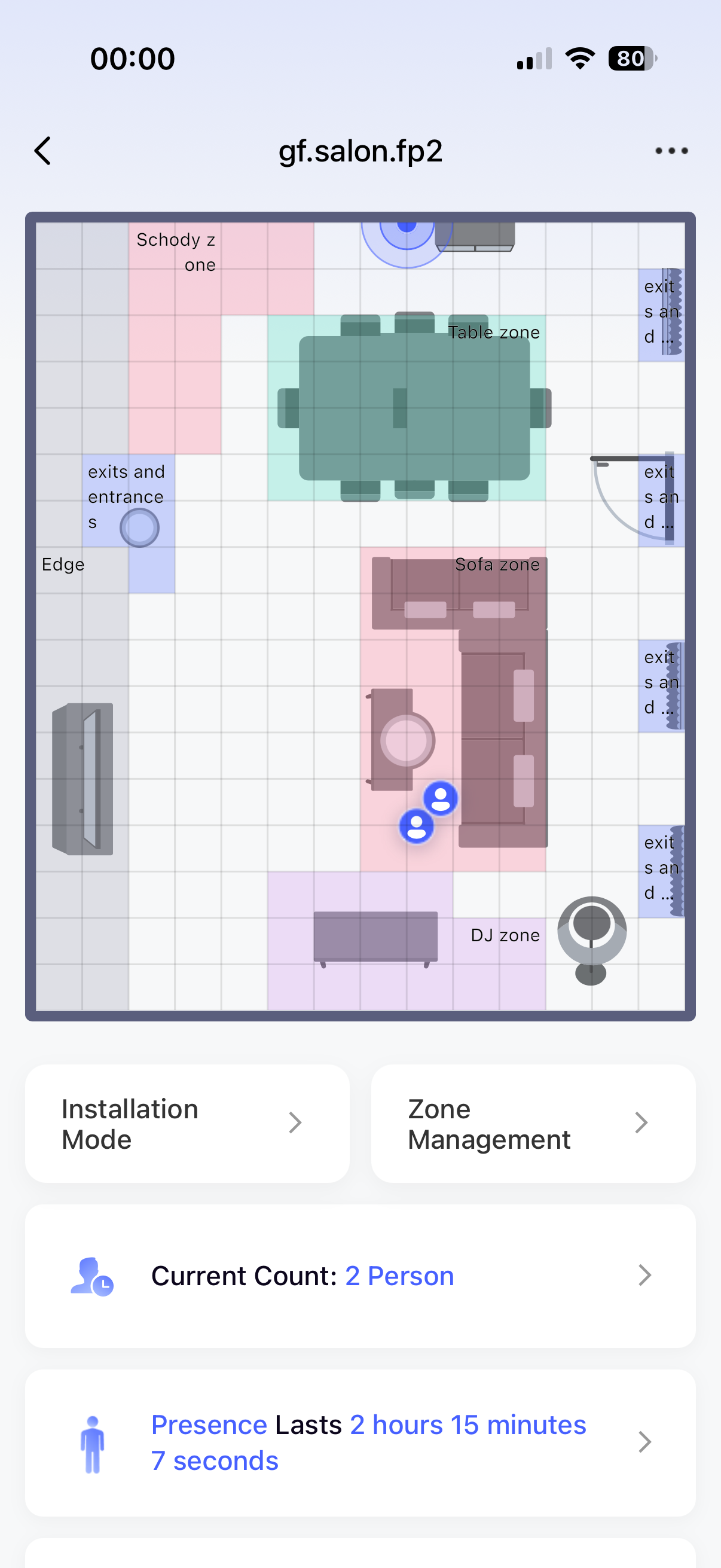
in the living room I have FP2 with zones created - one of them is “DJ zone” - currently when someone is detected in that zone automation turns on smart outlet located on the wall just behind DJ booth, this starts Power Amp and generally powers up mixer and turntables. After that some magic checks light setup in the room and adjusts Aqara LED strip on DJ booth frontpanel to match current scene in living room (if there is one set ).
when no presence is detected behind desk for some time then automation turns off outlet
Above works but has a lot of issues fx music turns off when I’m leaving Dj area fx to smoke outside or everything start up in the middle of the night as my dog is detected by FP2 etc
So going back to P100 - Idea WAS:
stick P100 to one of speakers, adjust it for max sensitivity on it and allows existing automation turn outlet off only when there is NO VIBRATION. Sounds good but there is no option to sense NO vibration on P100…
Any ideas how to workaround it?
As for now I have P100 on the table set to “three finger tap” - it powers on outlet behind dj booth exactly the same way as presence in zone does… but that’s NOT creative at all
Hello, this is really a very creative scene. Although our automation has a “static state for a certain period of time”, it’s a pity that we don’t recommend using it on items that keep shaking at present, because it will lead to the continuous awakening and monitoring of sensors, which will greatly affect the battery life and detection accuracy.
It must be said that the practice of judging the garage door state horizontally and vertically is the best practice in garage doors. As for the tilt problem you mentioned, the geomagnetic judgment angle is relatively sensitive at present, and the garage door can’t be completely fixed to a large extent, so there will be a tilt problem when the wind blows or moves slightly, which will also affect the horizontal and vertical accuracy. At present, it is suggested to put it in a relatively fixed position to avoid displacement caused by wind blowing or slight vibration, and to minimize the sensitivity.
hmm so lets combine FP2 with P100 vibration detection - if no presence in zone then check vibration state - if present then stop executing other automation steps( power off outlet ), wait 2 min, check if presence in zone and so on.
Will try at home later today and post if that works …
btw same can be done easier by checking smart outlet load but we have P100 on plate
I really appreciate the chance I got to participate in the trial.
So far I have tried the sensor on Thread, but the experience I was having was inconsistent compared to the other sensors I got. I noticed some delays in the open/close triggering, and a number of false positive as well.
I am now trying more in zigbee mode, and I found the triple tap function to be very interesting as a scenario. But I find myself as well seeing inconsistent results.
I feel the potential of the item is big, because of the many functions, but somewhat less reliable than all other senors I tried.
Nice thread! The Multi-State Sensor P100 is a goldmine for automations—its multi-state data opens up clever presence and occupancy rules. Has anyone tried pairing it with a couple of doors/windows sensors to fine-tune energy use or lighting scenes?
Is the one I got broken? I set it up the first day I got it, but it only showed up as a door sensor in Homekit, and the status is always open, only seen as a single sensor in Homekit and Home Assistant. Connected over Matter. I don’t see the other sensors others are posting about. I ended up setting it aside because it didn’t seem to work right. I’ll have to try resetting it and reconnecting it. I have a few Aqara camera hubs, but connect these directly to Homekit so I can use HKSV, so I can’t use them as official Aqara Hubs.
Thread is boring and no fun when it comes to device options. According to Apple, HomeKit was removed 4-6 weeks ago and it’s just known as Apple Home. HKSV works the same whether you connect directly to Apple Home or use the Aqara app. You get a variety of more configuration options if you use the Aqara app.
Anyway if you want all the toys to play with on the P100, reset it and use the big Z option. You might have more fun, the device actually works pretty good.
For the door and window sensor function, after installing in the appropriate position, you need to press the button three times to calibrate the device, so that it can record the current position as closed before it can be used normally. After successful calibration, the LED will light up for 2 seconds. If the device has been calibrated but still remains in the open state, other issues such as network problems may need to be checked. Other functions in Matter mode are still being planned and may be supported using a proprietary protocol.
Hello! Sorry for the unpleasant experience, and we will try to optimize it in future versions.
About the door sensor mode, by false positive, does it means that the door reports as opened from close when no one actually open the door? This should be very uncommon. Could you describe the scenario, such as the installation location and under what conditions or frequency this issue tends to occur?
About the triple tap function, in order to filter out ordinary vibrations or other impacts, the triple tap requires that these three taps reach a certain amplitude, have similar vibration levels, and the two intervals are similar. This does require some time to get used to, and it is also related to the installation location (for example, some desks are particularly hard and require more force to reach the required amplitude). Sensitivity settings in version 0021 and above also affect the recognition threshold of the triple-tap function. If it’s difficult to recognize the triple-tap, you can try higher sensitivity.
I received it a week ago and configured it in Home Assistant via zigbee2mqtt.
I use it in the mailbox giving me alerts when something arrives or if any1 tries to open it. I had some problems before but now it’s solved.
It works flawlessly. Nice product. Great quality as always from Aqara