Will the next version of Apple Home allow for local direct access to homepod speech - perhaps allow INTERCOM commands from automations?
Hi @starlitter that’s definitely a nice idea! Let’s see what Apple will release at the end!
3 Likes
Unfortunately not. Apple doesn’t added the option to send an Intercom via the HomeKit Shortcuts.
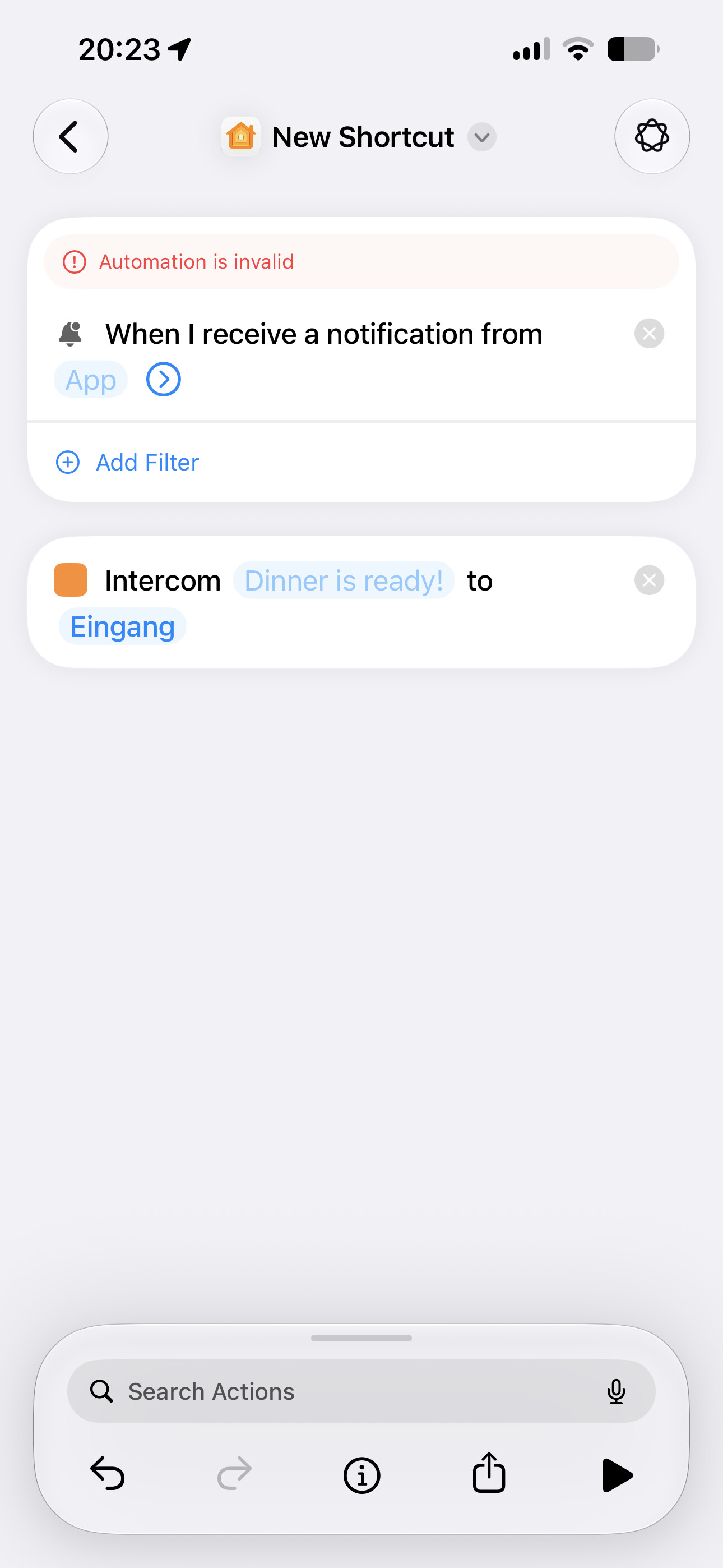
But you can use the new Automations Trigger if you have an always active (always connected to Wi-Fi / Ethernet) device with anyAppleOS 27 you can send Intercom to your home.
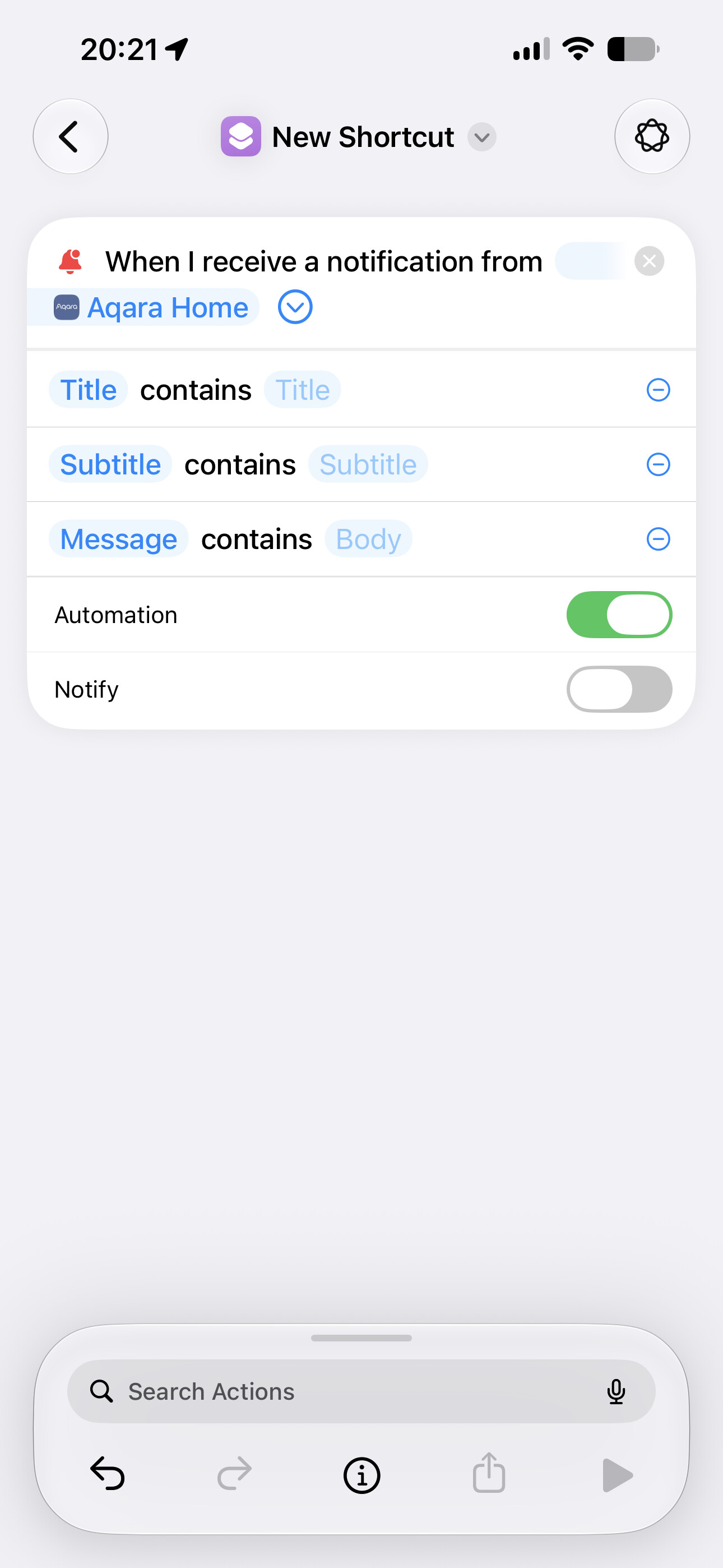
Combined with some filters you can automate your intercoms, as long as your device is connected to your local network and your Aqara Home / Home Assistant Notifications arrive.
4 Likes
Thanks. I don’t understand why direct text to speech from an automation is such a big deal. I’m sure there must be a reason. I guess this is (slightly) better than placing my messages in Apple Music and then playing from there.
@KingDando is this all possible locally? I know it uses the internet, that “internet” can be all local, right? Or does the WWW have to be available?
Edit to add, I just read your post again and see that only the local ethernet/WiFi is required. Thanks again
2 Likes
I mean, why is it this easy to do with Google?
- Open the Google Home app and tap the Automations tab at the bottom.
- Select + Add to create a new Household routine.
- Tap Add Starter and choose When a device does something.
- Select your door sensor or doorbell and choose the “opens” or “rings” condition.
- Tap Add Action, select Communicate and announce, and then Make an announcement.
- Type the custom message you want your speakers to say (e.g., “The front door was opened”).
- Select which Google Nest speakers or displays you want to broadcast the message , and save the routine. [1, 2, 3, 4]
2 Likes
I think the main reason is that Google has long provided a Text-to-Speech (TTS) API that also developers can easily use (and I believe there’s even a free version). For example, it’s integrated natively into Home Assistant and can actually be used to cast generated speech to a HomePod (though it plays as a regular media stream, not via the native Intercom feature, as far as I know).
And naturally, having such an established API makes it incredibly easy for Google to quickly utilize and integrate it into their own products
Apple simply doesn’t offer an open equivalent to this. They have always walled off their ecosystem, and it seems they would rather omit features entirely than design them to be open—as seen in their ongoing disputes with the EU.
4 Likes
Thank you again, @JohnD
Apple does such a fantastic job on many things but a simple basic omission like this is very frustrating for those of us getting into home automation. Especially since Apple appears to want to be a bigger player in this market.
So, if I get HA then this would be easy?
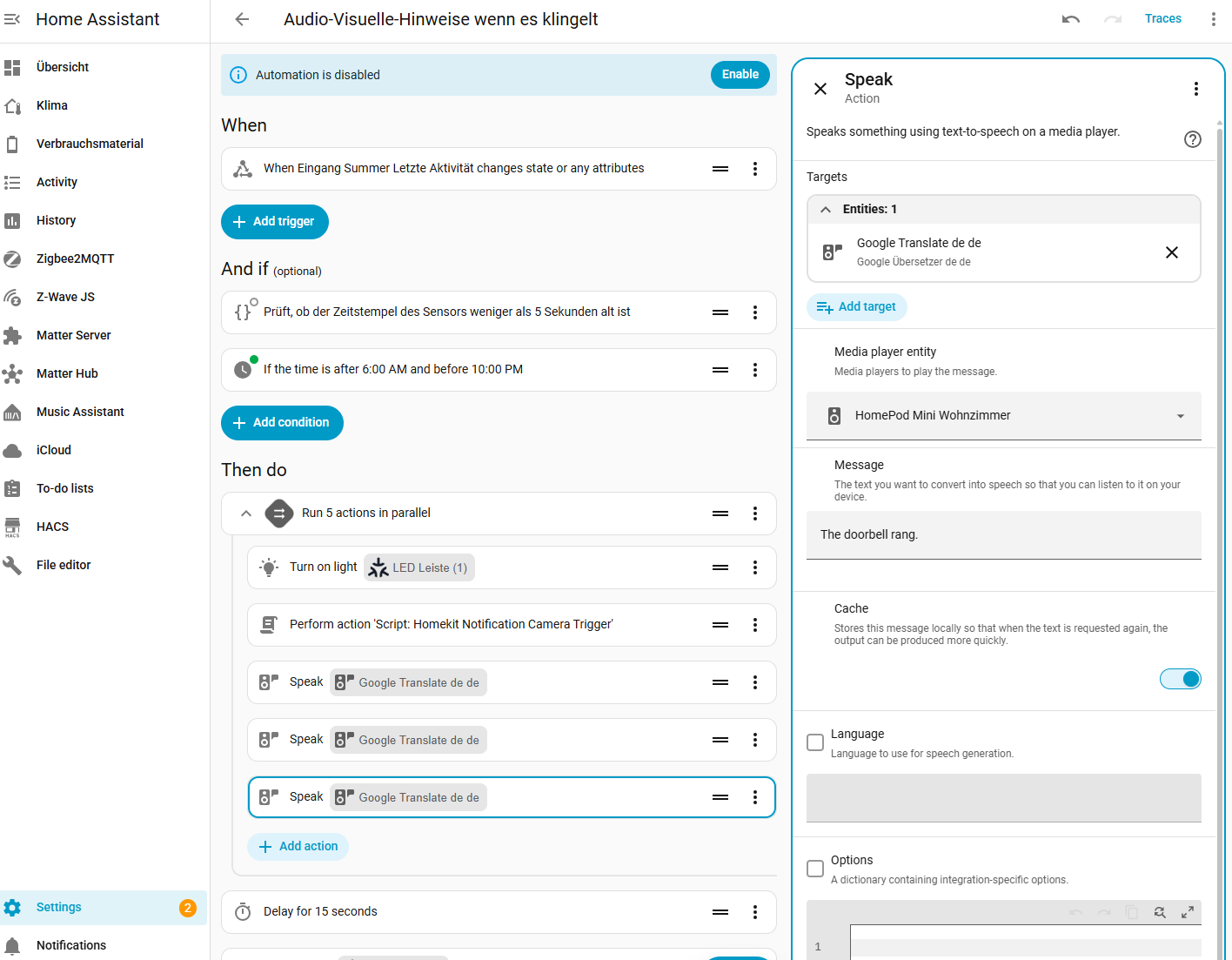
From my perspective, it’s pretty simple. As far as I can remember, you just need to set up TTS, and then you can use it in an automation to send any text to a HomePod or HomePod mini.
3 Likes
Cool, so any mini pc recommendations? Beelink N150, Gmktek G3pro intel core i3 1011OU? Other?
1 Like
All day long…
2 Likes
I love the people on this forum. Thanks
1 Like
And are there any good books for beginning HA that aren’t already out of date? I have seen a couple of youtube videos. And yes, I know there is documentation on this forum. I clicked on https://forum.aqara.com/t/how-to-push-aqara-automations-into-homekit-homey-google-home-and-home-assistant/119300 but just got an Ooops message.
Honestly the easiest and simplest thing to do is purchase the HA Green, purchase an antenna plug it in and turn it on, enter a username and password.
You will have Home Assistant installed and running in less than 10 minutes. Down the road if you like it then graduate to a Mini PC or similar device.
Home Assistant Green is a very nice way to begin with Home Assistant.
Home Assistant Green Install
2 Likes
Might not be necessary at all. Home Assistant OS + Matter Server app + Aqara hub as a Matter bridge should be completely sufficient.
And for TTS with the HomePods, he doesn’t need an antenna or Aqara hub.
@starlitter do you have a hub from Aqara?
I think I saw a tutorial here once but I can’t find it right now. If there’s interest, I could write a few Aqara + HA tutorials sometime.
Yes, that also works with a camera like the G5 Pro, but the point was to do it in an automation, and that doesn’t work live.
2 Likes
Yes, @JohnD I have the M3.
I misread that, gotcha!
Yeah but the Google TTS doesn’t sound really good… for my opinion.
And if you want a  -Sound before you’re message you can use Chime-TTS
I use an Raspberry Pi 5 (4GB RAM) and it works perfectly fine. The whole system runs on a microSD card.
Sometimes a little slower than my uncle on his Mac mini, but it works.
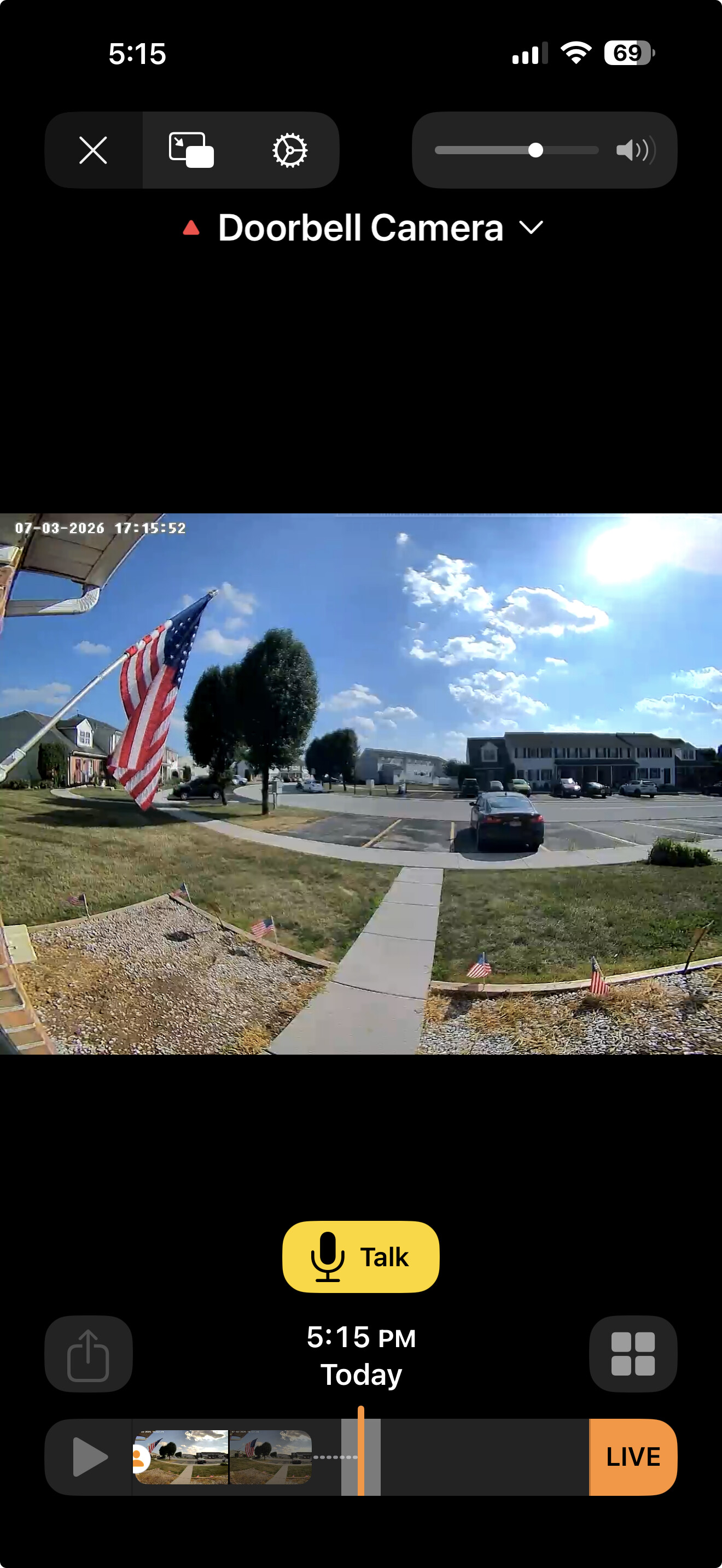
Yes you can talk and hear with your cameras and doorbells, but not send any Intercom Messages from Apple Home Automations.
1 Like
Do you mean Chime TTS through HACS?
Doesn’t that just use an external TTS platform, too?
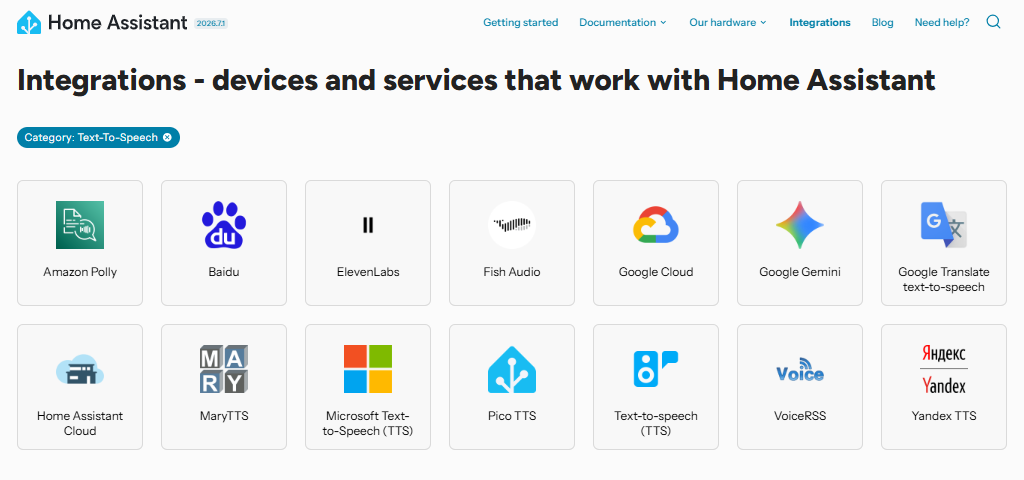
@starlitter Then you really just need to install Home Assistant OS on a mini PC, or use a device like the Home Assistant Green where HA OS is already pre-installed.
Then in HA, navigate to Settings → Apps → Install app → Official apps → Matter Server → select “Install” and restart. Afterwards, create a Matter Pairing code in the Aqara Home app in the settings of the M3 Hub under “Third-Party Matter Ecosystem”, and enter this in HA under Matter Server → “+ Commission node” → “Commission existing device” → enter the Matter Pairing code from the Aqara Home app under “Share code” → press the “Commission” button, and all Zigbee devices connected to the M3 Hub are immediately available in Home Assistant.
Home Assistant should even automatically detect the HomePods under Settings → Devices & services → Discovered.
To install a Text to Speech (TTS) integration, go to Settings → Devices & services → Add Integration in HA and search for the TTS integration you want to install (see previous image for options). Follow the setup, set the desired language, and that should be it. Then you can continue under Settings → Automations & scenes → Automations → Create automation.
2 Likes
Yes I mean this one from HACS.
It uses an external TTS platform, but it plays a custom sound before the TTS Announcement. You could also use the Apple Intercom tone for the most “Apple-Style”
2 Likes