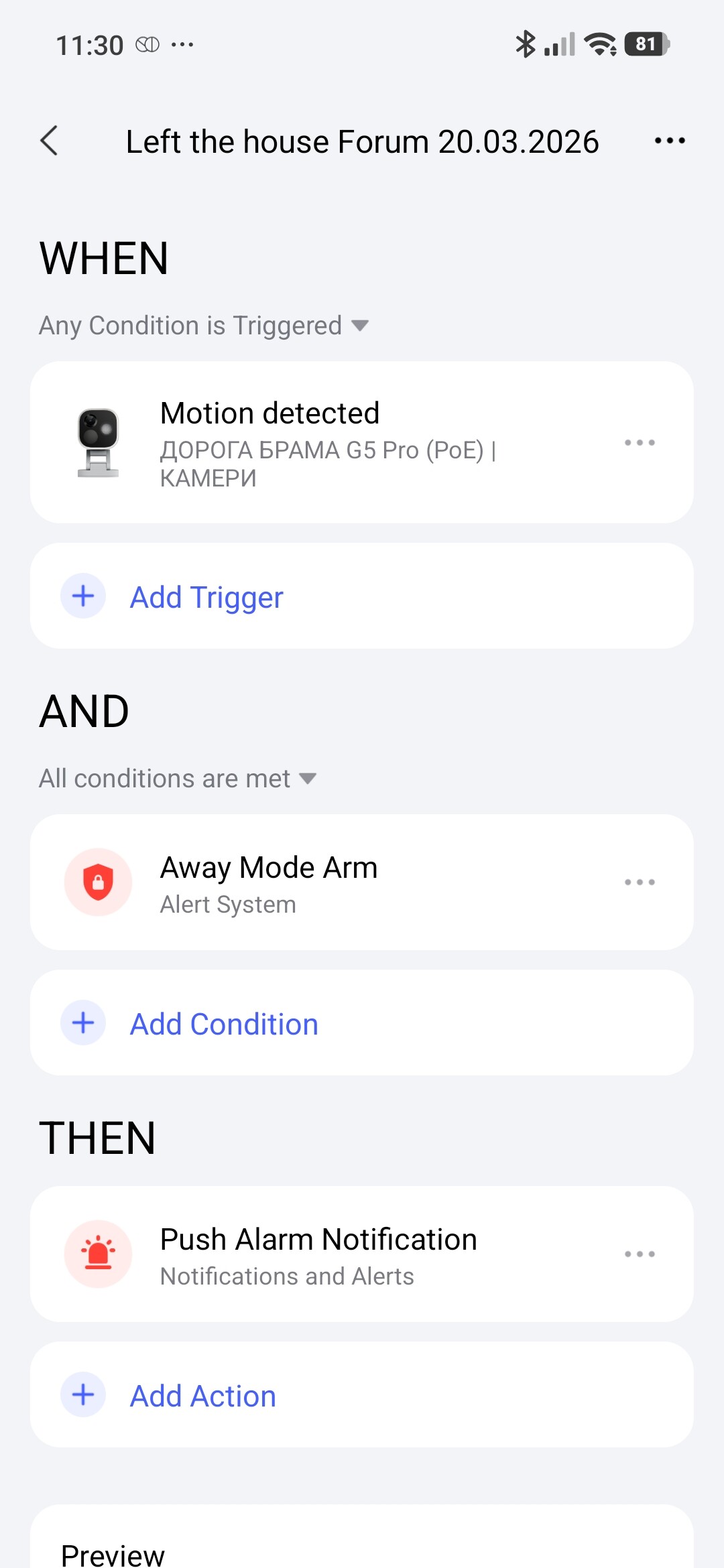
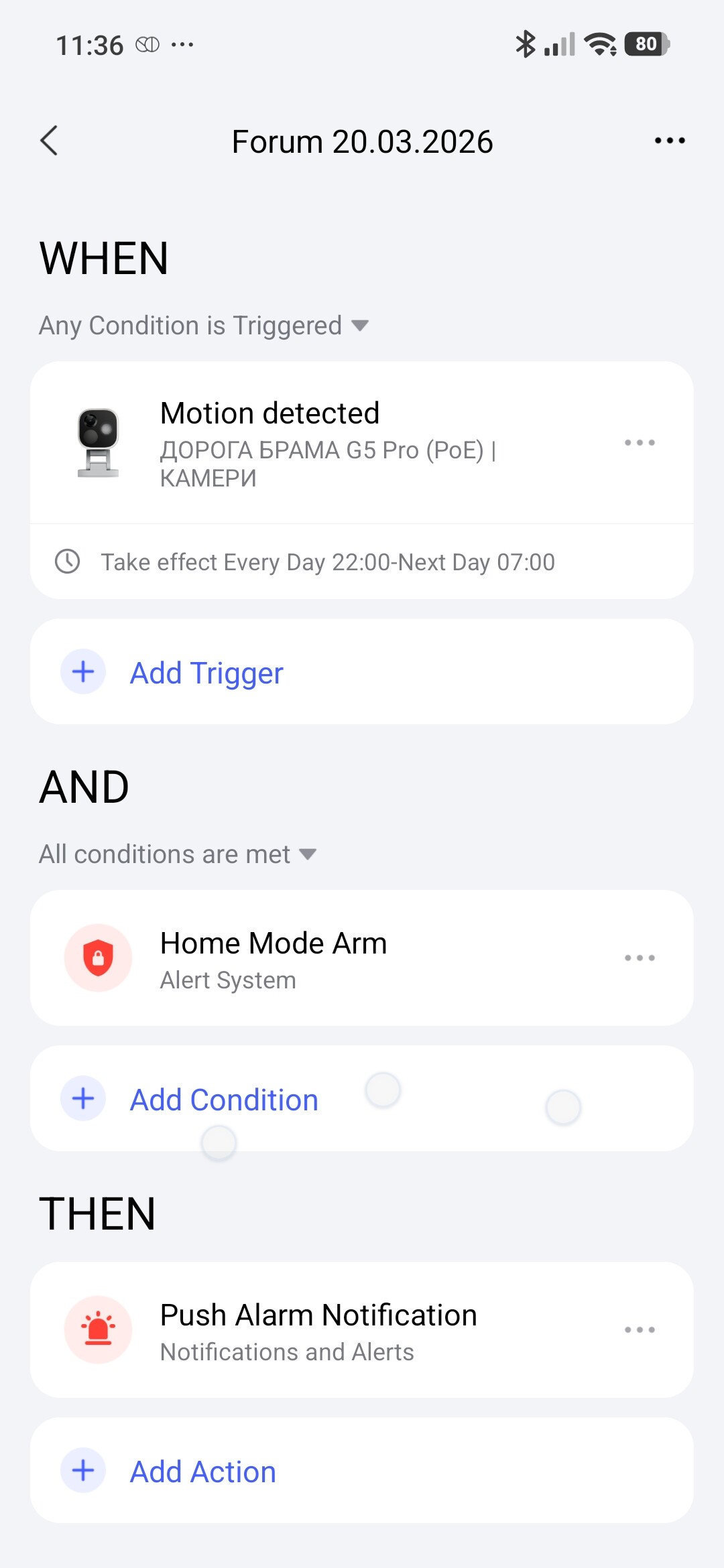
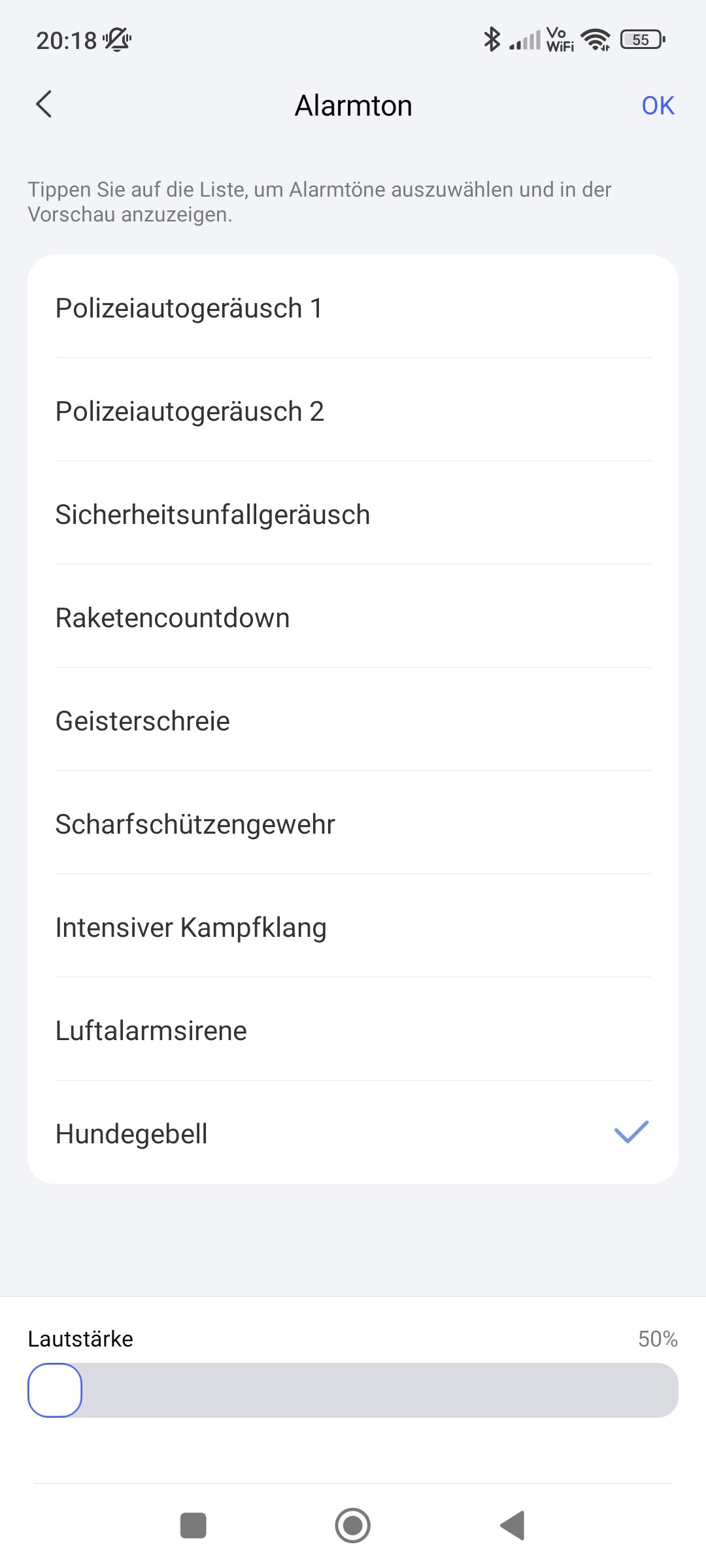
I’m trying to setup in Automation which triggers a push notification when movement is detected only during as specific time slot but I could not make it work. Whatever time I set in the time slot the push notification is triggered always when movement is detected. Also I could not switch off the sound.
Any ideas?
Thanks!
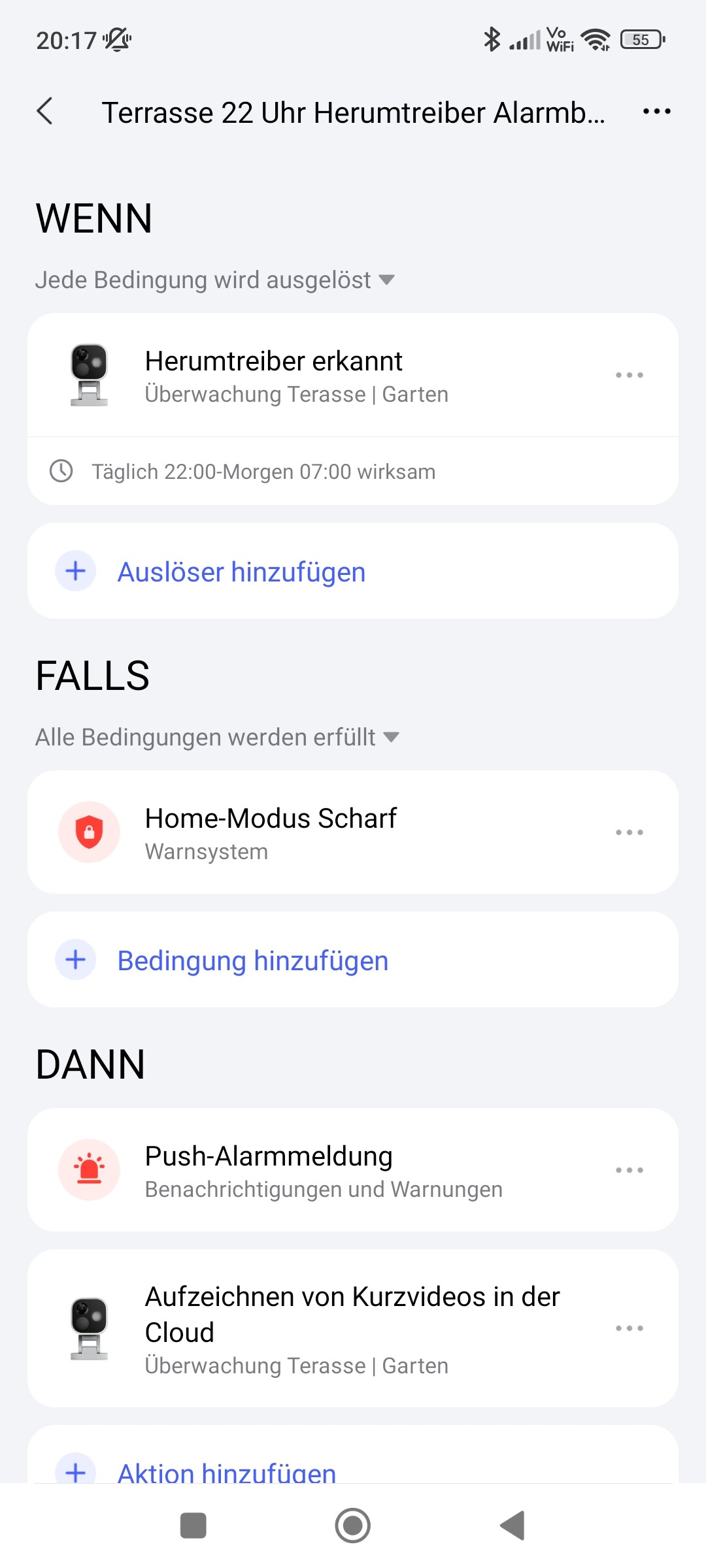
1 Like
Hello, unfortunately the “Duration” option in the WHEN section is not available. I recommend just clearing the IF section. Explanation, at the time of WHEN triggering, the IF section is not yet activated
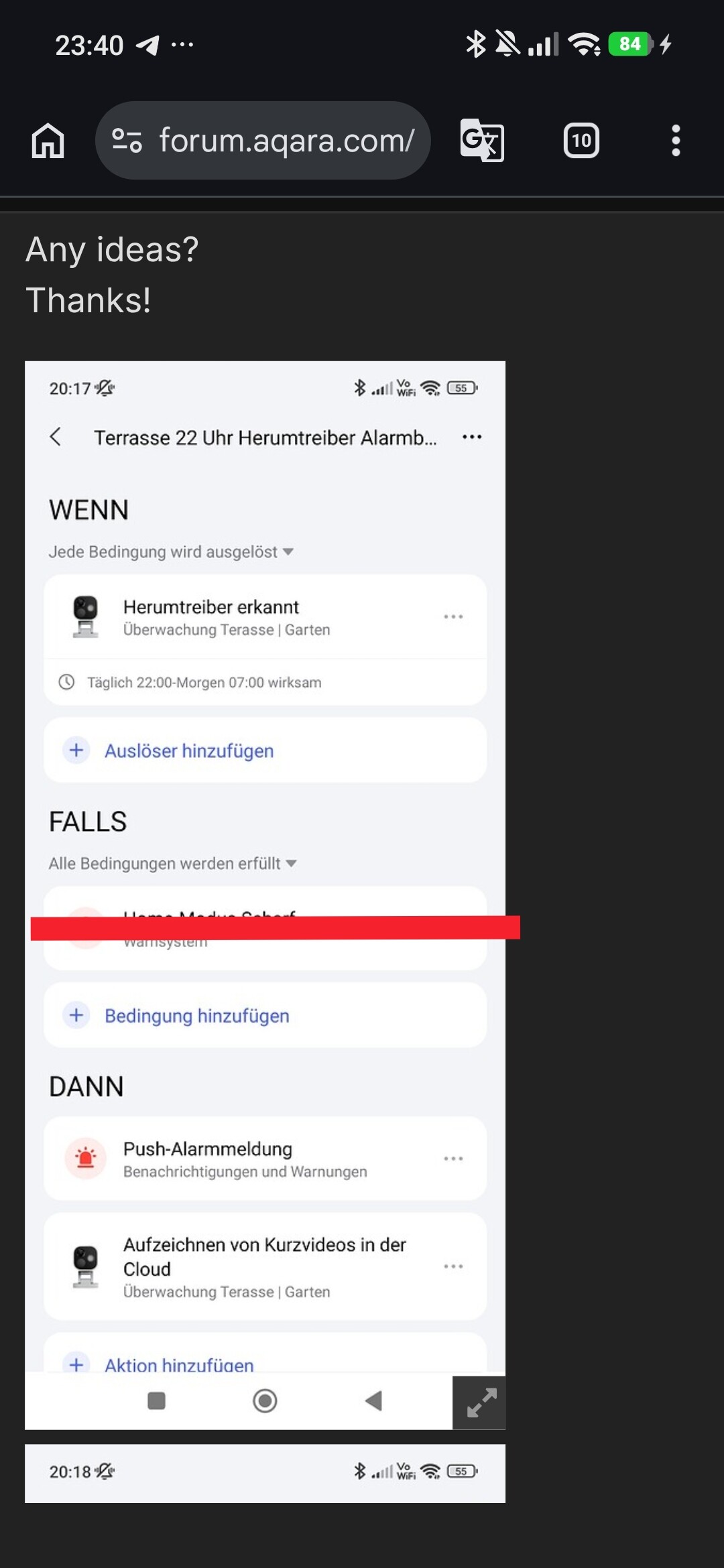
4 Likes
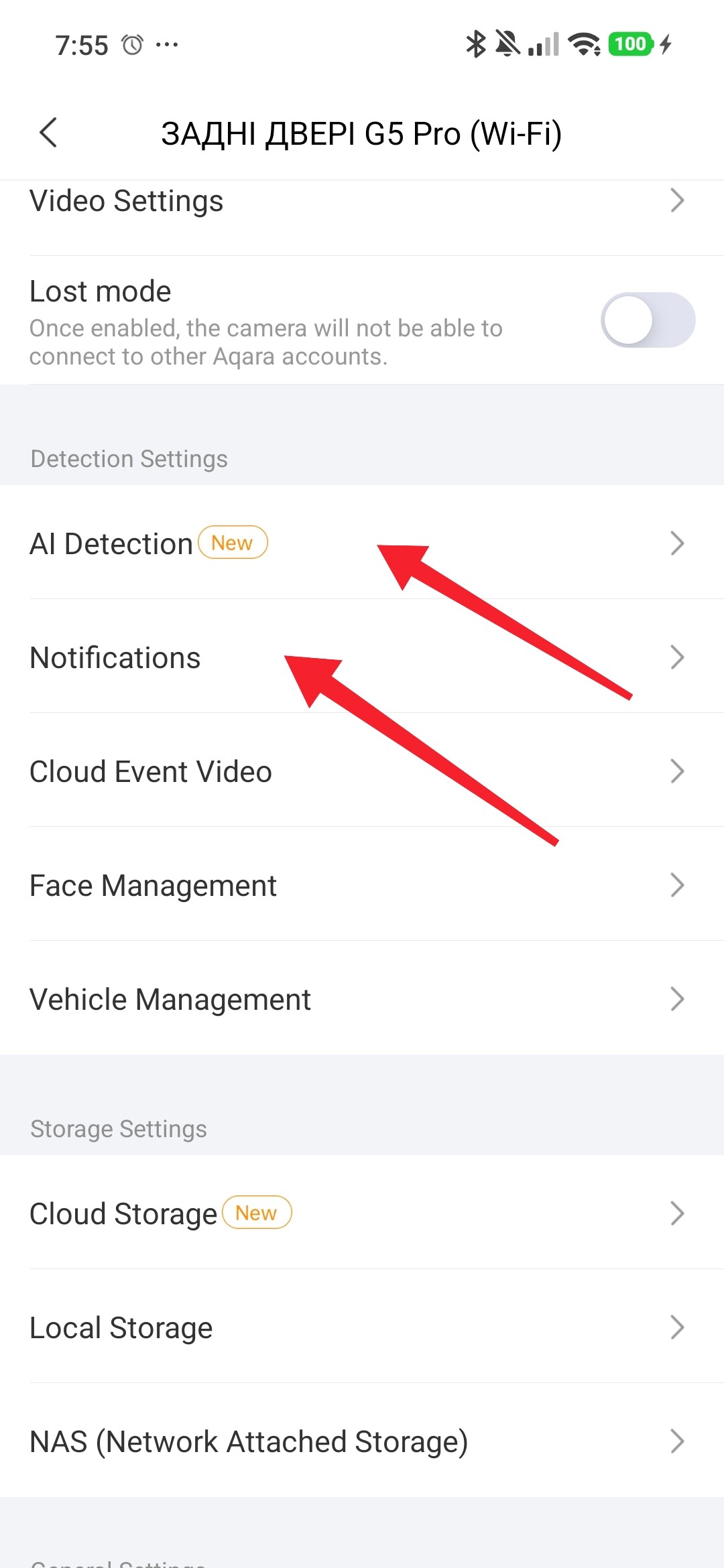
OK, but I want it only to fire a notification when security is in Home-Mode. When security is in absent mode the notification and siren is supposed to fire at all times. This would be a second automation. But I need to check the securiy mode in the automation. How do I do that?
4 Likes
Hello, this review has what you want Lesson 1 Setting up the security system APP (adding a card with a security panel)
5 Likes
Great review of the functionality. Unfortunately it does not help with my problem. I want the system only to fire an alarm at certain time periods when in Home-Mode and always when in absent mode. How can I set this up? It seems using the security function is not capable of this reqirement.
2 Likes
Hello, please clarify, does “home” mean 24/7 basic security?
1 Like
Could this be a misunderstanding? “Home” and “Away” (Absent) are alarm modes that trigger an alarm. An alarm should also trigger a notification; otherwise, it doesn’t make sense.
If you don’t want an alarm to trigger a notification, you need to disarm the alarm system — in other words, the “Home” and “Away” modes must be inactive. Just because the mode is called “Home” doesn’t mean the alarm system is deactivated.
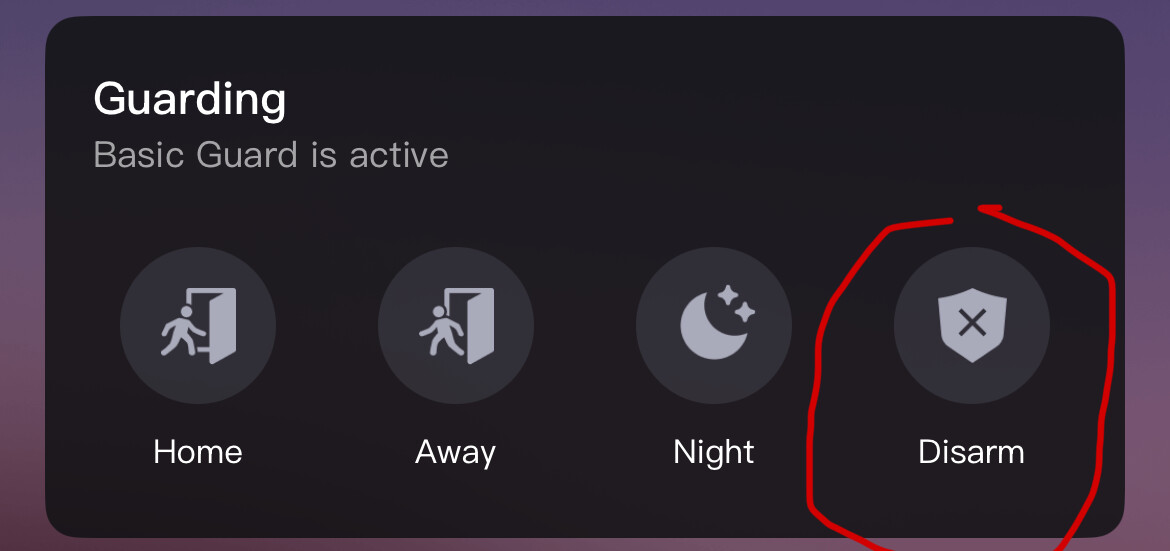
You should configure the home alarm so that sensors which trigger an alarm due to your presence are removed from this mode. For example, remove door contacts from Home mode for doors that you use when you’re at home. In Away or Night mode, however, you can leave these door contacts set to trigger an alarm, since they can then only really be triggered by burglars.
You can also configure times when specific alarms should be active. You can also configure times when no alarms should be active.
For example:
- Night mode is active from 22:00 to 07:00.
- Away mode is active from 08:00 to 16:00.
- Home mode is active from 16:00 to 22:00.
- → This means that the alarm system is deactivated from 07:00 to 08:00.
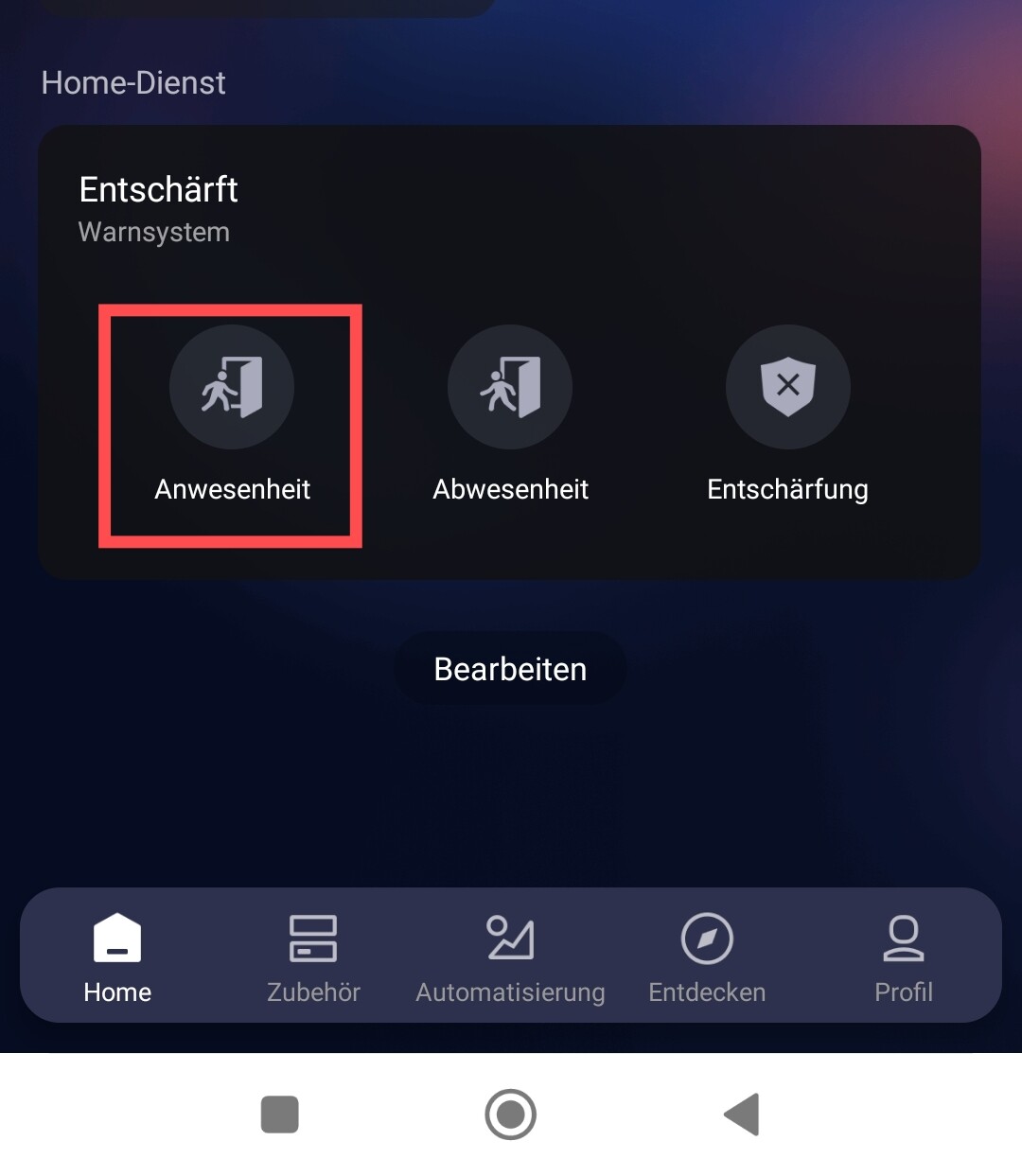
Hello, the first action is to disable the notifications here
Fig. 1.

The second action is to activate the security alarm “at home” and “away from home” (we set the controlled parameters according to the APP security as shown above. Lesson 2 Setting up the APP security system (security system trigger settings options)
The third is to create automations as shown in
Fig. 2,3.