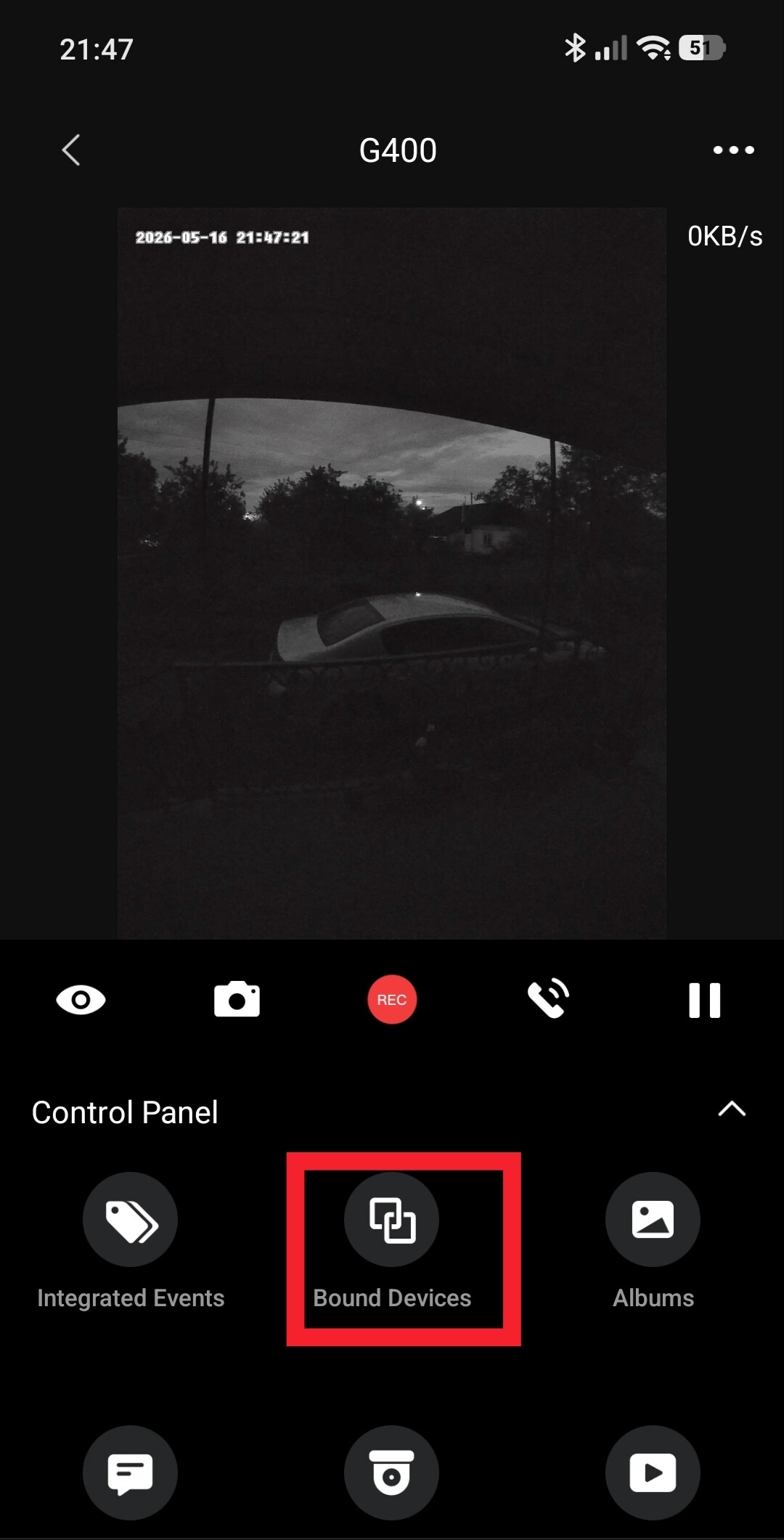
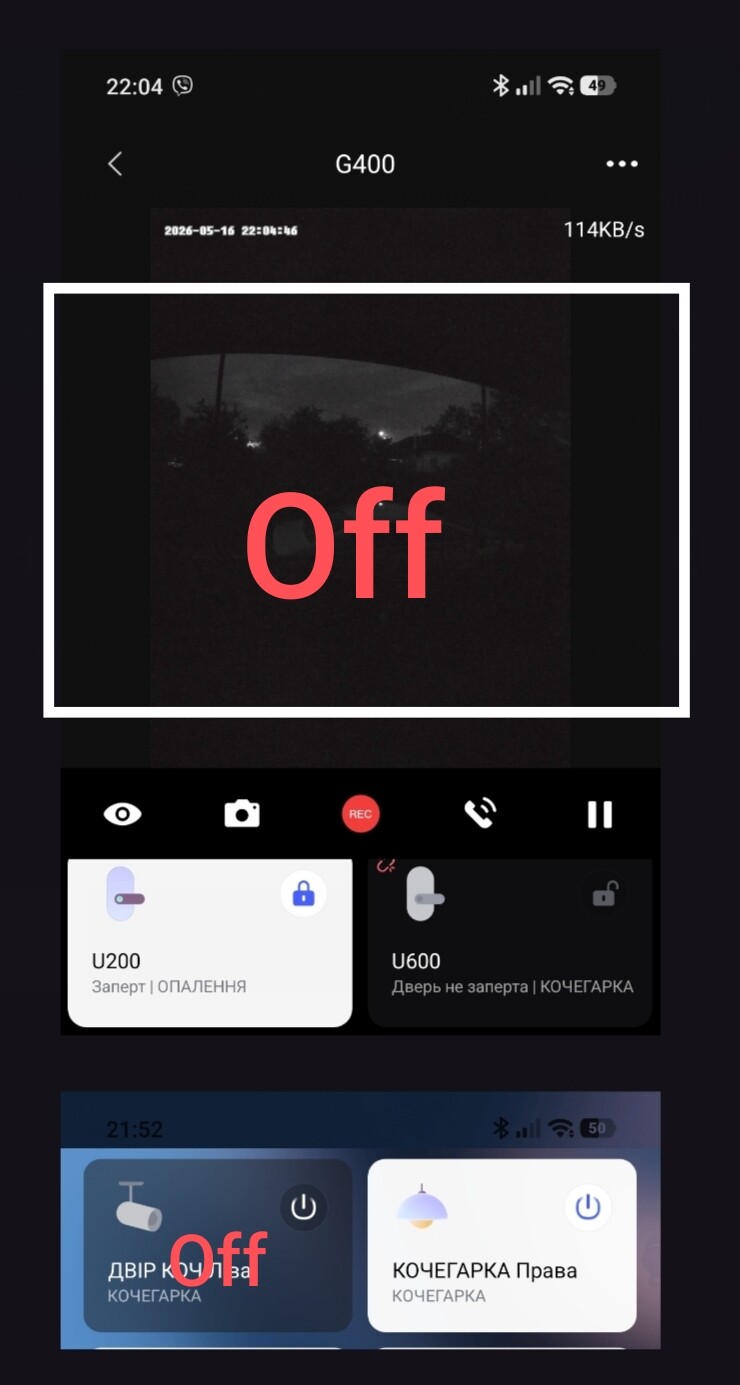
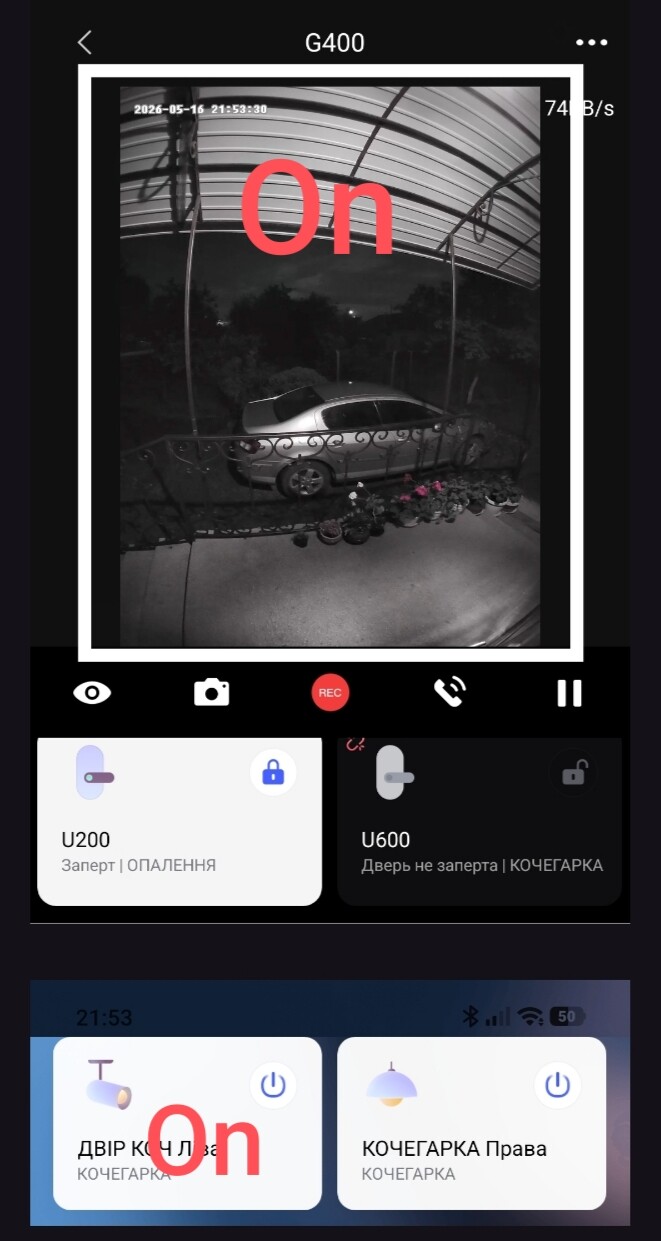
I have a proposal: add to the G400 Aqara plugin in the “Bound Devices” section the ability to select not only the lock (U100, U200, etc.), but also two additional positions (2 cards) - switches, sockets or lamps. Explanation.
This addition will help the user quickly turn on the light in the monitored area at any time of observation. For example, an additional lamp (spotlight), which can be turned on without leaving the plugin.
Fig. 1
Hello, @DEChrisE, @denis.w, I think this function would also be useful for a regular G5, G100 yard camera.
Considering that testing of an external socket is now starting, this is a relevant function.
Although at the moment users use Aqara lamps for outdoor lighting (I have 4 of them in an open space in sealed lamps).
Hello from Portugal
This is a most welcome feature, mainly because here we usually have an outside gate that has a simple electric lock that we control with an Aqara relay.
Other way to do this (ctrl the outside lock or lights) could be by adding 1 or 2 relay to the doorbell G4.
We have been considering making the binding feature on the doorbell app page as a universal form, no longer limited to only door lock products. However, the software framework of Aqara Home seems not flexible enough, and we will consider presenting it through other methods. Due to confidentiality requirements, I am unable to disclose new solutions at this moment. Aqara always paying attention to the requirements you discussed.
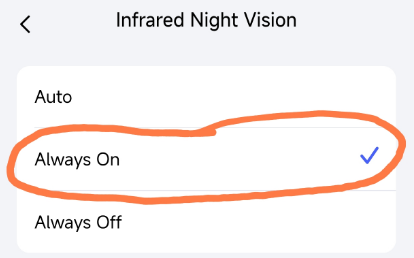
But from the pictures you uploaded, the doorbell seems not working properly, friend, it looks like the infrared LEDs havn’t been turned on. Try to turn the infrared light on to see if it works properly
Hi, @Aqara_PM_Donie.
I don’t use the backlight deliberately. I just have an automatic light above the door built on automation 2.0. This idea (additional cards) came to me when using the U200 lock opening. I was helping users who open doors using the T2 relay (that’s why the proposal arose). And as an example, I showed this function on a lamp.
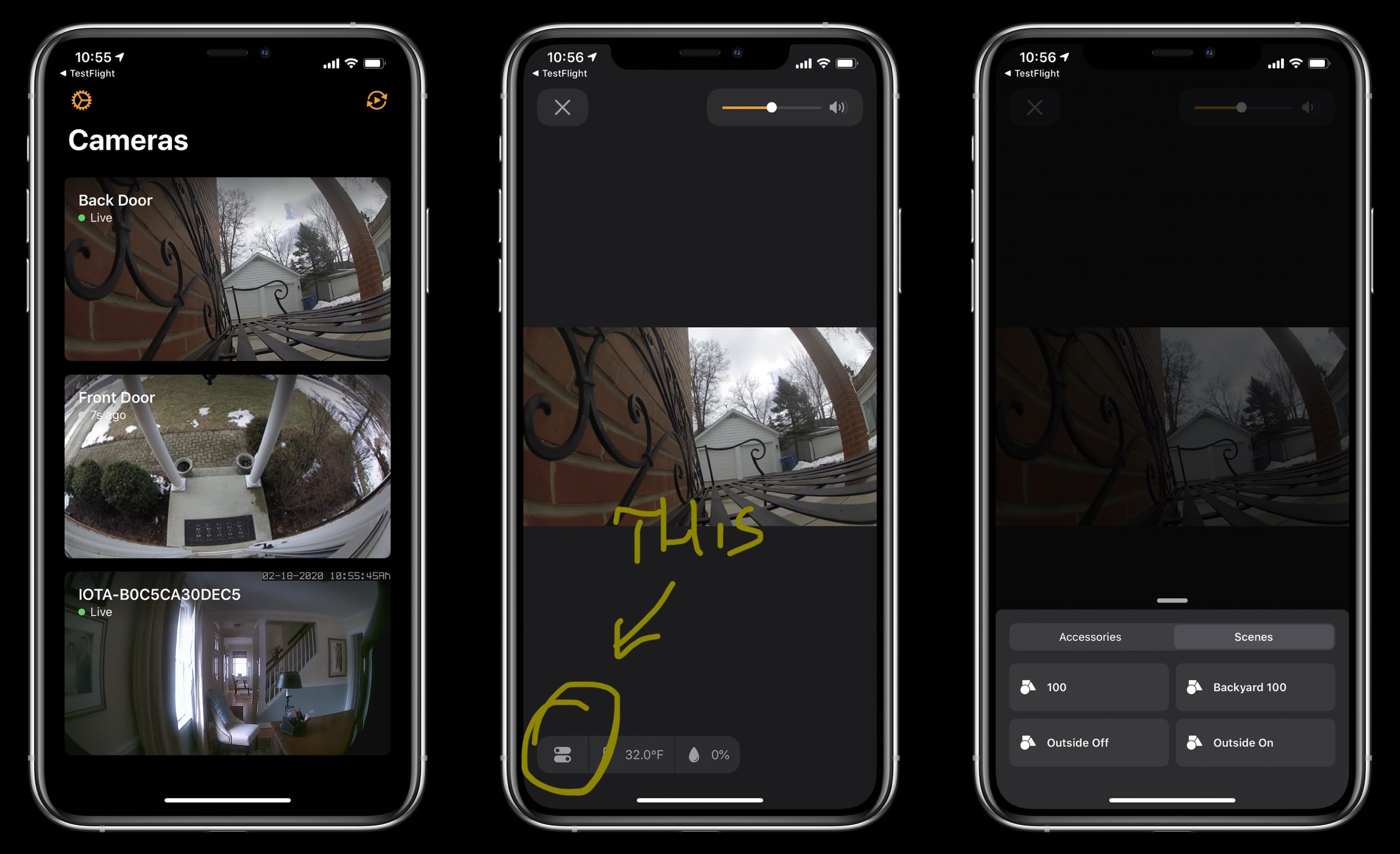
Btw afaik Apple Home allows you to associate other devices with a camera.
This feature is not available on the home screen, but after you open a live stream from selected camera. You get a button in the corner that will show associated smart accessories (like lights or a lock) and you can control them without closing the live view.
Although, @gafich10, I know you use Android and my tip won’t be useful for you, but maybe it will help someone.
Or @Aqara_PM_Donie it could be used as a reference for new Aqara app UI.
I’ll try to find some screenshots of this feature, my cameras are currently not added to Apple Home (I’ve removed them because I was testing something) but I played with this feature when I had my cameras added to Apple Home.
Edit: ok found something, but I recall it looks a bit different with the newest iOS and Apple Home