Lesson 22__Automation 2.0, lesson 22, FP300 sensor, creating On/Off automations for lamps
Good afternoon.
Today I want to show an example of creating an automation to turn on a constant sound signal (alarm, reminder, notification) through Aqara cameras, Aqara gateways that have speakers.
AUTOMATICS CONDITIONS.
Turn on the sound signal to sound continuously until the user turns it off.
Let’s consider two use cases, the first is turning on the G5 (G100) camera spotlight,
the second is turning on the sound signal of the M3 gateway and the lighting lamp.
Chapter 1
Let’s create virtual switches (lesson 12__ Automation 2.0, lesson 12, blitz topic, VIRTUAL Aqara switch ). I will not repeat myself, I will limit myself to the finished screen of automation that never works and serves as a regular virtual switch √4.
Fig.1.


Chapter 2
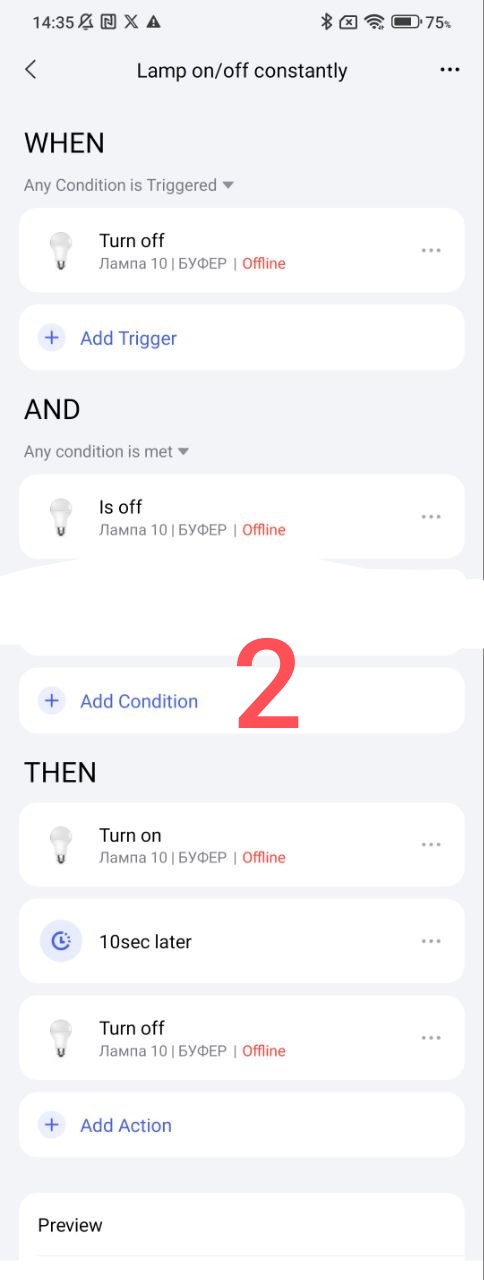
To understand the process of creating CYCLIC automation, I will first give a regular example on the Aqara lamp.
EXPLANATION OF AUTOMATION WORK
The WHEN section contains a trigger that will start a constant cycle according to the IF condition. This cycle will be activated in the THEN section until this automation is turned off.
The initial launch of cyclic automation will be the triggering of the trigger placed in the WHEN section.
Fig.2
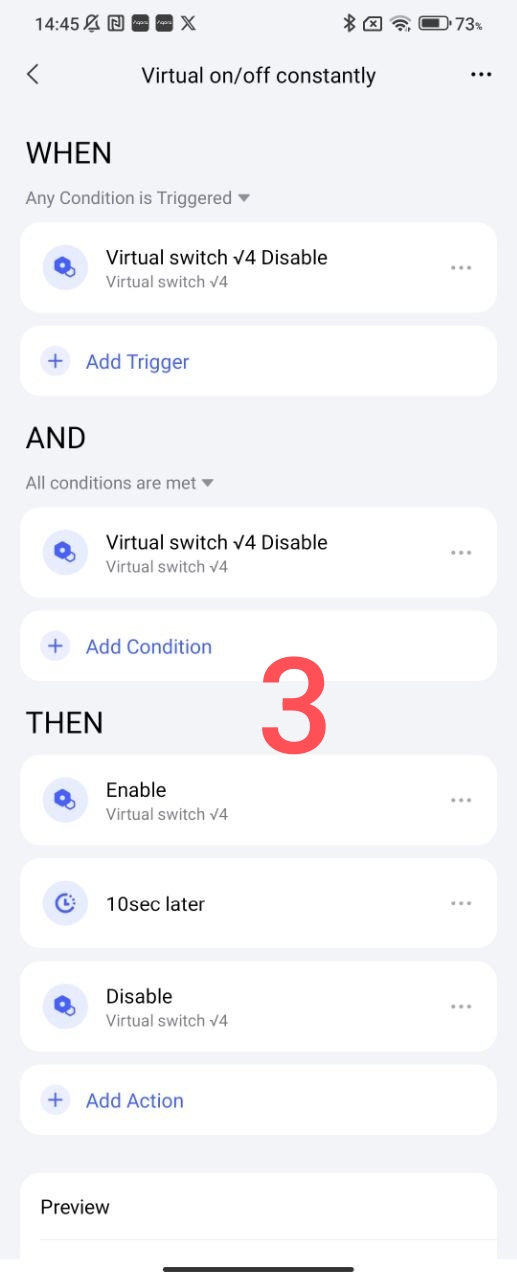
Now we will make a similar automation using our virtual switch made in section 1. The cyclic operation will be triggered by 0n/Off of the virtual switch √4.
Fig.3.
Section 3
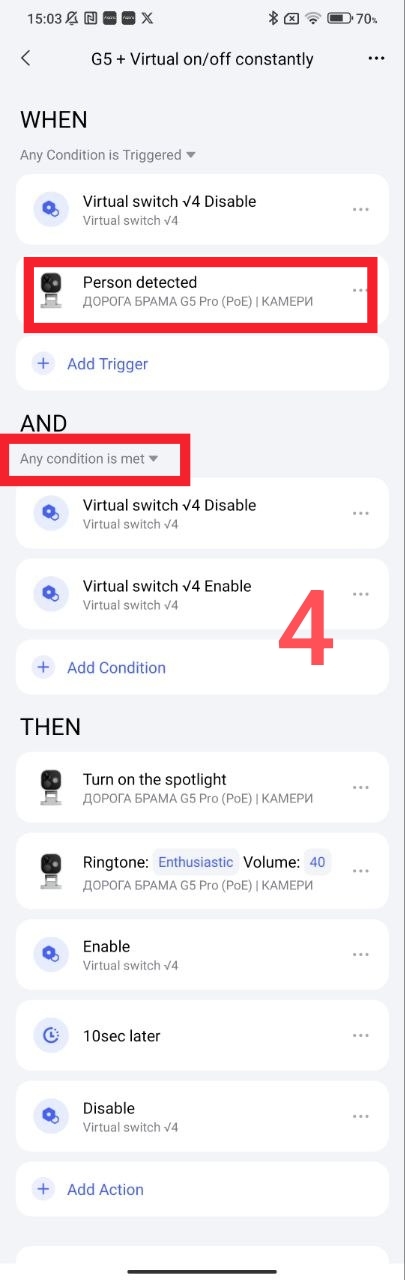
Let’s create a constant sound signal from the G5 (or other gateway that has a speaker) camera and turn on the G5 camera spotlight.
The WHEN section is supplemented with a search for a person from the G5 camera in the THEN section - turning on the spotlight and the selected sound signal.
We switch the IF section to the “do anything” mode and supplement it with the “automation is enabled” trigger, we do this so that the initial launch occurs under any condition of the virtual trigger.
We get automation.
Fig.4.
Section 4
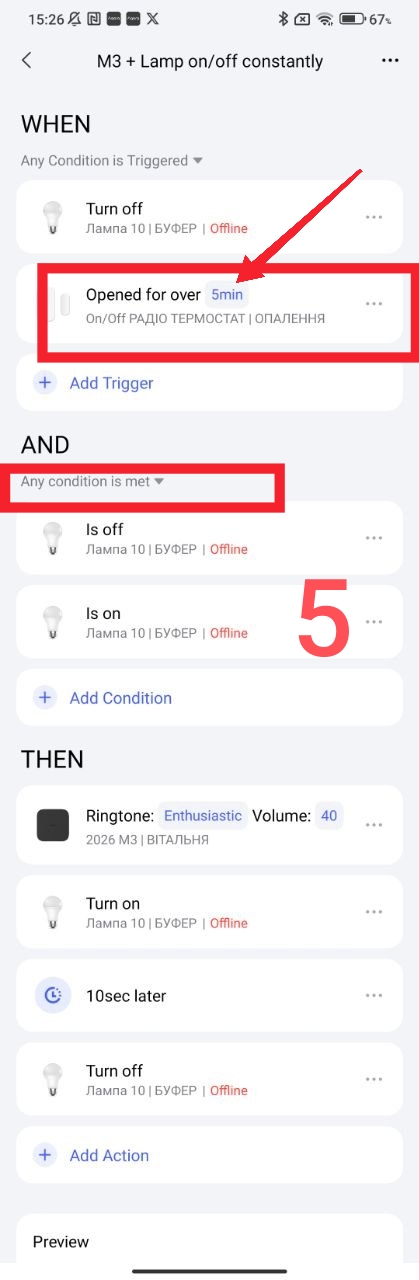
Let’s create a constant sound signal from the M3 gateway and turn on the lamp when the Aqara door sensor is open. This automation is similar to section 3, the trigger in the WHEN section is the door opening sensor (5 minutes), THEN - a sound signal from the M3 gateway + On/Off lamp 10 seconds.
Fig.5.
Section5
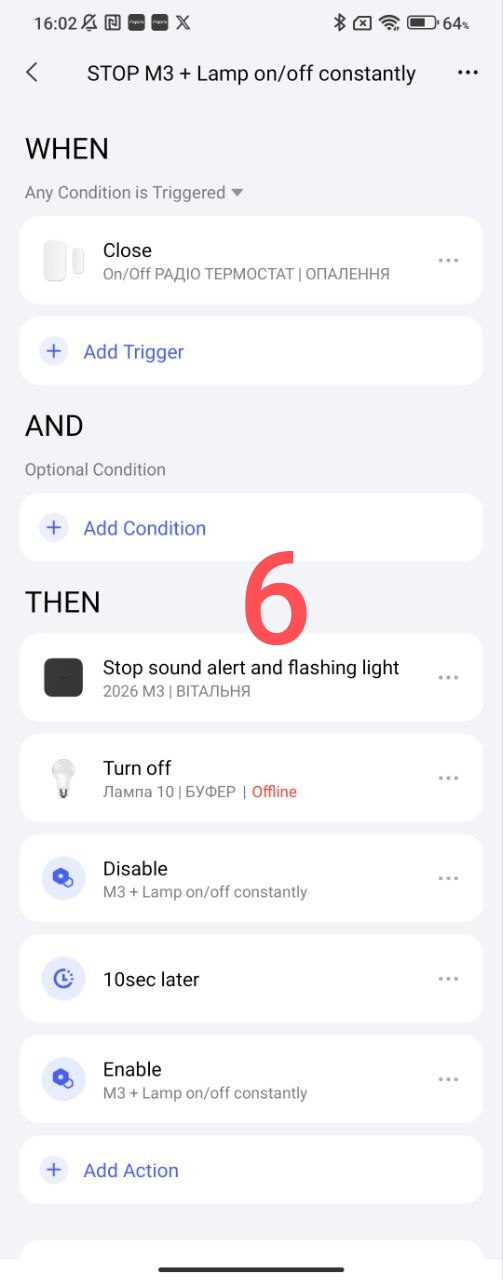
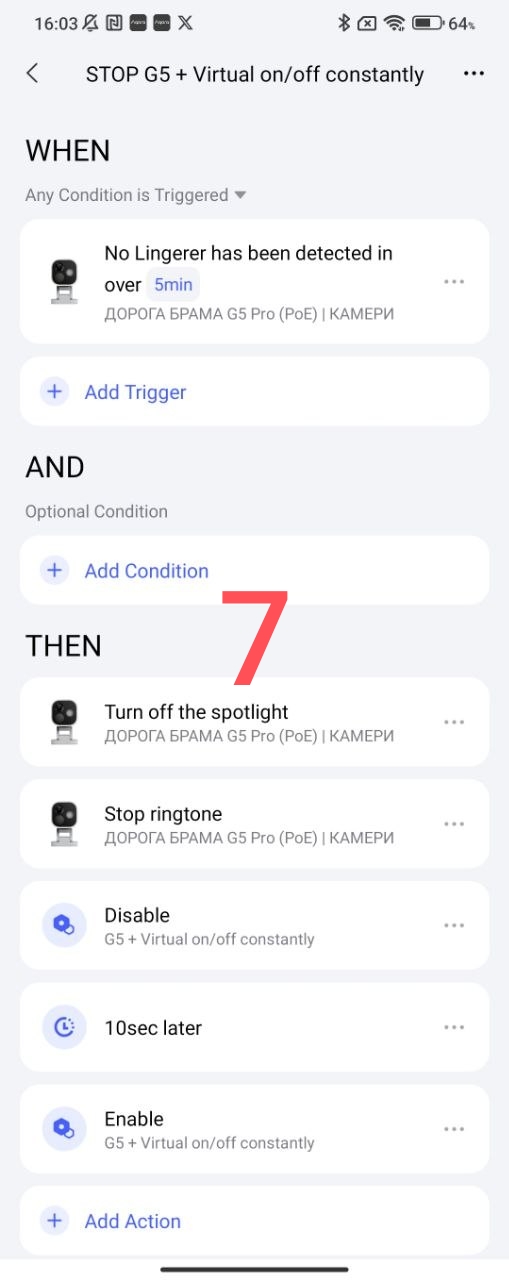
In this section I will give an example of how to turn off the automation. With additional automation, we turn off the corresponding automation and turn it on again after 10 seconds (we turn on the cyclic automation in standby mode until the next start).
Fig.6, 7.
The use of this automation may have another purpose, it’s up to your imagination.
This completes the lesson.
Thank you for reading and sharing the topic (you can also on other platforms with a link to our forum).
More to come.
Lesson 24_ Automation 2.0, lesson 24, code lock from Aqara wireless button