__Automation 2.0 Tutorial Collection - Lesson 1 report
Good day!
The time has come to share information regarding the testing of the Aqara U600 lock.
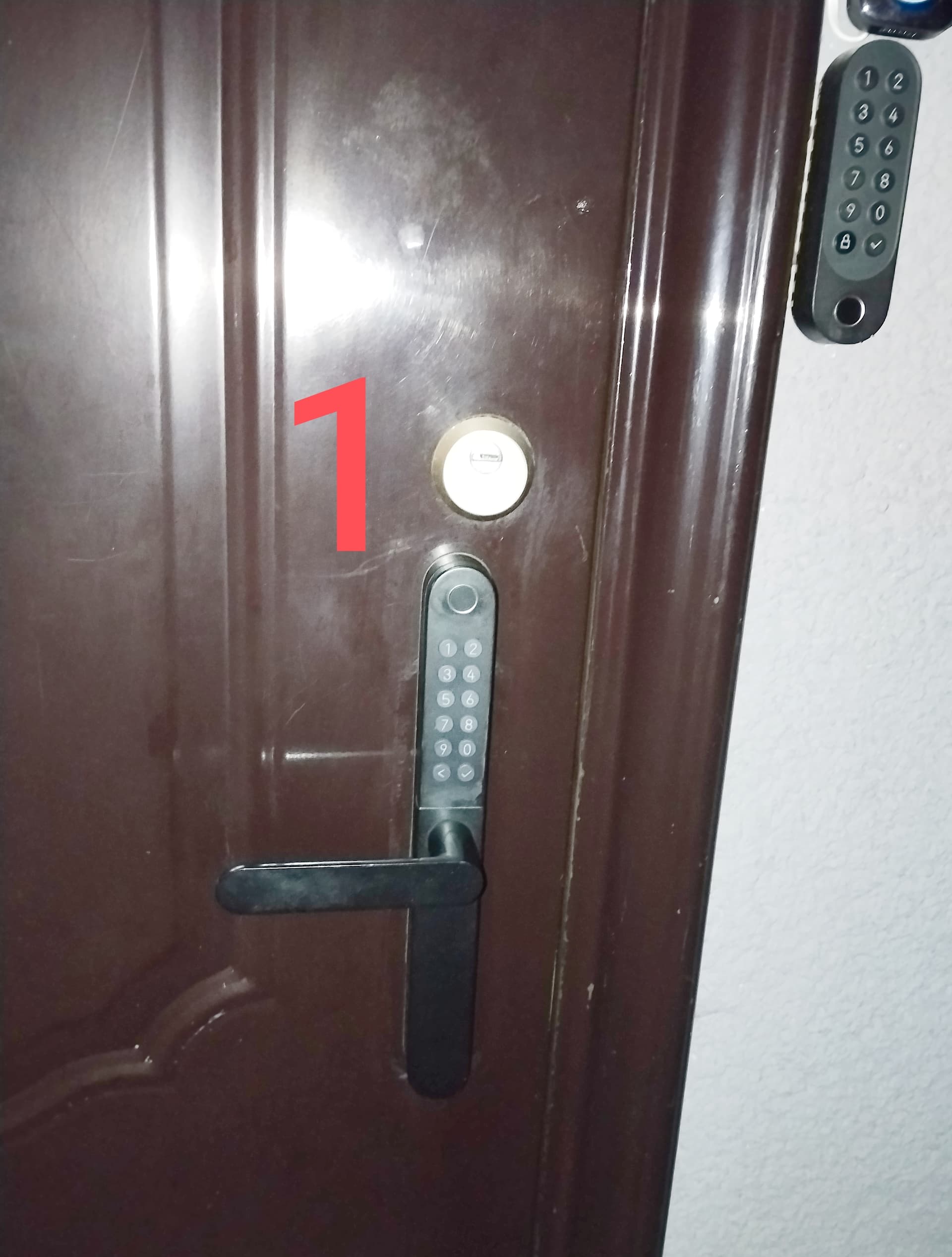
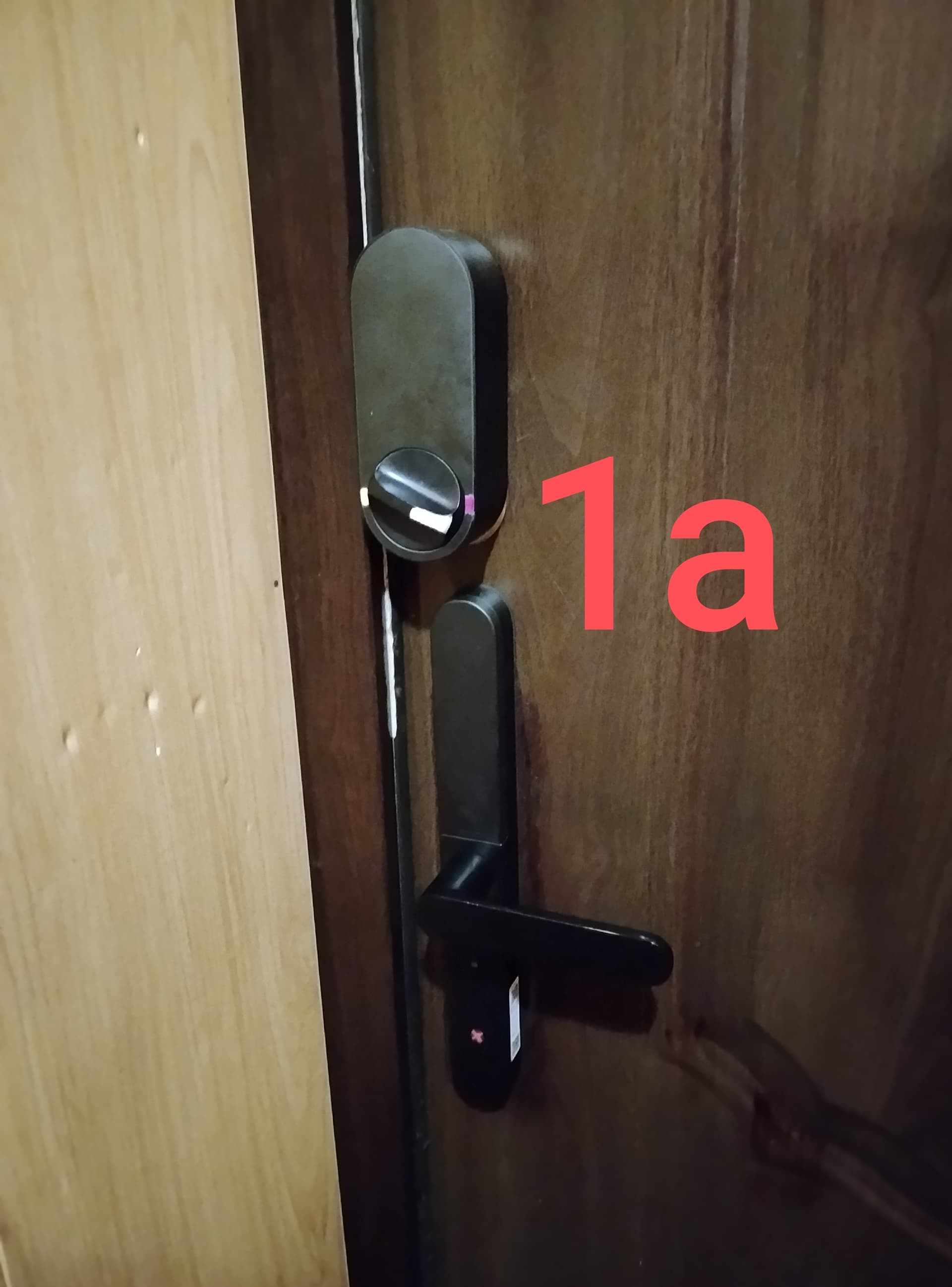
I tested the lock outside of England (in Ukraine) on a reinforced door. I have a standard-style lock mechanism; I removed the existing cylinder and installed the U600 in its place without any issues. The U600 features a very well-thought-out adjustment system for the mounting posts—it includes a movable rail that allows you to set the required mounting distance.
In my setup, the U600 controls the latch (the small spring-loaded bolt), while the U200 controls the main deadbolt.
Fig. 1.
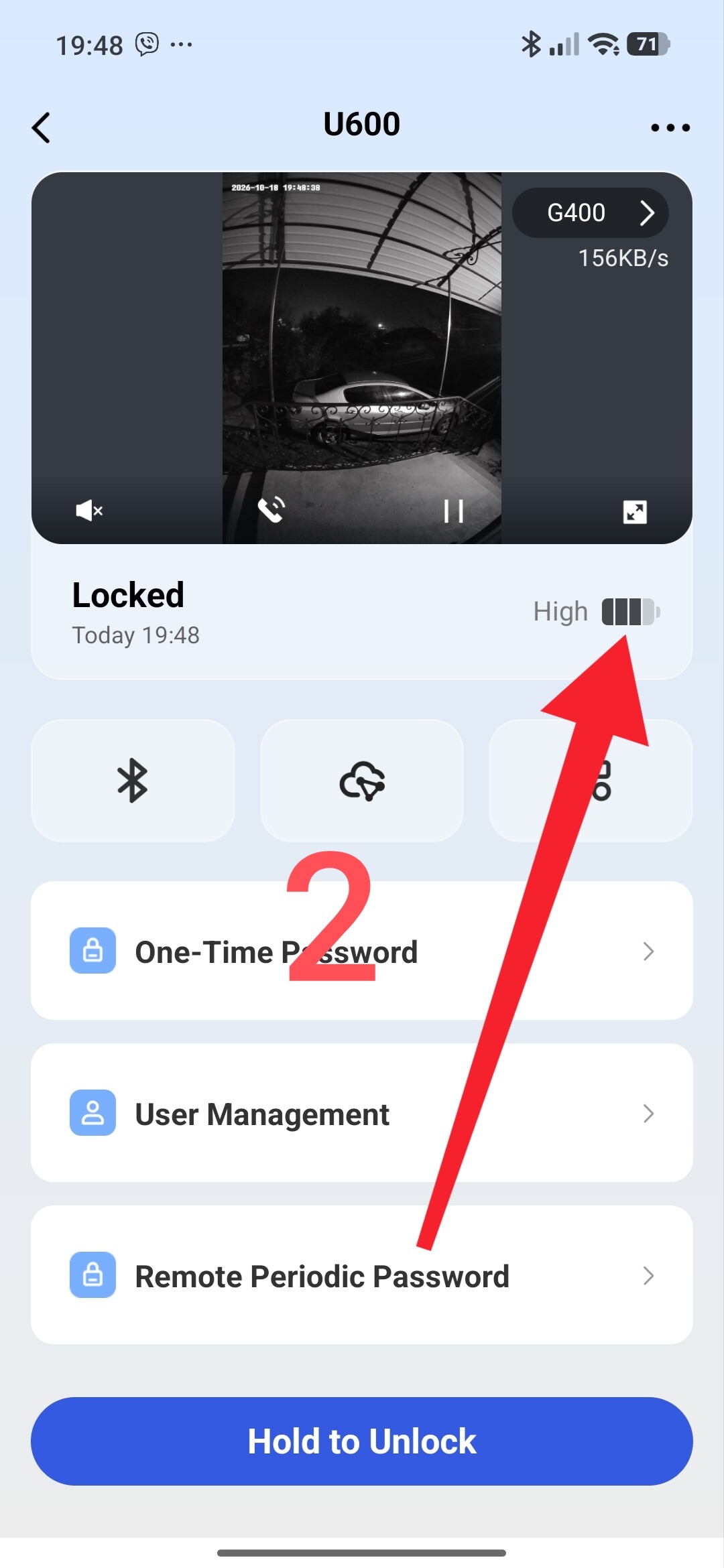
The battery life is incredibly efficient! To give you an idea: the lock was installed 6 months ago, and the charge level has dropped by only one bar.
Fig. 2.
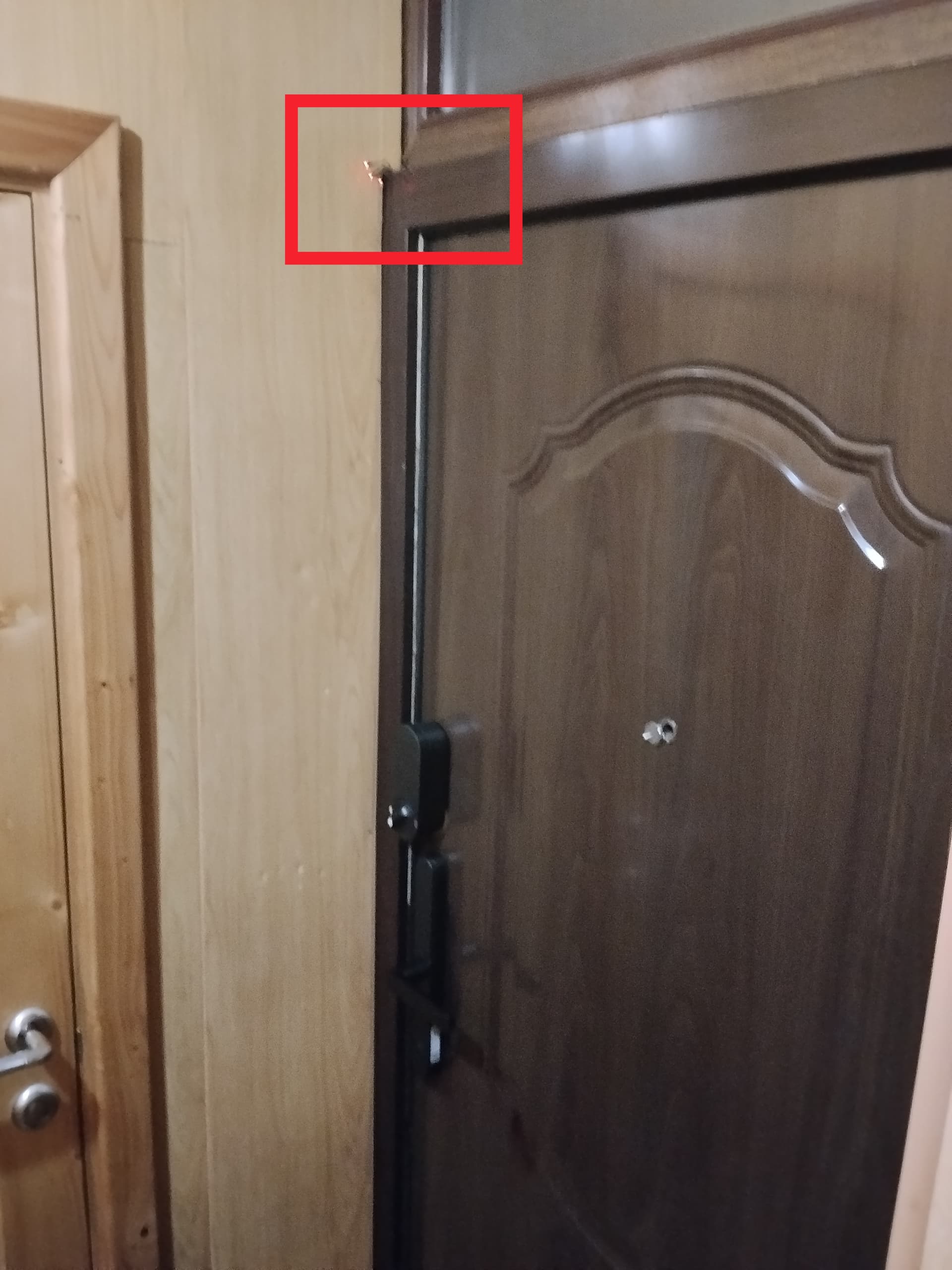
During testing, I raised several significant concerns; the Aqara team addressed them promptly and incorporated the fixes into the mass-produced versions.
Now, regarding the actual daily use of the lock.
My wife’s initial reaction was fantastic—she thought it was “so cool” that the door locks itself without any manual effort.
However, her initial enthusiasm soon gave way to the following issues:
- Constant anxiety: “Is the door actually locked?” It is impossible to visually verify the lock’s status from the inside; the handle operates as usual, providing no external clue.
- The lock engages after a brief trip out into the yard.
- The lock is engaged, but my hands are wet, so the fingerprint scanner doesn’t work.
To provide some context: I live in a private house where the doors are opened and closed very frequently. There is a large, separate yard.
I solved the first problem using an automation method I described in my tutorial (Automation 2.0 continuation of lesson 19(2). Open/closed status information for the Aqara U200 lock (as well as locks of all types of Aqara)).
At the time I wrote that tutorial, I couldn’t disclose information about the U600 lock, so I configured it as a U200 instead.
Also, note that for Aqara locks, “lock open” and “lock closed” conditions have been added to the “IF” section. This makes it much easier to create new “Automation 2.0” routines based on the lock’s status.
I also resolved the second problem using “Automation 2.0.” I covered a similar type of automation in my tutorial here: (Automation 2.0, lesson 26, U200 (or other locks) automatic closing of passage doors). Note: I have disabled the automatic locking feature on the U600 lock.
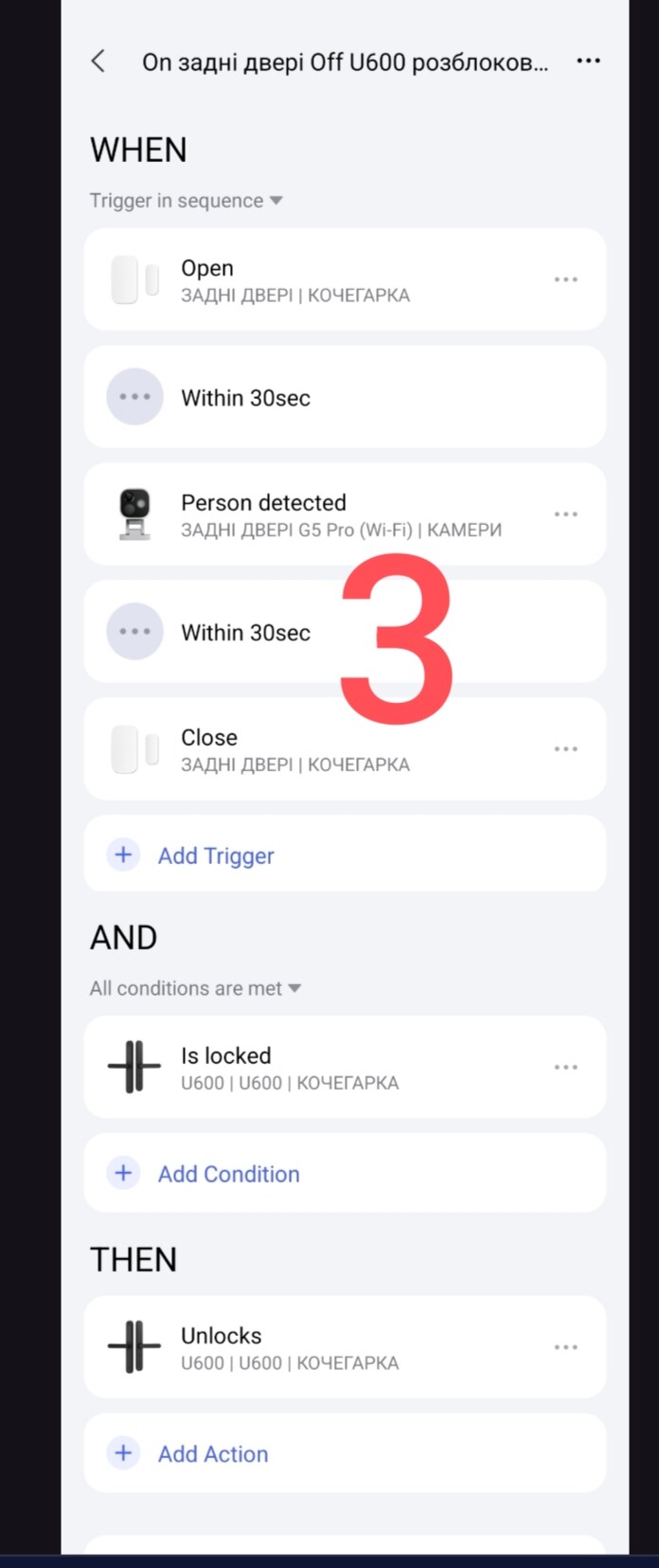
For the U600 lock, I implemented an automation routine with the following unlocking (opening) logic.
Explanation of the logic:
WHEN (sequence):
Door opens → G5 camera detects a person → Door closes. (The G5 camera is located on the outdoor stairs.)
IF
The lock is locked
THEN
Unlock the lock.
Fig. 3
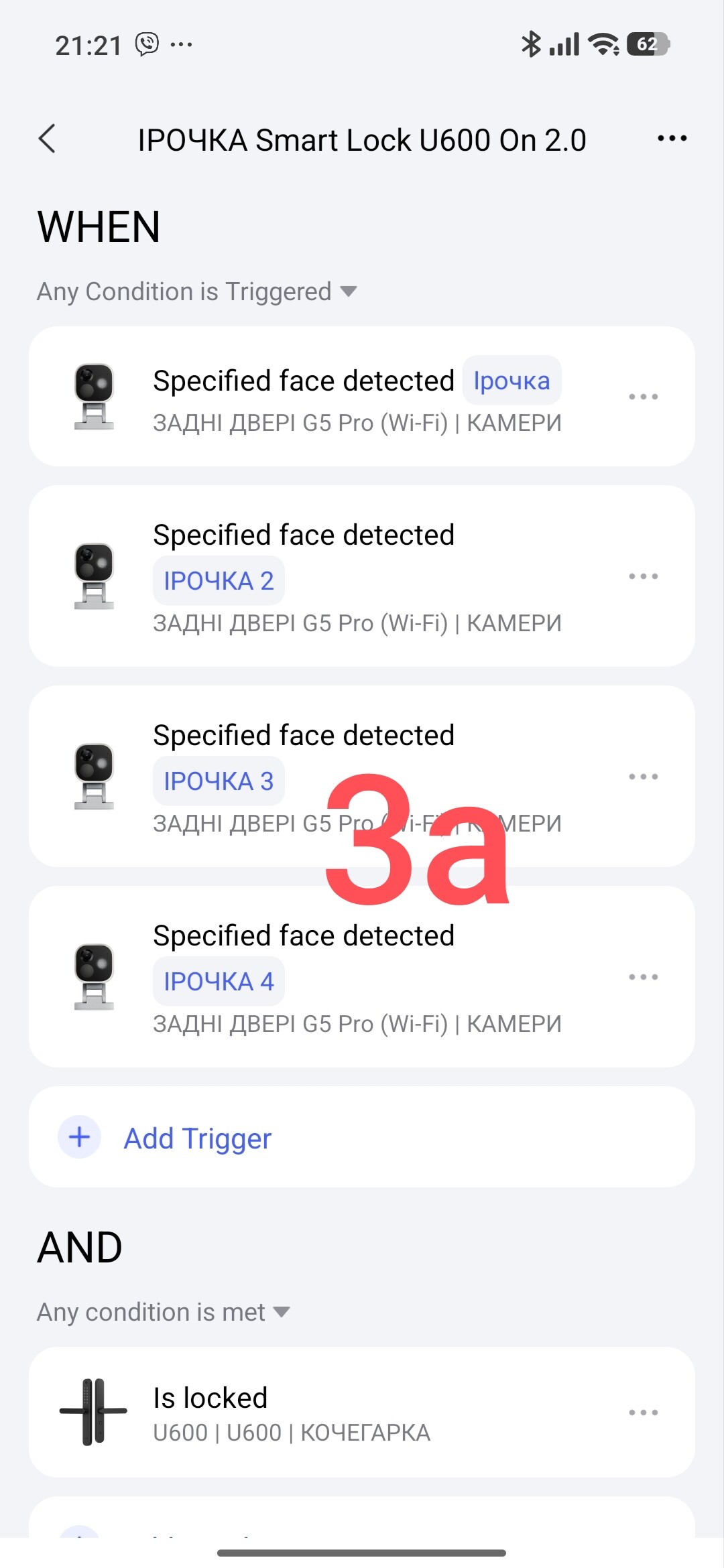
There is also an automation routine for my wife, triggered by the G5 camera located on the outdoor stairs.
Fig. 3a.
I resolved the third issue using the following “2.0” automation routines.
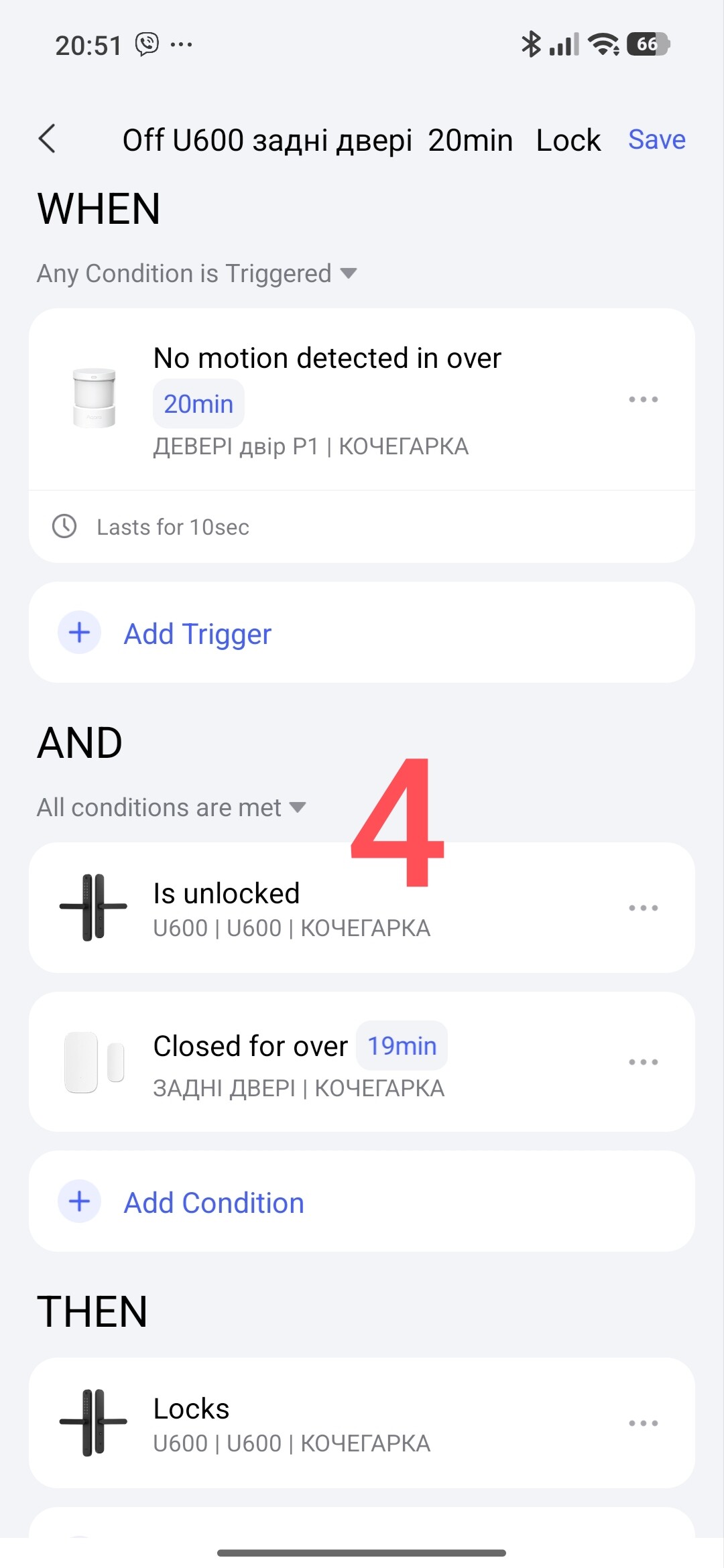
First automation: “Long-term locking” — WHEN the motion sensor above the outdoor door detects “no motion for 19 minutes,” AND IF the U600 is unlocked and the door has been closed (according to the door sensor) for more than 20 minutes, THEN lock the U600.
This automation allows the door to lock after a set period (20 minutes) in cases where someone has exited and remains in the yard near the door.
Fig. 4.
Second automation. "Door closing; someone has entered the house.
The logic follows a reverse sequence: door sensor, motion sensor near the door (indoors), and a motion sensor in the hallway. Additionally, the M3 Hub provides an audible alert when the door is closed.
Fig. 5.
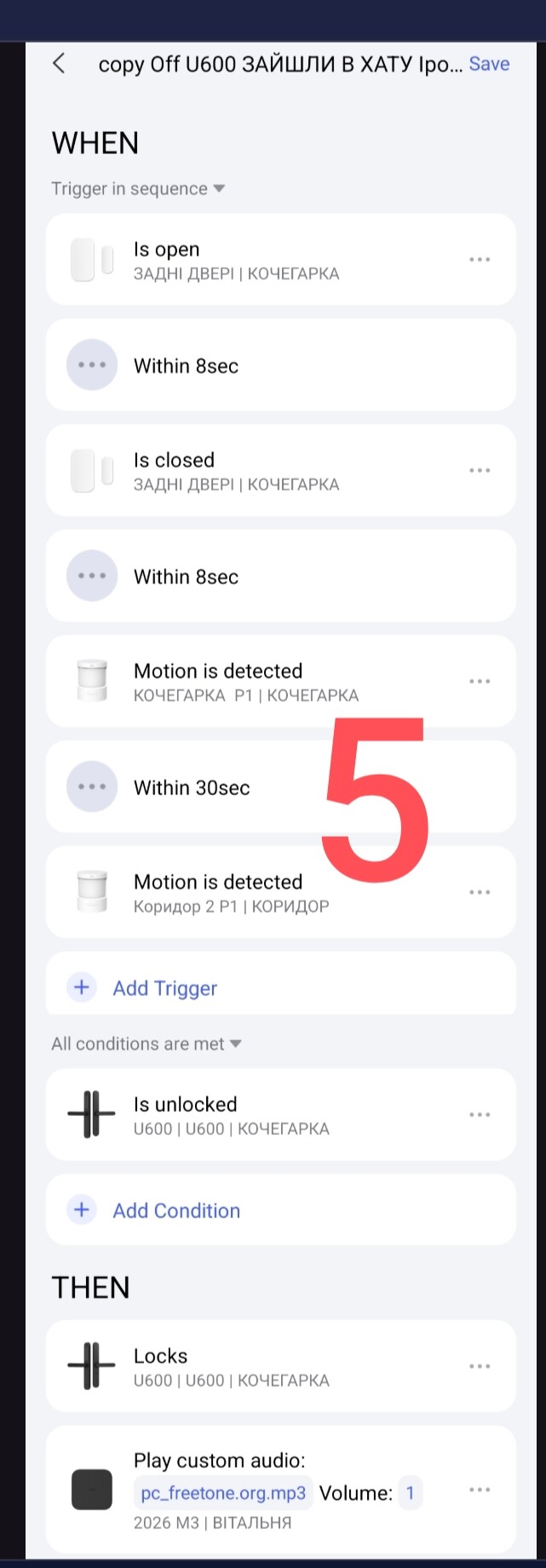
Third Automation: “Arming the Home.”
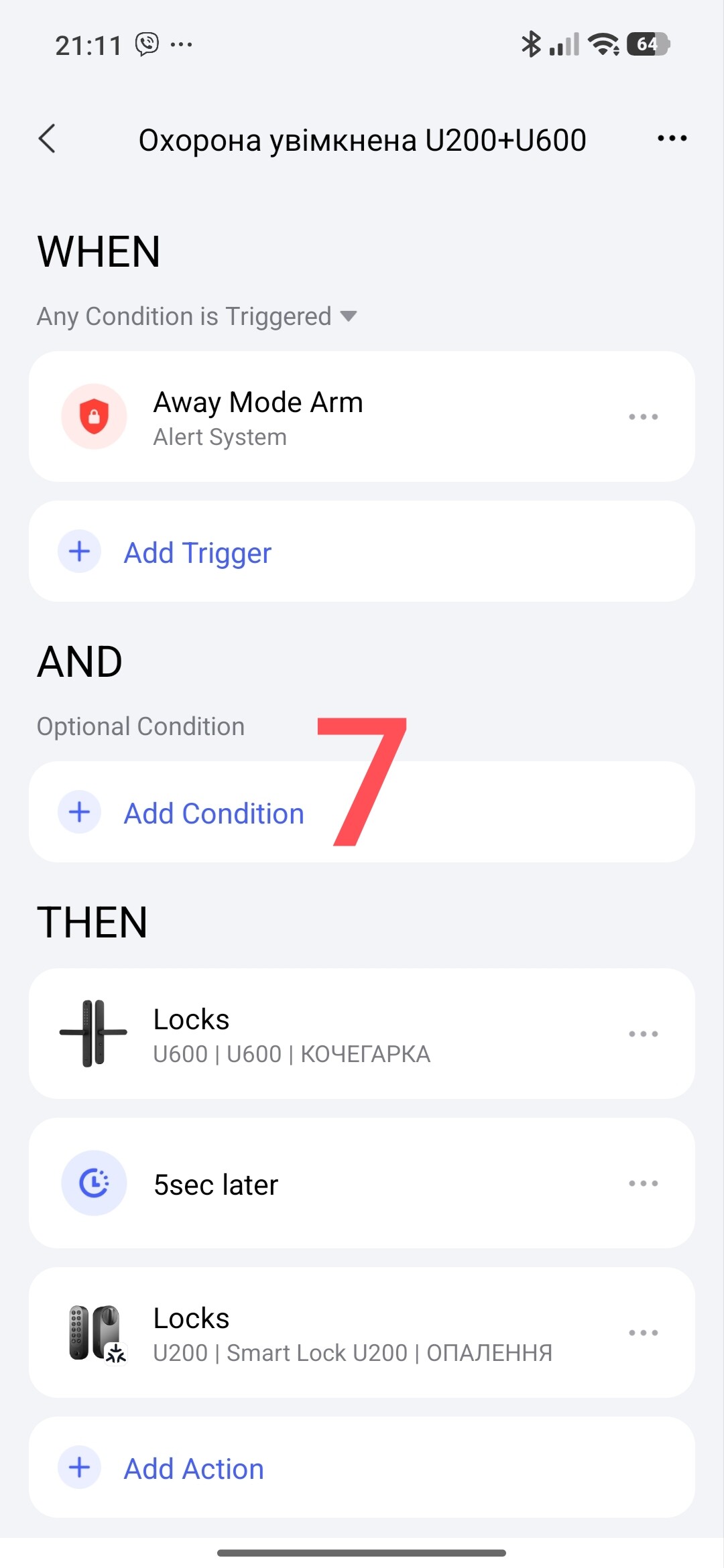
To ensure a reliable locking system using both the U200 and U600, I’ve set up an automation that automatically locks the U600 immediately after the U200 is locked. I also have a redundant automation to ensure the door locks when the house is set to “Away” mode (i.e., when leaving the home).
Fig. 6
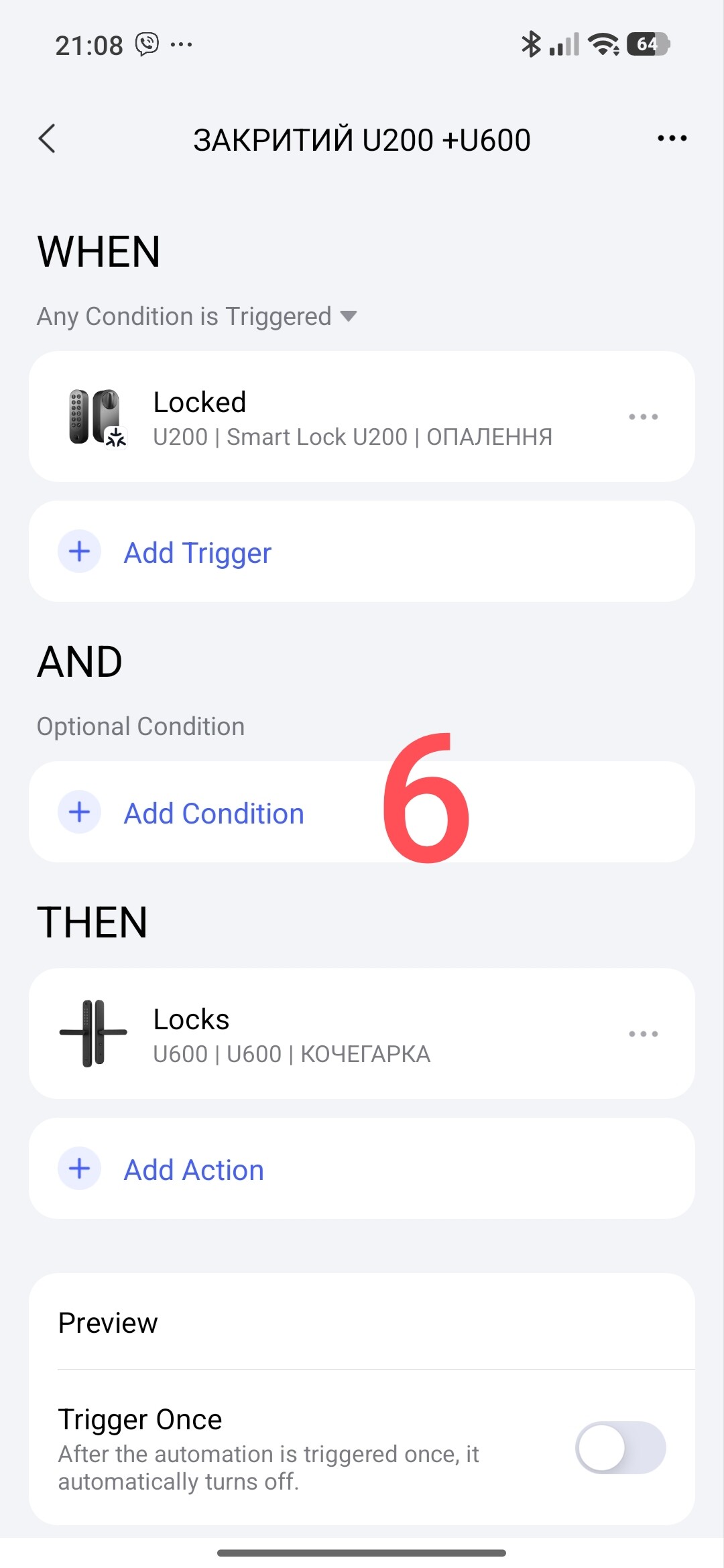
Fig. 7
Afterword: The U600 lock is an exceptionally good product.
In my opinion, it could benefit from two additional features:
- A manual locking/disabling mechanism. For example, pressing a small button could prevent the lock from operating from the inside until the handle is lifted upward. It’s a simple, accessible solution—it would just require a mechanical adjustment. This way, if a child tries to push the handle down, it simply won’t move.
- A separate, compact status indicator to show whether the lock is open or closed—this could be a standalone accessory.
Thank you for reading my review.
Special thanks to the Aqara team for providing the U600 for testing.
I would also like to thank @Aimer; it was a real pleasure working with you. I appreciate the prompt support and the quick response to issues.
Our goal: Aqara—the ultimate smart home.
If you have any questions, feel free to ask—I’m happy to help.
See you later!"