Hey there!
I’ve been testing the Aqara W100 together with some E1 thermostats, and I wanted to share a few tips on how to properly connect temperature sensors and thermostats.
Some of the logic behind this setup isn’t immediately clear, so here’s a quick walkthrough that might save you a bit of time. 
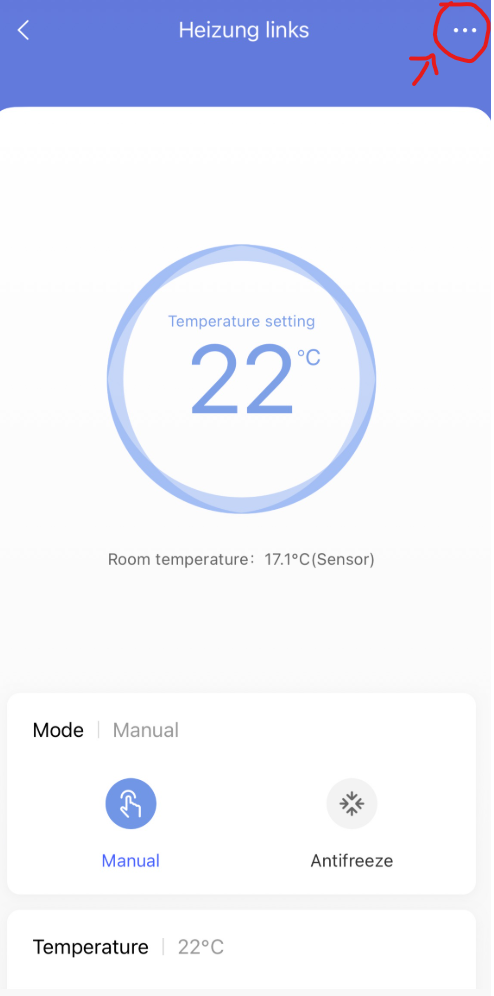
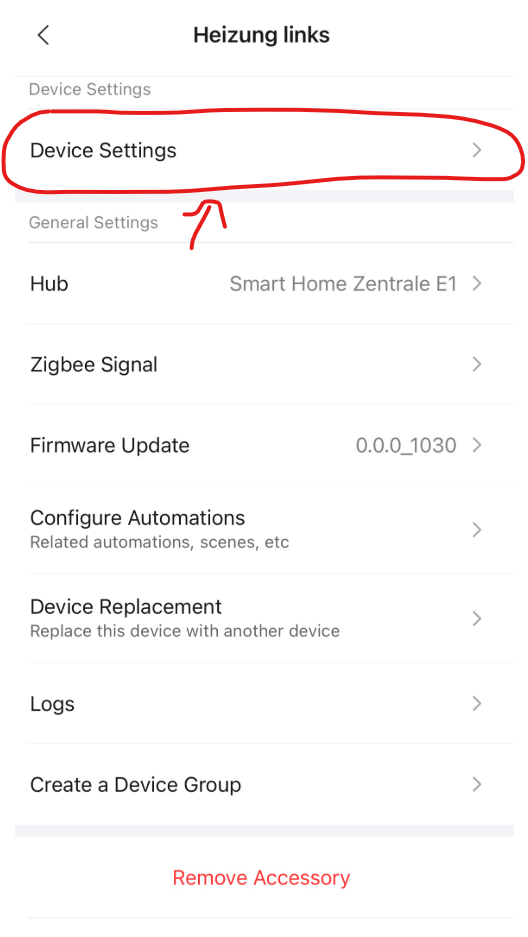
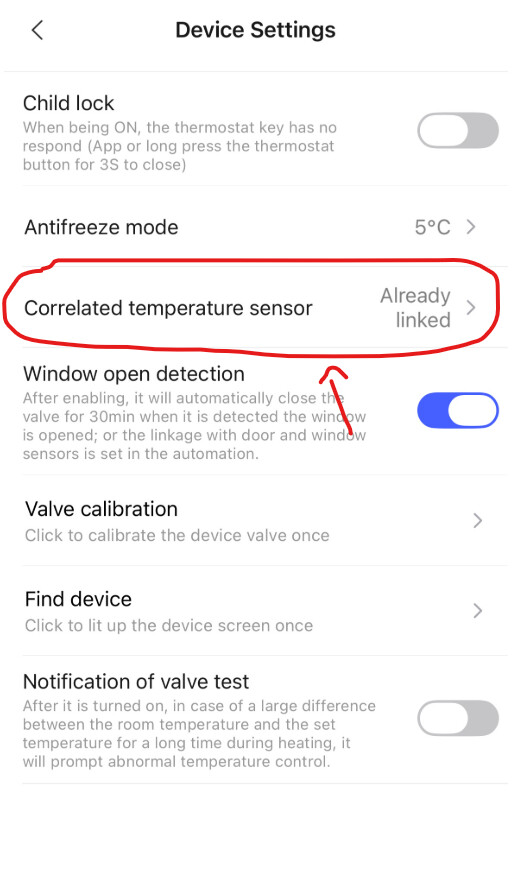
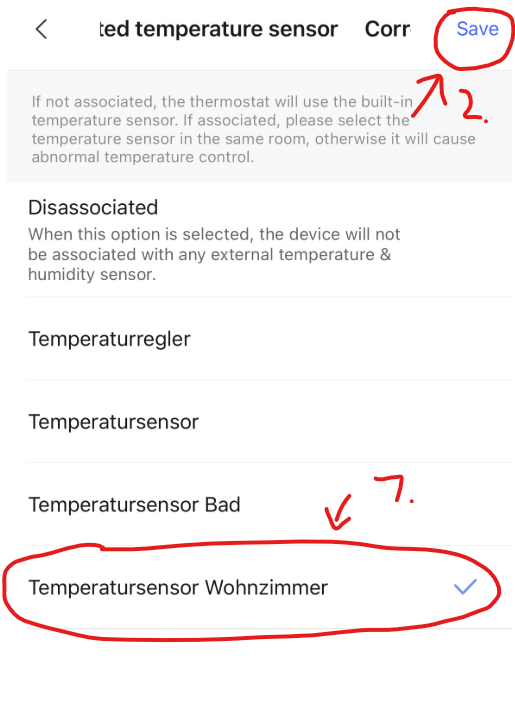
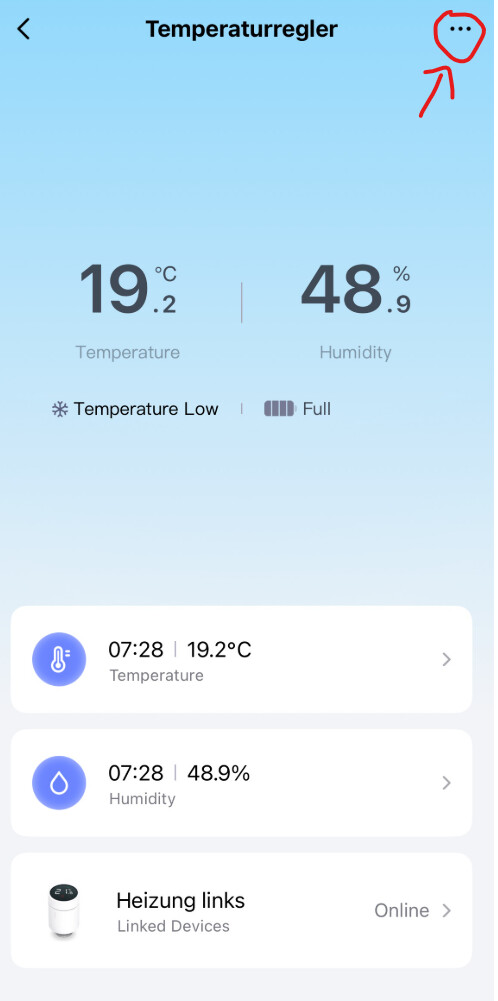
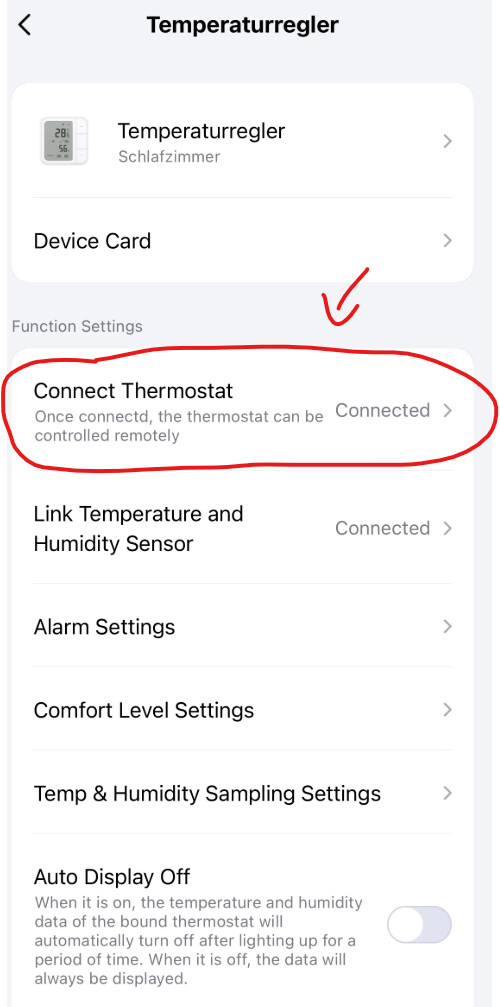
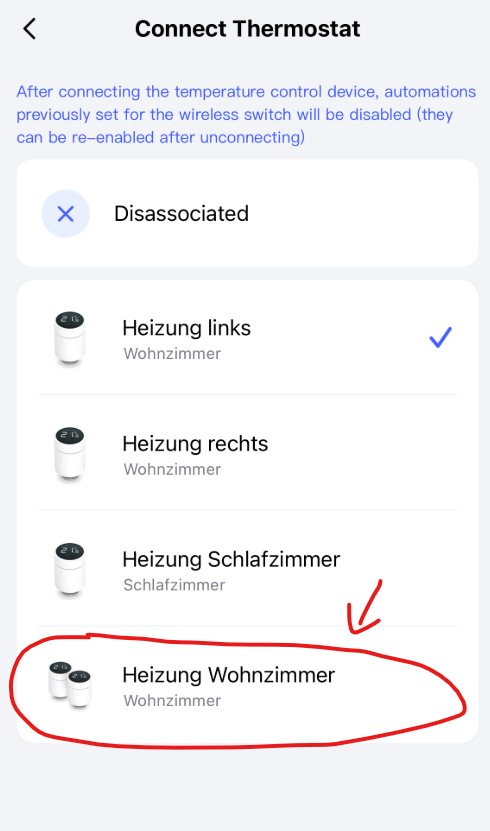
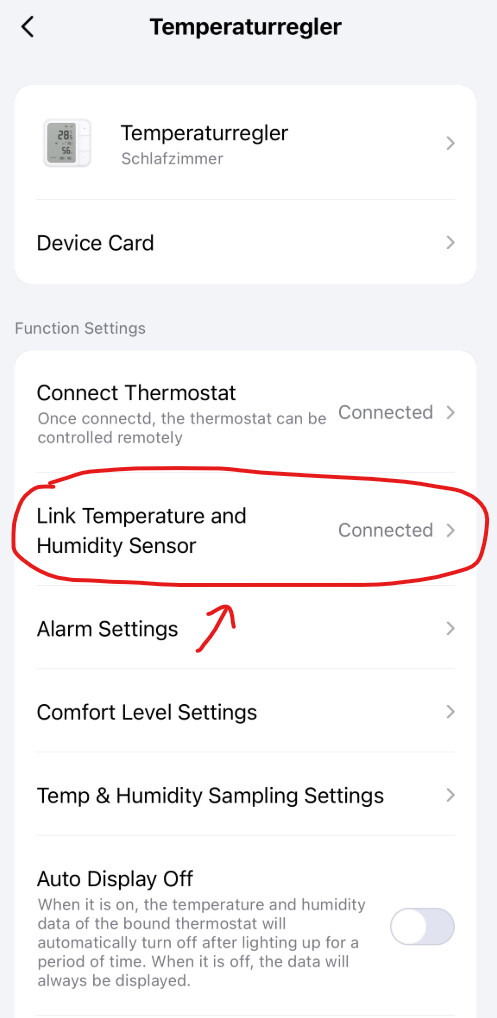
Connect temperature sensor to thermostats
Each thermostat must be linked to its own sensor, so just repeat the same steps for each thermostat. It’s also possible to use the same sensor for multiple thermostats, but you have to manually link them one by one.
The name of the W100 should be included in the selection. Select it from the list.
Bonus: If you want to control all thermostats with the W100, here’s how to do it.
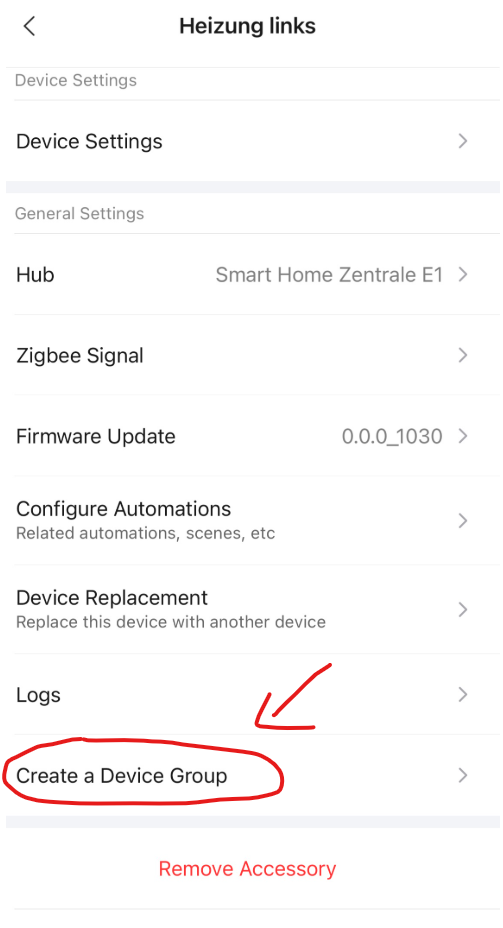
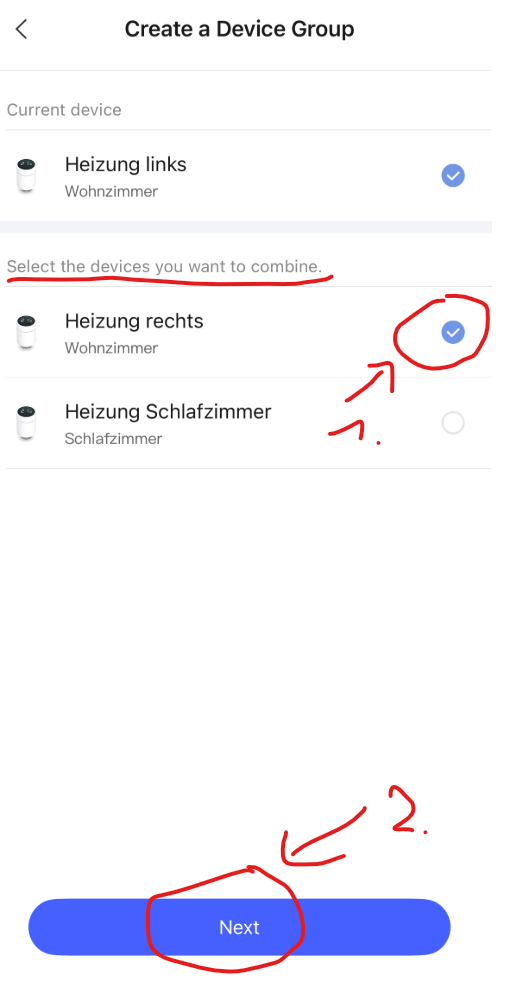
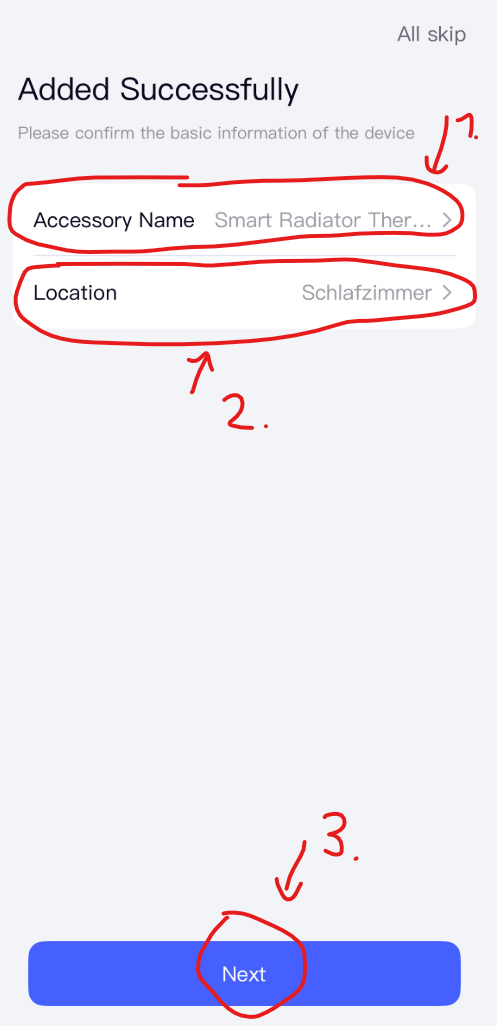
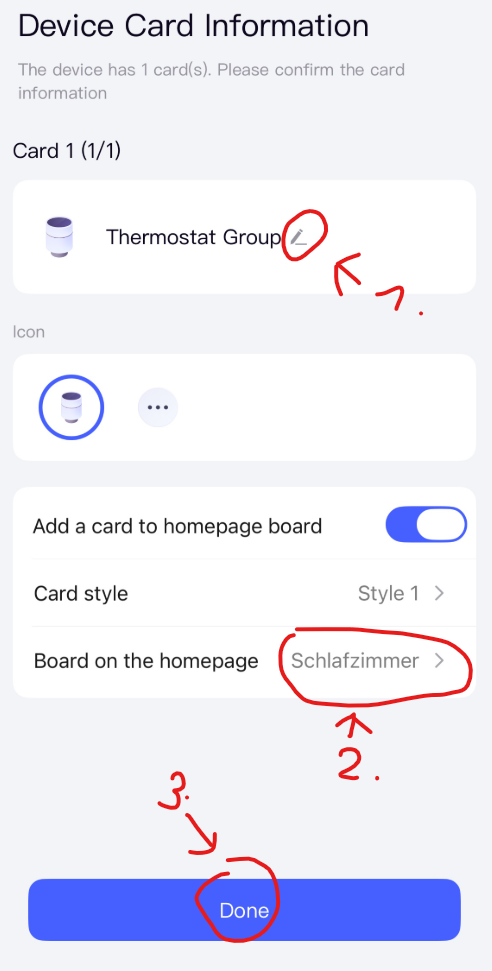
Create a device group for all thermostats (optional)
You can create a group if you want to control several thermostats at once.
Important: You cannot specify a corresponding temperature sensor for a group. You have to do this individually for each thermostat.
Change the connected thermostat on the W100 (optional)
On the W100, you can decide which thermostats can be controlled.
Important: This is only necessary if you want to control the temperature via the W100 for a group or a specific thermostat. Don’t link the W100 to any thermostat if you want to use its buttons in automations (for example, to control lights).
Change the connected temperature sensor on the W100 (optional)
You can also select which temperature sensor is shown on the W100’s screen.
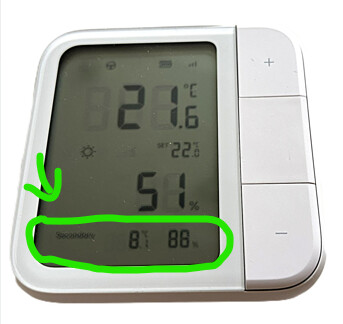
Important: the temperature sensor connected to the W100 has nothing to do with the thermostats. It’s only the temperature from the selected sensor that appears at the very bottom of the W100 - as shown by the green mark in the picture below.
In my case, I chose a temperature sensor on the balcony so I can keep an eye on the outside temperature directly on the W100.
Just so you know:
- The temperature shown at the bottom of the W100 doesn’t actually control anything.
- The small temperature display in the middle shows the setpoint temperature - this is the temperature that your connected thermostats will try to reach.
- If you want to use the temperature shown at the top of the W100, you’ll need to either link its sensor to a thermostat or use its sensor in an automation.
For example, I have an automation that switches off all thermostats whenever the outside temperature rises above 18 °C. Or you could use the W100 sensor to make a light blink when the indoor temperature drops below 15 °C.

 ) und der Sensor verbindet sich nicht erneut. Ich gehe davon aus, dass die Verbindung wiederhergestellt wird, sobald diese wieder verfügbar ist. Vielleicht liegt genau da der Knackpunkt, dass das nicht richtig funktioniert? Das würde deine Situation jedenfalls erklären, wenn der Sensor getrennt ist, die aktuelle Empfangsstärke aber gut ist.