Hello @AqaraOfficial @gafich10 @Raman.V @DEChrisE
I am experiencing an issue with the long-term stability of the association between the Aqara Radiator Thermostat E1 and the Aqara Temperature Sensor W100.
My Setup:
Hub: Aqara Hub M3
TRV: Radiator Thermostat E1 (Firmware checked and updated)
Sensor: Temperature Sensor W100 (Set in Zigbee mode, Firmware checked and updated)
Protocol: All devices connected via Zigbee to the M3 Hub.
The Problem:
I have successfully configured the E1 valve to use the W100 as the External Temperature Sensor (remote sensor) via the E1’s device settings in the Aqara Home app.
The E1 uses the temperature reading from the W100 (which is accurately placed in the room).
The setpoint and control buttons on the W100 successfully command the E1 valve.
However, after a few days, the association unexpectedly drops. The E1 device screen in the app (like the screenshots provided) shows a warning message: “Please check or reassociate the device if an abnormality is detected in the associated device.”
When this happens:
The E1 reverts to using its internal sensor reading (which is inaccurate, being near the radiator).
The E1 loses the remote control link to the W100.
Crucially, both the E1 and the W100 still show up as “Online” and connected to the M3 Hub in the device list. The issue seems to be a failure to maintain the direct sensor link defined within the E1’s configuration, not a complete network disconnection.
Has anyone else encountered this persistent instability when using the W100 as a remote sensor for the E1? Any known fixes or firmware-related workarounds are appreciated.
Thank you!
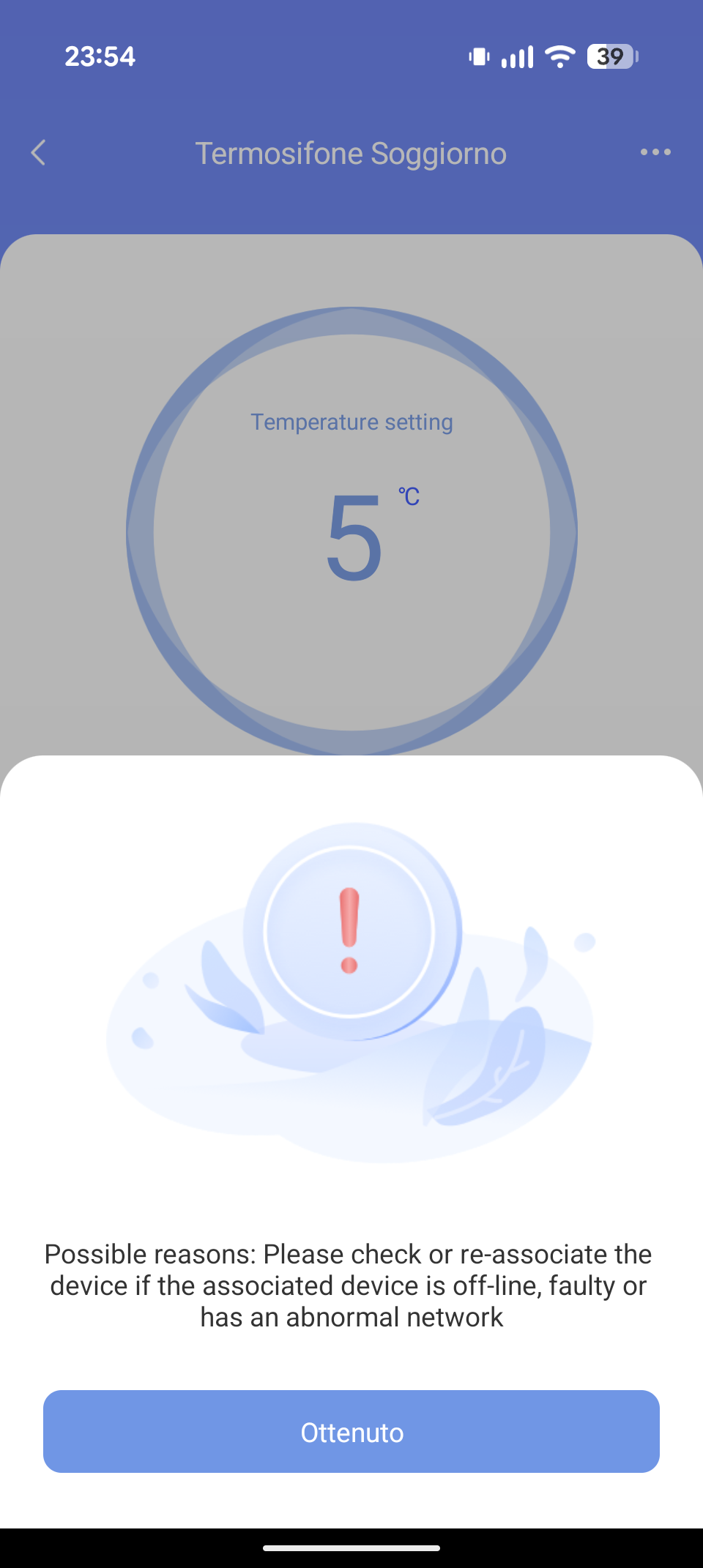
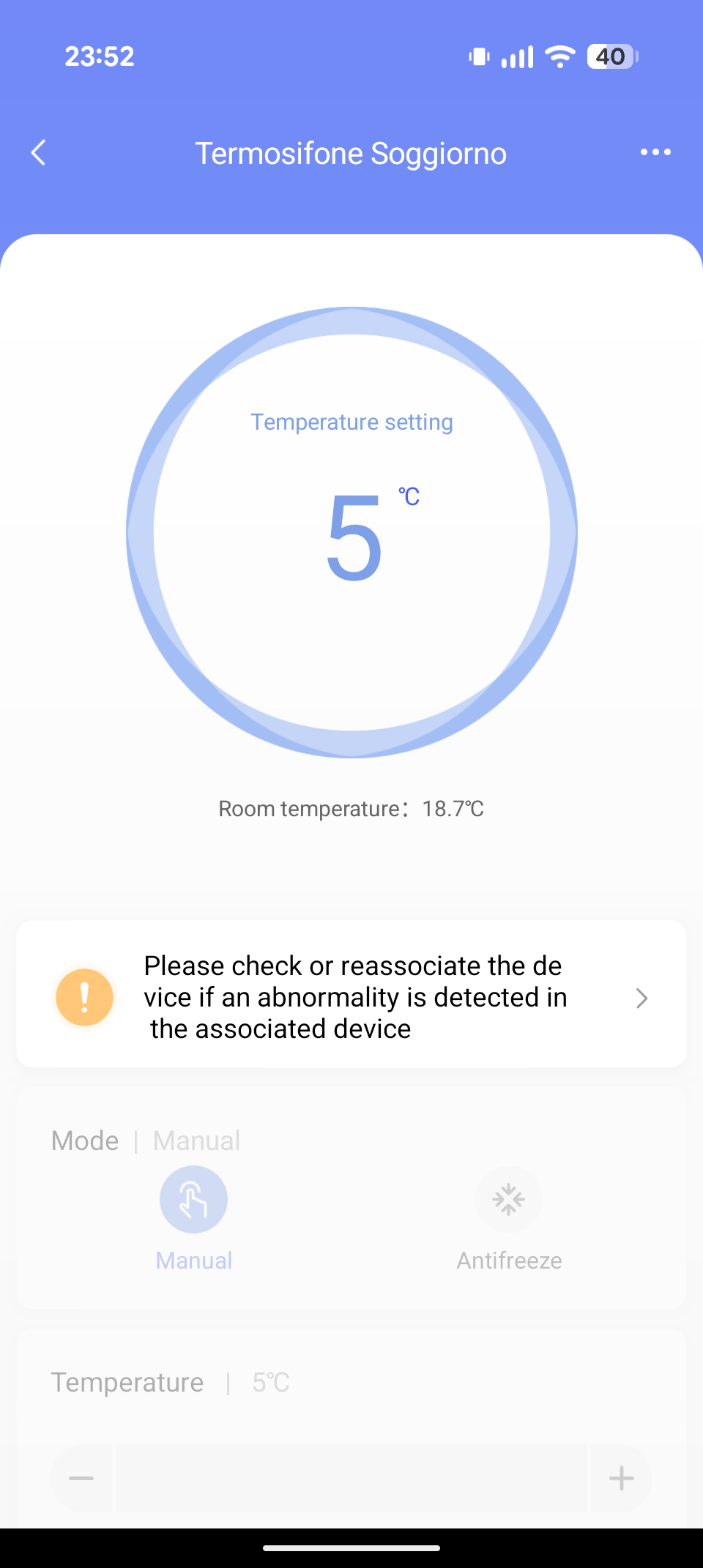
Hello, thank you for the information, we will pass this problem on to the developers. For my part, I recommend that you contact support with this issue in parallel so that they can collect more information and possibly fix the problem.
Hi, I have it paired like this, but this issue hasn’t occurred for me so far. Hub M3, W100, E1, all with the latest firmware.
Robert
Hi @gafich10, I have used your tutorial to change the temperature setting in custom mode. Now, after 8 hours, the W100 is regularly connected to E1 without association errors. So, I have switched from standard to custom mode. I hope my issue is resolved.
I find no more log issues on E1. Before that modification, I have ever “error connected” my E1 valve. Now, no more.
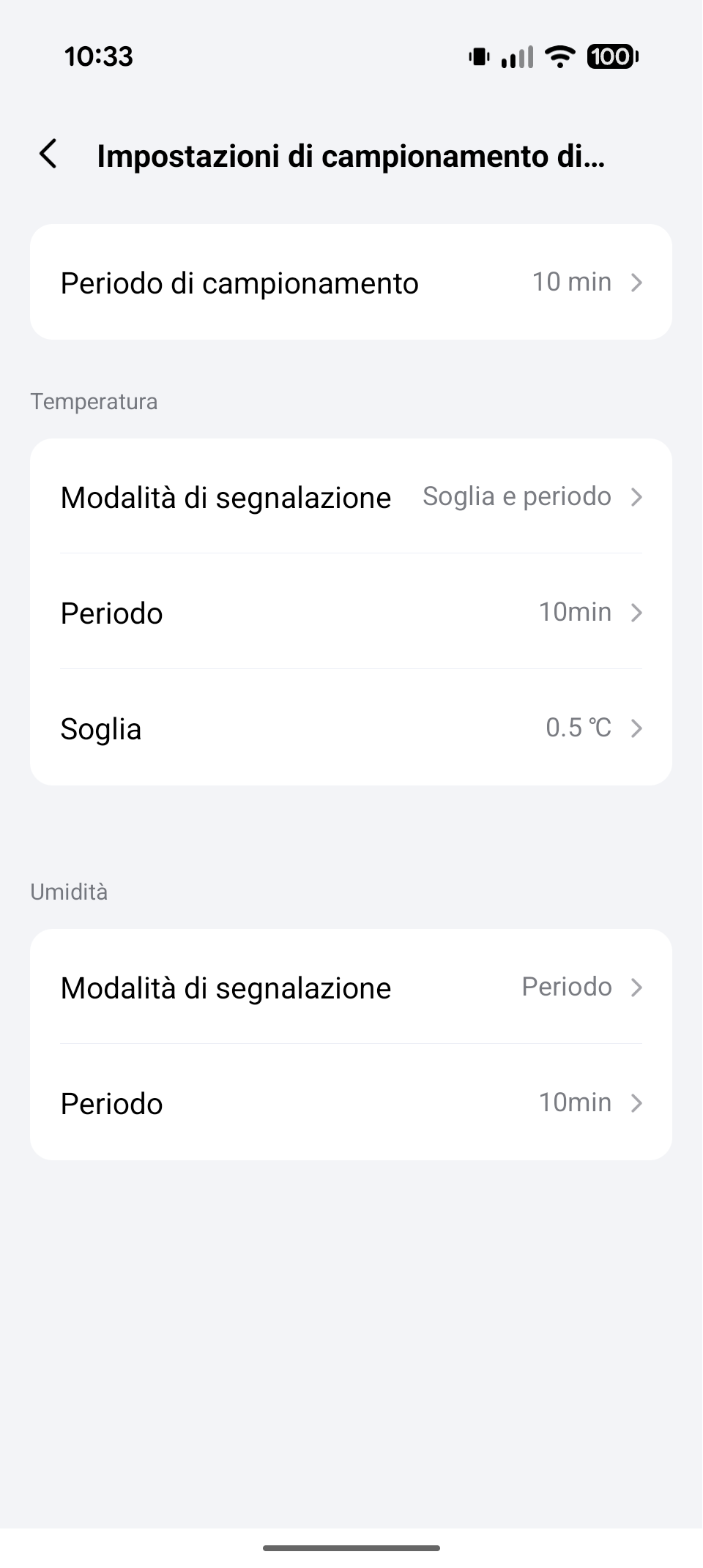
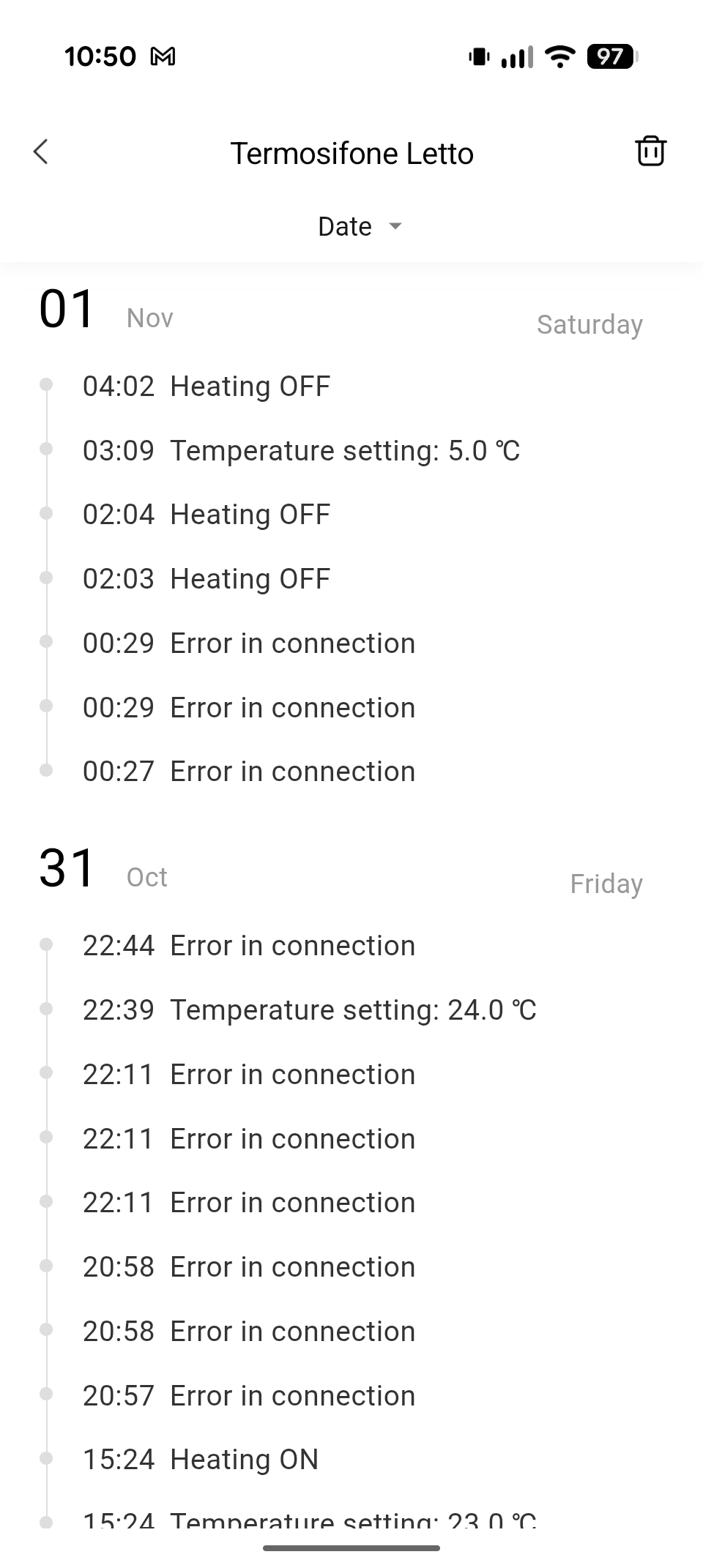
Hello, of course, the problem was due to the long temperature feedback from W100, E1 perceived it as a communication problem with W100. Thank you @gtxteo , you find the reason yourself.
If Aqara specialists read us, the question is closed (I made a request to the support service).
Thanks @gafich10 I hope @AqaraOfficial solved it with a future update.
Hi, this is not a bug, it is rather a way to protect the heating system from a connection break E1->temperature sensor (this is my opinion).
Hi @XT-XianTang, can you clarify whether this is a bug or the algorithm of E1 operation?
Ok, @gafich10 @AqaraOfficial @XT-XianTang but if it’s a protection system, it should be set up differently — the user shouldn’t have to constantly check the settings and change them every time because the device disconnected on its own. From a usability standpoint, it’s pointless. In the end, the E1 valve no longer works as it should, since it’s disconnected from the W100 sensor.
Hello, you lose connection E1 to W100 again?
Hello  @gafich10. No, with my last device setup no more lost connection.
This is my assumption about the defense, which is why I asked @XT-XianTang for further clarification on this issue.
I have the same issue.
Hi @romakopitin11 that’s the solution. I have no more issues.
Yes, i use workaround from Aqara support, but i am waiting correct fix. Also i need supporting several e1 + one w100.
I simply tied up and modified the @gafich10 guide for my situation and it worked. For about two weeks now I have no more leaks, there is a connection between the E1 valve and the W100. Everything works. I too am in remote “analysis” mode with @AqaraOfficial technical service to check this problem. But for now my solution works.
Hi, what’s the problem, I just checked and everything works. Did you create a group with E1?
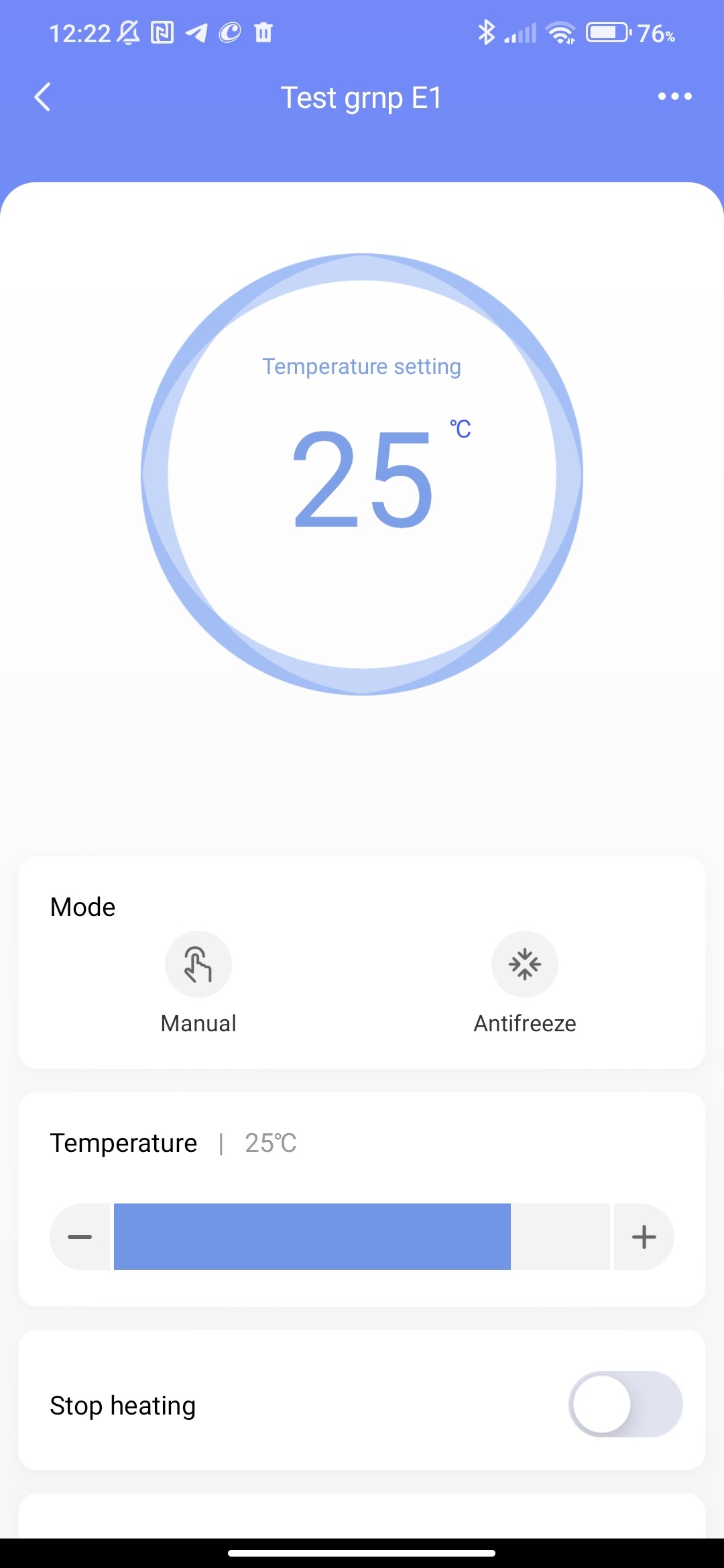
After creating a group, go to the settings of a separate E1 and bind the temperature sensor to the W100. Let me explain: two E1s are bound to one W100.
Second step, from W100, bind it as a thermostat to the created group. Everything is similar to what is described for W500.
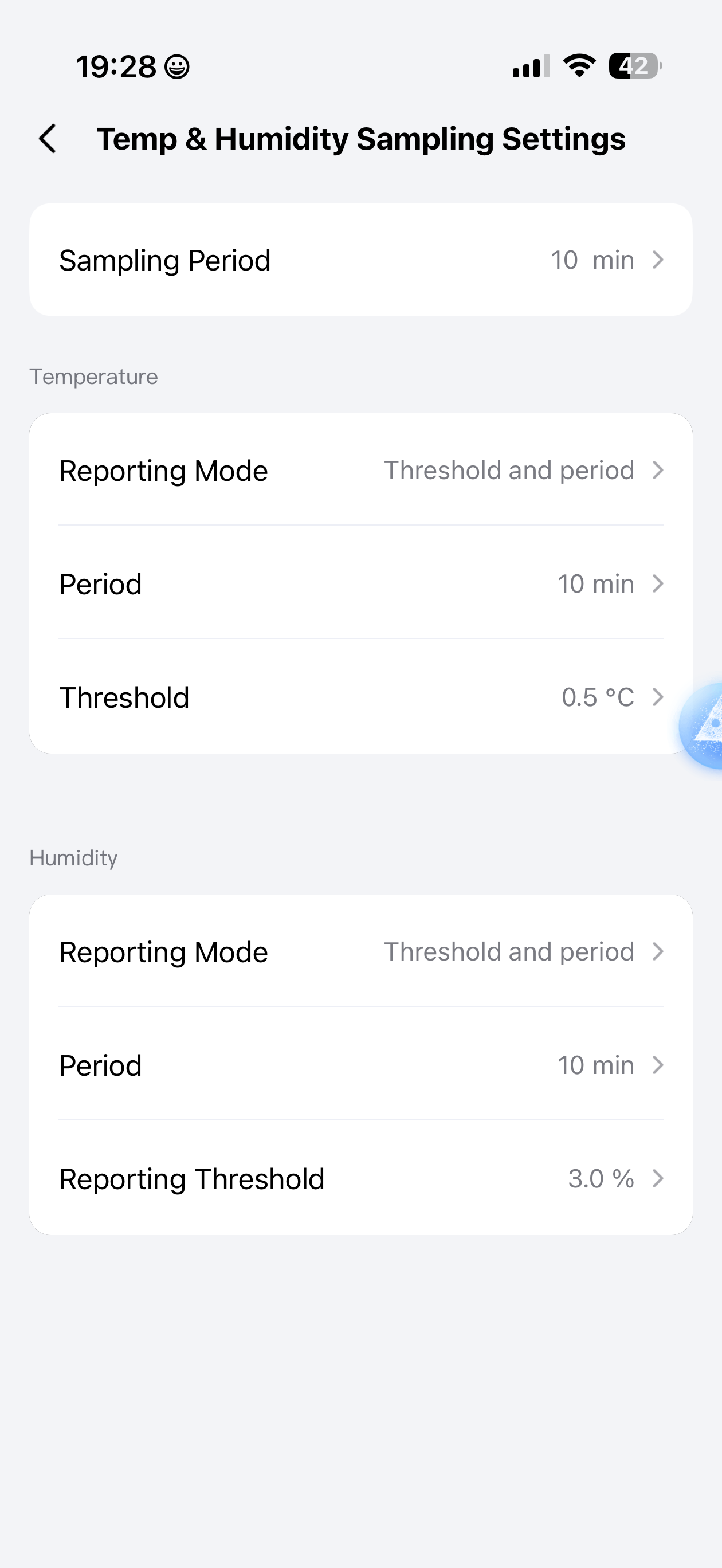
Hello, that’s right. I have an additional question, do you control humidity? If not, you can leave the field blank, it will save battery power. The digital humidity display will still be there.
I can also confirm that setting sampling to custom (instead of the default) fixes the W100 + E1 unlinking issue. Currently using 10s sampling with 2min temp reporting and 10min humidity reporting.
I needed smaller intervals because my cast iron radiators would get too hot if left with free flow for 10min.
I have noticed that setting custom sampling on FP300 also fixes temperature automations (I had set up remainders of open windows in the kitchen and previously they triggered with a significant delay). Not sure how it affects the FP300 battery life though.