I bought the UK H2 Wall Sockets because they support Matter and because I actually want to manage my power (Via Home Assistant). This came in in V1.3 of Matter.
The socket natively supports it, but doe snot differentiate to the socket. So, I added the socket via Zigbee (Which shows teh power on each socket) to an M3 hub and then used Matter to share to Home Assistant… but I do not see any power at all.
This leads me to suspect that the M3 is using an earlier version of Matter.
I don’t think the Matter version of the M3 is the bottleneck in this case. There’s actually official word from the Aqara team that the M3 is right at the cutting edge.
According to a team member (Brudy) over in this thread: M3 Hub Thread Spec Version? … the M3 has already adopted the Matter SDK 1.4 (as of firmware 4.3.6).
Since you are likely on an even newer firmware by now, your hub is definitely “speaking” a version of Matter that supports energy monitoring.
For comparison: I’m using the Aqara G5 Pro (which uses the firmware base as the M3) and my Smart Plug EU passes energy data to Home Assistant without any issues.
This suggests that the problem might not be the Matter version of your Hub, but rather how the H2 Wall Socket specifically is currently being mapped/translated by the bridge. Since the H2 is a multi-endpoint device, it’s possible that the “translation” for its energy clusters hasn’t been fully finalized in the firmware yet, even though the Hub itself supports the protocol.
Maybe it’s worth reaching out to support specifically regarding the H2’s mapping?
Hi @JohnD , thanks for that pointer. I did a search on the forum for “M3 version Matter”. The thread (no pun intended) actually points to a version of Thread and is very confusing as it states Matter 1.4 and Thread V10 (!!!), which I believe requires Thread 1.4, but then shows a screen shot of using Thread 1.3… which could cover Matter 1.3.
So, I’ll go the support route and see what they come up with.
You’re absolutely right, the M3 is indeed currently running on Thread 1.3.
Just to clear up the confusion: Thread is essentially just the “highway”. It only sees and moves encrypted data packets—it doesn’t actually care if the “cargo” inside is Matter 1.3, or 1.4. You can perfectly run Matter 1.4 over a Thread 1.3 network.
The only reason Matter 1.4 and Thread 1.4 are often mentioned together is for specific administrative features—most notably the ability to store Thread credentials directly on the Hub/Border Router to make sharing the network across different platforms much easier. For actual device features like energy monitoring, the Thread version is secondary.
There’s an even more important point: Since the H2 Wall Socket is connect via Zigbee, Thread doesn’t even enter the equation for your specific setup. The H2 talks Zigbee to the M3, and the M3 then translates that data into Matter over your local network (Ethernet/Wi-Fi) to Home Assistant. So, the version of Thread the M3 is running is completely irrelevant for your missing energy data.
Good luck with the support route! It would be great to hear if they confirm it’s just a mapping issue for the H2’s specific energy clusters.
@JohnD , thanks. I’m pretty well up on Thread & Matter and I understand the difference. e.g., Apple Home also runs over Thread as does some Nest products.
I just checked my thinking… the requirement for Thread 1.4 comes in with Matter 1.4.2 so they are not completely divorced… but in this case, you are correct that Matter 1.4 does not require Thread 1.4.
I still want to know what is implemented on the M3 hub
Am I right in thinking that you still want to know how to find out the matter and/or thread version of a hub yourself?
If you don’t already know, it’s very simple to find out the Thread version. Take a look at my tutorial Matter & Thread: A Guide Through the Jungle under the heading How do I find out which version a Thread Border Router is using?
If you want to find out which Matter stack version is currently implemented on your M3 without relying on forum posts or marketing information, there’s a way to check using Home Assistant.
Go to Settings > Devices & Services.
Click on the Matter Integration
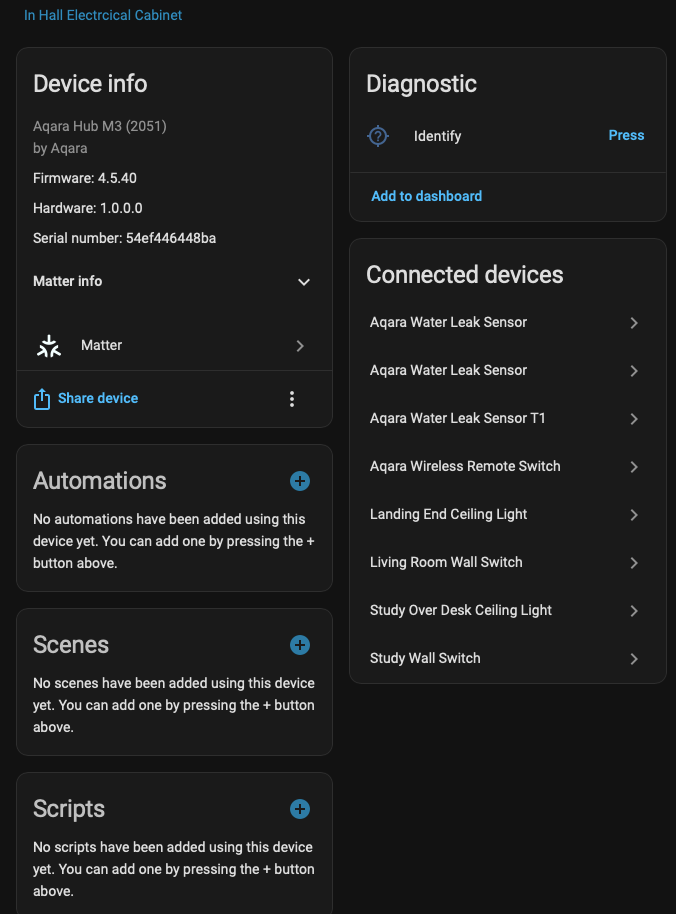
Select your M3 Hub.
Click on Download Diagnostics.
Open the downloaded JSON file and search for the path: "0/40/0" (this represents Endpoint 0 / Cluster 40 / Attribute 0).
The value of Attribute 0 is the DataModelRevision. This is the internal version number of the Matter Data Model (defined by the Connectivity Standards Alliance). It is not an officially documented 1:1 label such as “Matter 1.2 / 1.3 / 1.4.”
But the assignment:
17 = Matter 1.2
18 = Matter 1.3
19 = Matter 1.4
is currently accurate in practice, based on the CSA release history.
However, this only confirms which Matter Data Model revision the hub reports. It does not guarantee that all features introduced in that Matter release are fully implemented or mapped (especially in bridge scenarios).
This could be related, but the H2 Wall Socket has a somewhat odd endpoint setup. It has 3 endpoints which don’t match up relay/power measurement wise.
Endpoint 1 = left hand socket switch & total device power draw
Endpoint 2 = right hand socket switch & left hand socket + usb power draw
Endpoint 3 = usb socket switch & right hand socket power draw