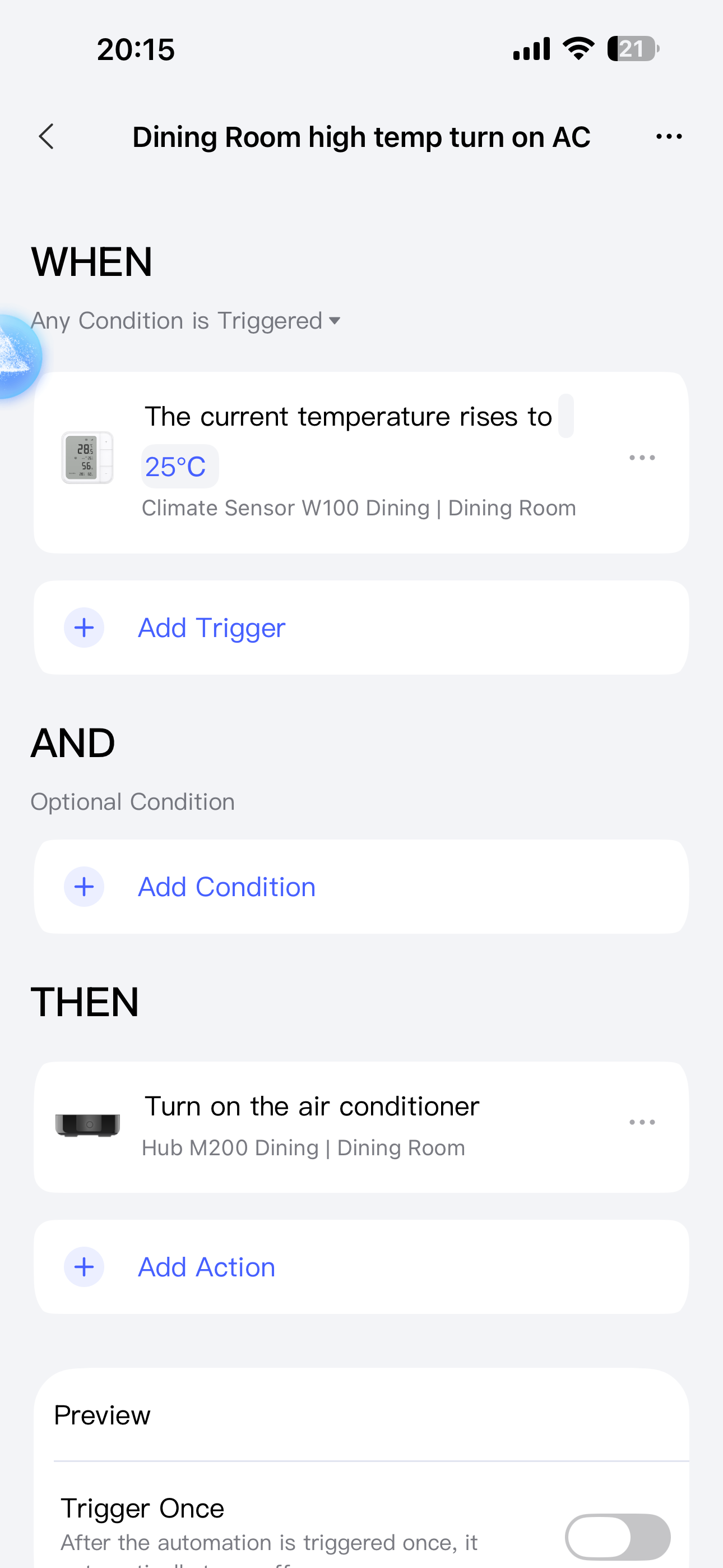
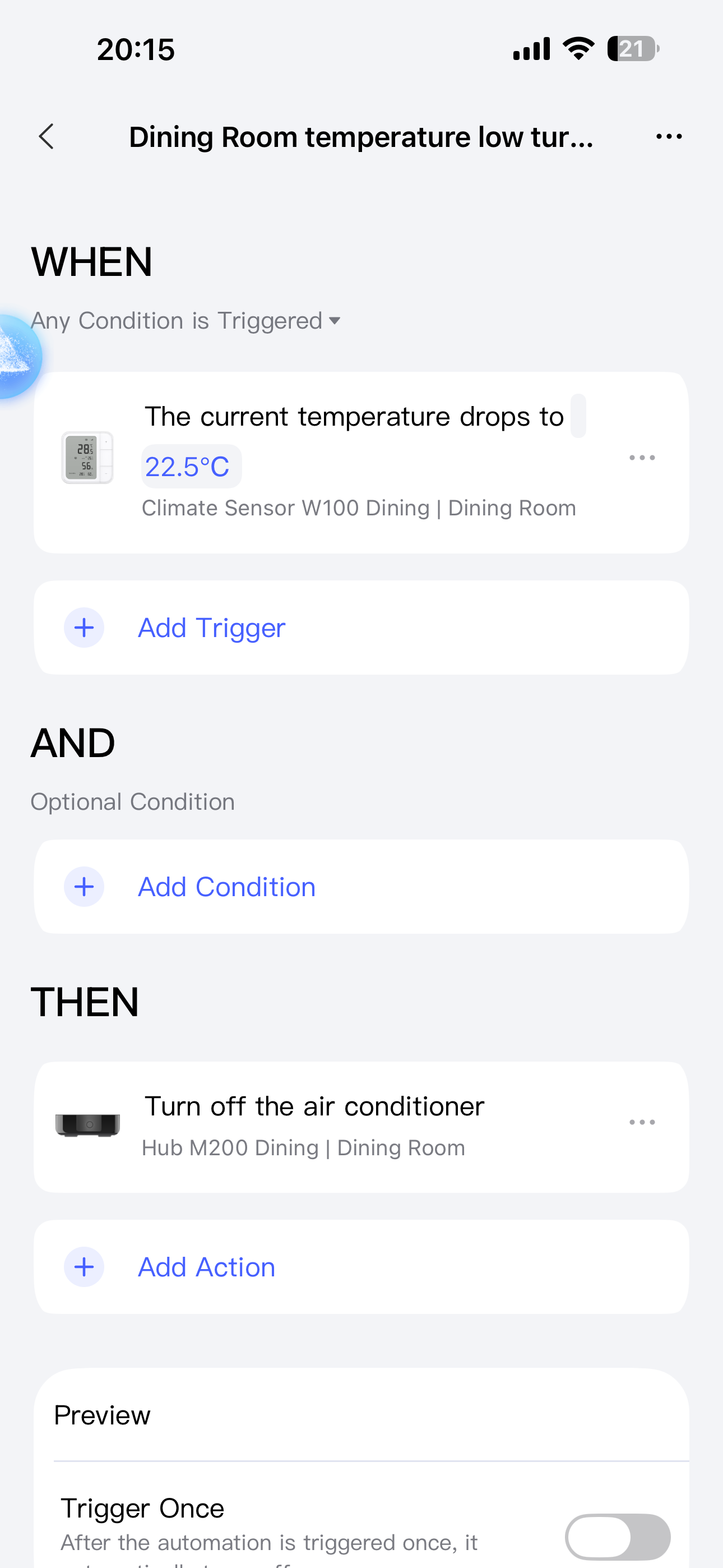
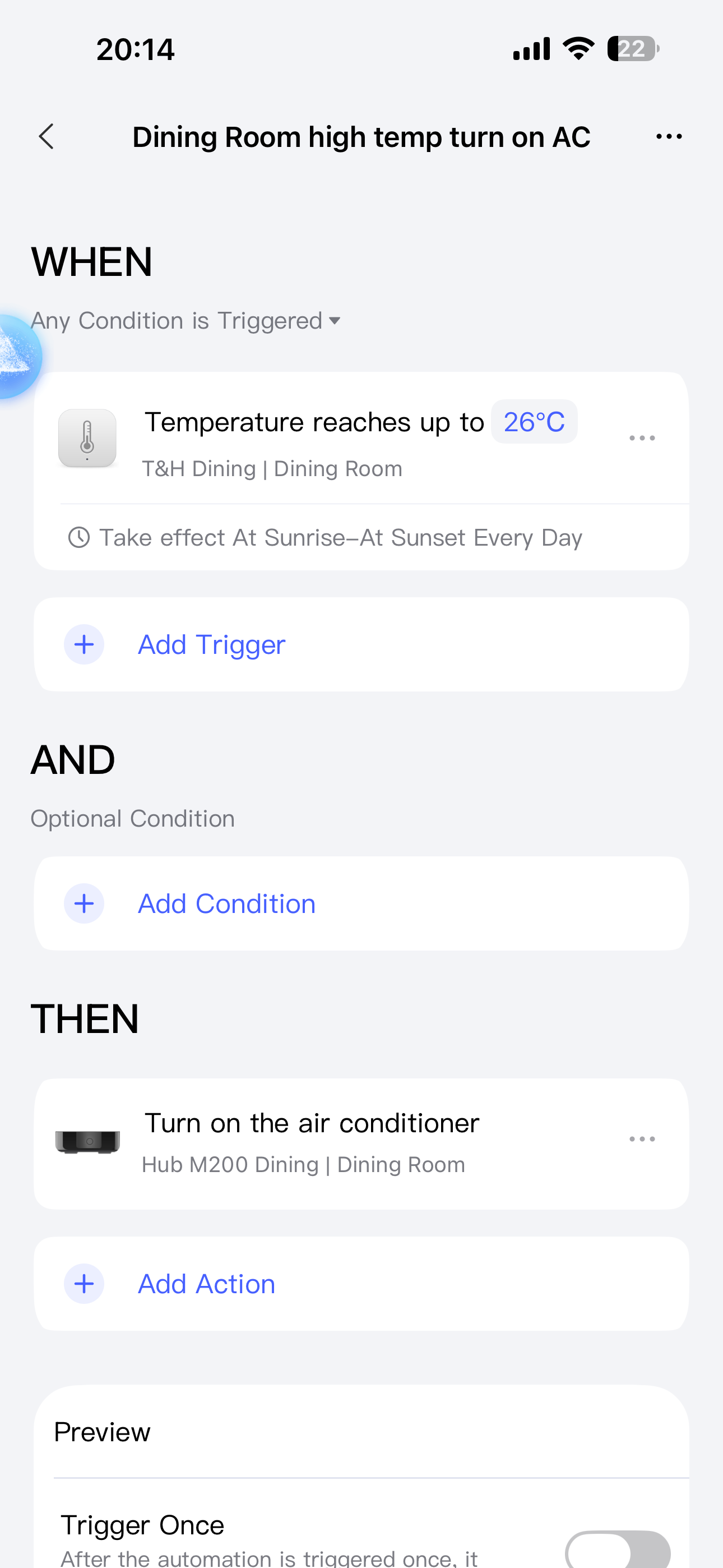
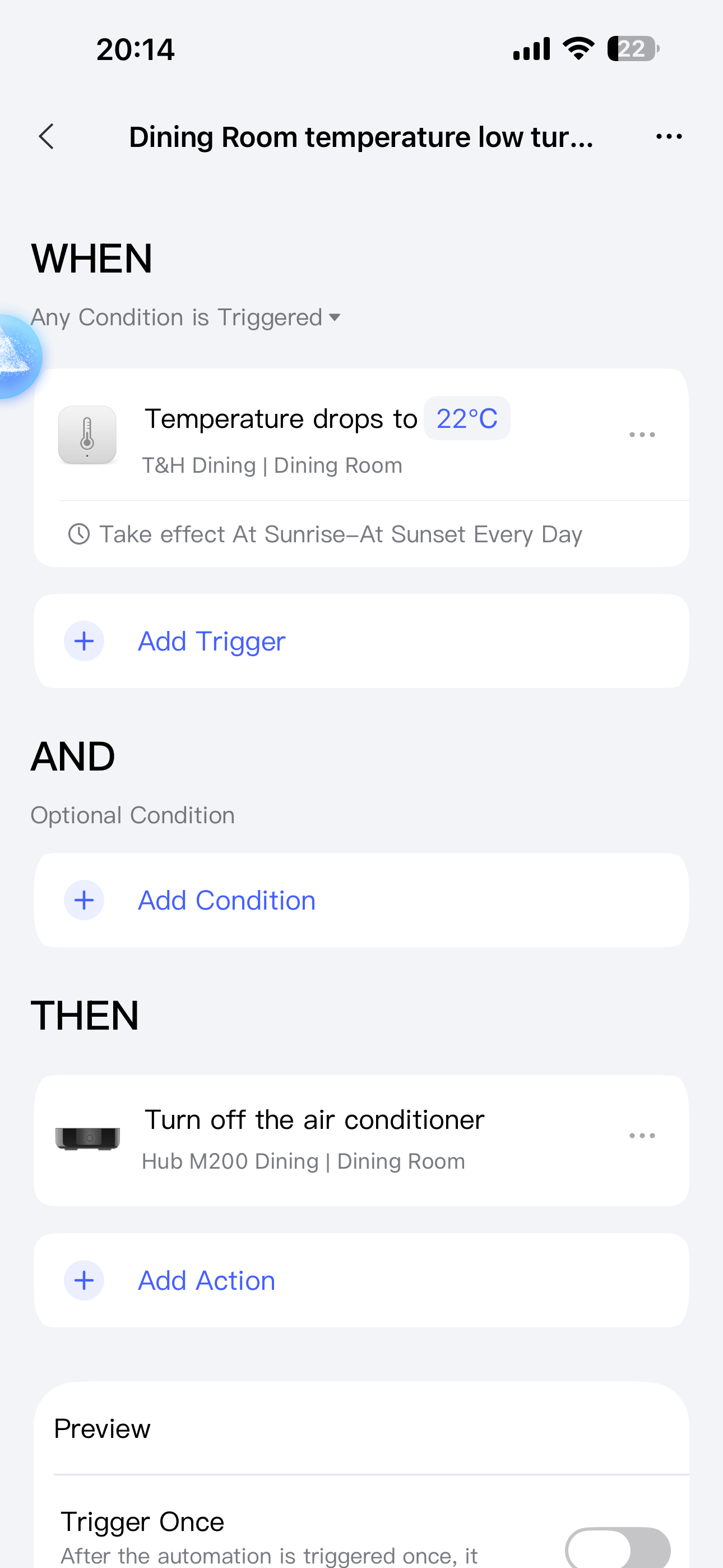
I’m looking for advice and possible solutions for an issue with my Aqara setup controlling air conditioners via IR.
My setup:
• Aqara Hub M3 + Aqara Hub M200
• Aqara Thermostat W100
• Aqara Temperature Sensor T1
• AC units controlled through Aqara IR blaster
• Automations based on ambient temperature to switch AC ON/OFF
Issues I’m facing:
AC status not accurate in Aqara app
The AC ON/OFF status shown in the hub/app is often not matching the real state of the AC.
Example: AC is OFF physically but still shown as ON in the app (or vice versa).
It seems the IR control is sending commands but there is no real state feedback.
Temperature-based automations not consistent
My automations are supposed to:
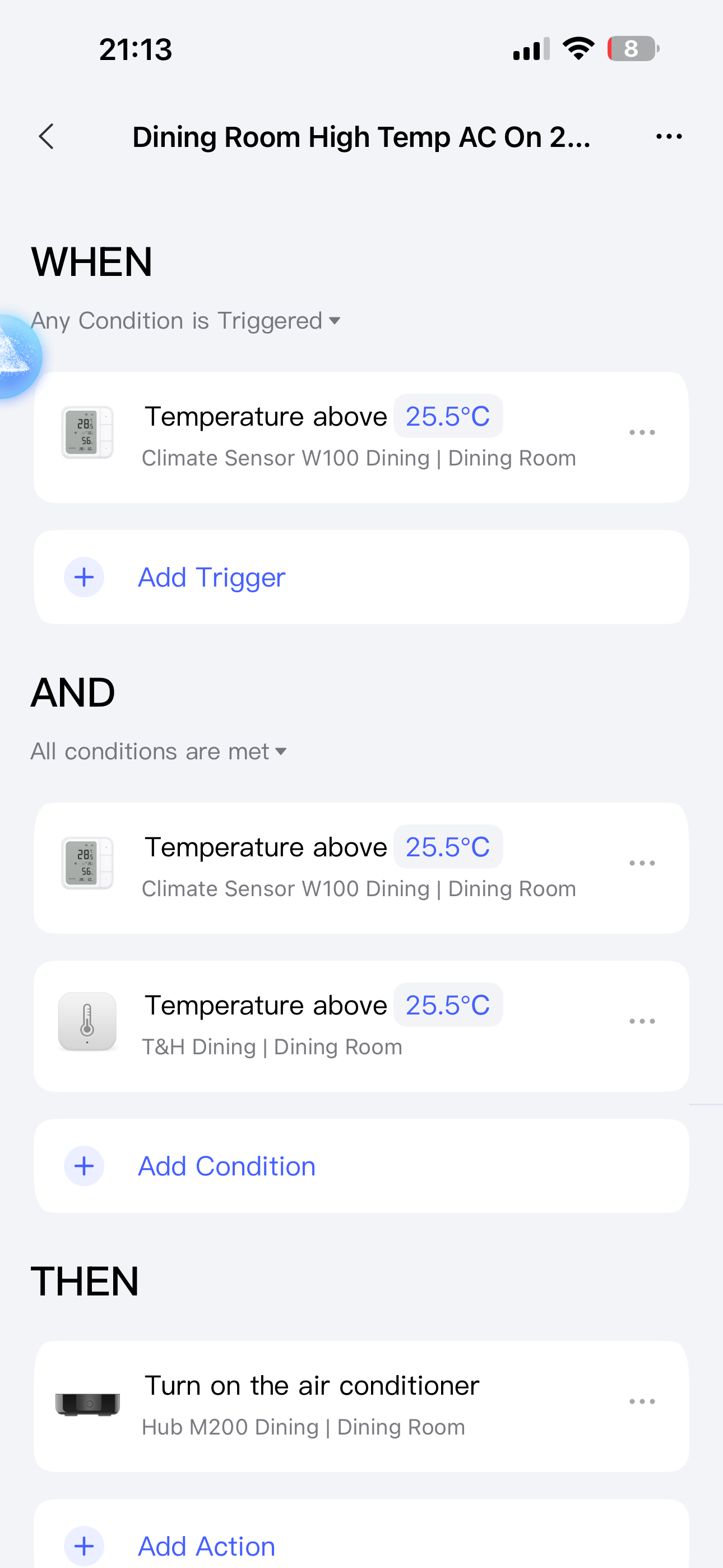
• Turn AC ON when temperature rises above setpoint
• Turn AC OFF when temperature drops below setpoint
However, the behavior is inconsistent:
• Sometimes automation triggers correctly
• Sometimes it does nothing
What I already checked:
• IR blaster position and line of sight — OK
• Temperature sensor reporting — appears normal
• Automation conditions — verified multiple times
• Hubs and devices updated to latest firmware
• Re-created automations — same behavior
Questions:
• Is this expected behavior when controlling AC via IR (no state feedback)?
• Is there a best practice to make AC status more reliable with Aqara IR control?
• Should I rely only on temperature logic and ignore device status?
• Any recommended automation structure (delays, hysteresis, double-check conditions)?
• Would moving logic to Home Assistant / Matter improve reliability?
Any guidance, recommended settings, or example automation logic would be highly appreciated.
Hi there, it looks like you’re experiencing a support-related issue. We’ve automatically created a support ticket for you and will reach out via the forum email within the next two business days.
If other members have any suggestions or insights on this topic, feel free to share!
I don’t use this feature, but as far as I understand, the M3 just shoots the command via IR and hopes it works. The status feedback probably works by capturing the command from the AC remote, so if you use the button on the AC (or the AC uses a bluetooth remote, highly unlikely) the M3 will register the press.
Try moving the M3 closer to the AC or to a place where it would be able to “see” the IR commands. But remember that very bright sunlight may “blind” the M3 and it won’t see the IR signals.
The M3 does not accept feedback directly from the AC. It can however, detect when the physical remote is used to try and keep things in sync. This is a function of the IR itself, so I don’t think moving any of the logic would change this.
As previously mentioned, infrared is a one-way technology. Air conditioners and televisions can receive infrared signals, but cannot send them. This means that the hub can only make a rough estimate of the device’s status by storing the last status sent or by receiving an infrared signal from another remote control.
Using a physical button on the device will cause the status stored in the Hub to differ from the actual status of the device.
To determine whether an infrared device is on or off, you have to resort to other methods, such as measuring the device’s power consumption. This can be done with an Aqara Smart Plug, for example, which measures the device’s power consumption.
Hello, welcome to the forum. I don’t use air conditioning but I would do the following automation.
Components
A regular thermometer type T1.
W100 thermometer (it is possible to adjust the sampling time of the survey and the temperature ∆°С.
M3 gateway with a configured remote control for the air conditioner.
Installation.
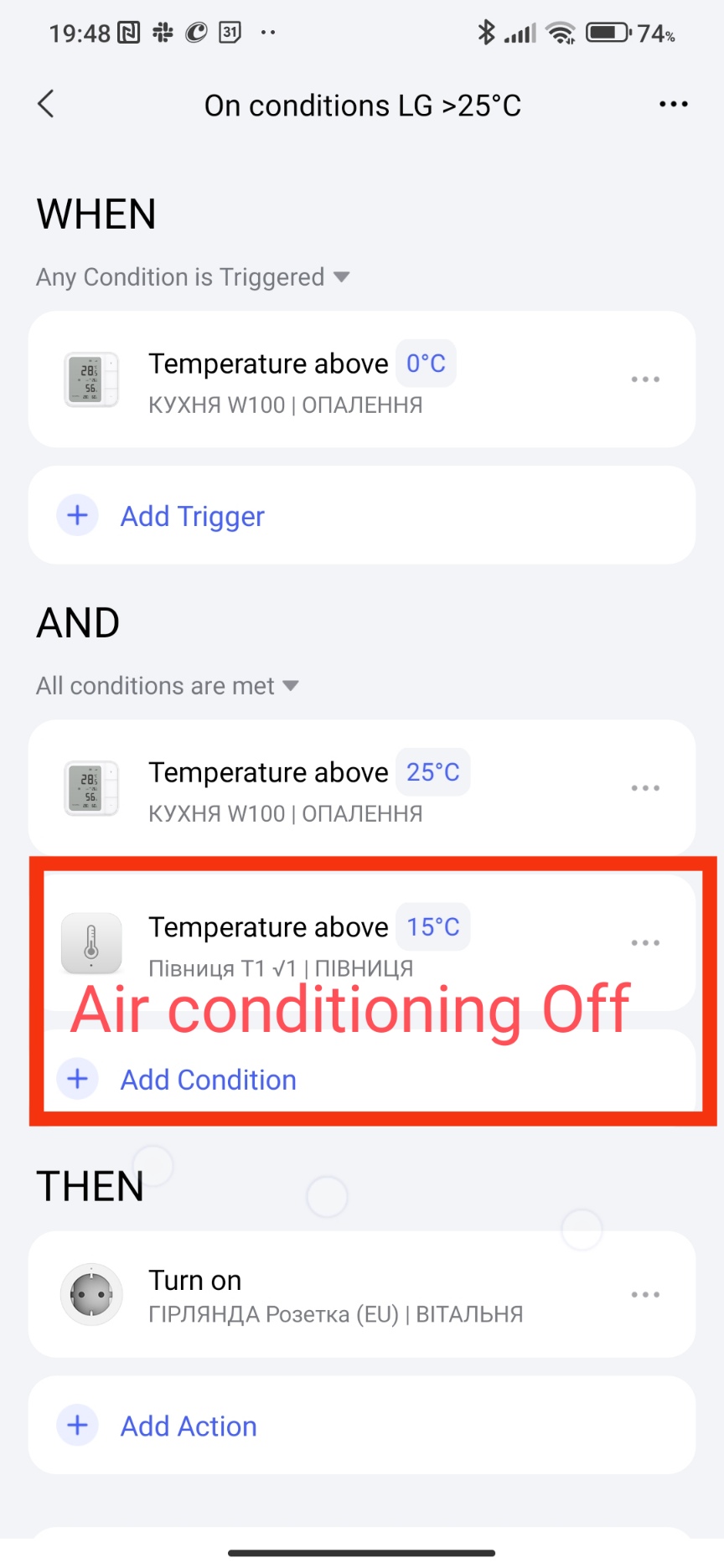
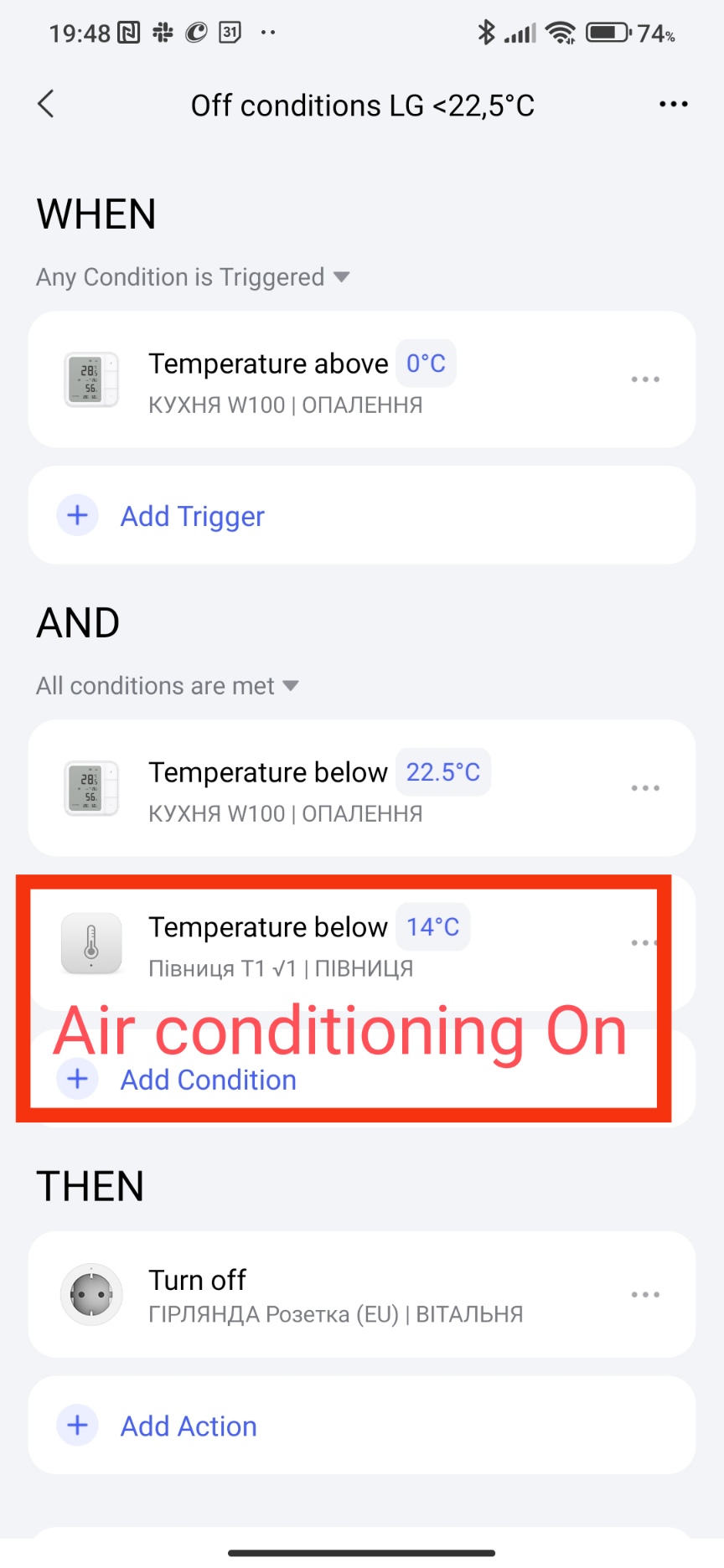
We place a regular T1 thermometer near the air conditioner’s blowout blinds, if the air conditioner is on, the temperature drops sharply (meaning the air conditioner is on). The operating and stopping temperature of the air conditioner on the T1 sensor is examined in a laboratory. Since the temperature will change dynamically, the on signal will be almost instantaneous.
Now the technical question remains, to create automation 2.0 based on T1, W100, M3 (IR remote control). This is already your imagination.
By the way, there is no IR feedback from the air conditioner to M3, as was written above.
If you need help creating automation, write, we will help.
Thank you to all for the support and the active collaboration! So the two ways communication between the hub and the AC seems to be compromised. Surprising me, as the breez max was doing very well, however I decided to move toward, as much as I can, one brand (Aqara).
Very well explained and detailed. However, I did not understand all the concepts of 2.0. In the application settings I turned the 2.0 automation however I don’t if it is enough to achieve the desired results?
Let’s get started. First of all, set the W100 to the data transmission mode for 10 minutes with ∆2°C. W100 Explanation of the temperature sampling setting для то Second, the T1 sensor for temperature control is very inertial, it sends a signal once an hour or when the temperature changes by 0.5°C, so there may be temperature jumps in the room. For example, the temperature is 22°C and the sensor will send data only when it is 22.5°C.
Are these automations for one air conditioner or two different ones?
Explanation, WHEN section, starting the poll with W100. IF section - checking the trigger condition.
My socket is an imitation of the M3 gateway.(air conditioner On/Off)
ATTENTION, if the forum limits you in answering, correct your previous message.
I don’t understand the conditions under AND! Why are you adding the w100 again with above 25 and the t1 above 15 while under the WHEN the W100 is set for 0?
 AC status not accurate in Aqara app
 Temperature-based automations not consistent