Lesson 18_Automation 2.0, lesson 18, creating temperature control automation using air conditioning
Good afternoon.
Today I want to show an example of creating automation for turning the lock on and off using a wireless button (H2 dual-channel switch) or any other. The U200 lock and others do not have the closed/open conditions in the IF section. This problem causes misunderstanding of the process among non-advanced users.
Let’s get started.
The first part.
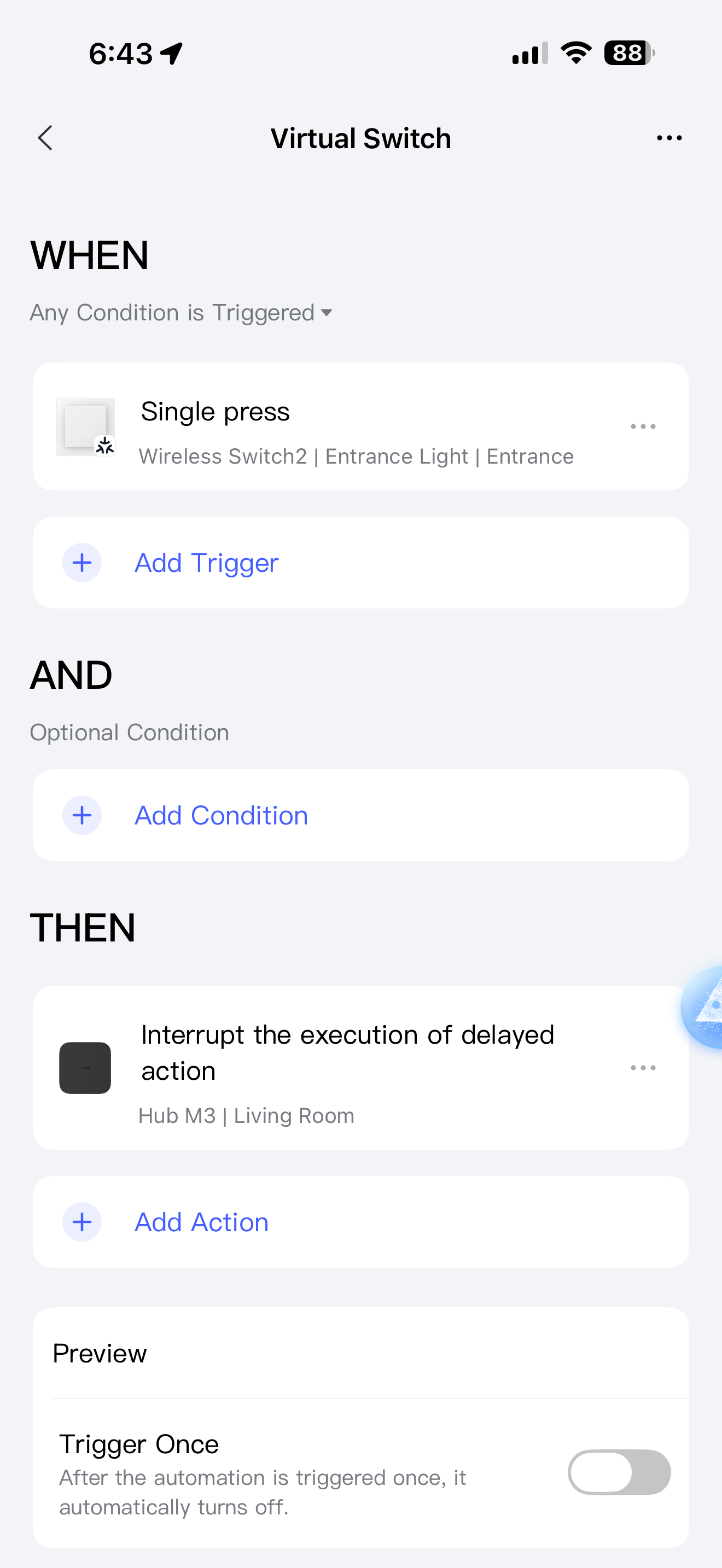
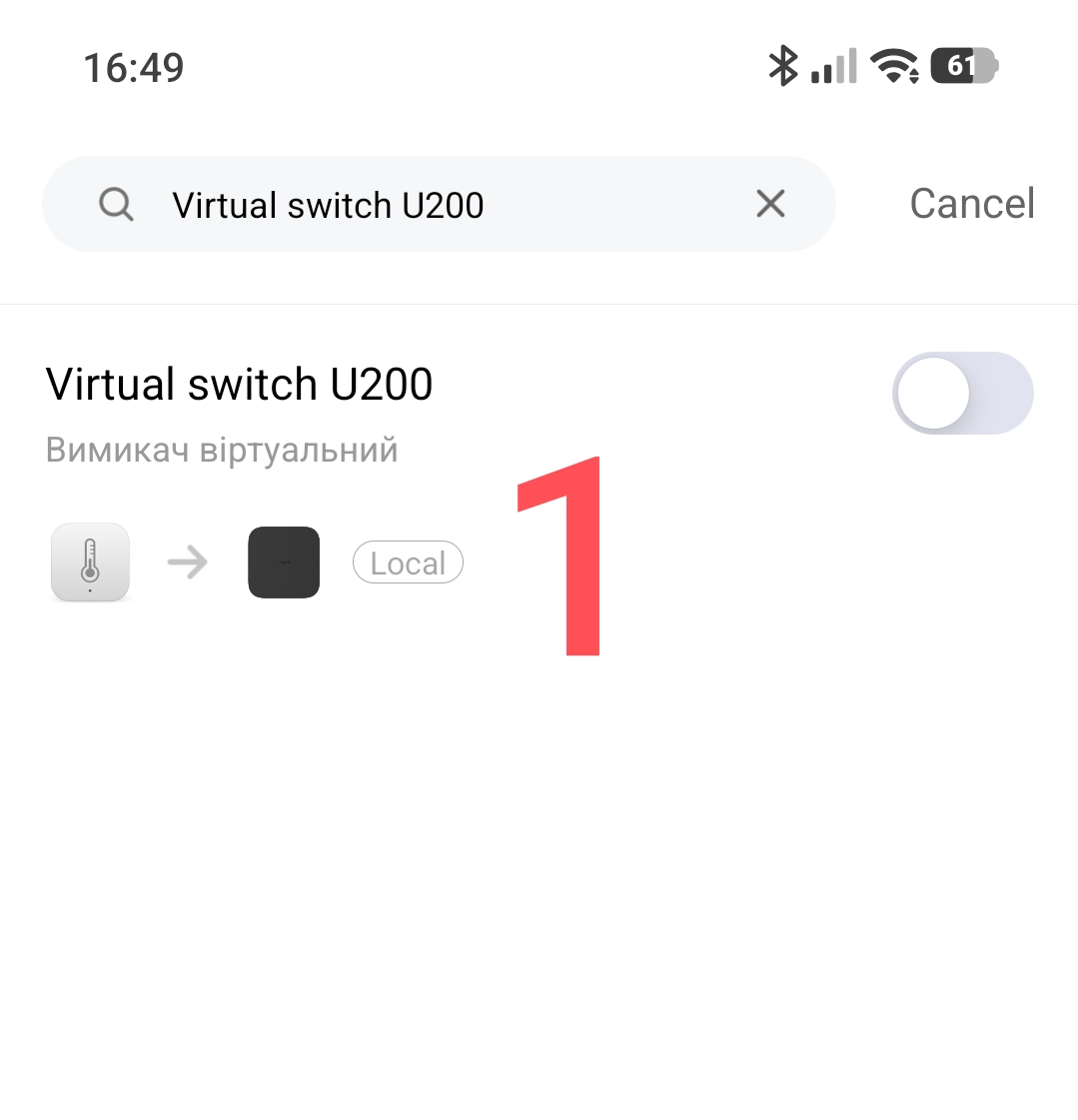
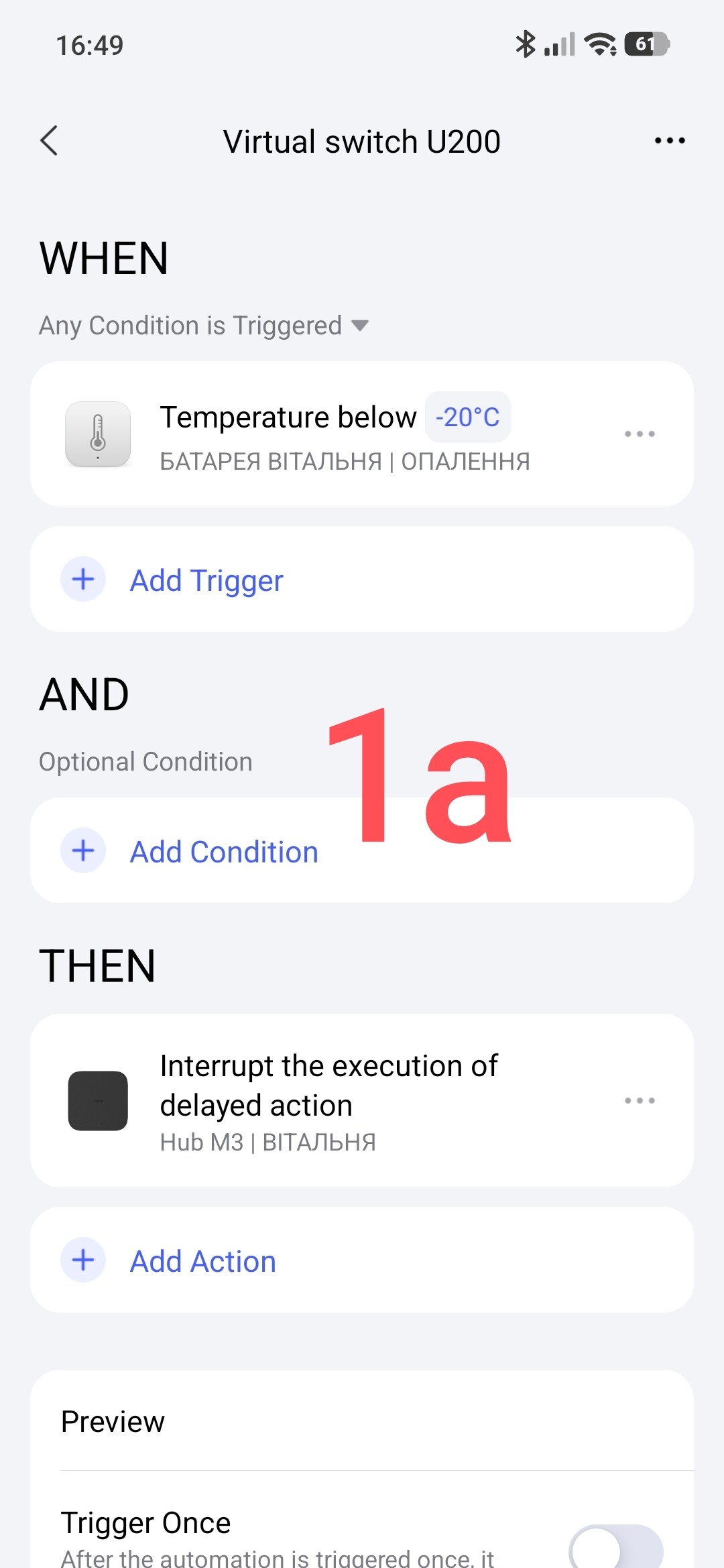
We create a virtual switch for the U200 door lock. You can see the description in this lesson. Automation 2.0, lesson 12, blitz topic, VIRTUAL Aqara switch .
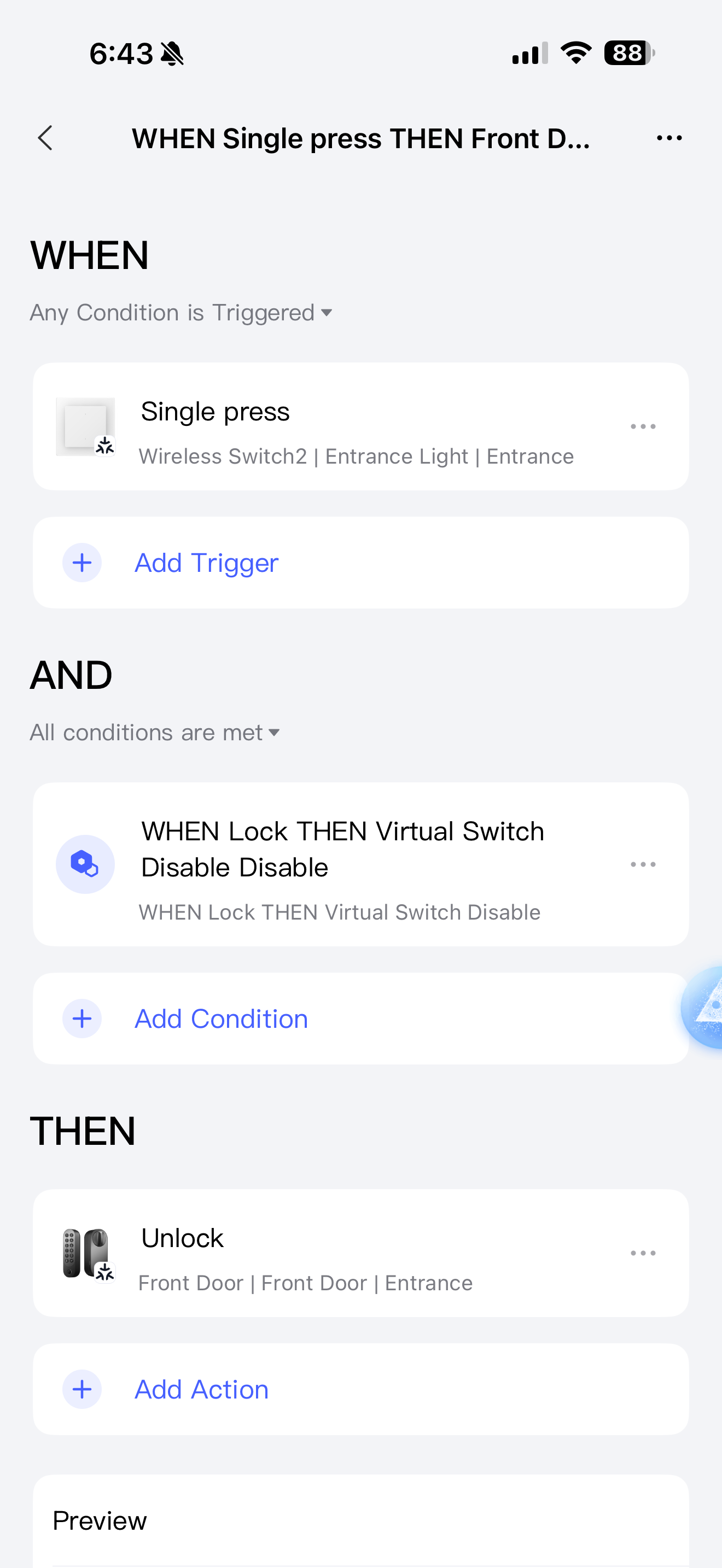
We have such automation as in the picture. You can make any other automation that will never work, this is a millet trigger (virtual switch), use any other devices for this. We will turn it on and off by command, that’s why it is called virtual. I have shown it as an example.
Fig.1.
The second part.
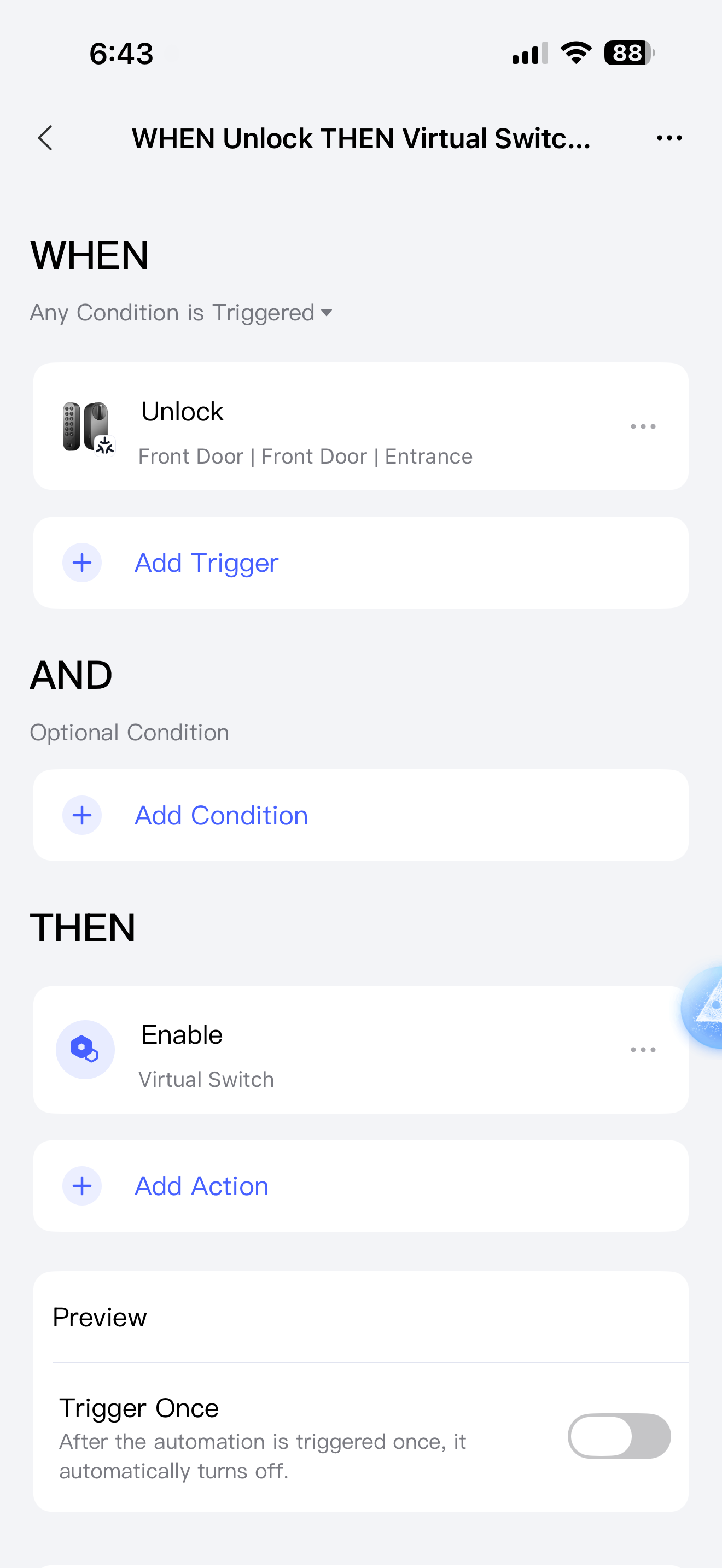
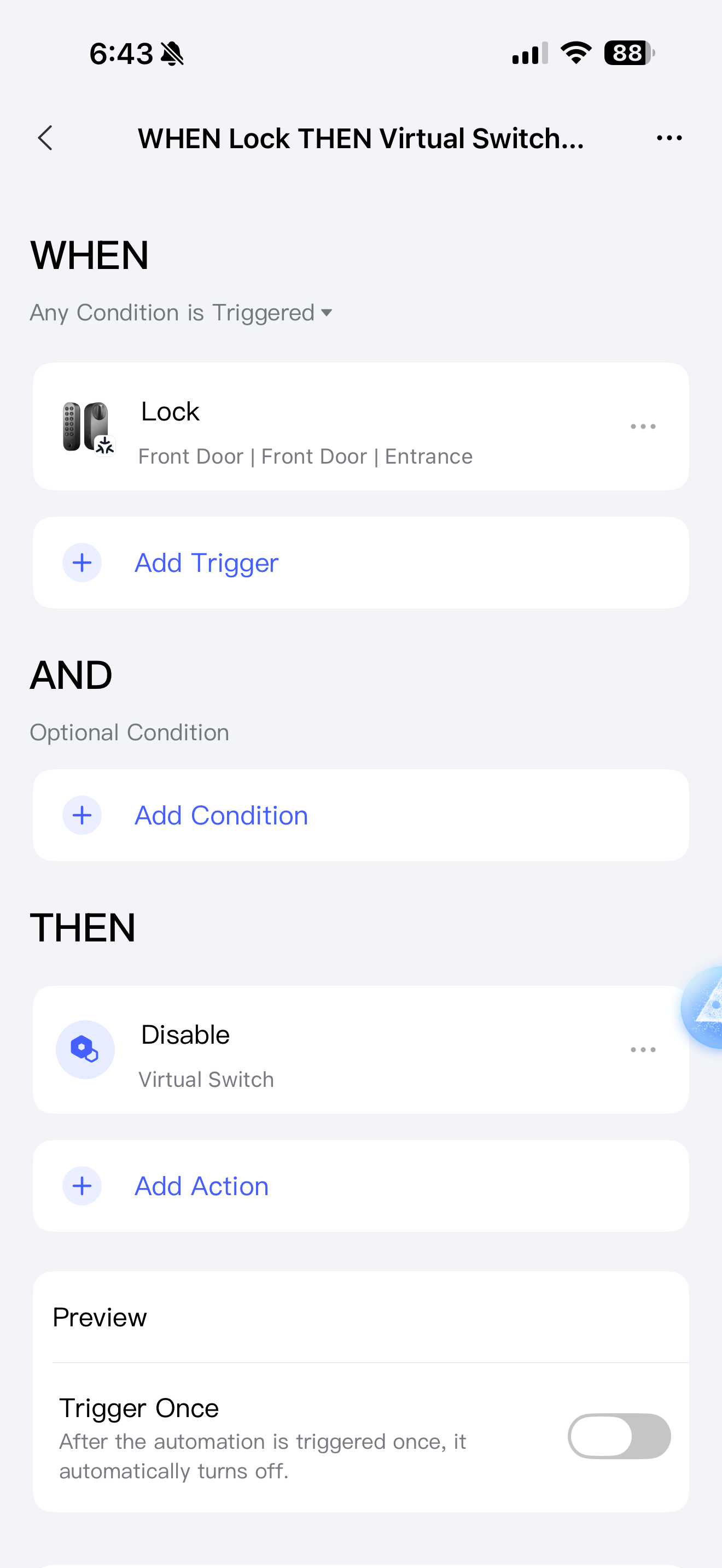
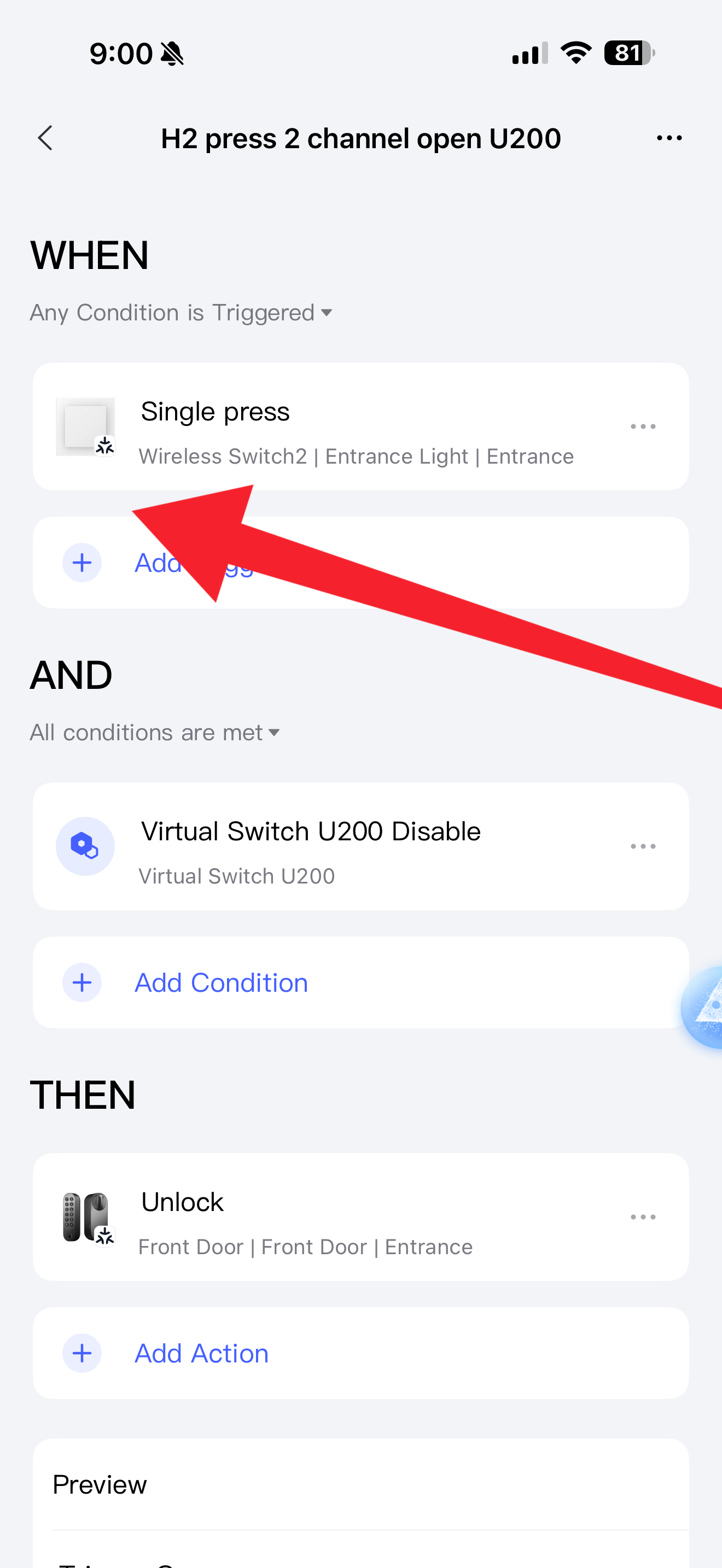
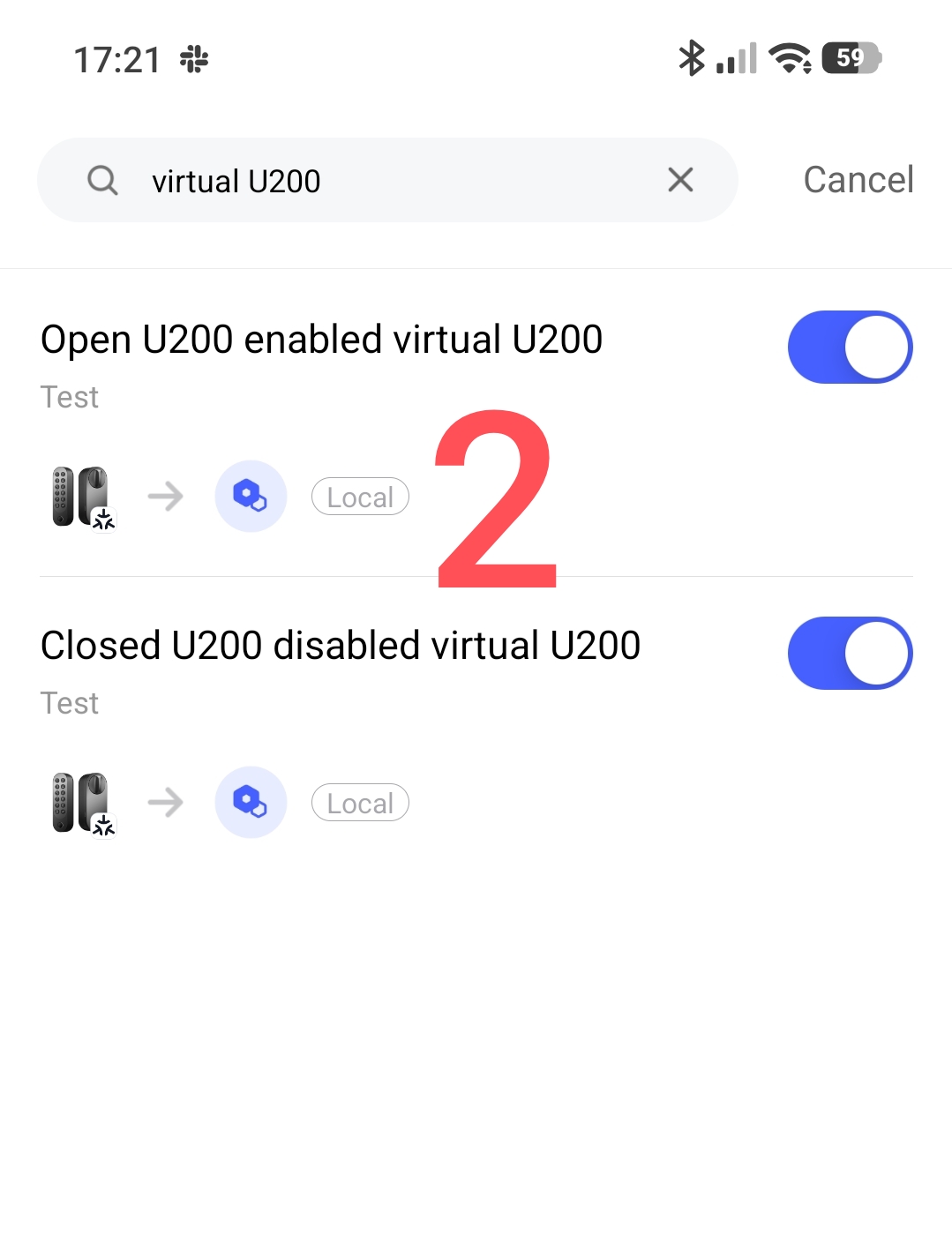
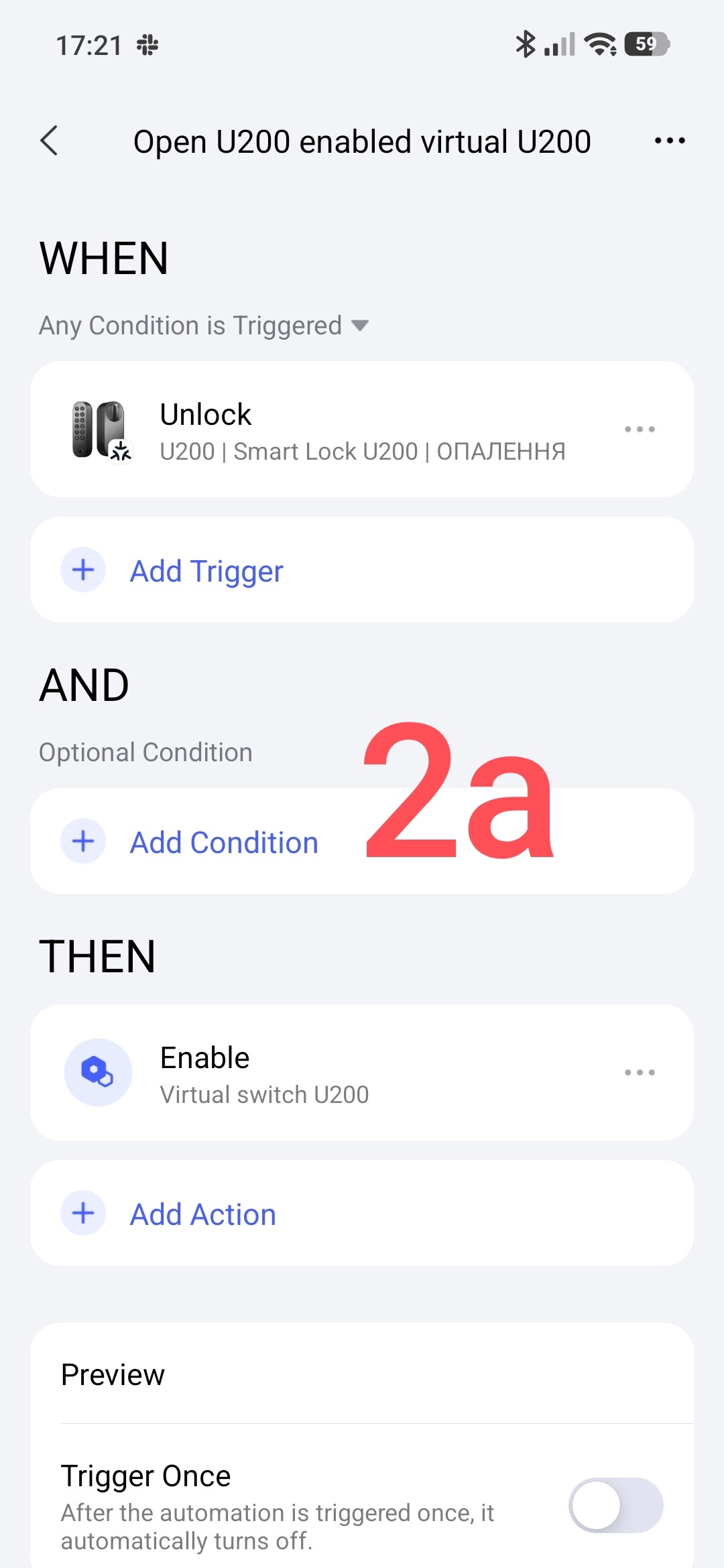
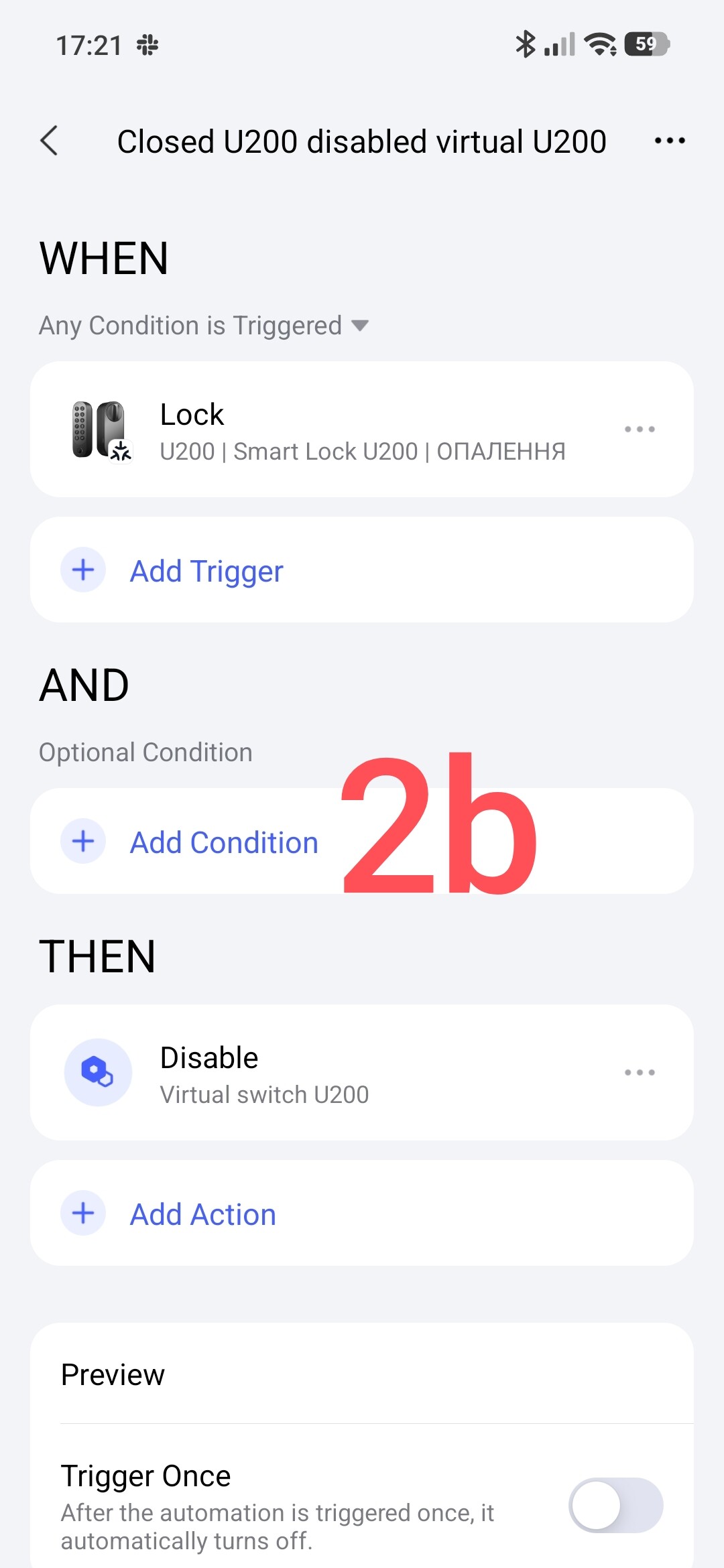
We create automation that will turn on/off the virtual switch (which I described in the first part) depending on the state of the door lock. Everything is on the screen.
Fig.2.
The third part.
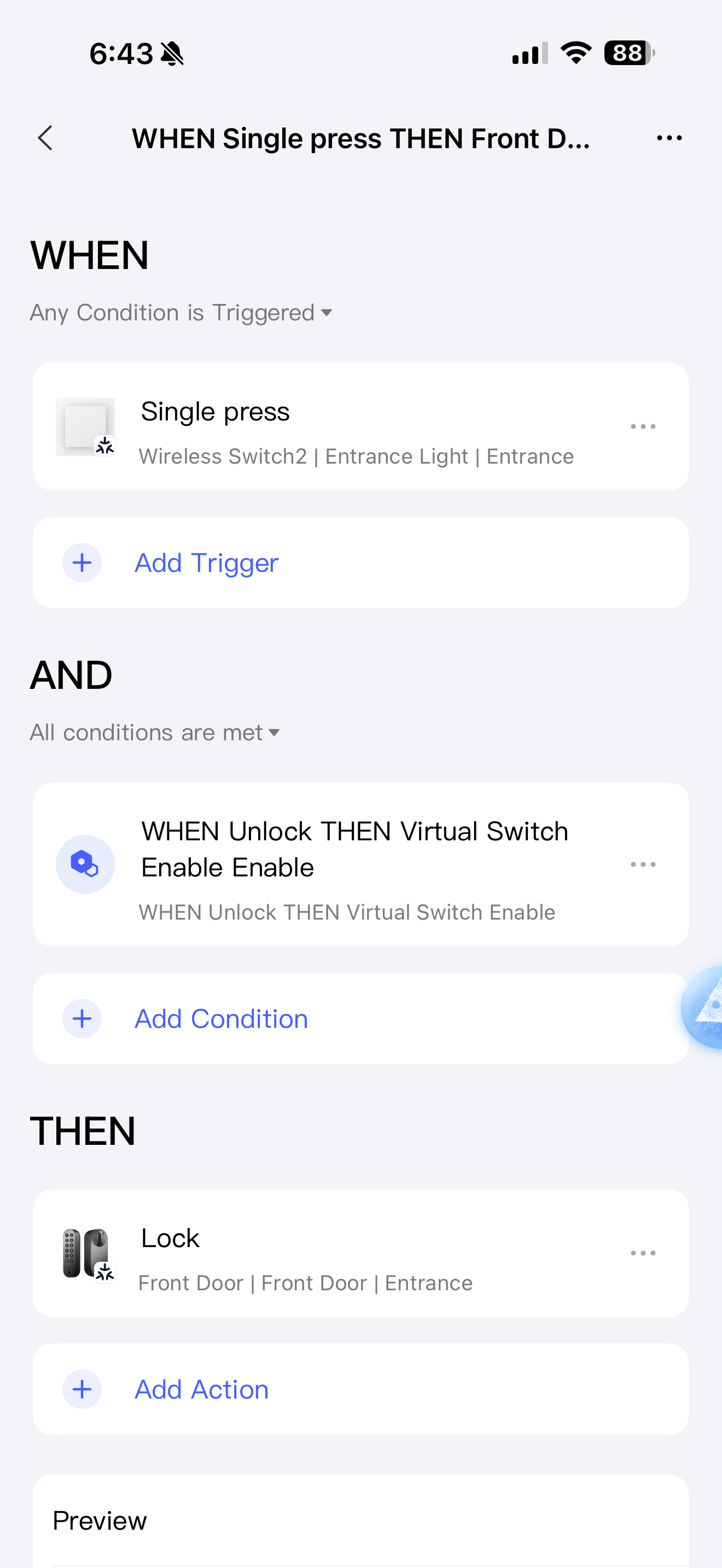
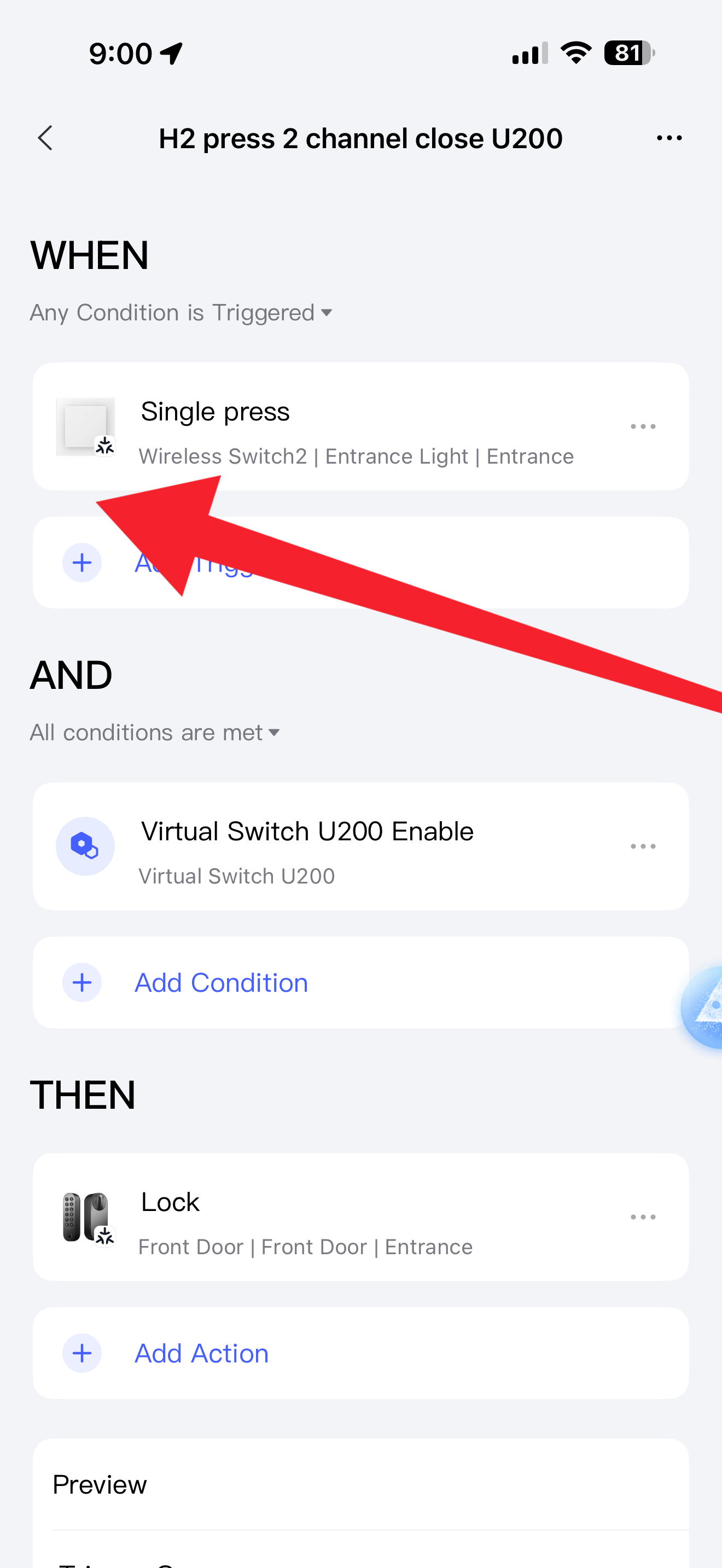
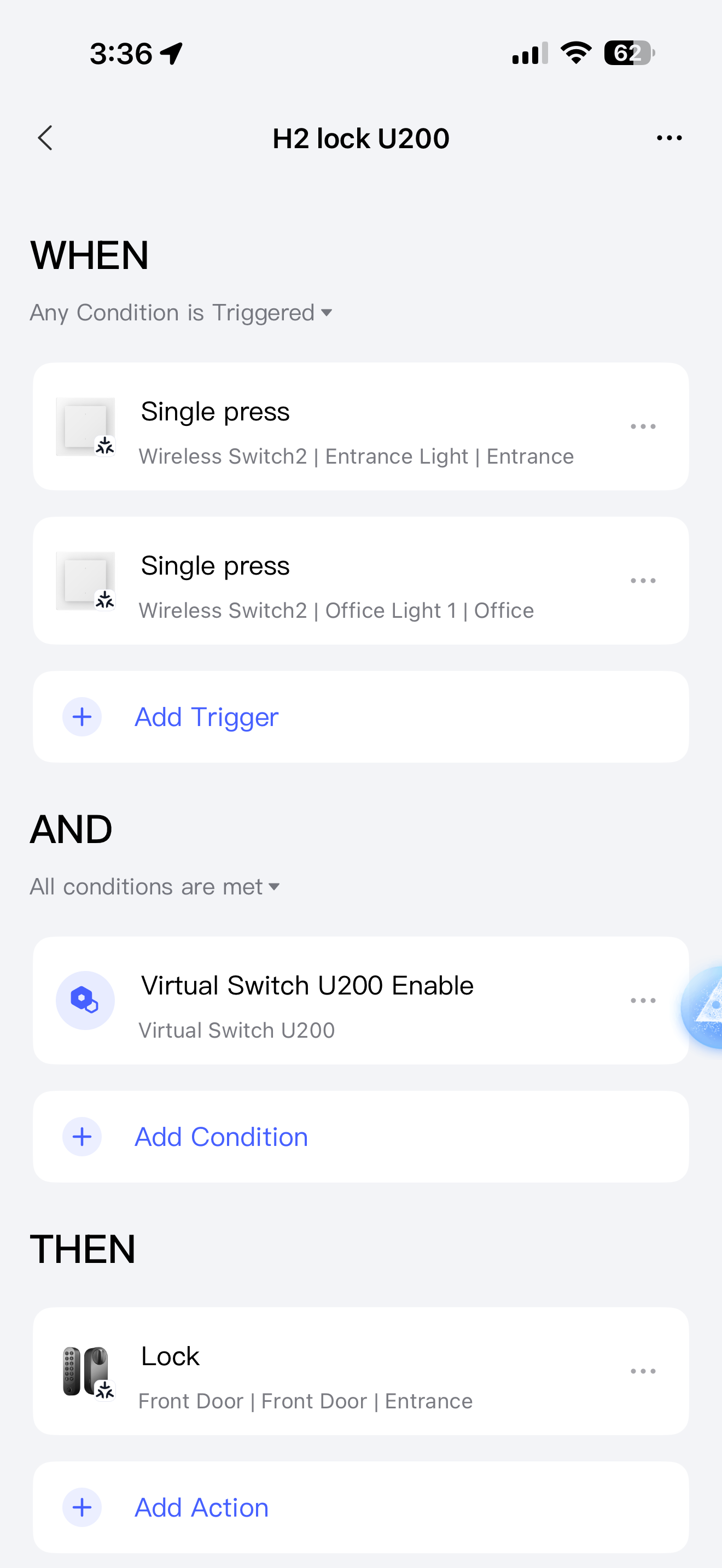
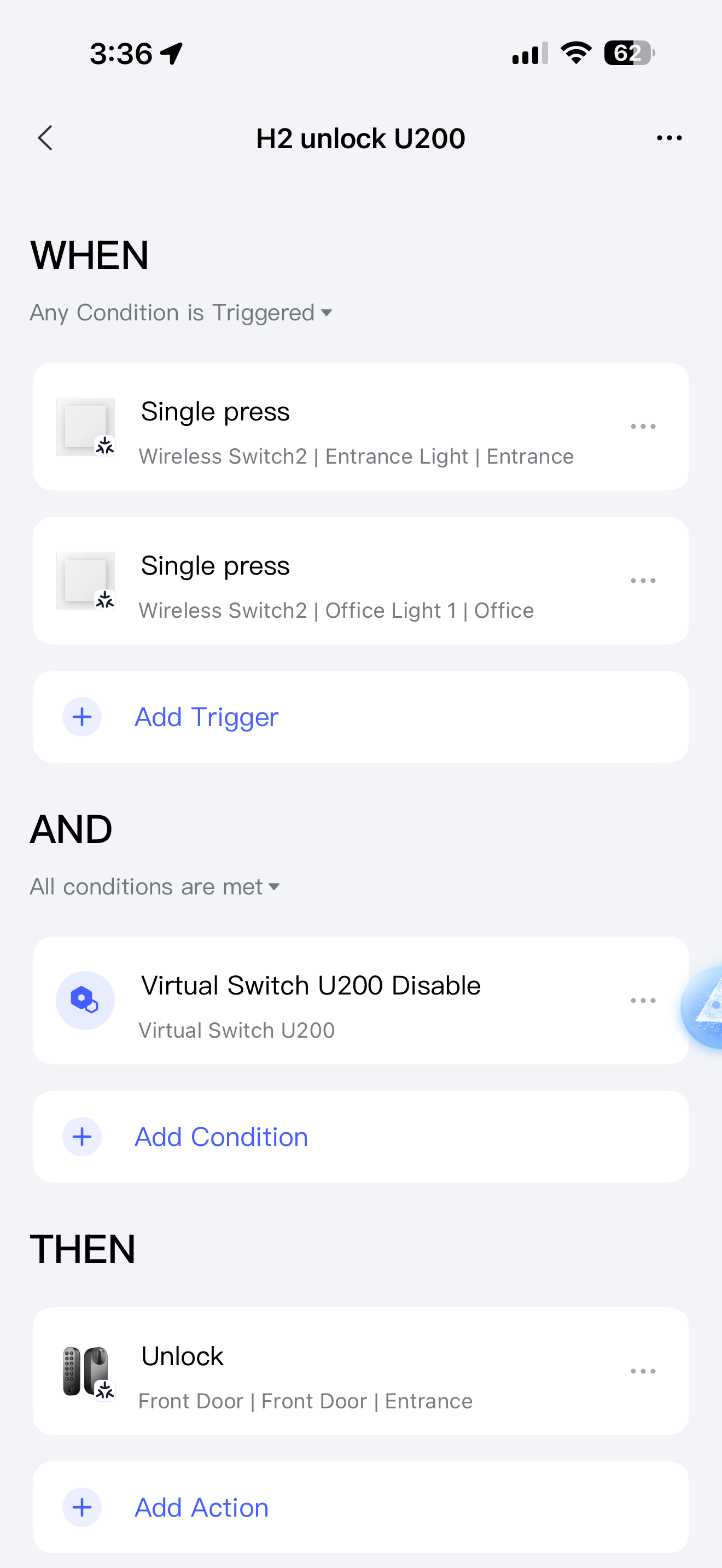
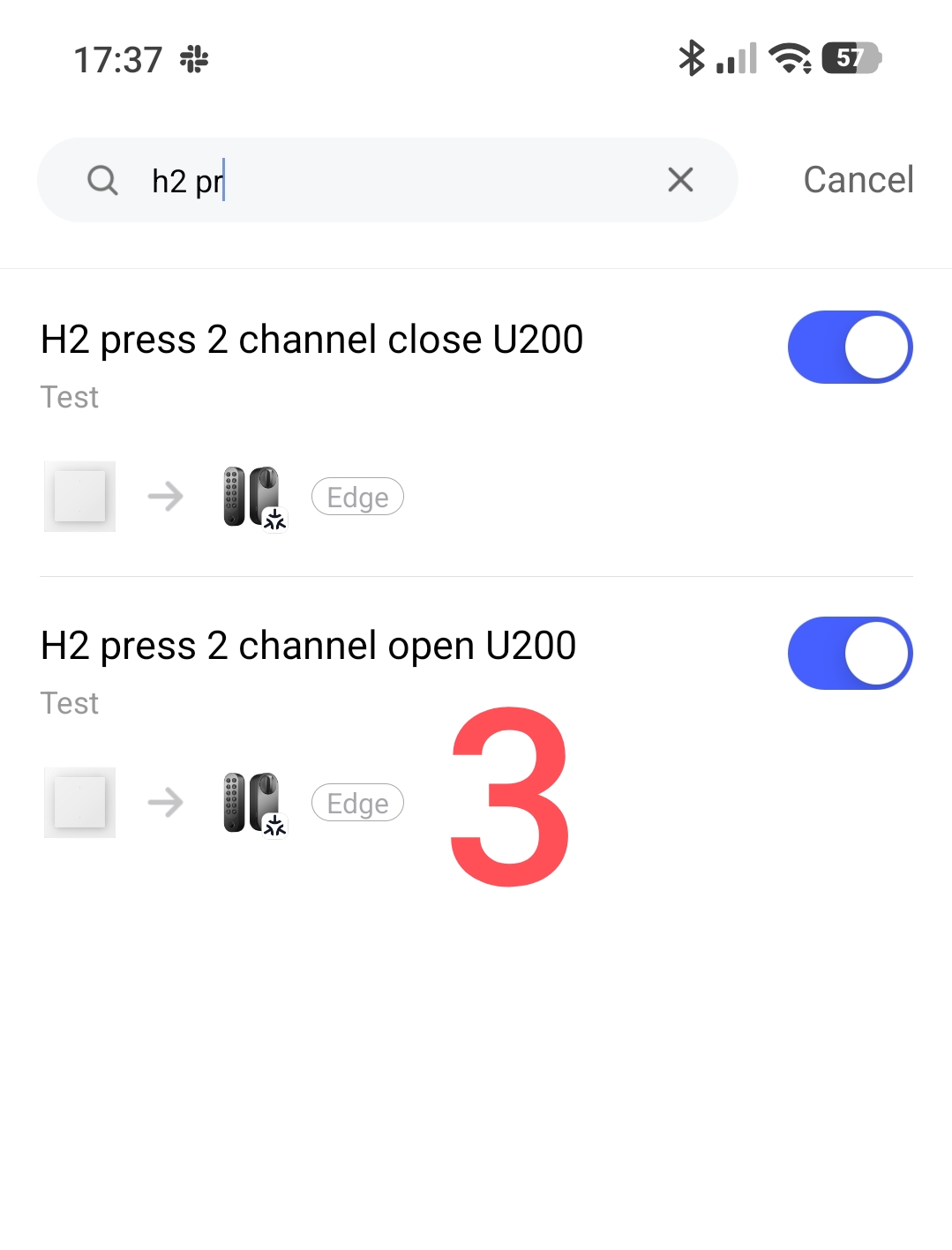
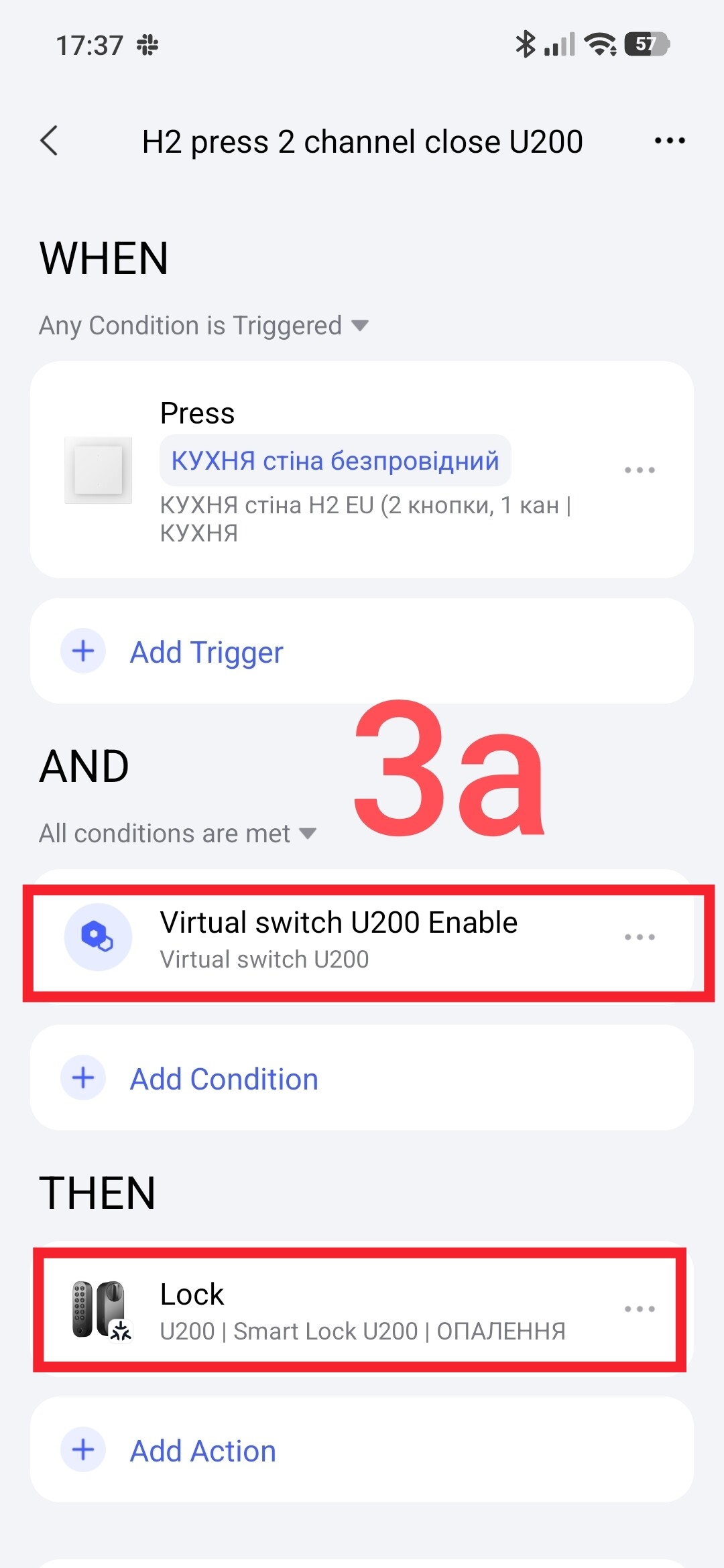
We create automation that will open/close the door lock using the wireless button of the H2 switch. Everything is quite simple here, in the IF section we use information about the state of the lock using the virtual switch.
Everything is on the screen.
Fig.3.
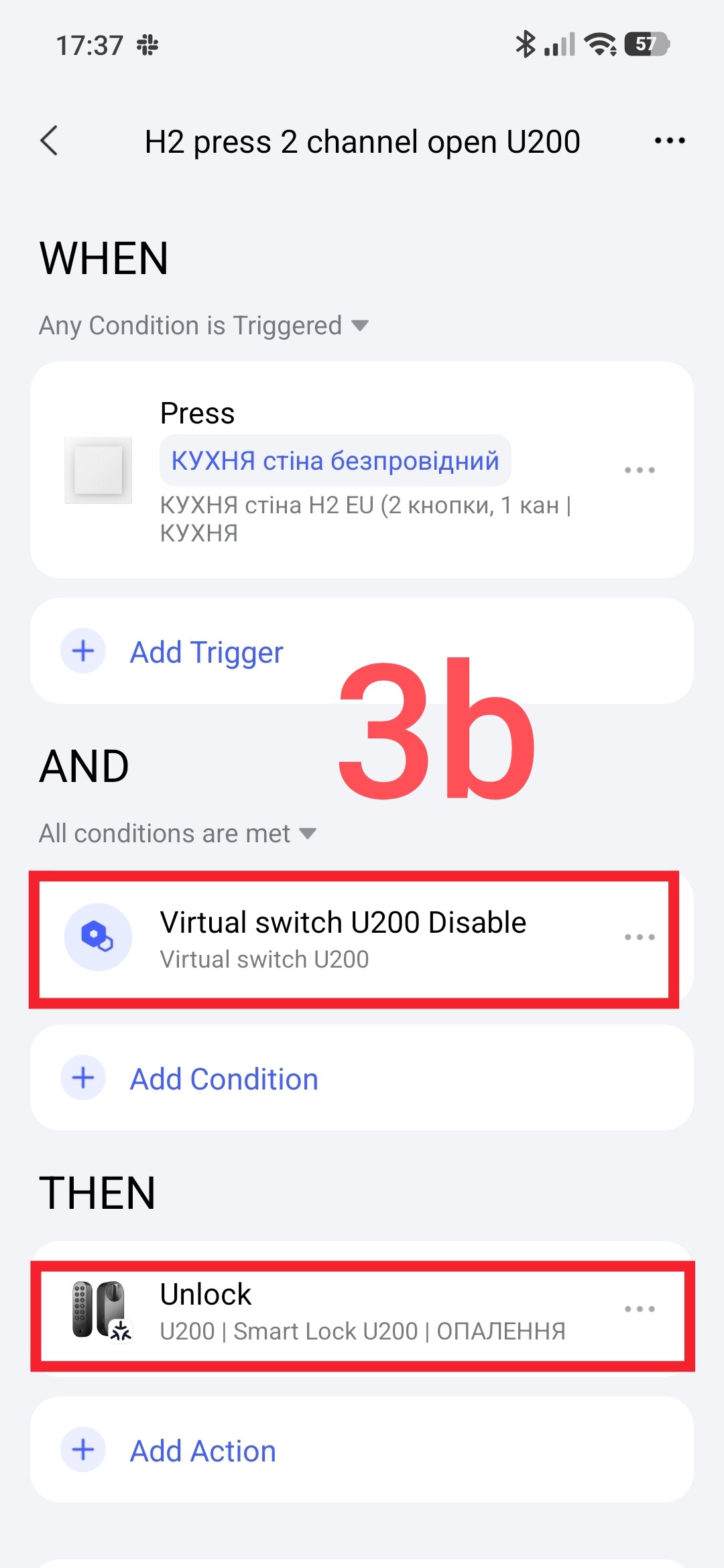
This completes the automation setup. Please note that this automation is local, which ensures its operation without the Internet (emergency option).
This is where I will end this lesson.
Thank you for reading and sharing the topic (you can also share it on other platforms with a link to our forum).
More to come.
Lesson 19(update)__!Automation 2.0, lesson 19 (UPDATED VERSION), Aqara has supplemented the IF section with the conditions of the U200 lock,....U*00!