Lesson 21_ Automation 2.0, lesson 21, creating On/Off automations for the G5, G100 camera spotlight
Good afternoon.
I will start this lesson by explaining how to set up the FP300 sensor before creating the automation.
Chapter 1
The FP300 sensor has the following basic motion detection settings.
Fig.1.
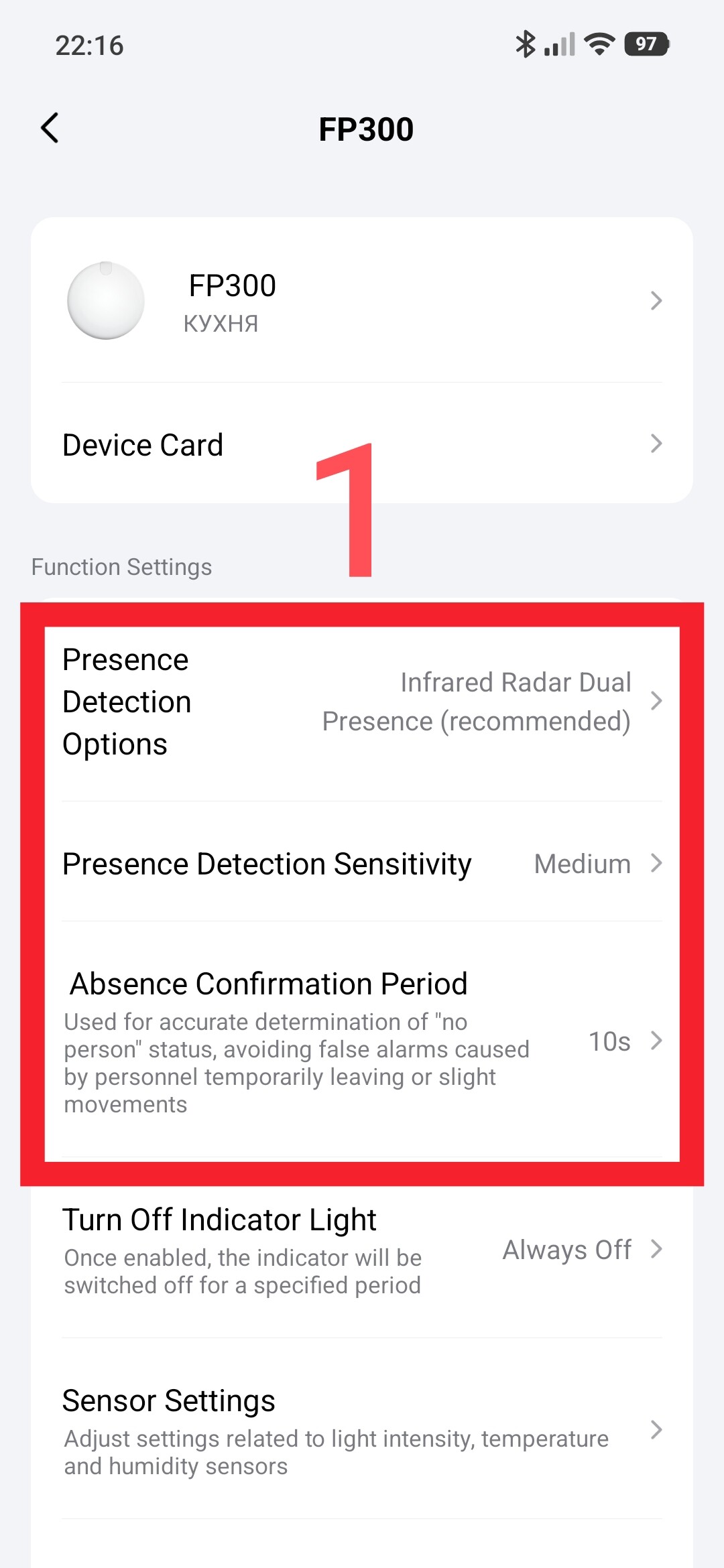
First setting - the method of detecting motion in the room. The recommended setting is as follows.
Fig.2
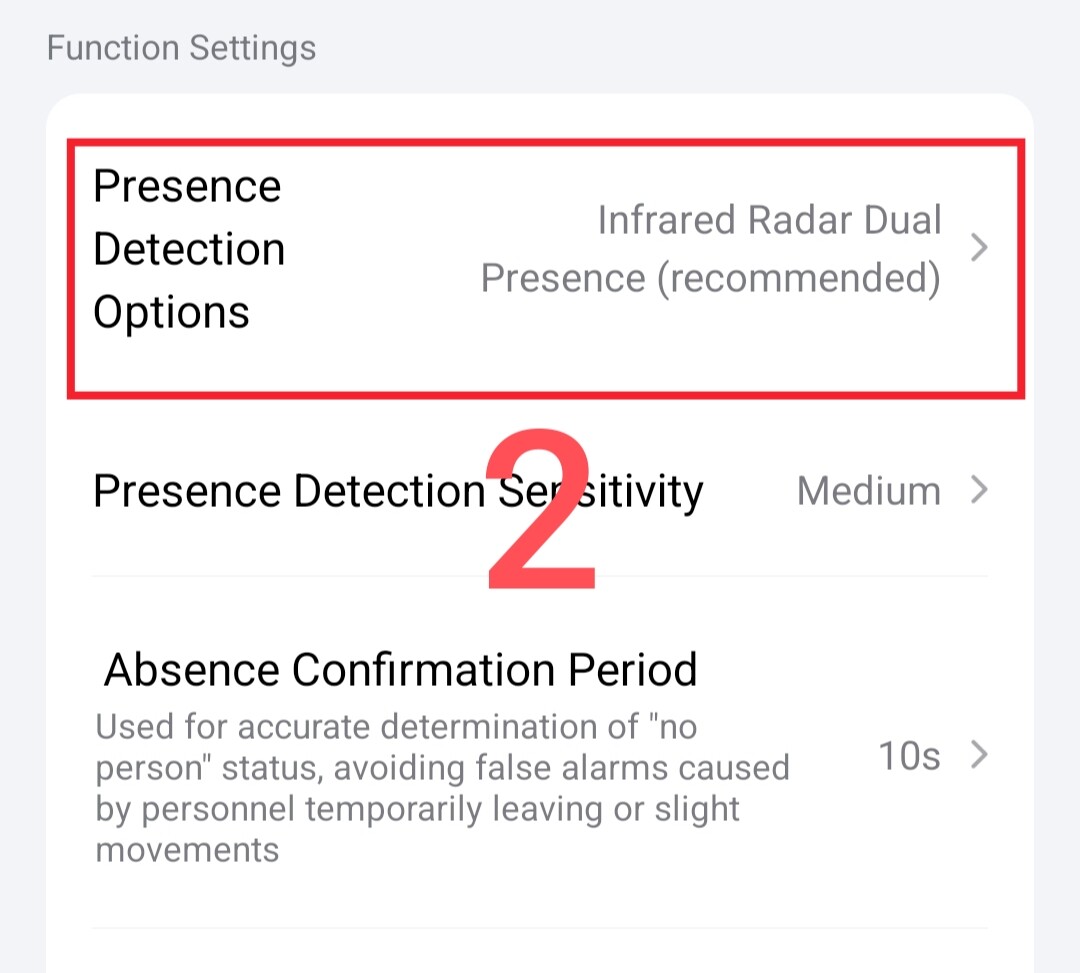
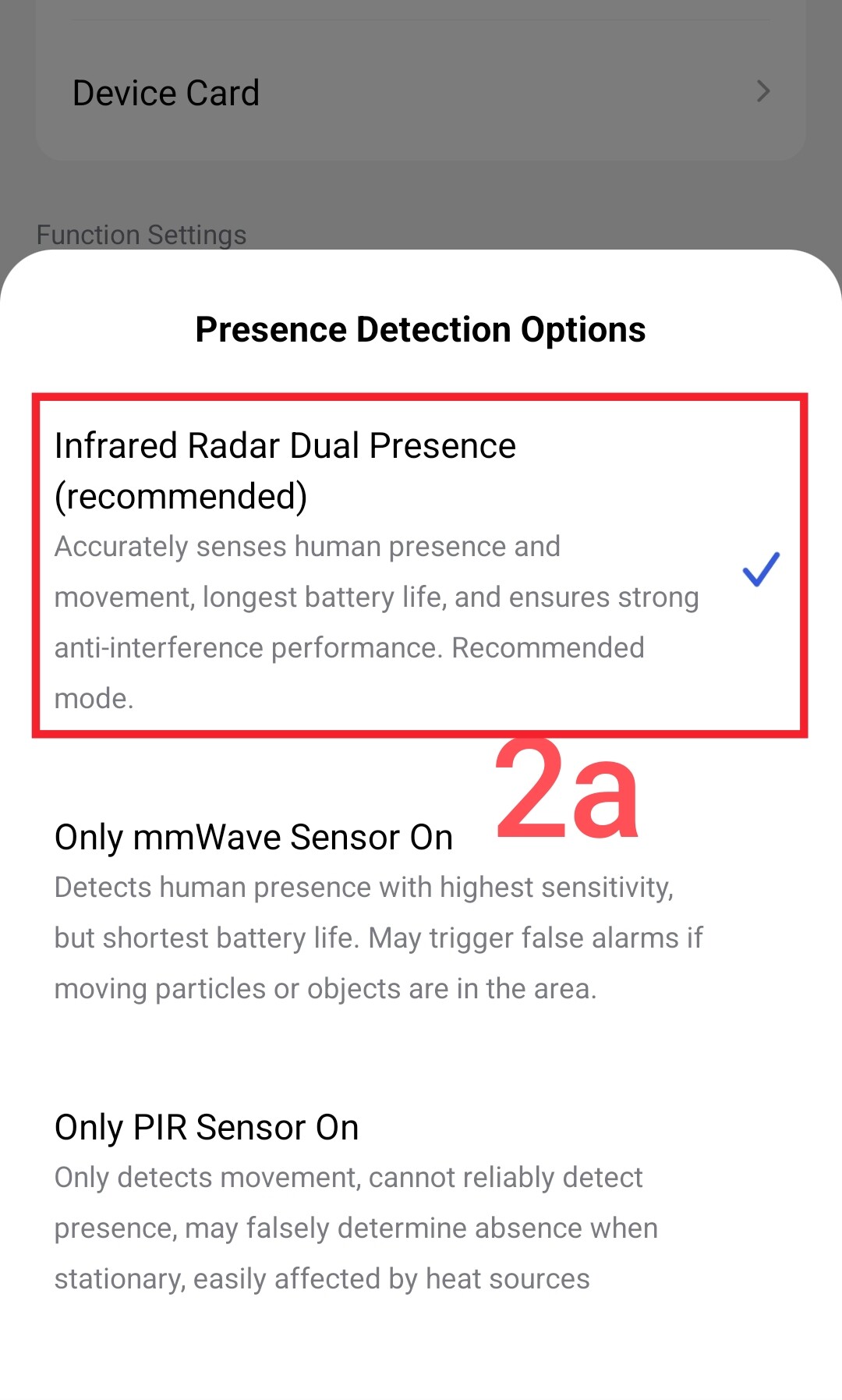
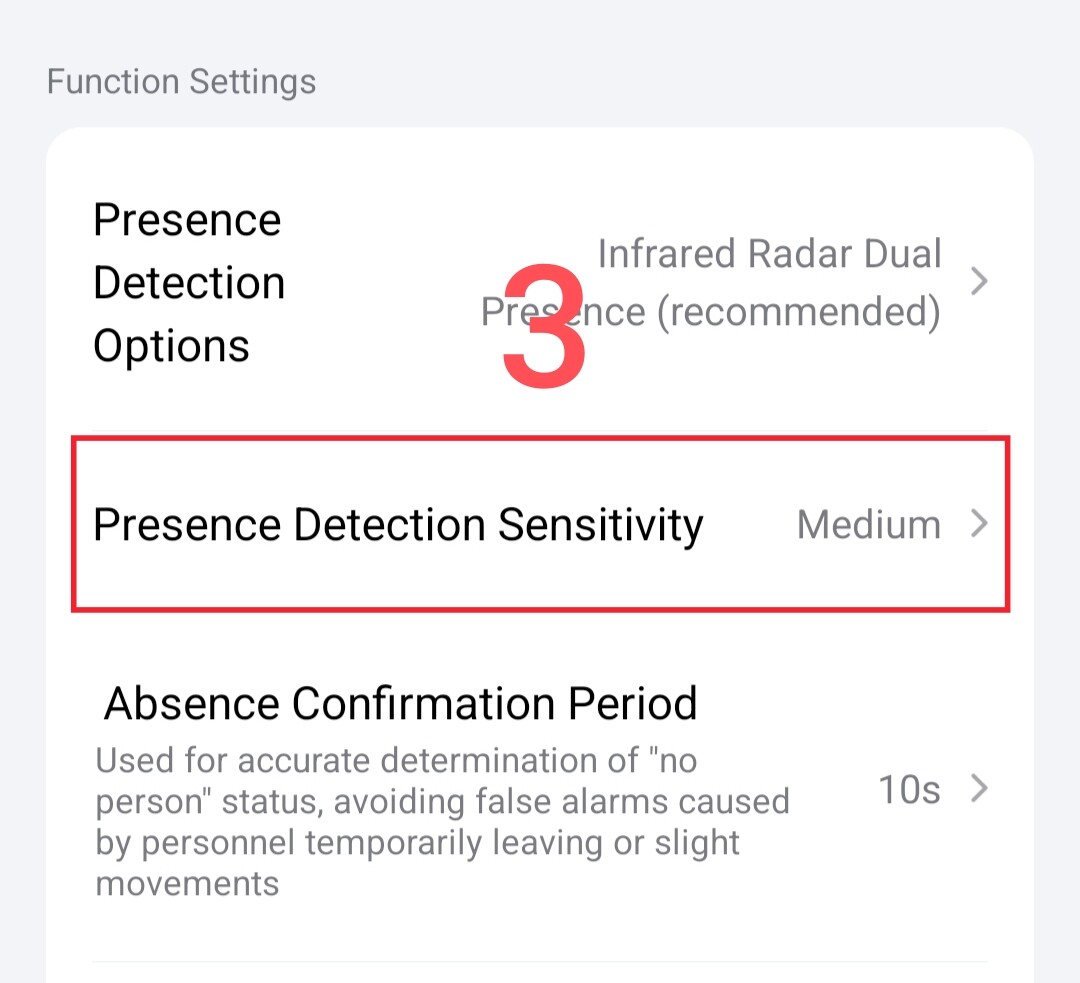
Second setting - the sensitivity level of the sensor, I set it to medium, you can choose your parameter depending on the room.
Fig.3
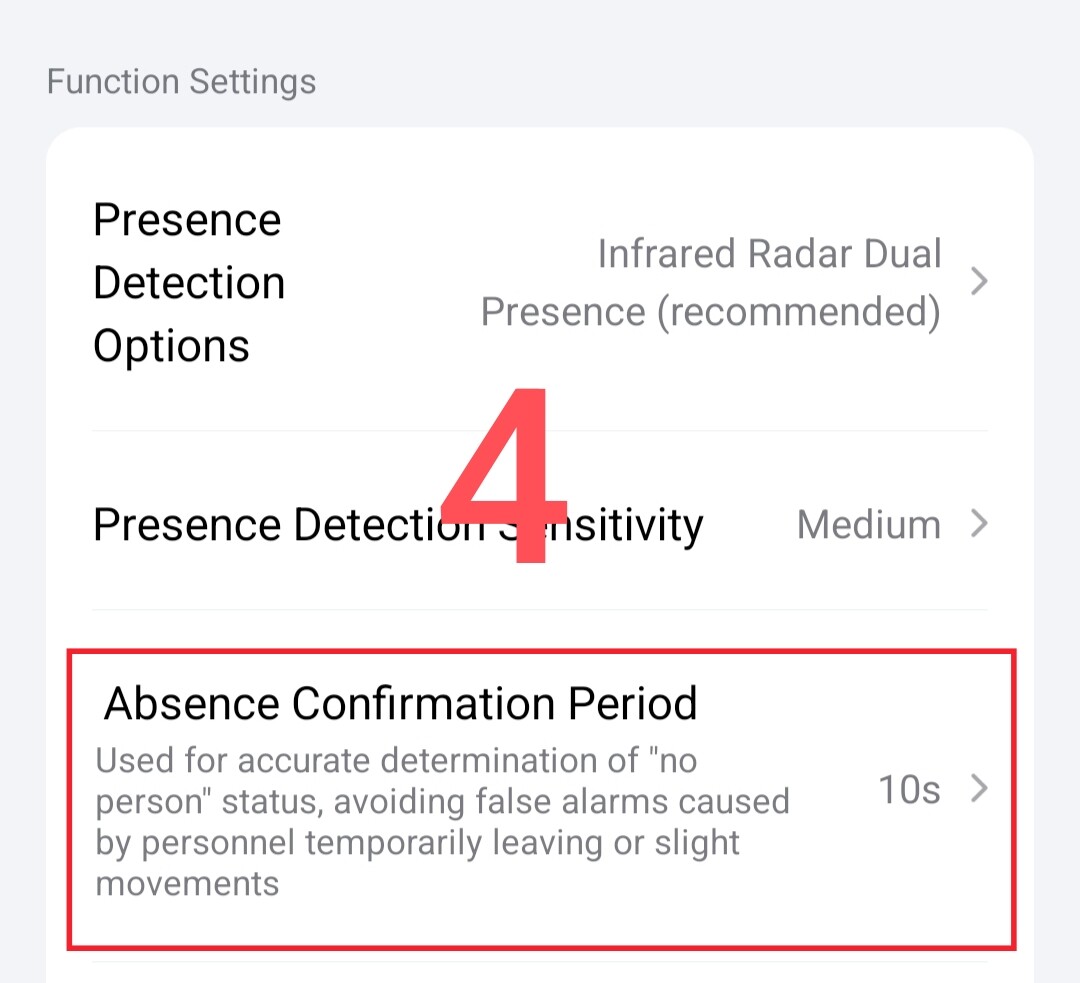
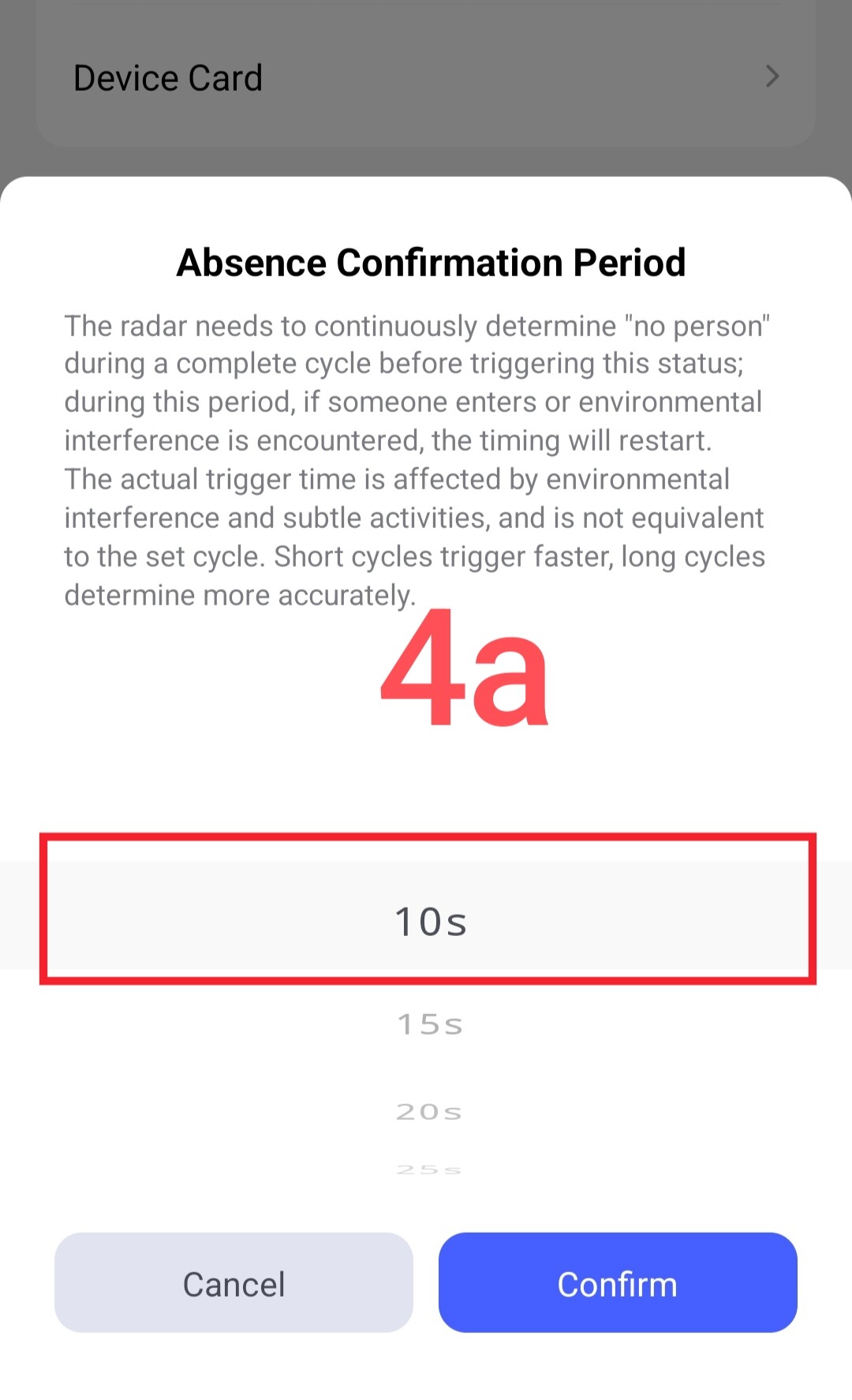
Third setting - timeout between polling periods (settings from 10 seconds to 5 minutes). The shorter the time, the faster the room state (present/absent) will be established. Personally, I choose 10 seconds.
Fig.4
Section 2
Creating automation for one FP300 sensor and one or a group of lamps.
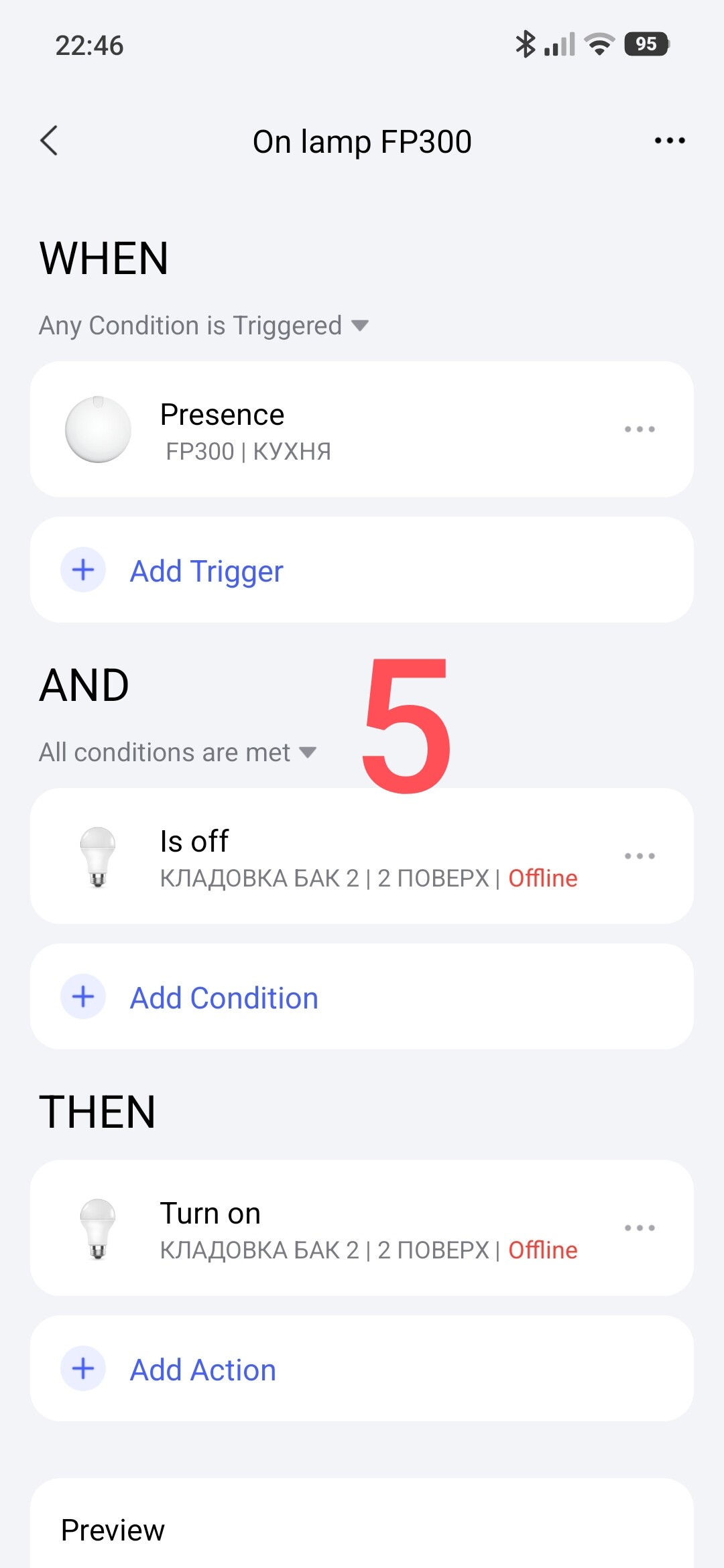
Automation On lamp.
Fig.5
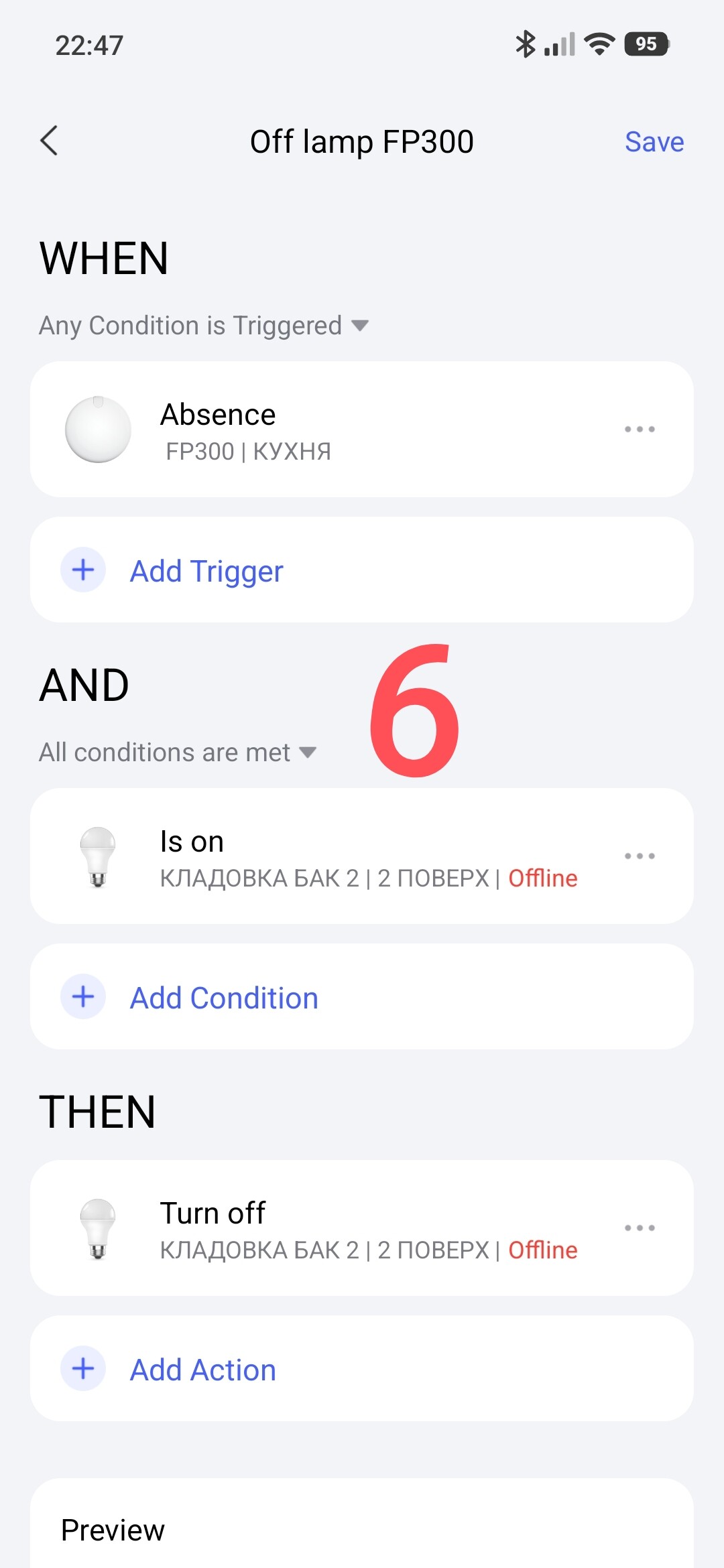
Automation Off lamp.
Fig.6.
Section 3
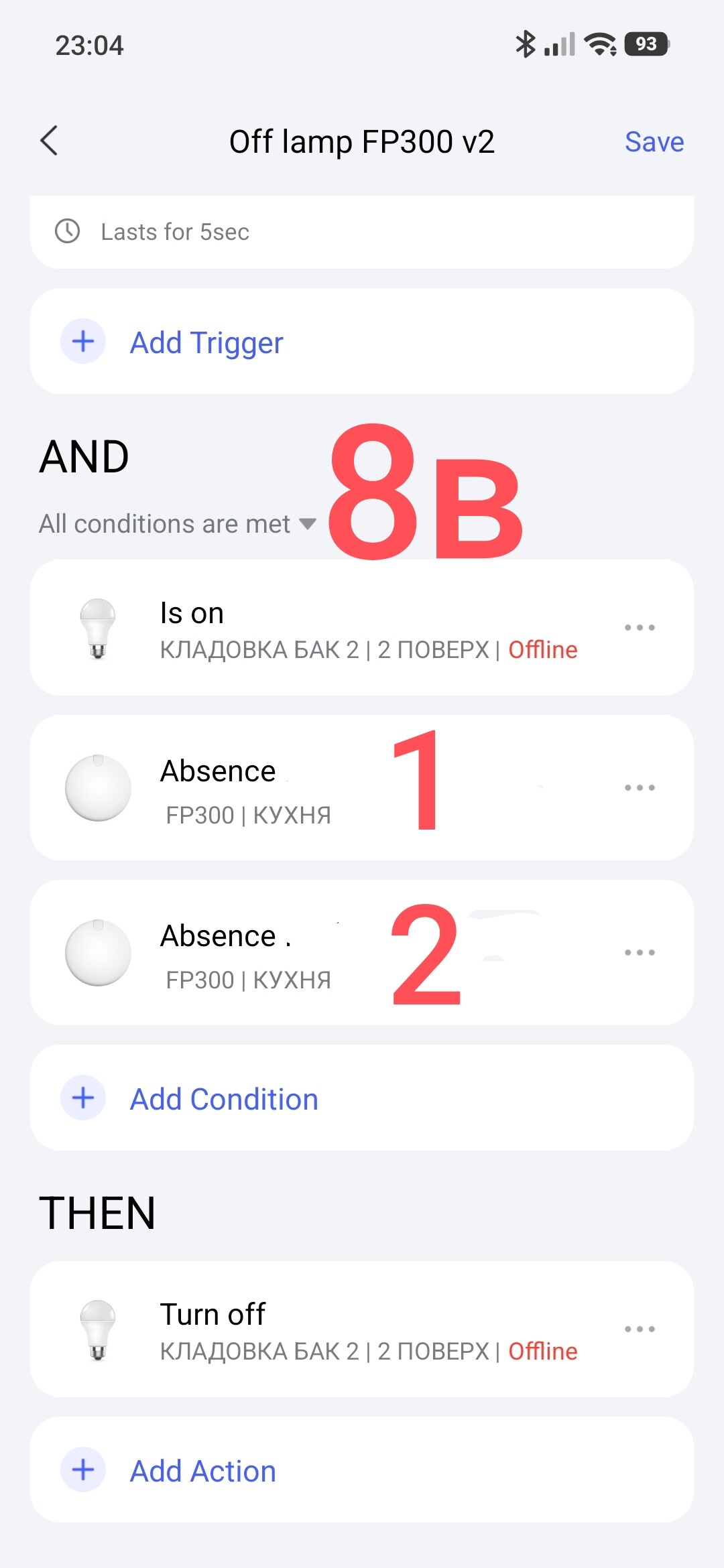
Creating automation for two FP300 sensors placed in the same room.
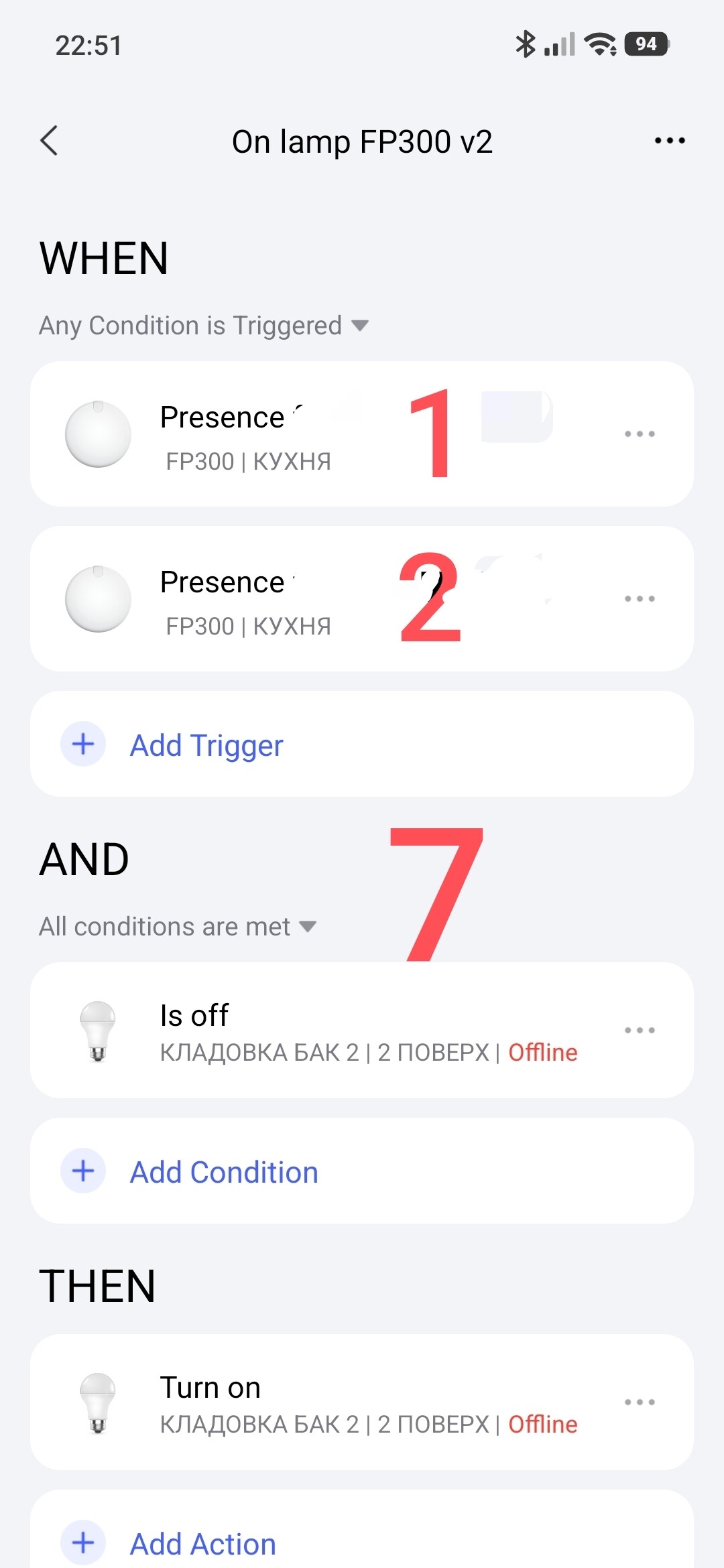
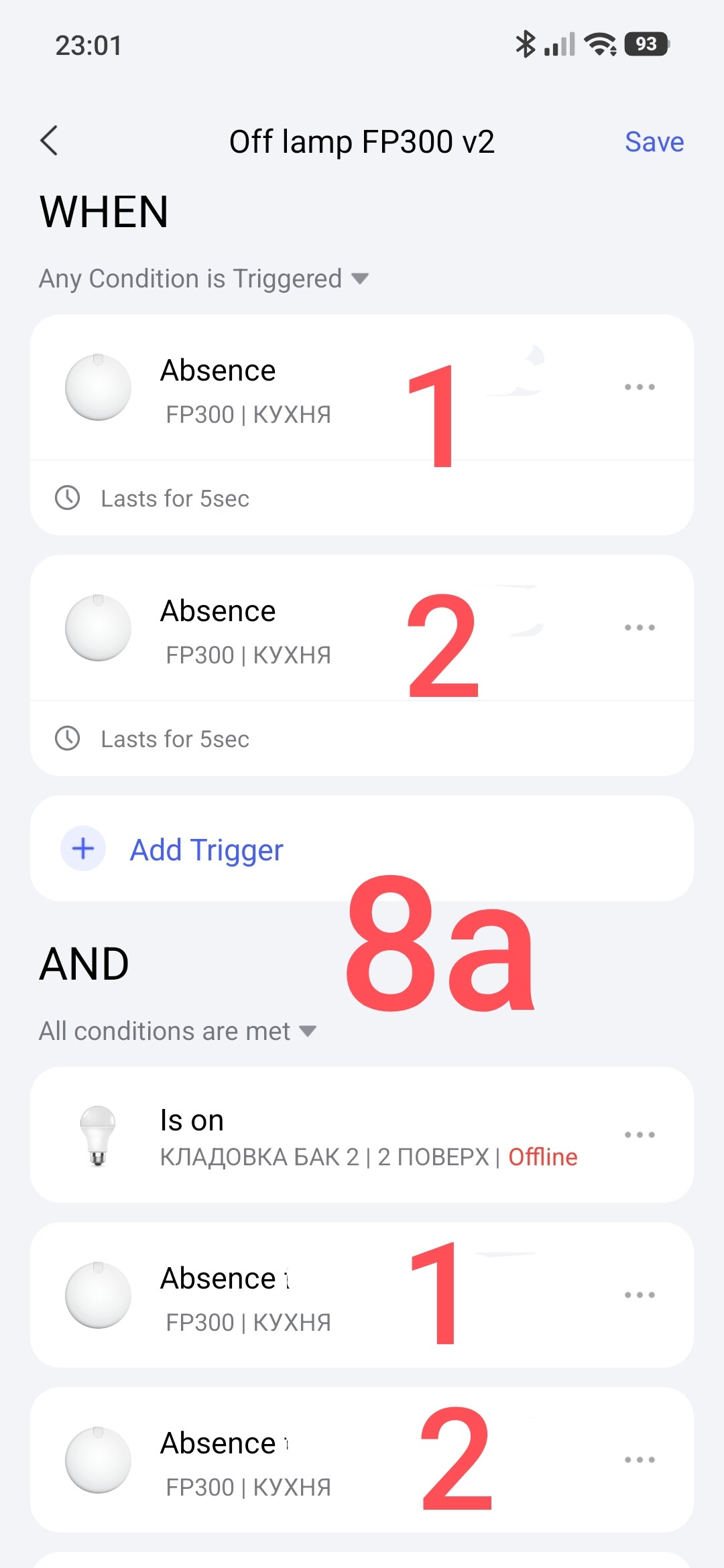
I apologize, I do not have two FP300 sensors, so I will indicate the sensor number (1,2) on the screens.
Automation On using two FP300.
Fig.7
Automation Off using two FP300 sensors.
In the WHEN condition, I use a period (5 seconds) for the correct operation of the automation.
Fig.8a, 8b.
This completes the lesson.
Thank you for reading and sharing the topic (you can also share it on other platforms with a link to our forum).
More to come.
Lesson23_ Automation 2.0, lesson 23, creating a G5 (G100) constant cyclic sound (light) alarm
 is there any way to do that