Lesson 20 (part 2)__ Lesson 20 (part 2). Automation 2.0. Pump protection against dry running using Aqara Power Plug H2 EU
Good afternoon, users often have questions about how to organize additional lighting for surveillance cameras. This automation is also suitable for controlling On/Off surveillance cameras of all types.
Automation conditions:
Sunset - turn on the camera spotlight after sunset in 30 minutes.
01.00 at night - turn off the camera.
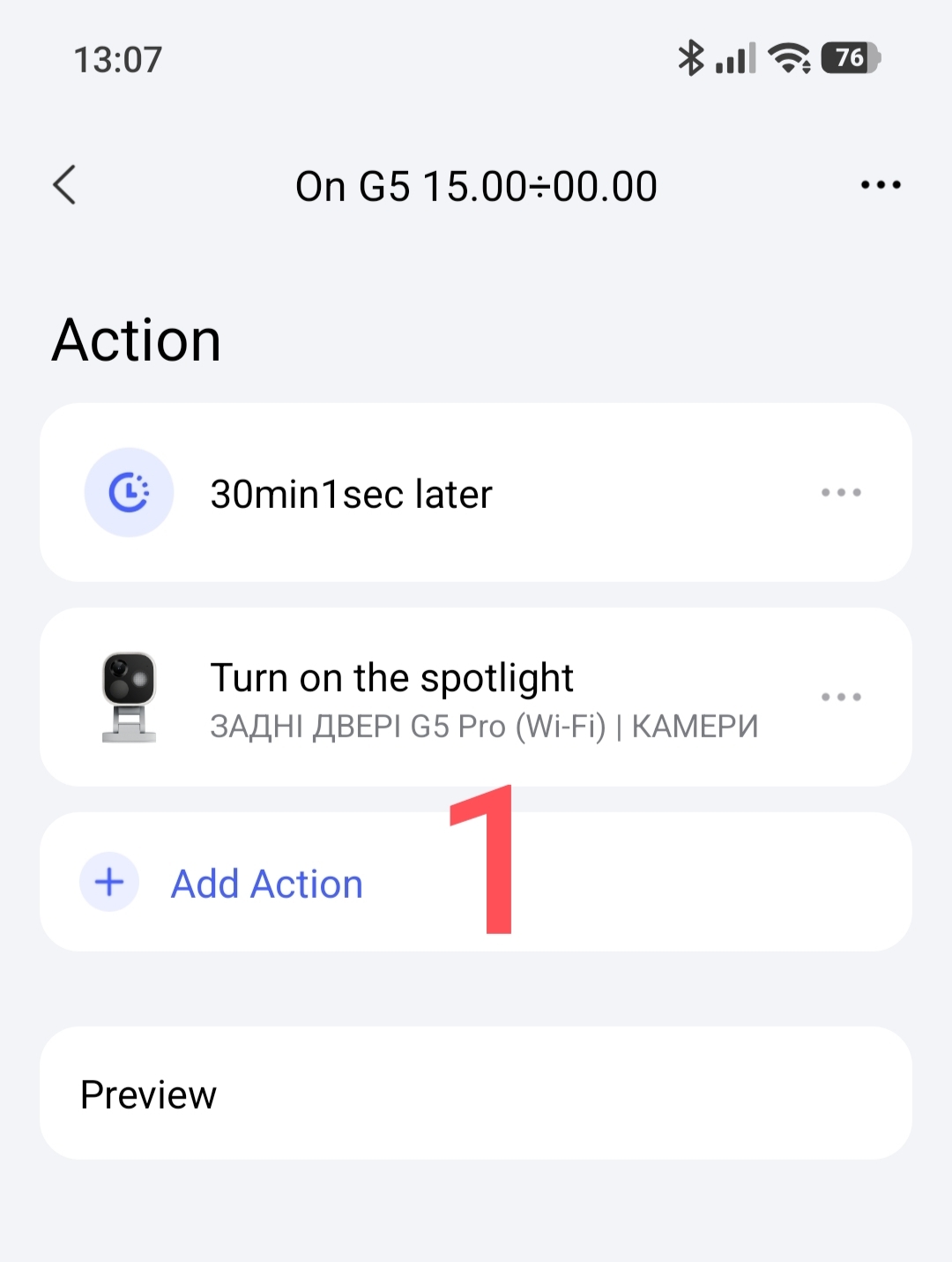
Section 1.
Creating On scenes for the G5 camera with a 30-minute delay.
Fig.1
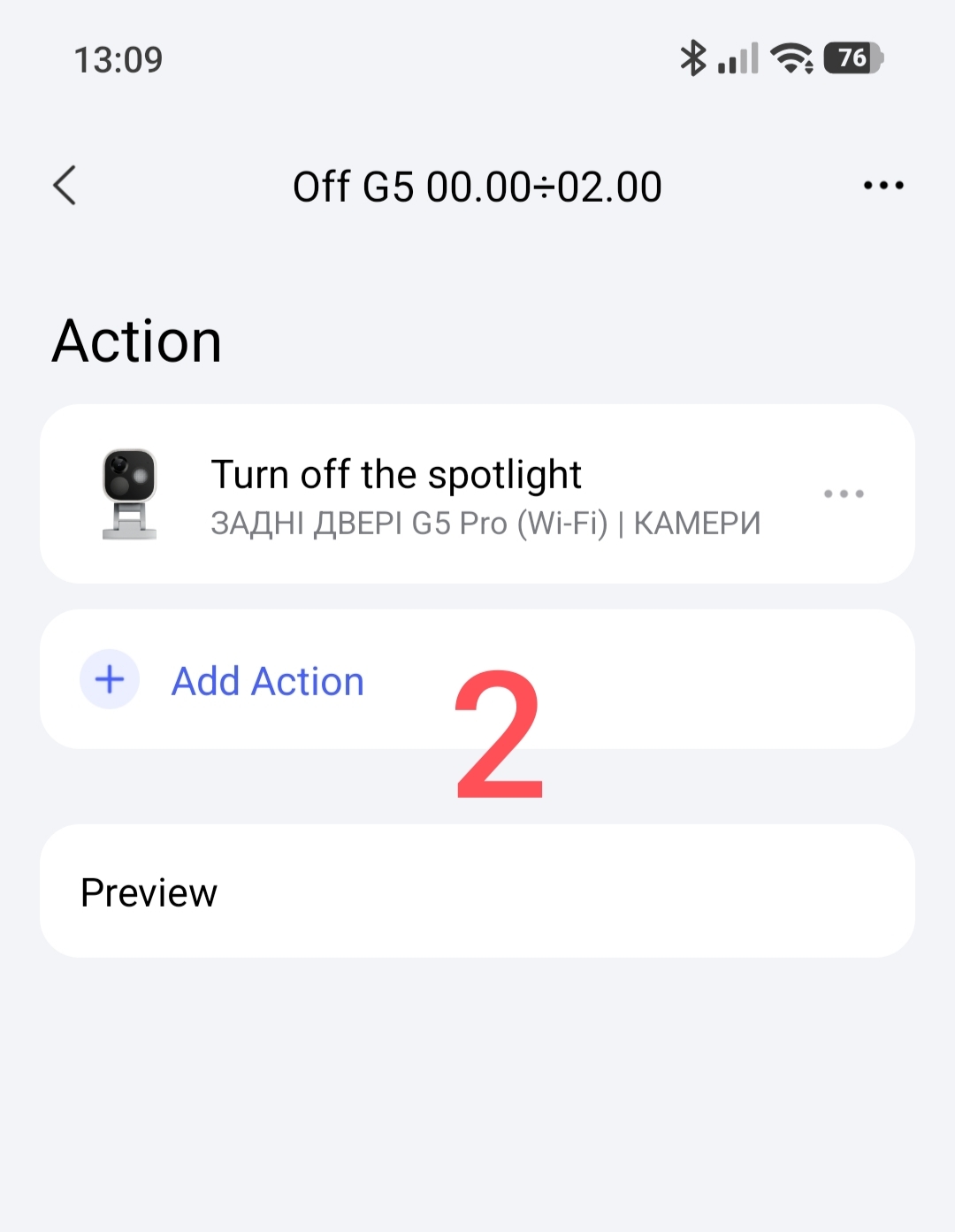
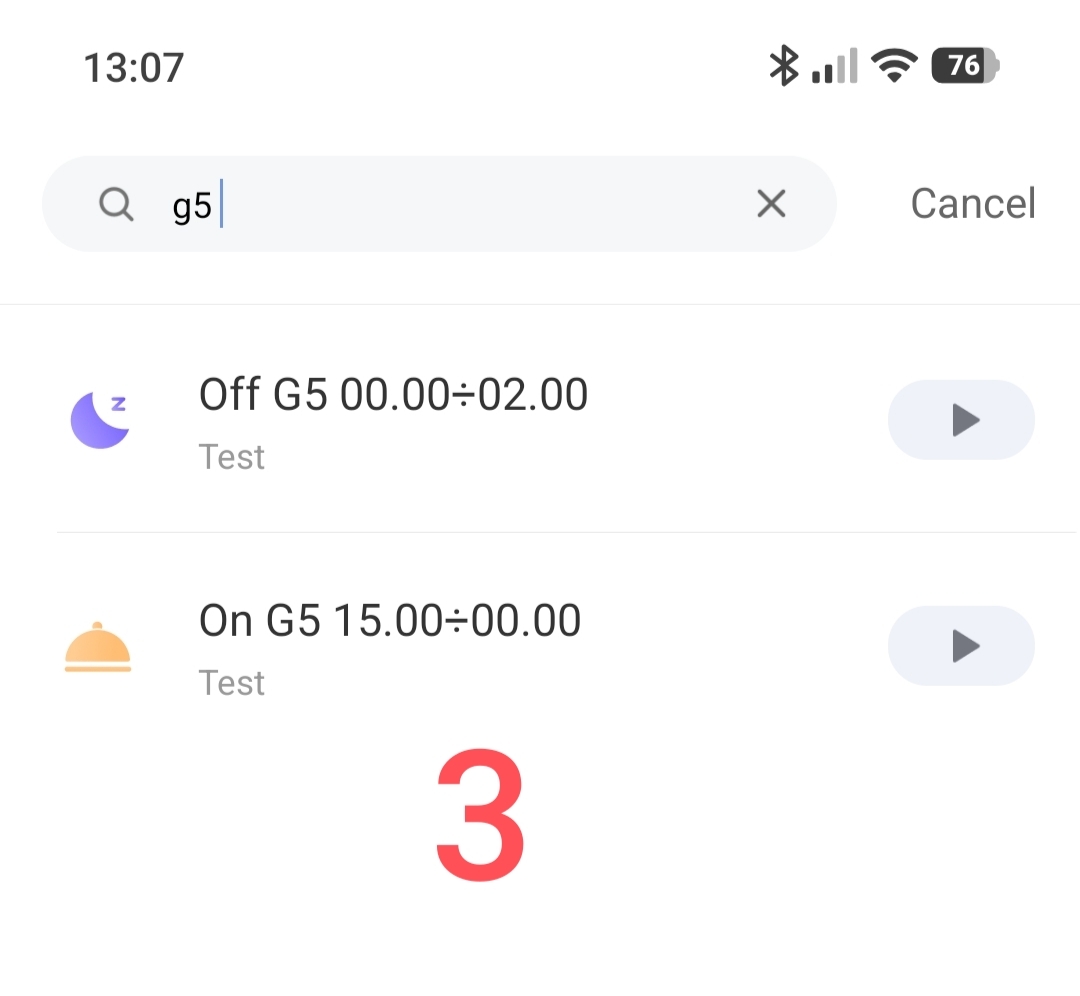
Creating Off scenes for the G5 camera.
Fig.2,3
Section 2.
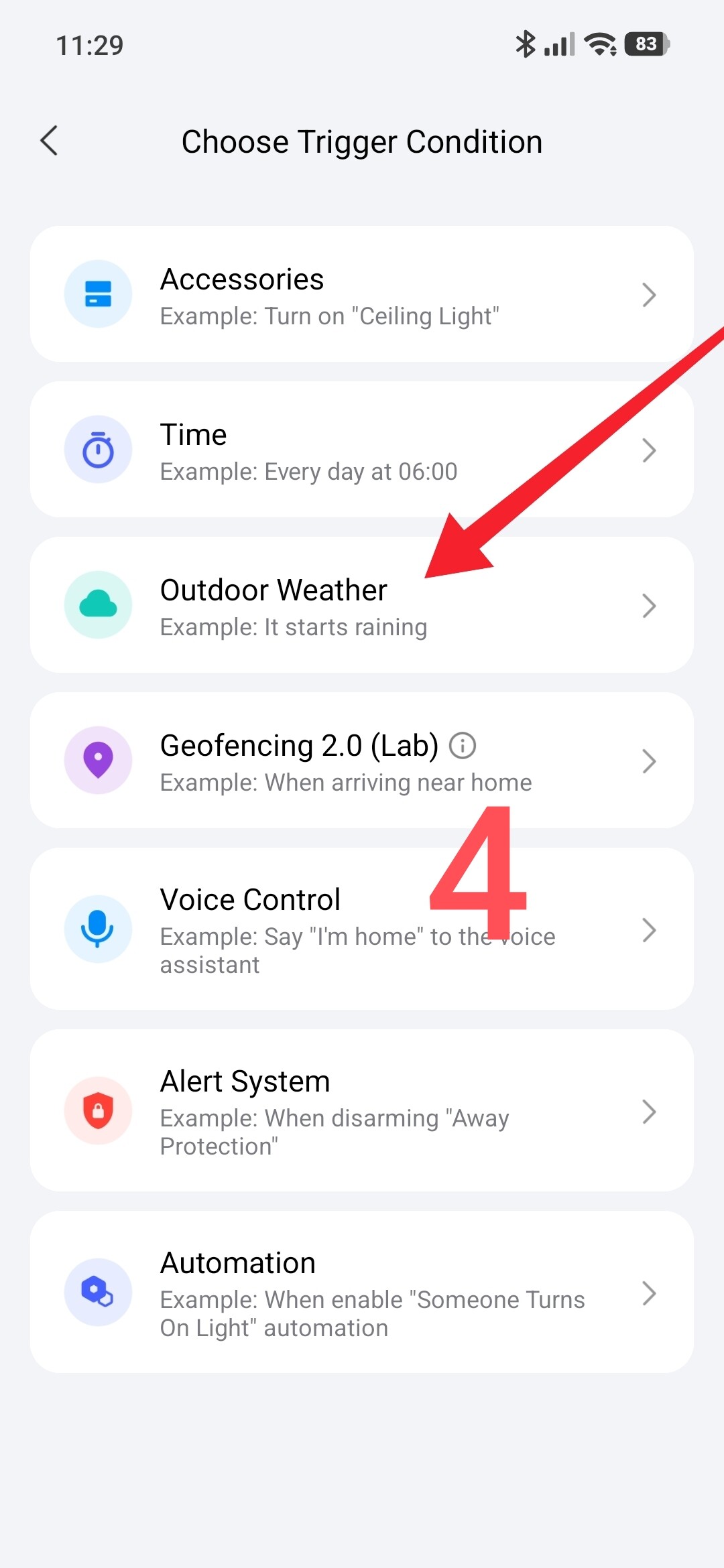
We create two automations to turn the camera spotlight on and off.
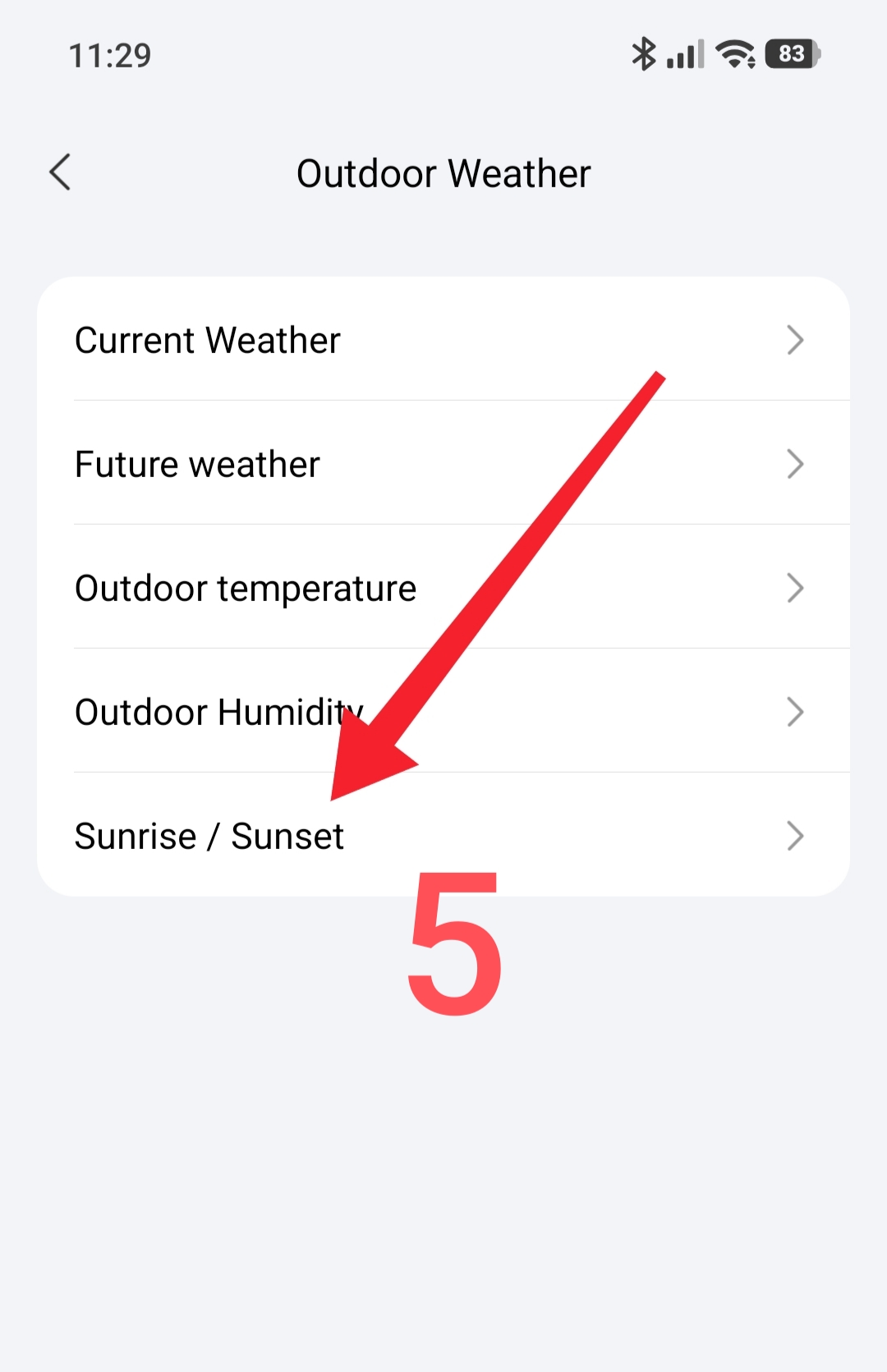
The trigger for the On camera will be the “external conditions” condition and we will use the “sunrise/sunset” section.
Fig.4,5.
Automation On G5 lamp, using the prepared scene in the THEN section.
Fig.6

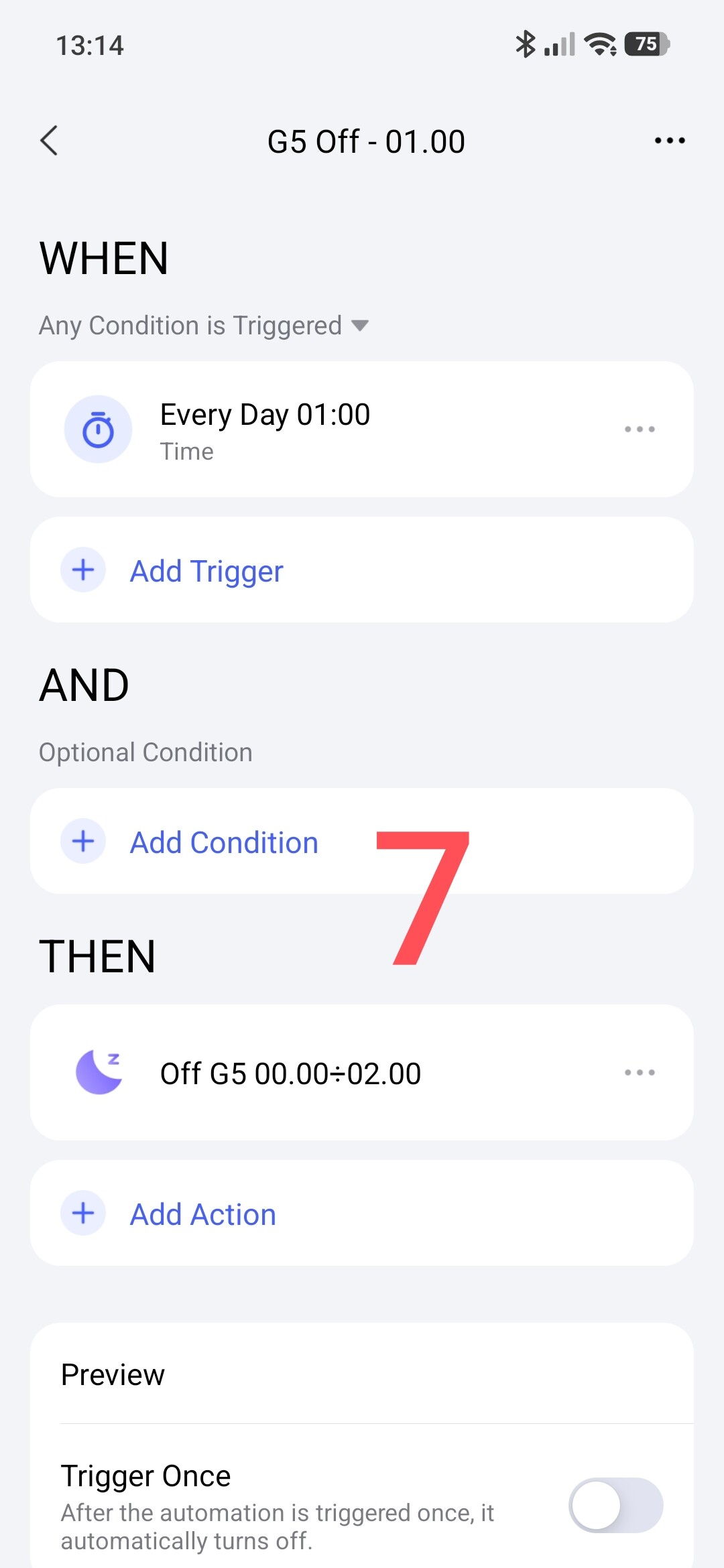
Automation Off G5 lamp, using the prepared scene in the THEN section.
Fig.7
Section 3.
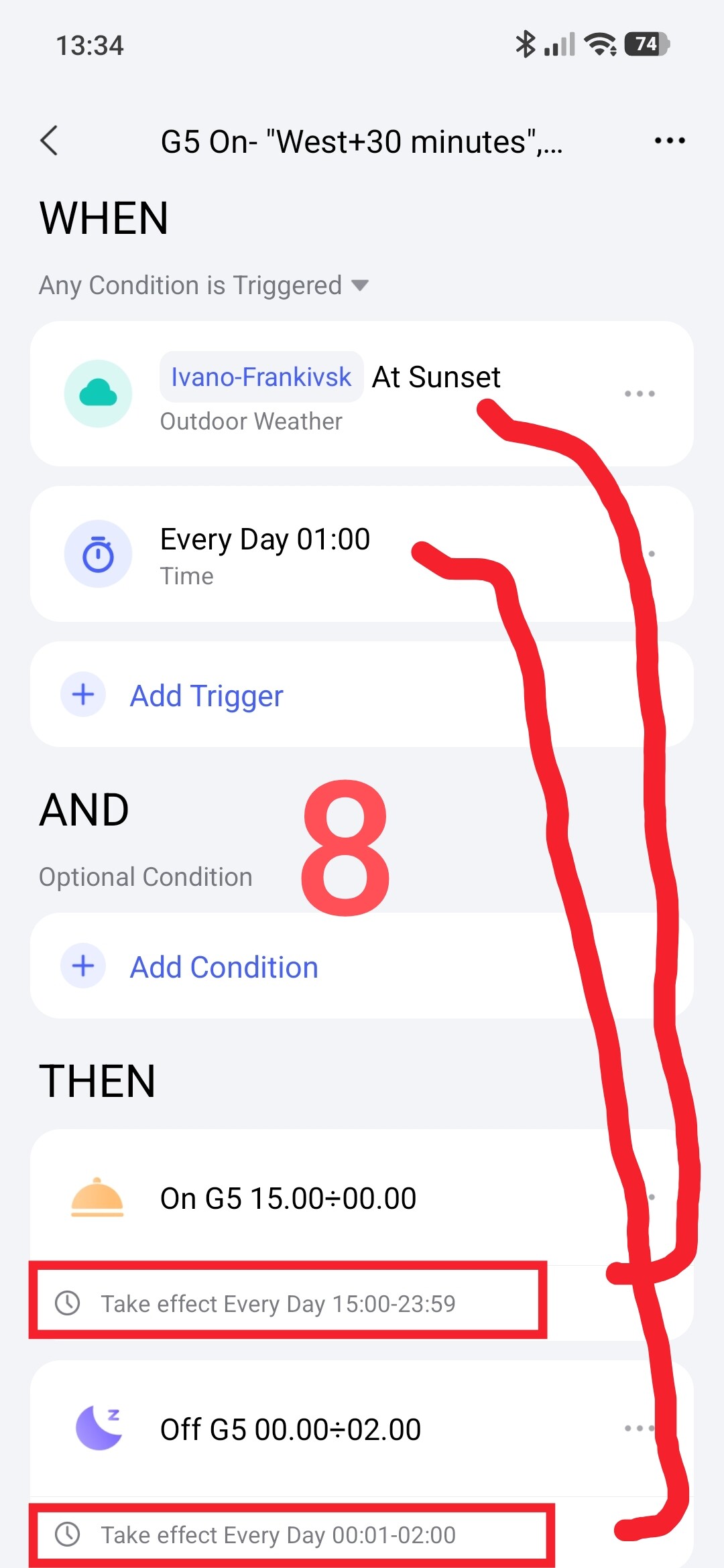
Creating one On/Off automation of the camera spotlight. Now we will combine the automations from section 2 into one automation.
For the automation to work correctly, we set the time frame for fulfilling the On/Off conditions of the lamp.
Triggering algorithm:
Sunset will start the On scene which has a time limit (15.00÷23.59).
The arrival of 01.00 (night) will launch the Off scene which has a time limit (00.01÷02.00).
Note, I made the time margin at my discretion to resolve the On/Off conditions. ATTENTION, the time frames should not overlap each other.
The automation looks like this.
Fig.8
Thank you for reading and sharing the topic (you can also do it on other platforms with a link to our forum).
More to come.
Lesson 22__Automation 2.0, lesson 22, FP300 sensor, creating On/Off automations for lamps