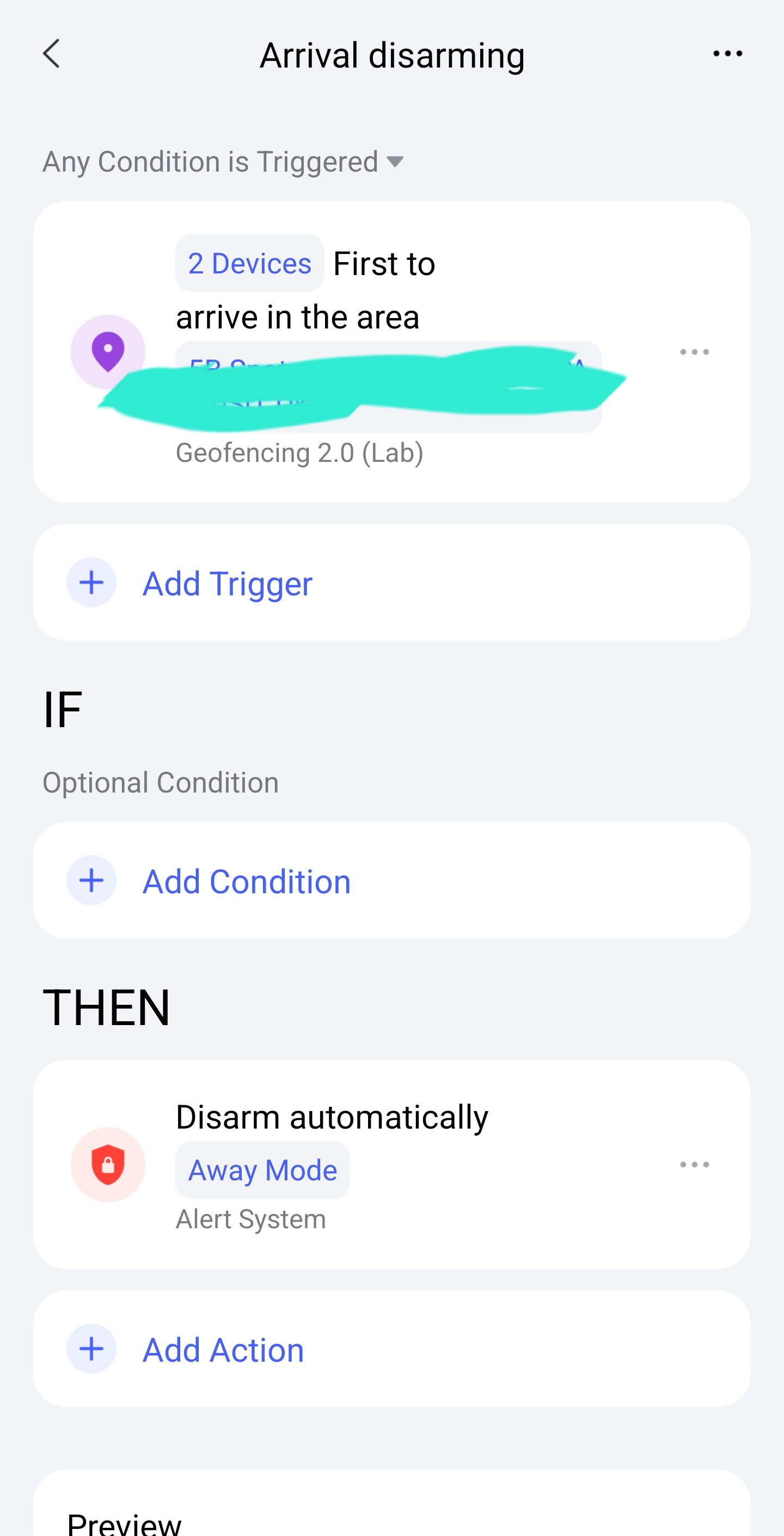
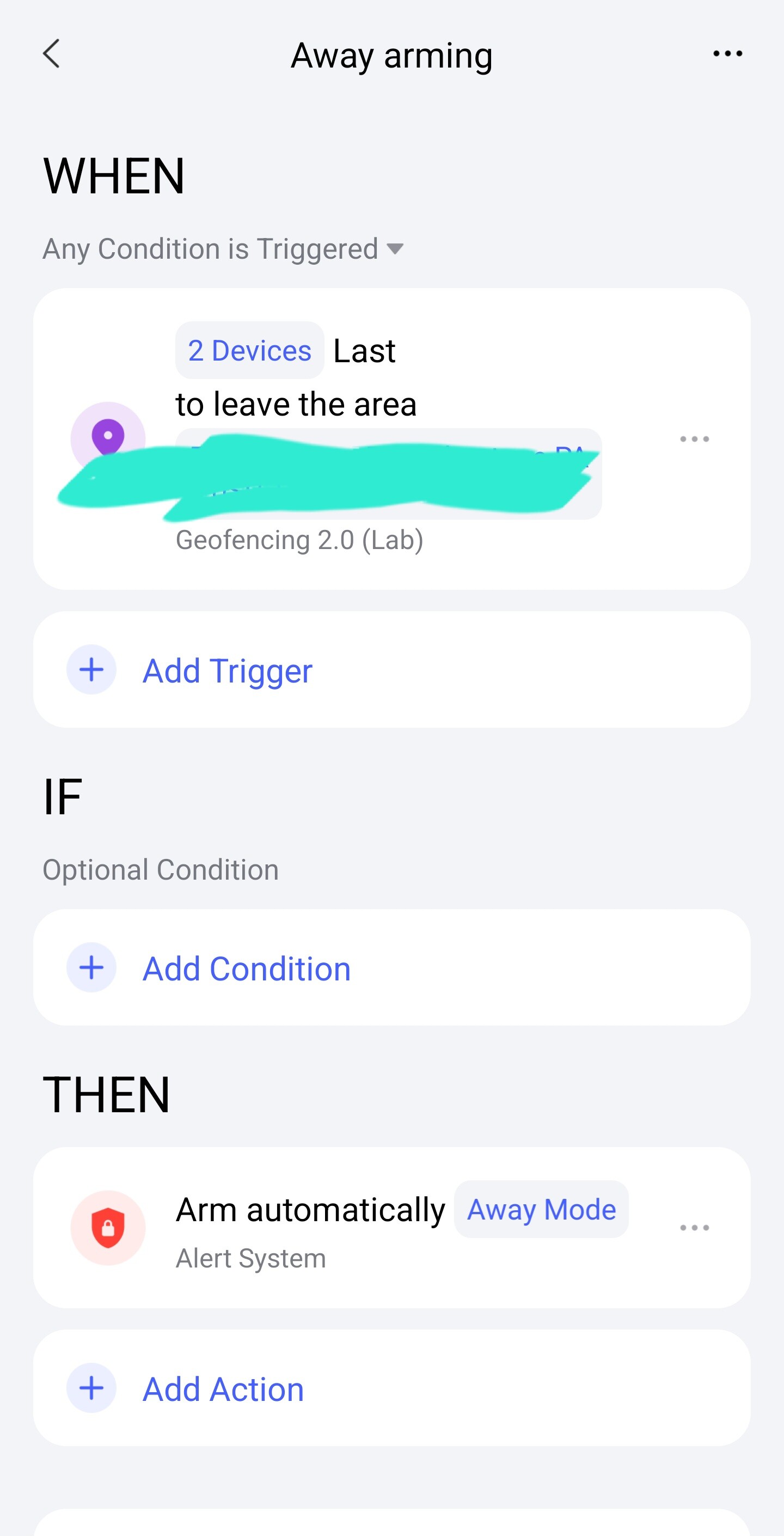
I am currently developing an automation designed to arm the security system when the last individual departs and disarm it upon the return of the first individual.
However, I am encountering a recurring issue where the automation ceases to function every few days. Upon attempting to modify the automation, a prompt appears indicating a requirement for location permissions.
It is important to note that location permissions for the Aqara application are permanently enabled on both my device and my wife’s device. Therefore, I am seeking to understand why this issue persists.
Do you have any insights or suggestions regarding this matter?
@gipsonhc It sounds like you’re dealing with a tricky geofencing-related automation issue—let’s try to break this down! Since your automation relies on “last departure” and “first return” triggers, geofencing is likely the core here. Here are some angles to check based on common scenarios:
1. Automation Version Limitations
If you’re using Automation 1.0, it only triggers based on the mobile device that created the automation. For example, if you set it up on your phone, only your location changes will trigger it—your wife’s device won’t contribute, even if logged into the same account. This could explain inconsistent behavior if the “last departure” depends on both devices.
Consider upgrading to Automation 2.0 (via Aqara Home app > Profile > Automation 2.0). It supports selecting multiple mobile terminals under the same home, allowing “first/last” logic across devices. Just ensure all devices are upgraded to a version supporting Geofence 2.0 and have geofencing activated.
2. Geofence Trigger Reliability
Geofencing relies on your phone’s system (iOS/Google Services) to “report” entry/exit status to Aqara. If there’s a network glitch, GPS inaccuracy, or the app is force-closed, the system might fail to send updates. Even with permissions enabled, temporary system-level restrictions (e.g., battery saver mode limiting background app activity) could interrupt this.
3. Quick Troubleshooting Steps
Check device activation (for Automation 2.0): Ensure your wife’s device is selected in the automation settings and has geofencing activated (other terminals need to explicitly enable this)[ “content_id”:5].
Verify network/GPS: Temporarily toggle location services off/on, or restart both phones—this can refresh the system’s ability to report location.
Restart the Aqara app: Temporary glitches might block permission prompts or location updates.
This information comes from community discussions and user experience summaries and may vary by environment. Please verify carefully. If the issue persists, Contact the Aqara Home App Customer Service Team (Profile> Help & Feedback > Customer Service) or scan the QR code:
Hello, please note that geozonation is currently a laboratory version (beta), so it may not work 100% of the time. Also, please provide a screenshot of the automation, maybe there is a problem with it?
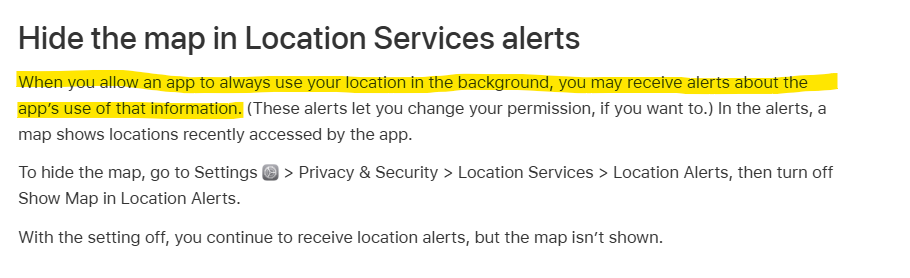
This issue is likely caused by the iOS “Location Summary” (or Location Alerts) feature. Even if you set the permission to “Always,” iOS periodically asks for re-confirmation if an app uses your location frequently in the background.
If you don’t actively confirm this recurring system prompt on your iPhone, iOS may temporarily restrict the background access, which causes your automation to fail.
As an option, you can make an alternative method of geofencing. Instead of relays, you can use virtual switches. I did this for security until a stable version of geofencing is released. for two. By the way, according to my principle, you can do it for a little more people. Automation for geolocation of two users . Here I described about virtual switches Automation 2.0, lesson 12, blitz topic, VIRTUAL Aqara switch