Lesson_26_ Automation 2.0, lesson 26, U200 (or other locks) automatic closing of passage doors
Good afternoon.
Often on the forum, users make mistakes when creating automation for turning on the camera spotlight at night.
I have already considered the topic of turning on the camera spotlight in lesson 21 ( Automation 2.0, lesson 21, creating On/Off automations for the G5, G100 camera spotlight )
In this mini-lesson, we will consider permanently turning on the spotlight at night.
Automation condition
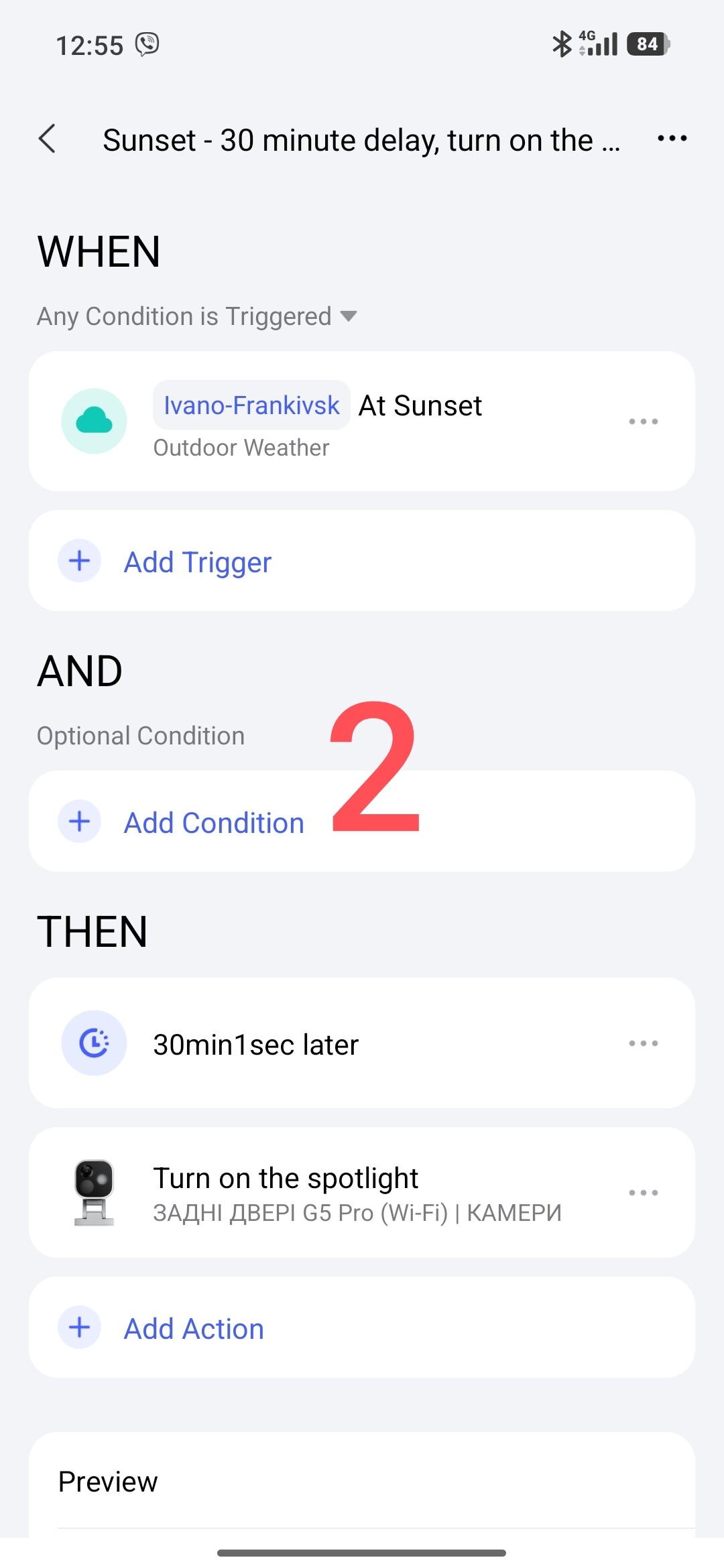
- Sunset - delay 30 minutes, turn on the spotlight.
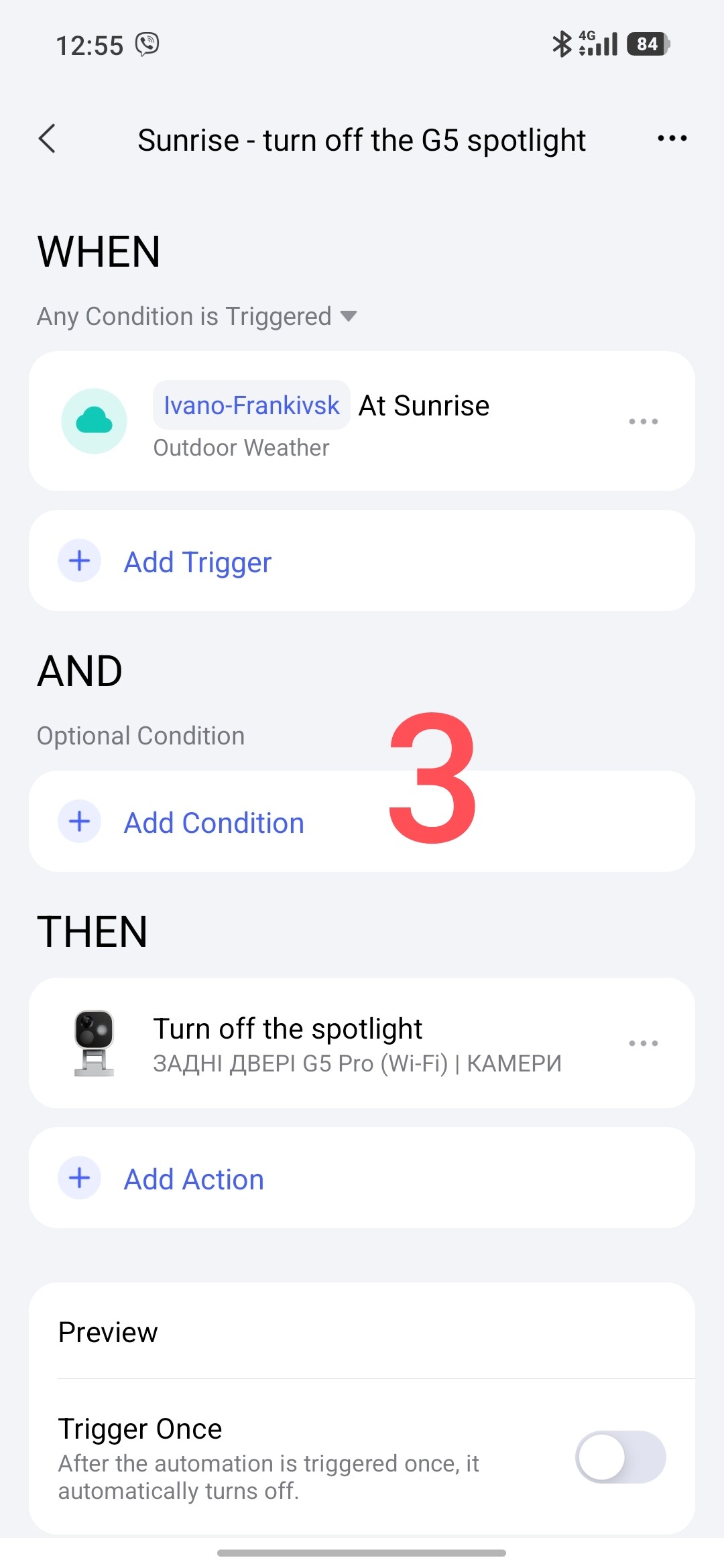
- Sunrise - turn off the spotlight.
Solving the problem
Part one
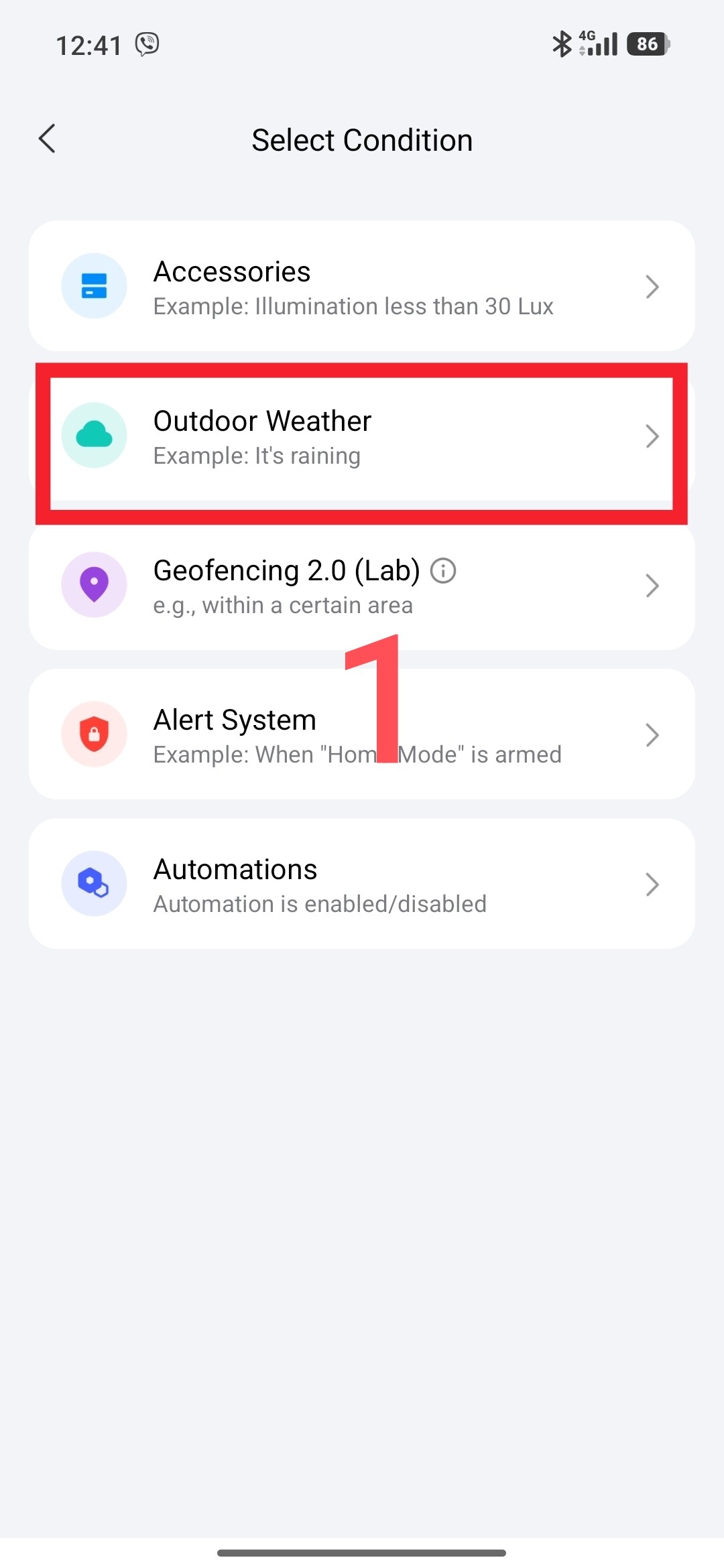
Since automation 2.0 has a local trigger, we will use the Outdoor Weather → Sunrise / Sunset condition.
Fig. 1.
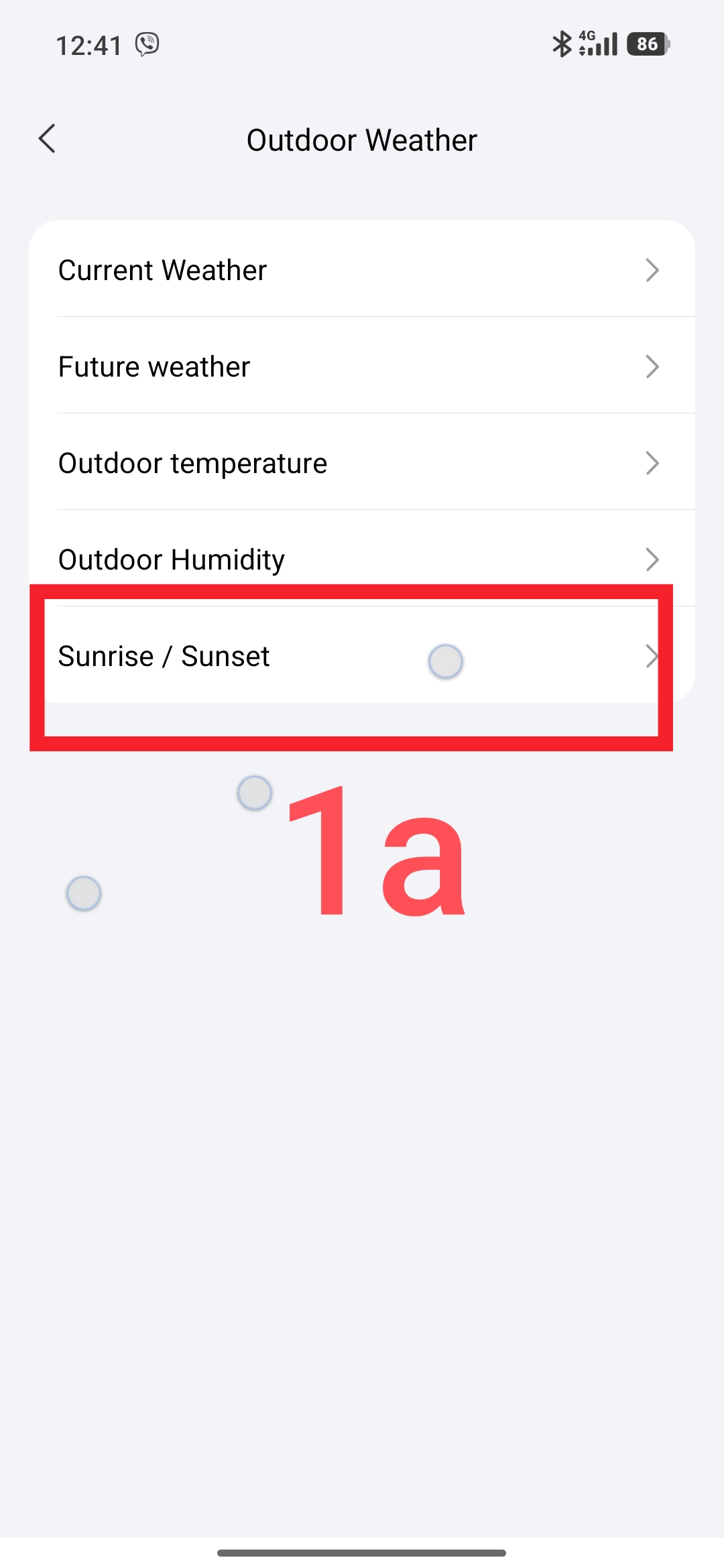
Automation “Sunset - delay 30 minutes, turn on the spotlight”
Fig.2
Automation “Sunrise - turn off the G5 spotlight”
Fig.3
Part two
To reduce the number of automations, we will combine the On/Off of the G5 spotlight into one automation.
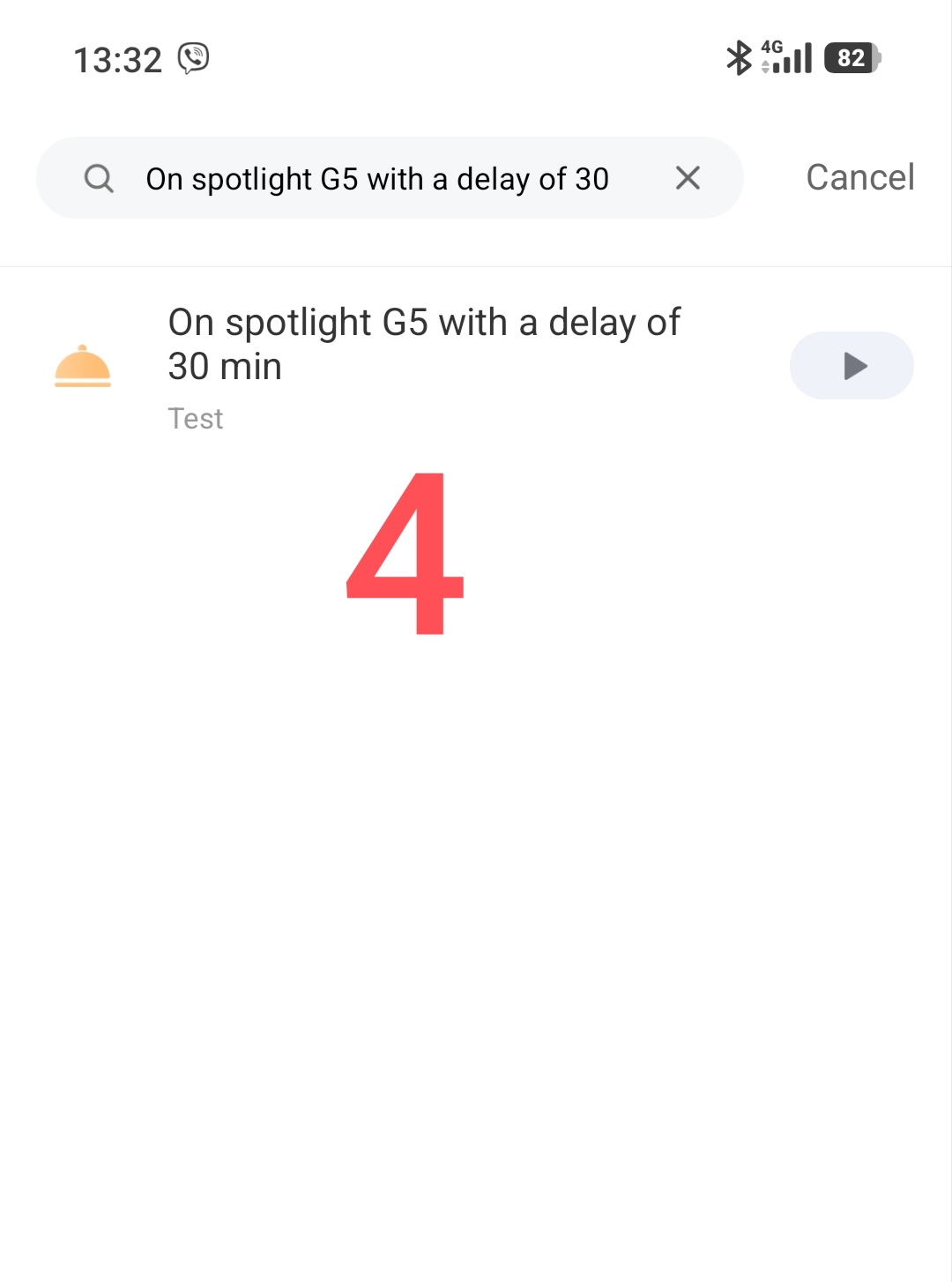
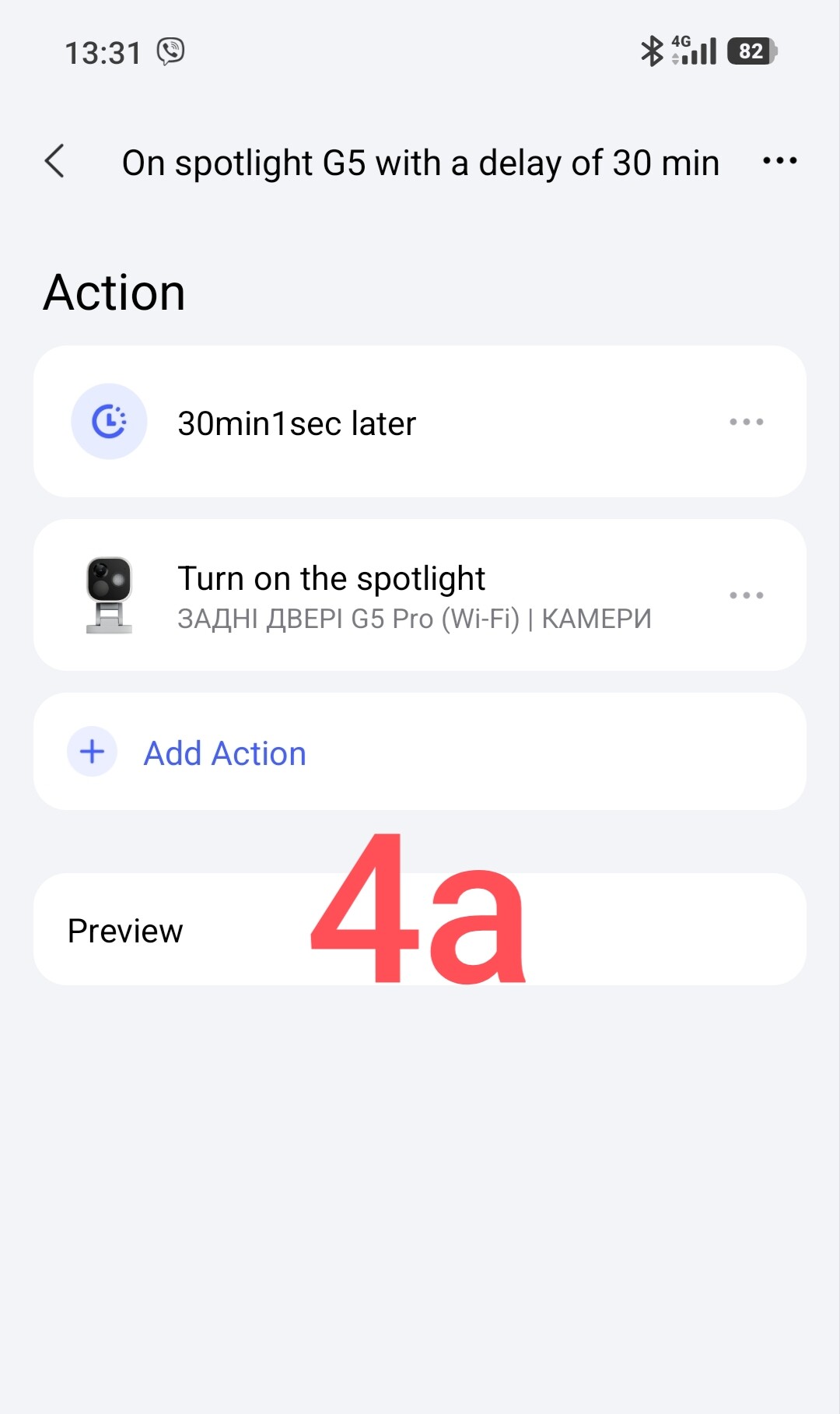
Create a scene “On the G5 spotlight with a delay of 30 minutes.”
Fig.4.
Create a general On/Off automation.
“On/Off (sunset/sunrise) of the G5 spotlight”
In the THEH condition, we must select the G5 spotlight control period. This period range must correspond to my expected commands (On - Sunset, Off - Sunrise).
Fig.5
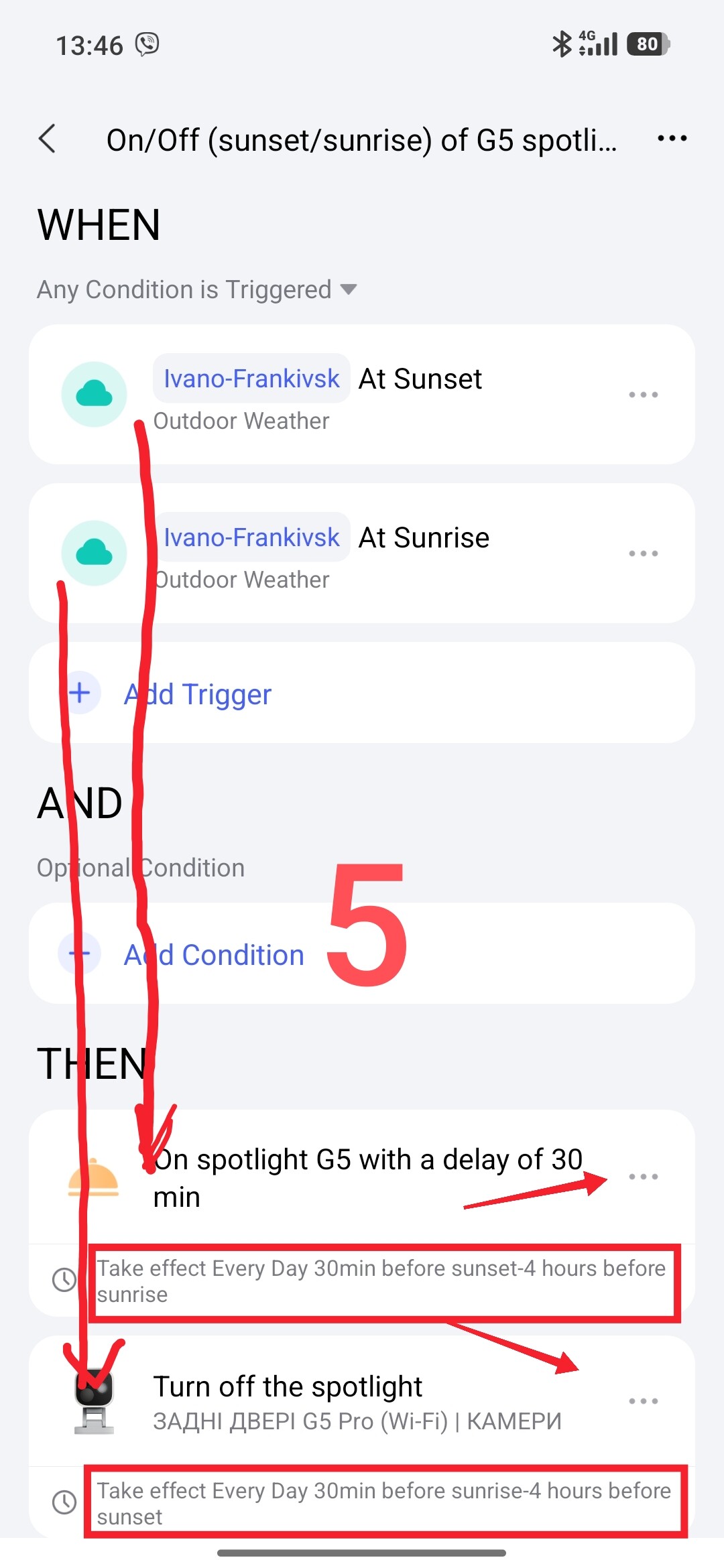
To understand how this automation works, please review the algorithm 2.0 again _Automation 2.0, lesson 1 (continued), description of the algorithm for transitioning automation 1.0 to 2.0
This concludes my lesson, in the next lesson we will consider automatically turning on the spotlight by a camera trigger (motion, person, animal…) at night.
Thank you for reading and sharing the topic (you can also share it on other platforms with a link to our forum.