Lesson12 Automation 2.0, lesson 12, blitz topic, VIRTUAL Aqara switch
Good afternoon. Let’s start the topic.
Brief description.
The WHEN section has the task of polling the IF section for compliance with the specified conditions (group of conditions). If you place a switch in the WHEN section to control On or Off (instantaneous action), then after the switch (On/Off trigger) is triggered, automation 2.0 from the WHEN section will check the conditions in the IF and start the THEN (if the conditions in the IF are met).
When the IF section does not contain any conditions, then the WHEN trigger will immediately start the action from the THEN section.
Our task is to create a cyclic automation that will continuously start the On/Off action.
For a visual example, I will create an automation (cyclic 1 second) for my Aqara lamp.
Figure 1.
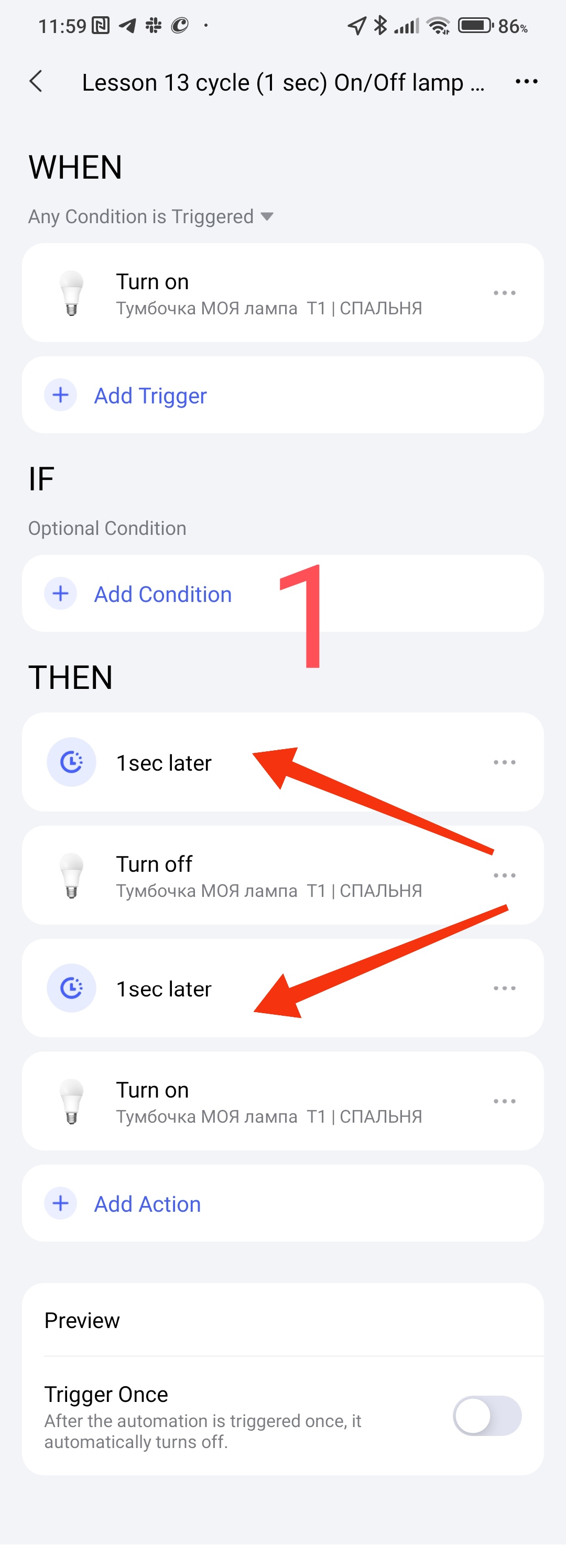
DESCRIPTION OF THE WORK. When the lamp is turned on (WHEN “On lamp”) WHEN turns off the lamp after 1 second and then turns on the lamp after 1 second.
Done, the cycle is started, the lamp will be On/Off until we turn off this automation.
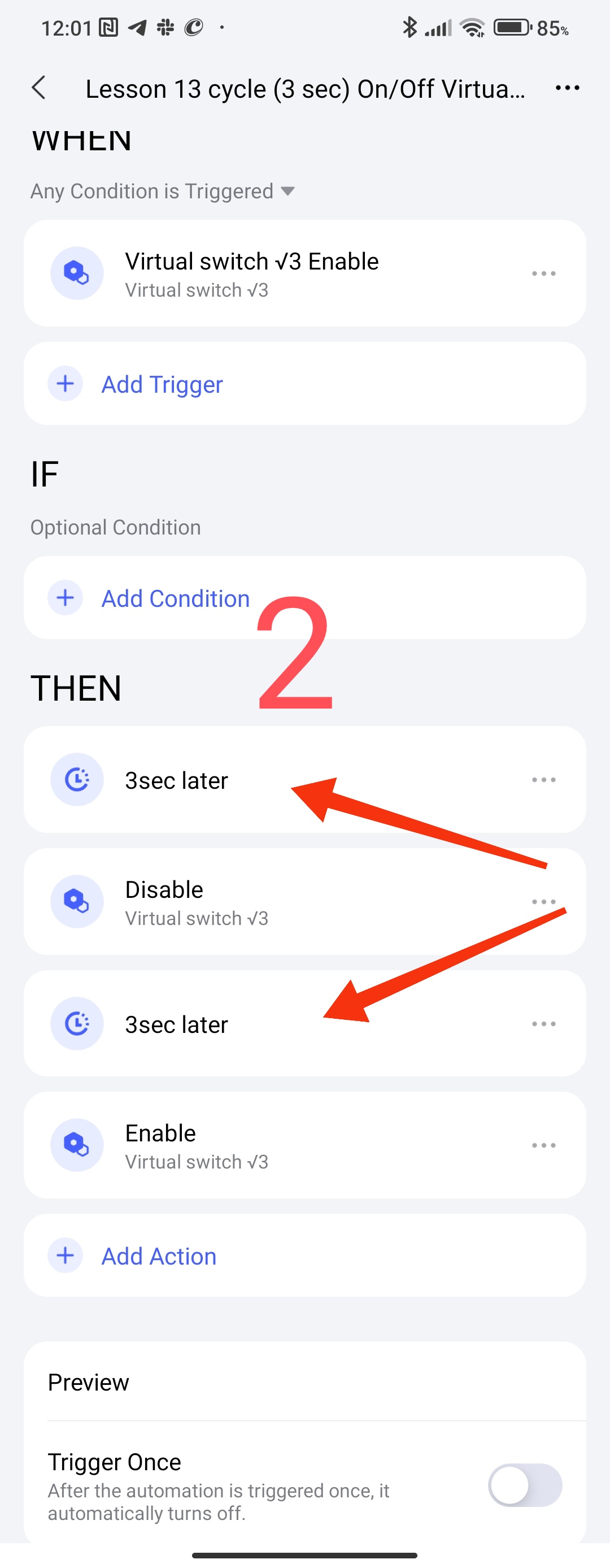
Now let’s transfer this algorithm to our virtual switch from lesson 12 ( Automation 2.0, lesson 12, blitz topic, VIRTUAL Aqara switch ), we will get the following automation.
To shoot a video, I set the interval to 3 seconds.
Fig2.
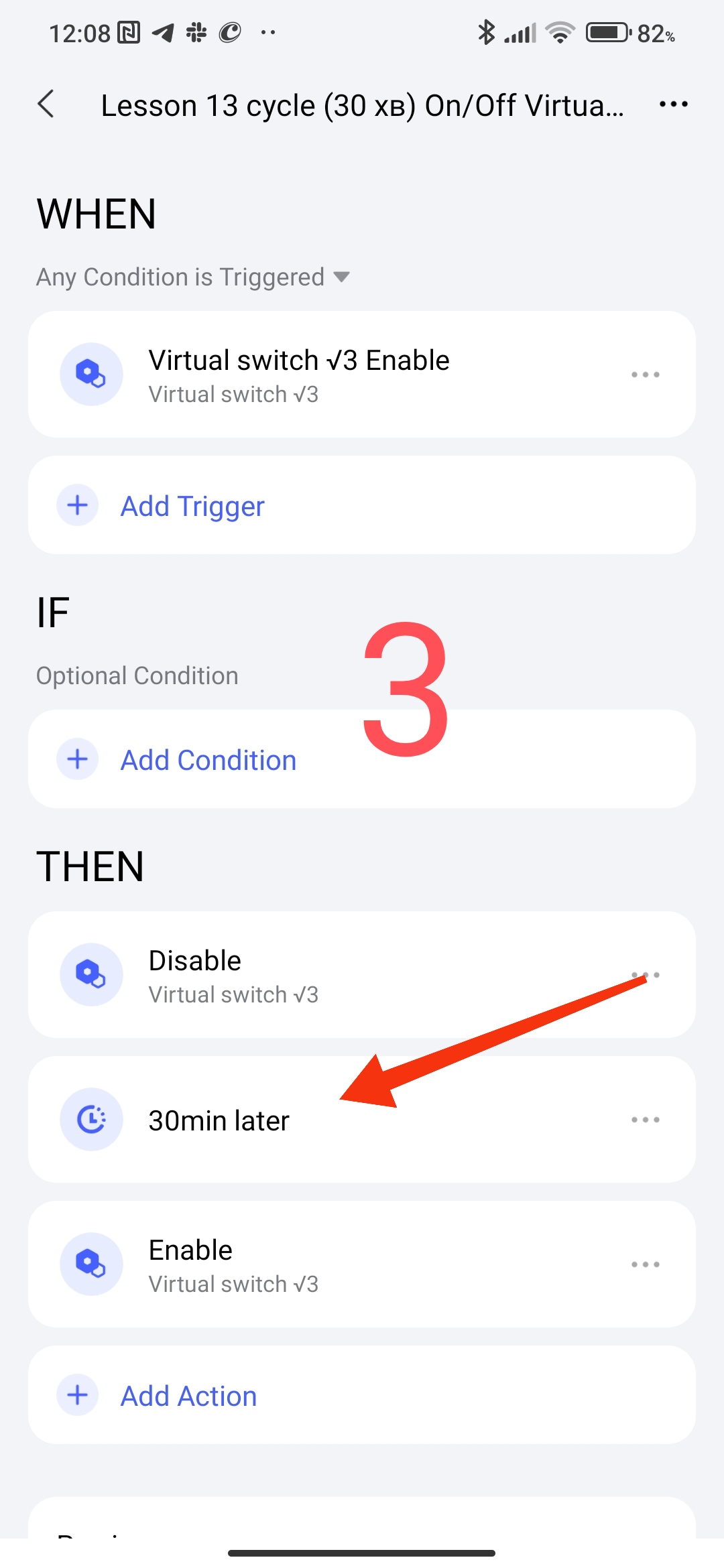
Now let’s change the timer to 30 minutes (I recommend starting from 10 or more so as not to spam the trigger activation automation (our automation))
We will get the following automation
Fig3
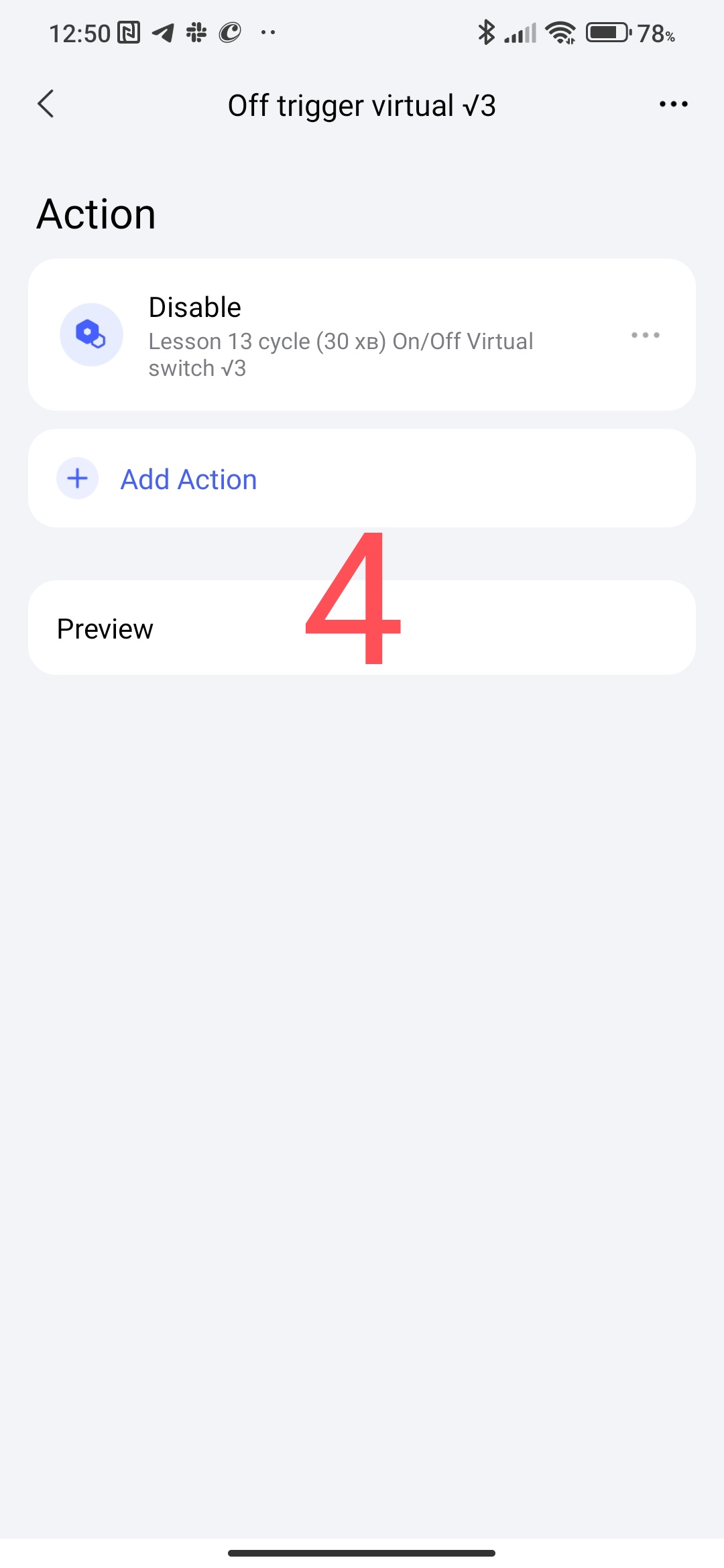
Create cycle start / stop scenes for further use
Fig4,5,6
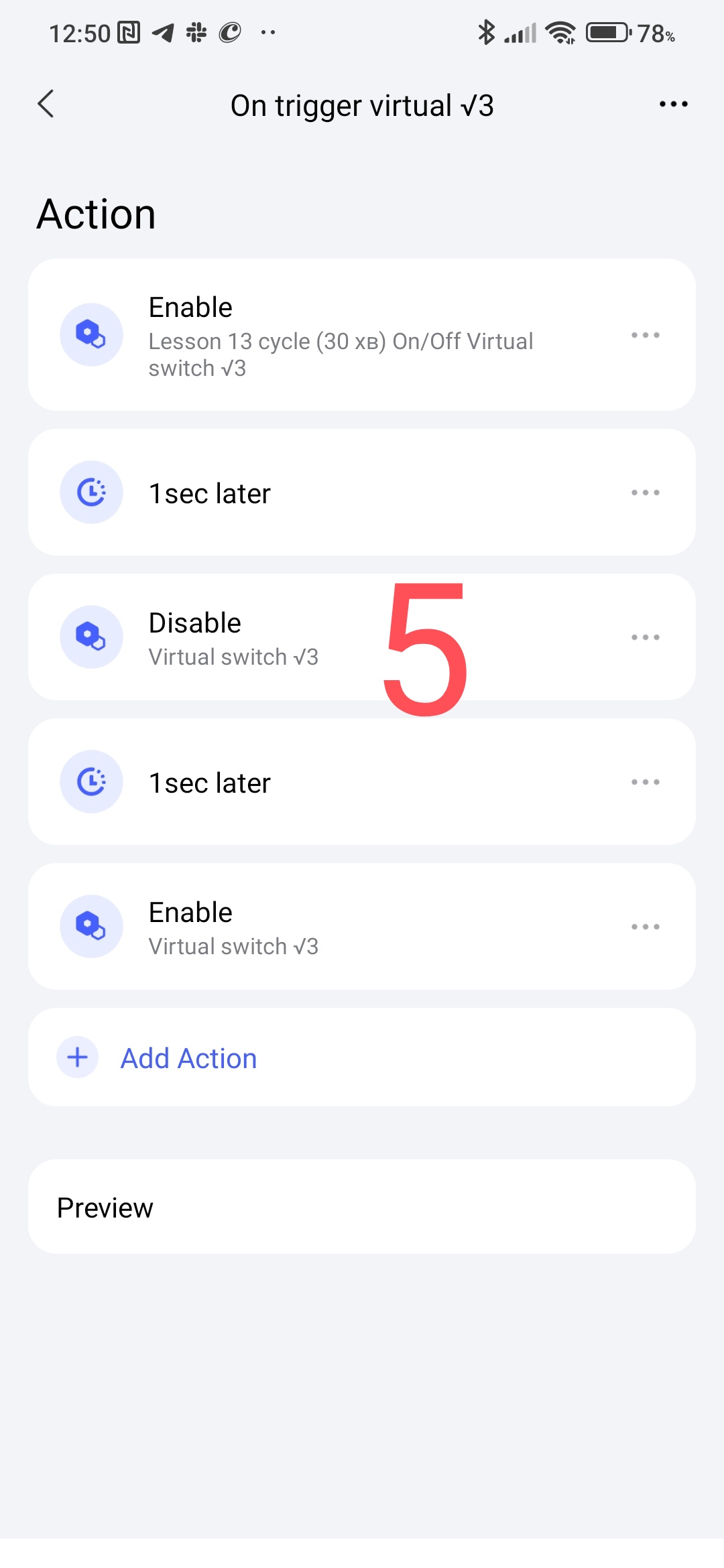
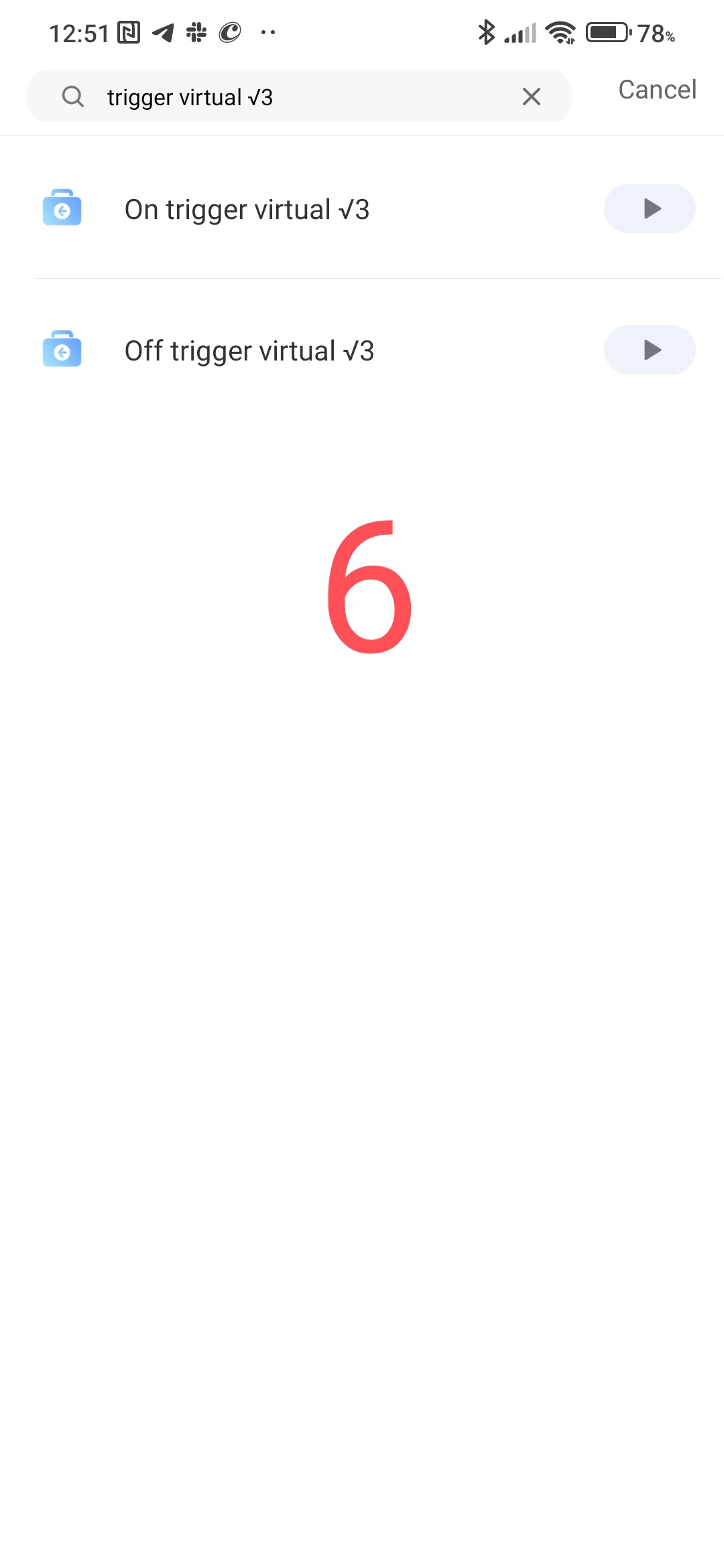
One of the uses of our trigger.
From lesson 10 fig.40 ( Automation 2.0, lesson 10, room climate control. Creating a smart heating schedule for radiator thermostats (E1, W500, W600) ) our automation in the WHEN section we replaced with our trigger.
Fig.7
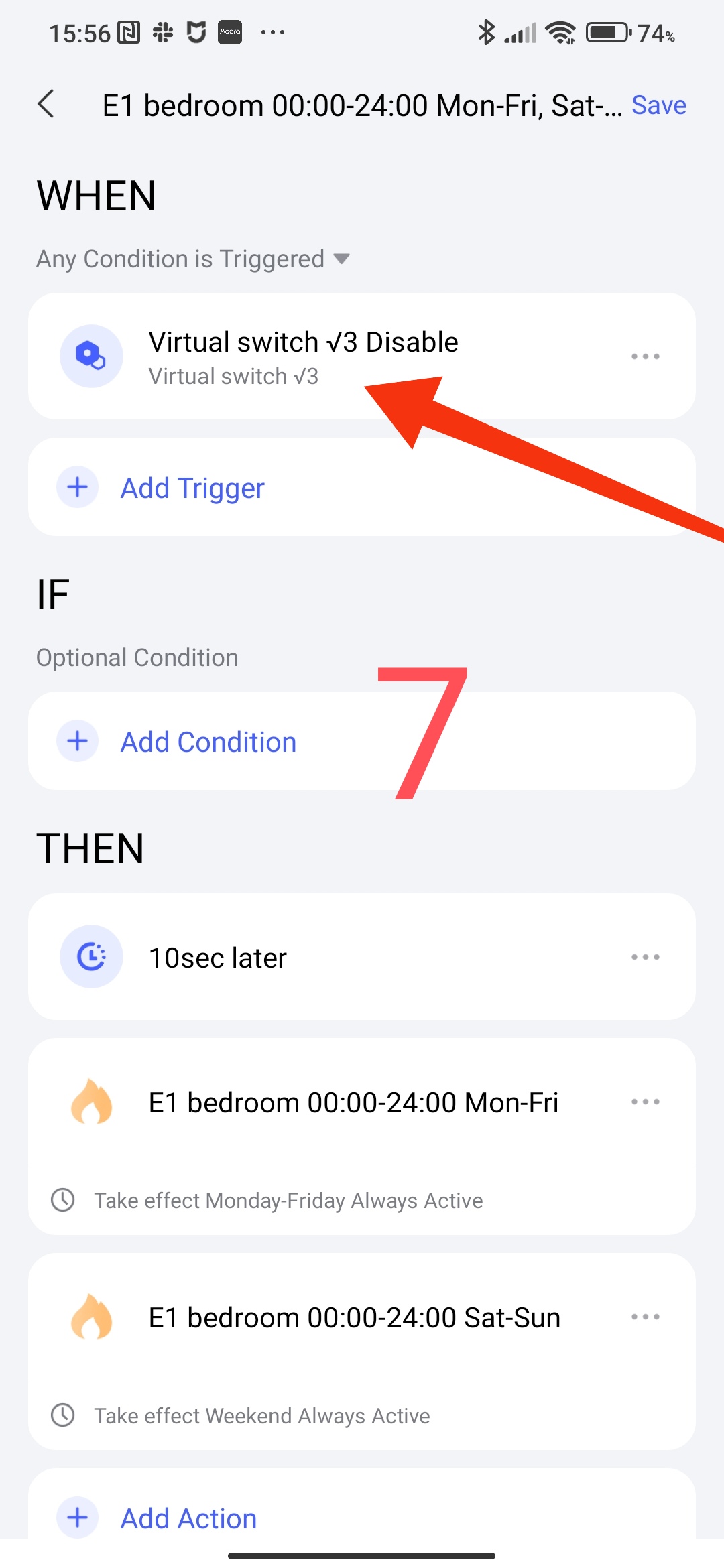
To synchronize the trigger with time, we will add one time start 12.00 hours.
Now the smart schedule execution conditions will be triggered every 30 minutes (I took as an example). You can set your time, this will give you the opportunity to change the target temperature for a certain period of time (until our trigger is triggered).
Fig.8
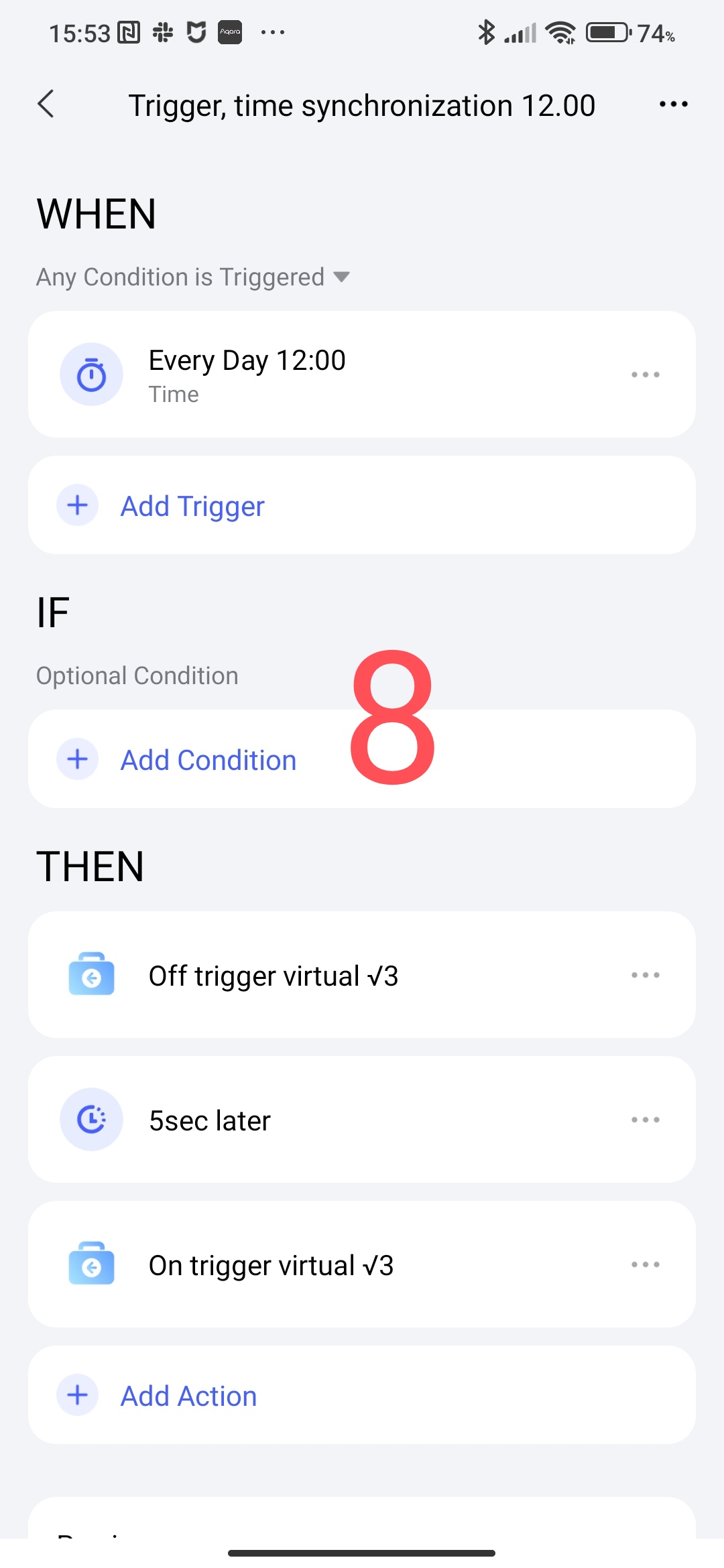
To synchronize the time of our trigger with the exact time, we will create “Trigger, time synchronization 12.00”, this synchronization will allow you to launch a smart schedule (our schedule has equal hours without minutes) at the required time multiple of 30 minutes.
Fig.7
Video of automation operation.
I leave it to your imagination to use the tool I invented to launch a cyclical process (for lamps, scenes, heating, WHEN conditions…), in which a cyclical continuous launch is required for the needs of a smart home. This is your imagination.
ATTENTION, I emphasize! Do not set a small trigger time, it will spam the automation (frequent execution).
A separate proposal for @AqaraOfficial developers, can you run this tool (which I suggested) in standard automation languages when choosing WHET.
POSTS.
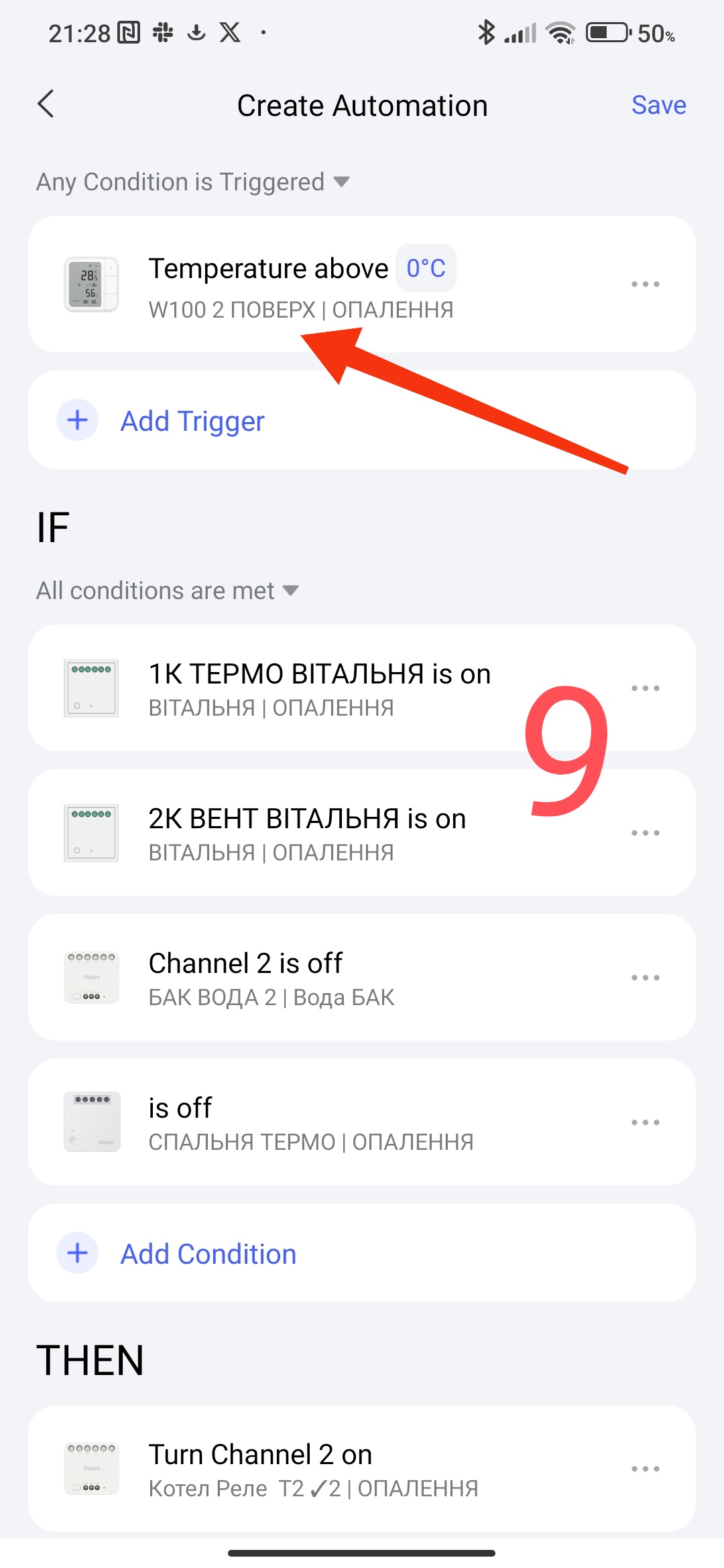
As a trigger in the WHEN section, you can use the W100 thermometer. Select an action that occurs constantly (temperature higher than -20°C) and according to the topic ( W100 Explanation of the temperature sampling setting для то ) select a period of 10 s to 10 minutes.
The disadvantage of this method is that the shorter the polling period, the faster the battery will drain. Limited time range.
The advantage is the absence of spam triggers for the trigger (which we have).
Fig.9
This concludes this lesson.
Thank you for reading and sharing the topic (you can also on other platforms with a link to our forum).
More to come.

