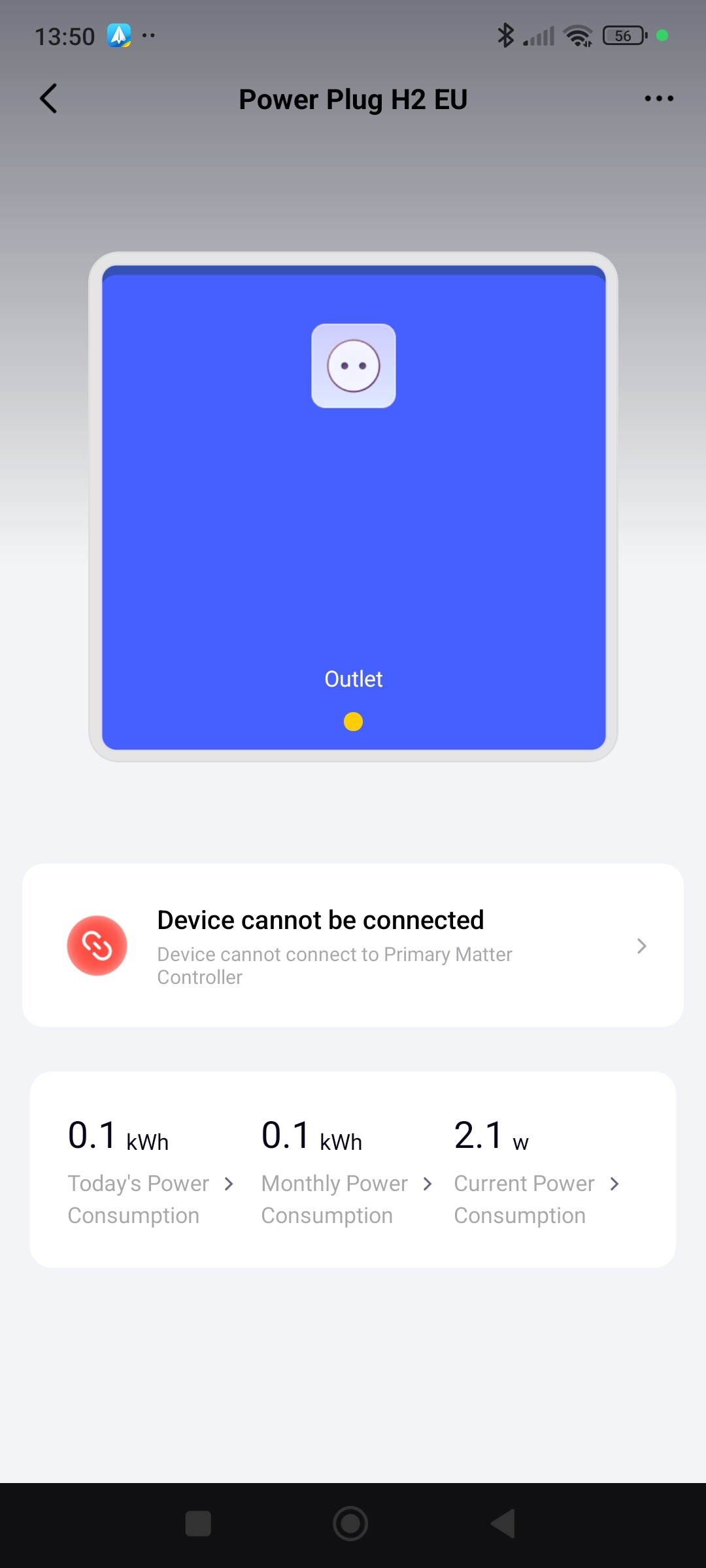
This is the Ukrainian language of my Android .
I would try to give permission for two red crosses, just to check.
1 Like
All permissions granted:
Cannot add desktop shortcut.
1 Like
Good morning. What kind of android do you have?
1 Like
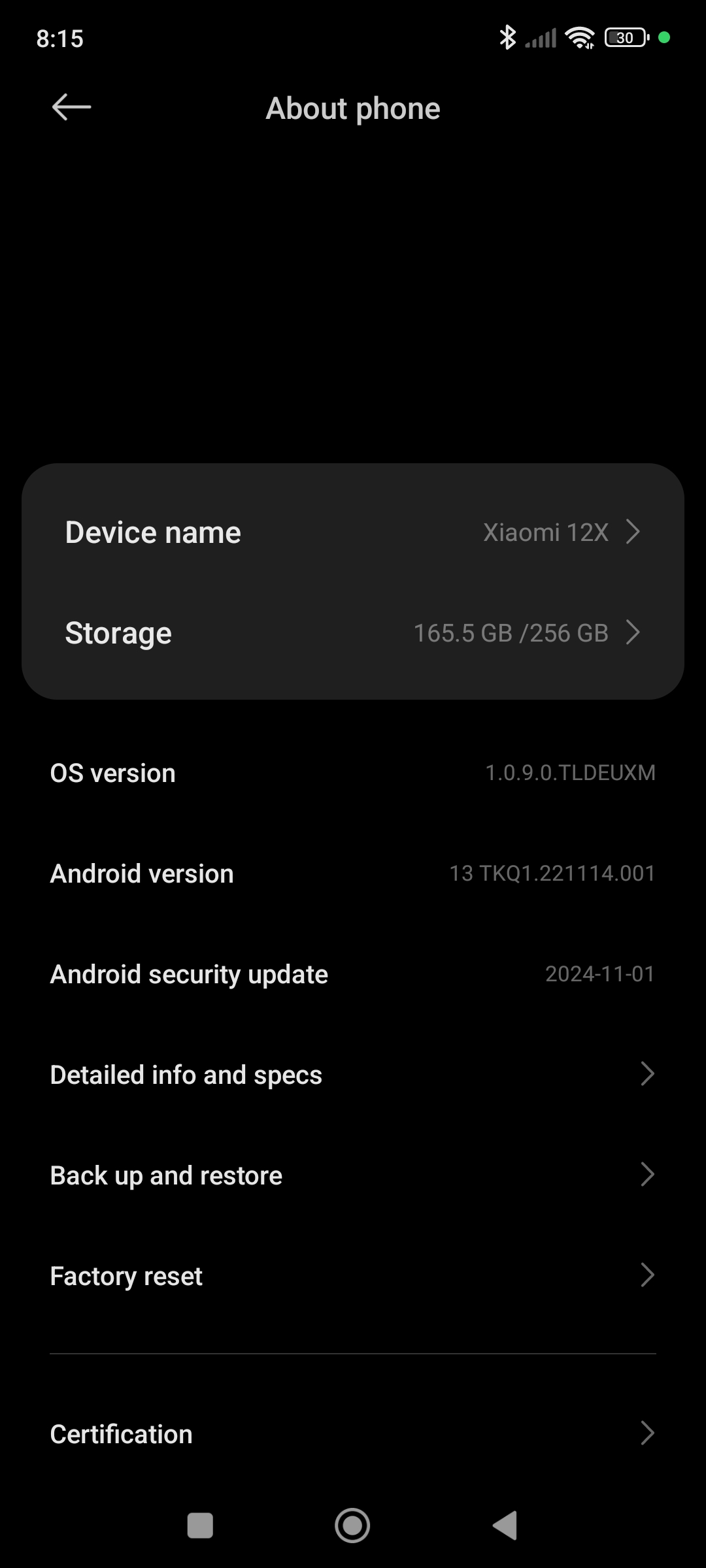
Since you made a shortcut once, if I were you, I would delete the program and reinstall it. I have an android Redmi 15. There is an old 13 in the drawer, I will try to run it and see if there are any problems for me. Definitely a problem with the android settings.
1 Like
Delete the Aqara Home app? 
Will all my automations etc. be restored on reinstallation? 
1 Like
Definitely🤣
If you install the APP on different phones and log in with your password, all access will be on the APP. Automations are stored on the server (editable) and also stored on the gateway for work when there is no internet (local work).
Hi
Phone was on charge…
I deleted the app.
Rebooted my phone, cleared the cache etc. etc. and reinstalled the app.
Same error message while trying to add desktop shortcut.
I feel there is little point in pursuing this. I have a workaround: I’ve added dashboard cards for the Scenes.
I’m going to delete the only shortcut.
But…
I would appreciate some further assistance.
I’d like to automate the plug so that it switches off at a specific time of day, and on after a specified period. I tried an automation, but it did not work.
I’d also like to have a second automation (unless this can be incorporated in the script, above) that keeps the plug switched off whilst the Guarding is set to ‘Away’ (for the whole period)
Is this something with which you might be prepared to help me?
Yes, I can help. To make the automation work clearer for you, review my first lessons 1 and its additions. Maybe my lessons have a ready-made solution to your condition. Write, you can write in the lesson topic if you don’t understand something.
Give exact terms and conditions time.
Thanks
Not sure I understand the question.
But:
switch OFF at 2200, switch ON 9 hours later, at 0700.
But also OFF when Guarding is set to AWAY, until AWAY is changed.
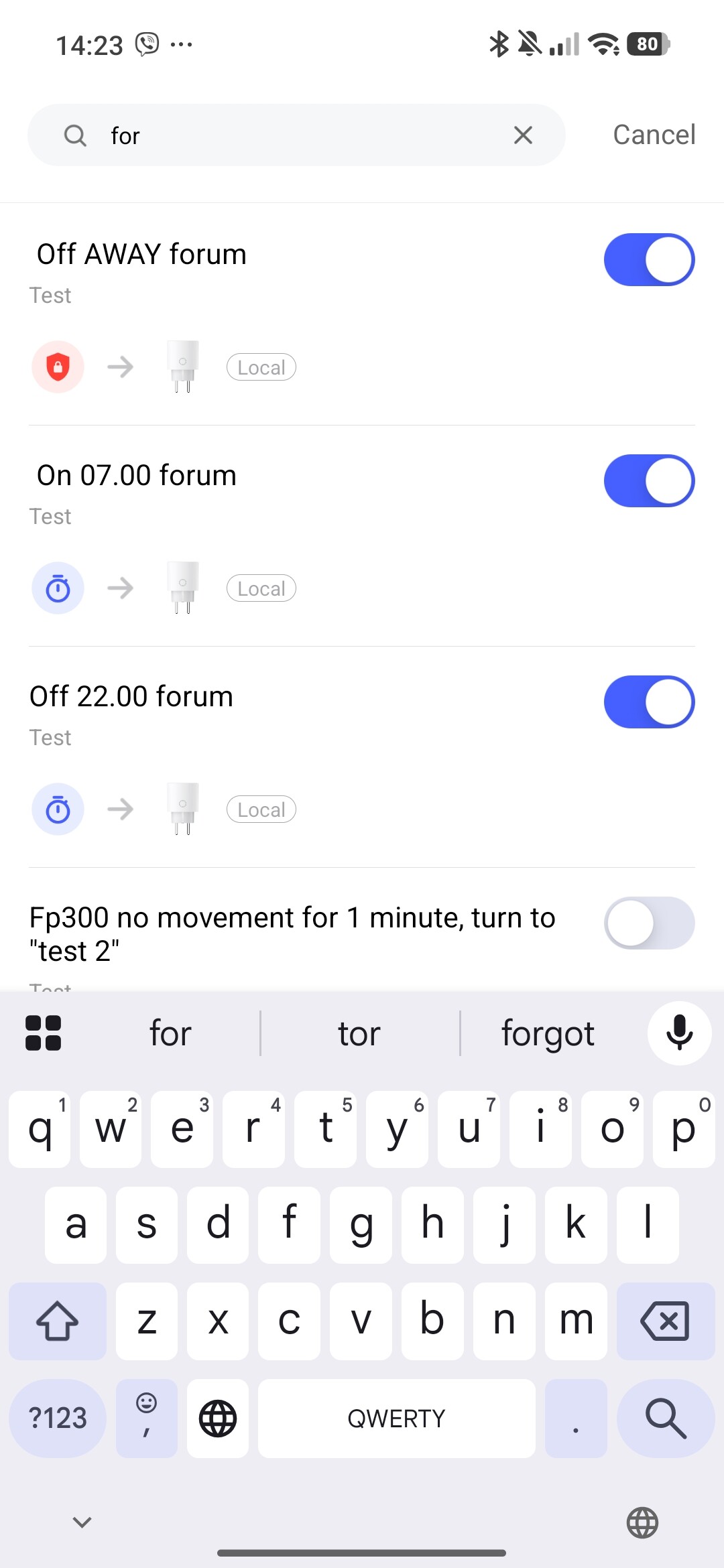
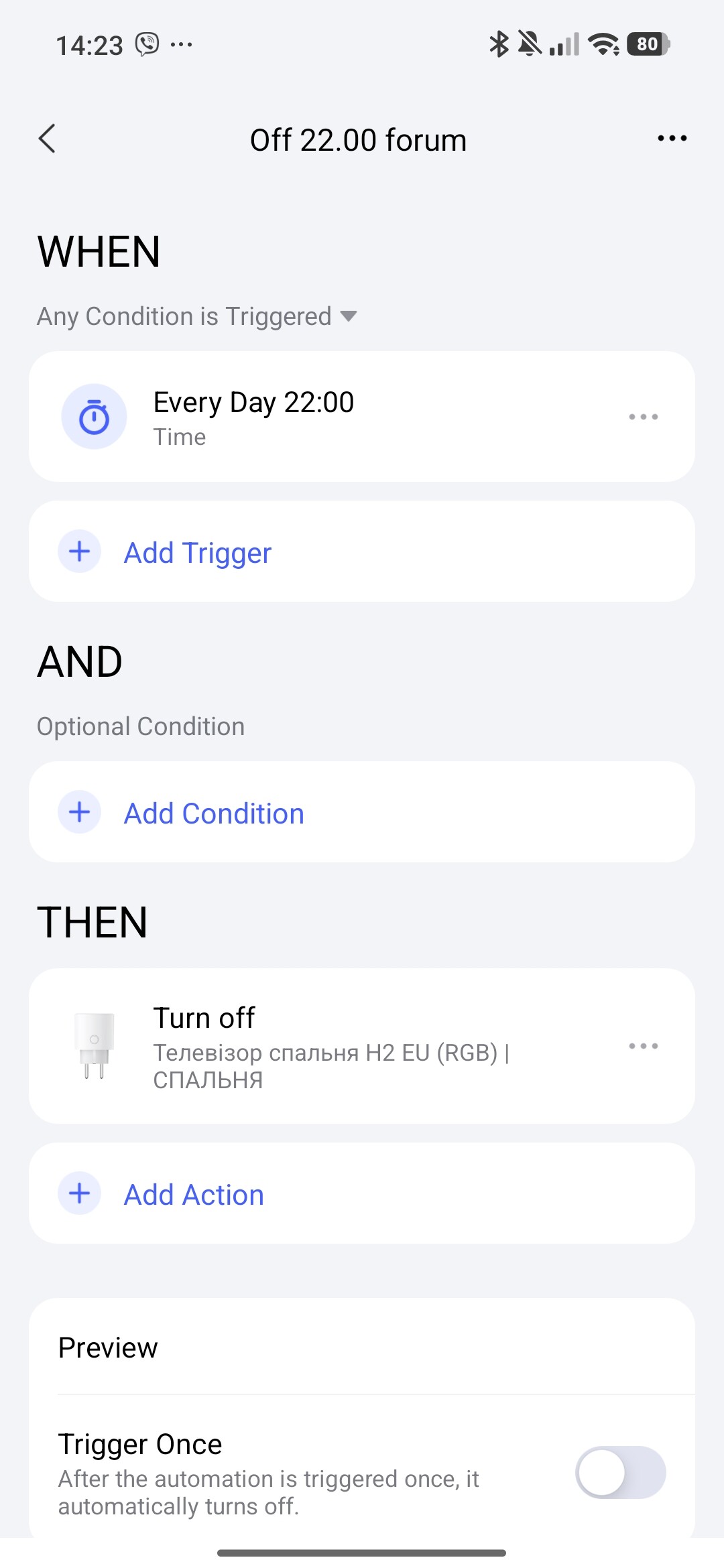
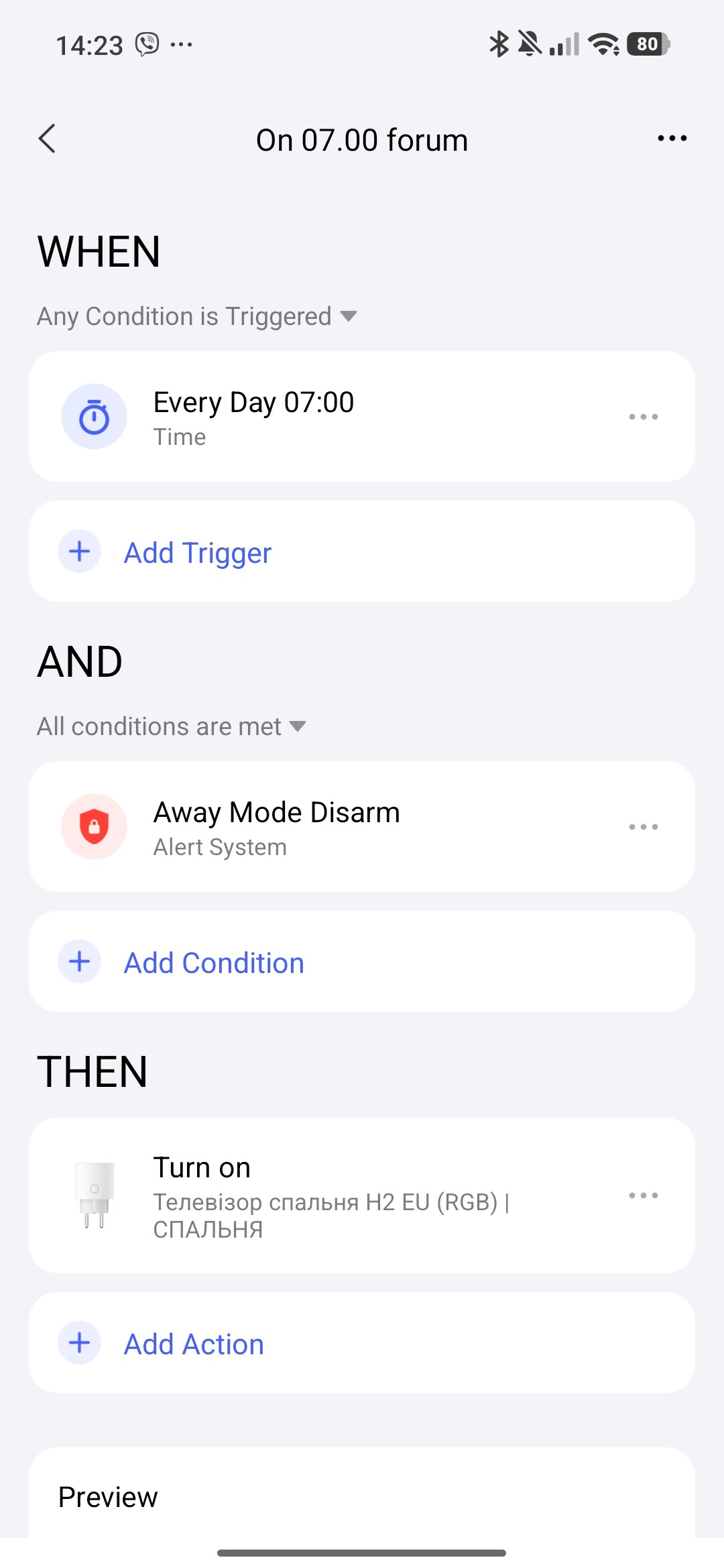
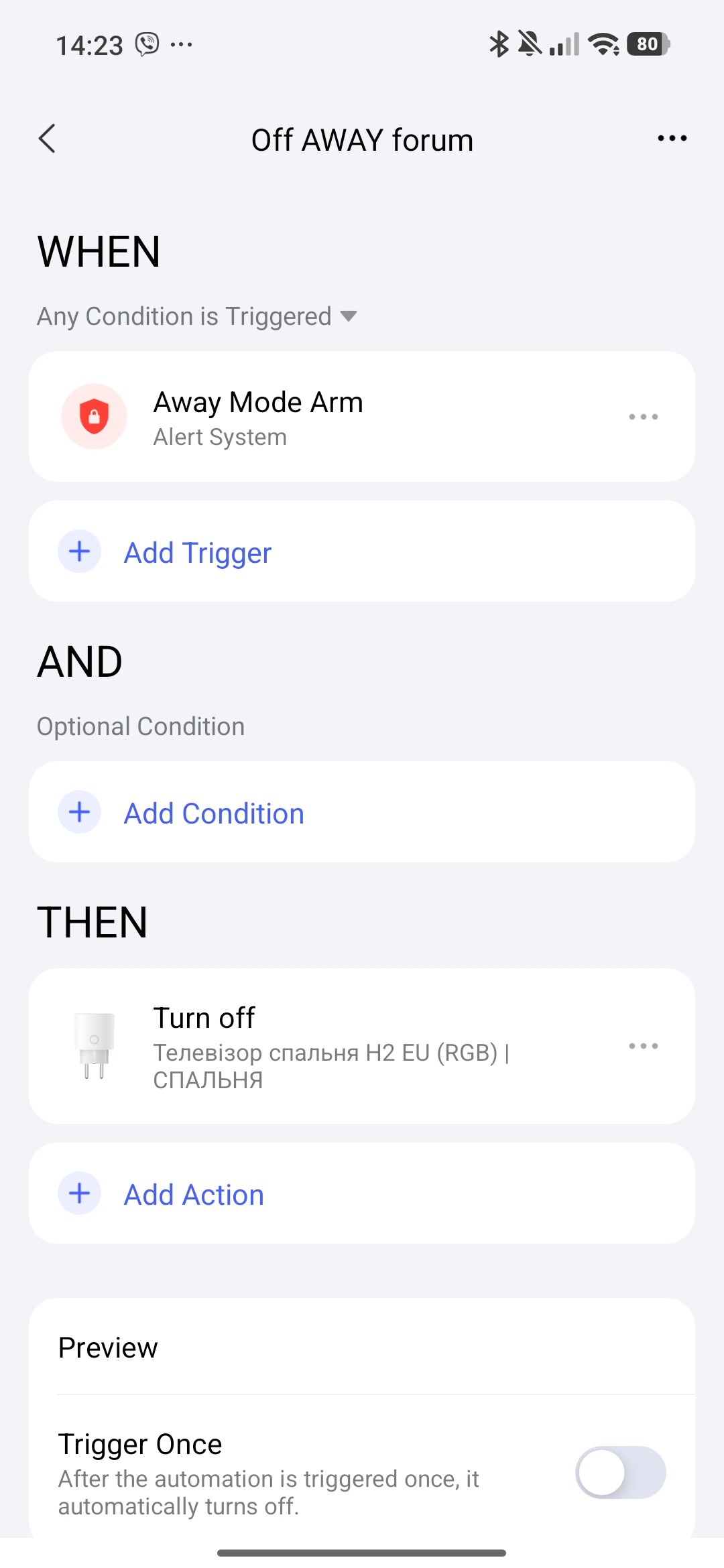
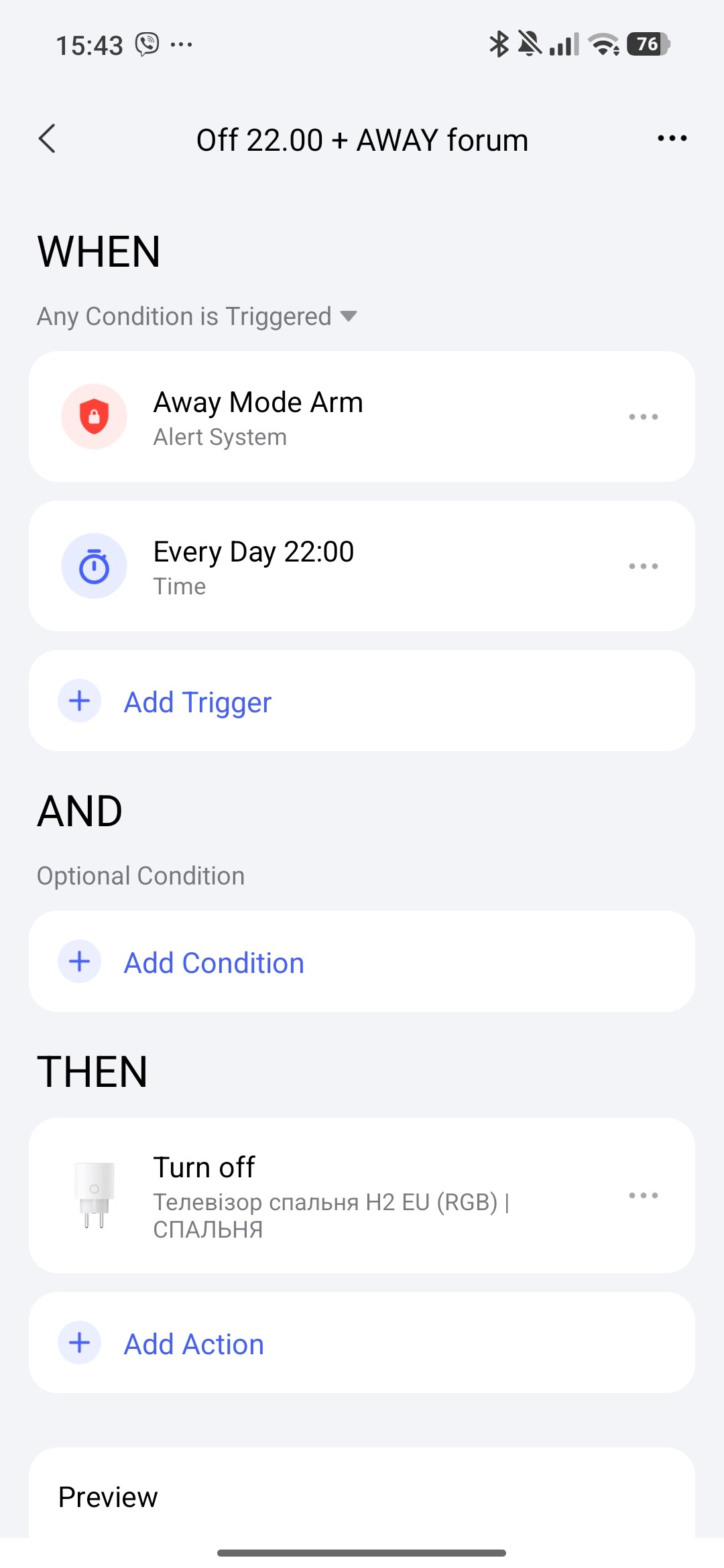
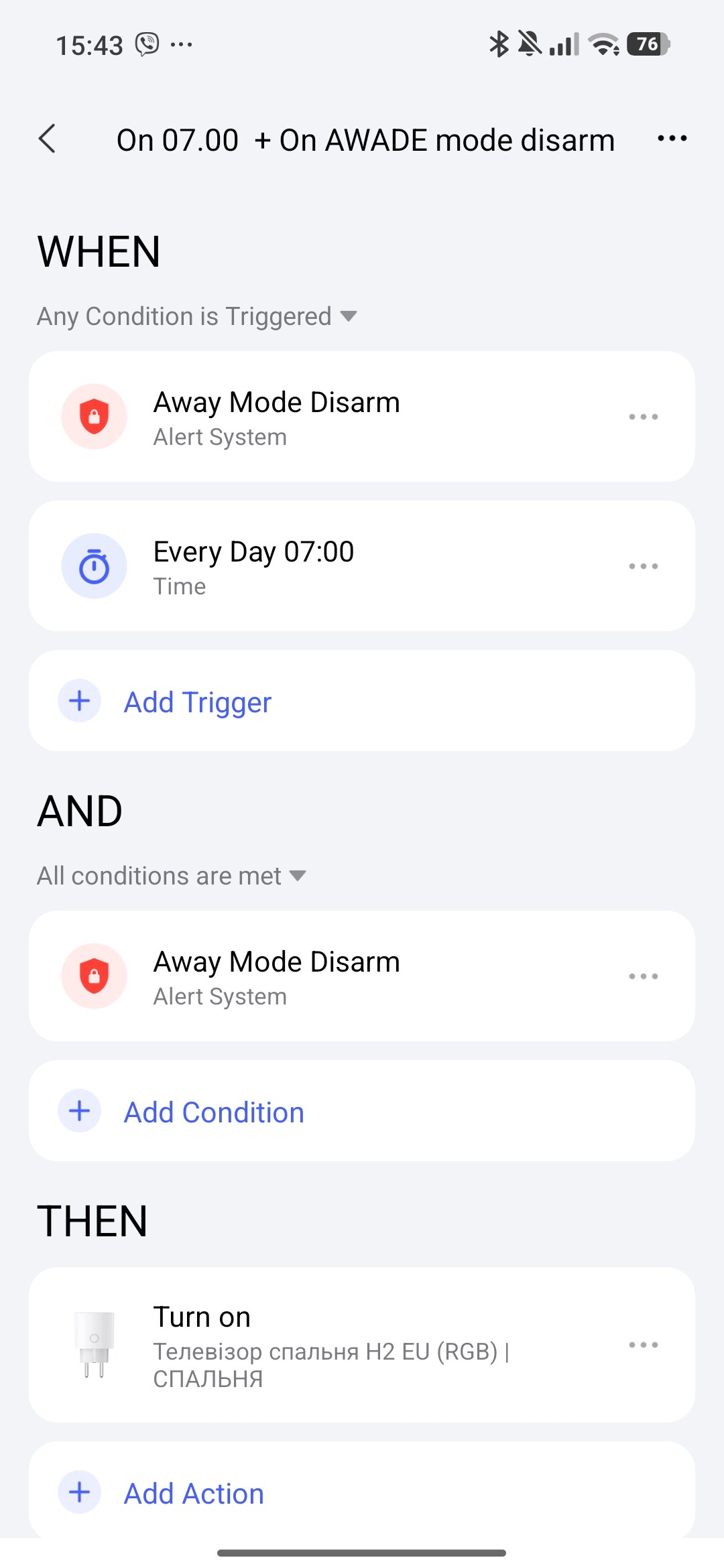
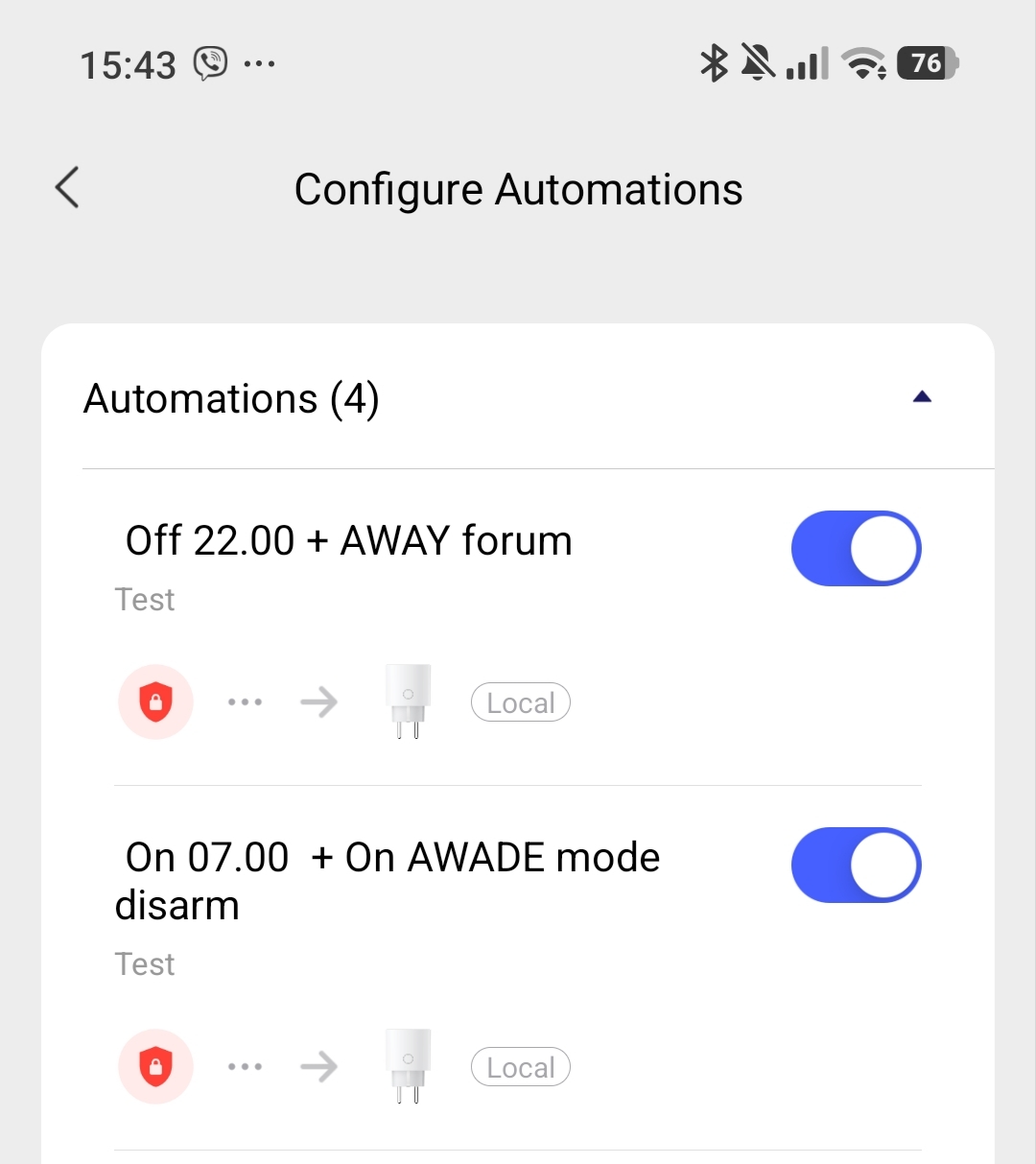
Many, many thanks for all of this. You are exceptionally helpful.
I will try your first three automations.
If they are working as required, I’ll probably stick with them.
You said different conditions in one automation, but, am I mistaken, it looks like there are two automations.
I recommend the following two automations that I made later for your request. On the screenshot, the name shows its purpose. I specially signed it for you.
Thanks, and noted.
Do these two latter automations do the same job as the first three you presented?
These two automations perform more than the previous three.
Read the names of the automations. By the way, to understand the purpose of the automation, I recommend that all users include the purpose of the automation in the name. This makes it easier to monitor the work in the future.
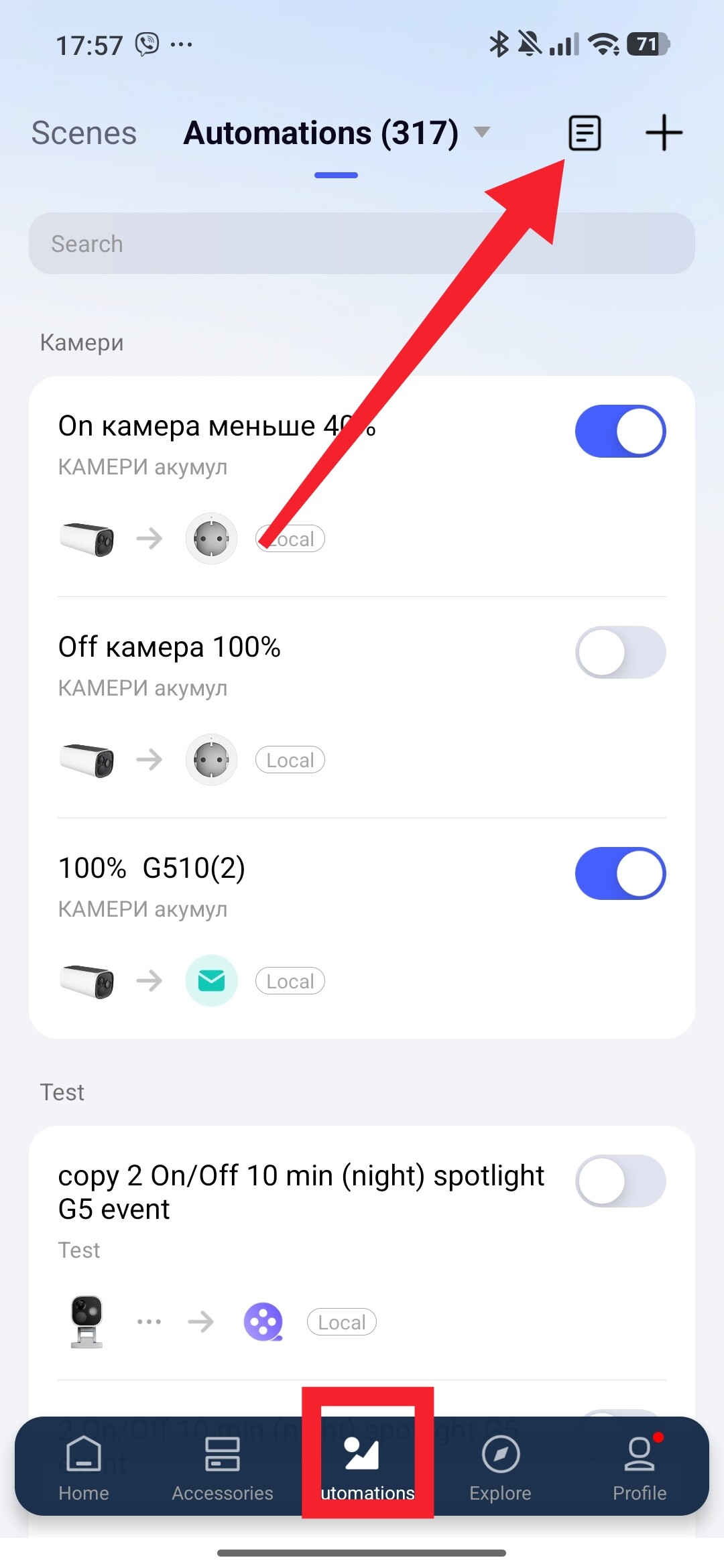
For your information, you can view the automation log here.
Well sir, I think that your prodigiously painstaking efforts have achieved a most satisfactory conclusion.
Multiple problems resolved.
I cannot express how grateful I am. You have saved me a great deal of time, stress and frustration.
A true superhero!

1 Like
Thank you very much for your appreciation of my work. 
The further development of your knowledge in the Aqara smart home now depends only on your desire. The forum community is always ready to help you!
By the way, do not be afraid to explore the Aqara APP, at first it is scary and then fear turns into EXCITION!